V16 Training · Warehouse in Depth · Lesson 5 of 6
Repack and break bulk
This lesson shows how a repack stock entry turns bulk stock into cartons, and how to see its effect in the Stock Ledger.
Written guide
The idea
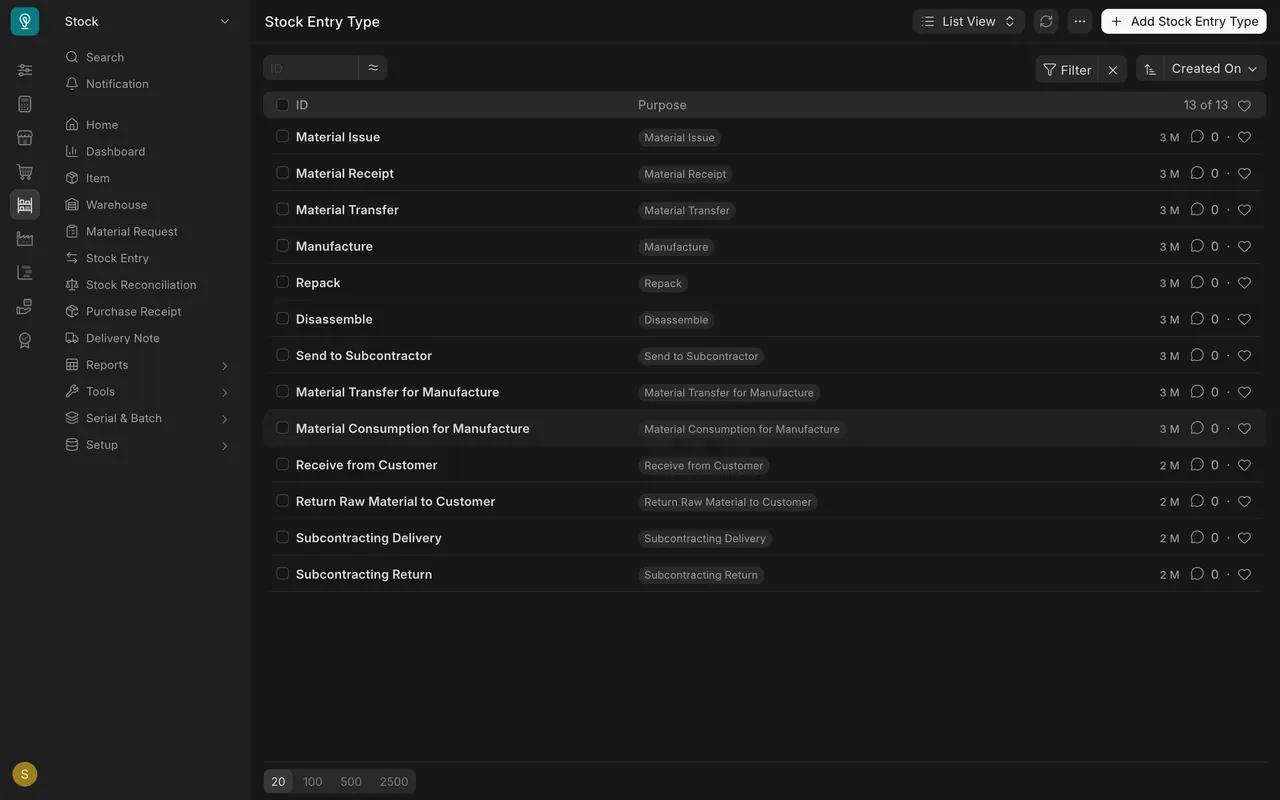
Every stock movement is a stock entry, and its Stock Entry Type says what kind: Material Receipt brings stock in, Material Issue takes it out, Material Transfer moves it between warehouses, and Repack turns one form of stock into another. The screens use example data from a demo company that sells flooring.
Step by step
Step 1. Choose the stock entry type
- The Stock Entry Type list holds every type. The Stock Entry list shows each entry's type in the Purpose column.
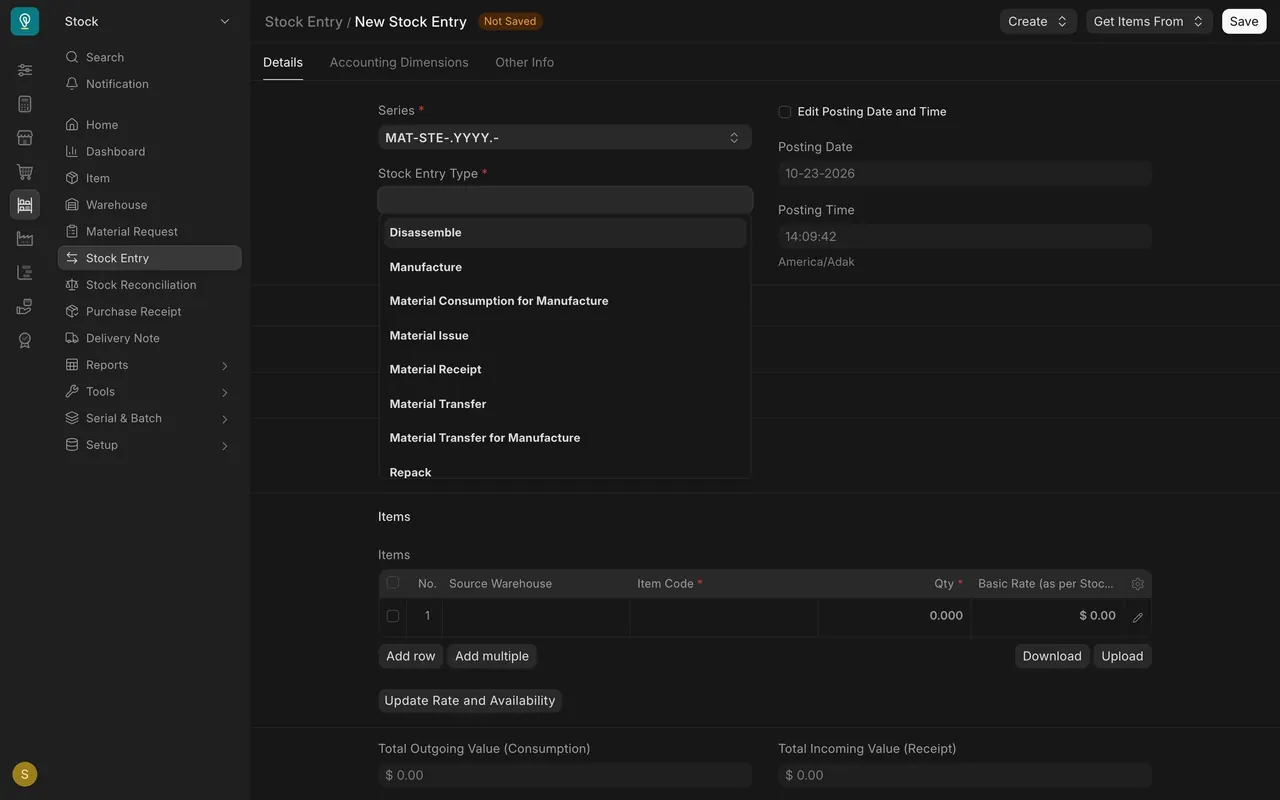
- On a new entry, the Stock Entry Type box offers the same choices. Pick Repack.
Step 2. Take the bulk stock out
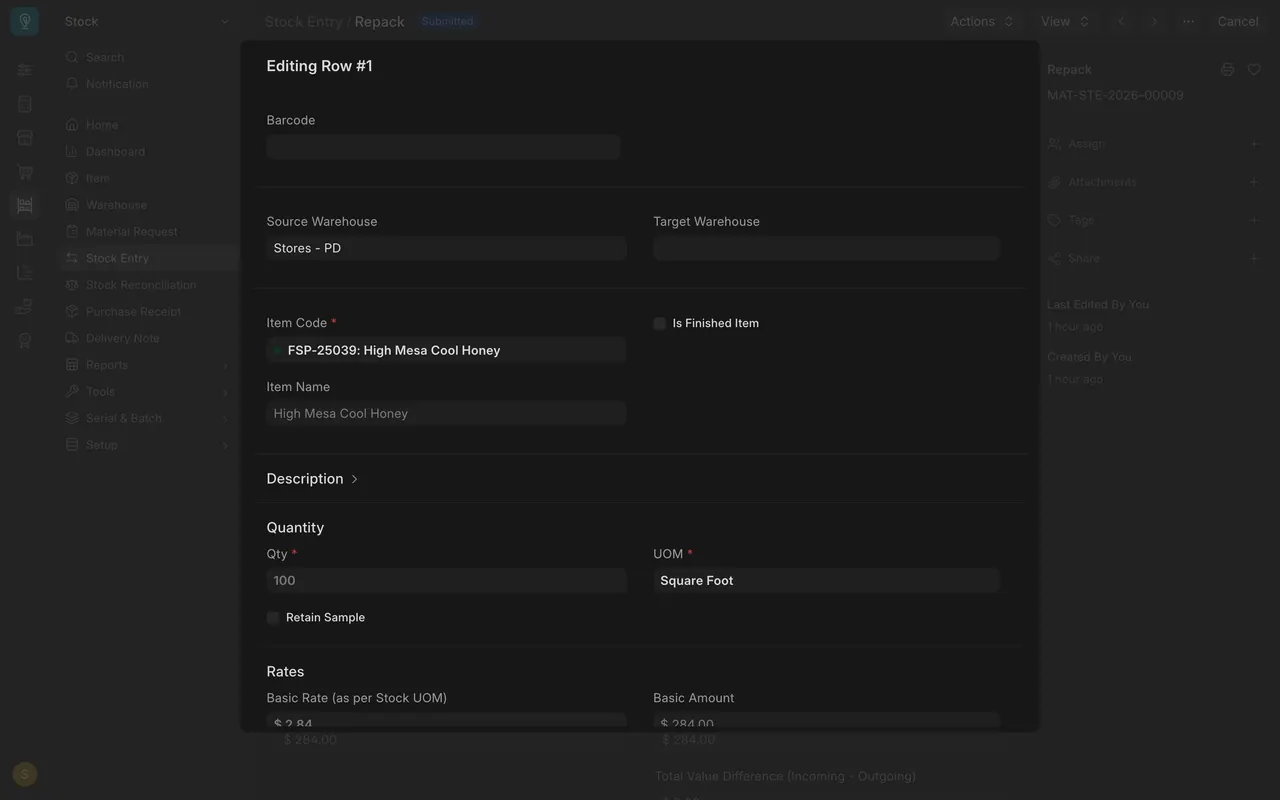
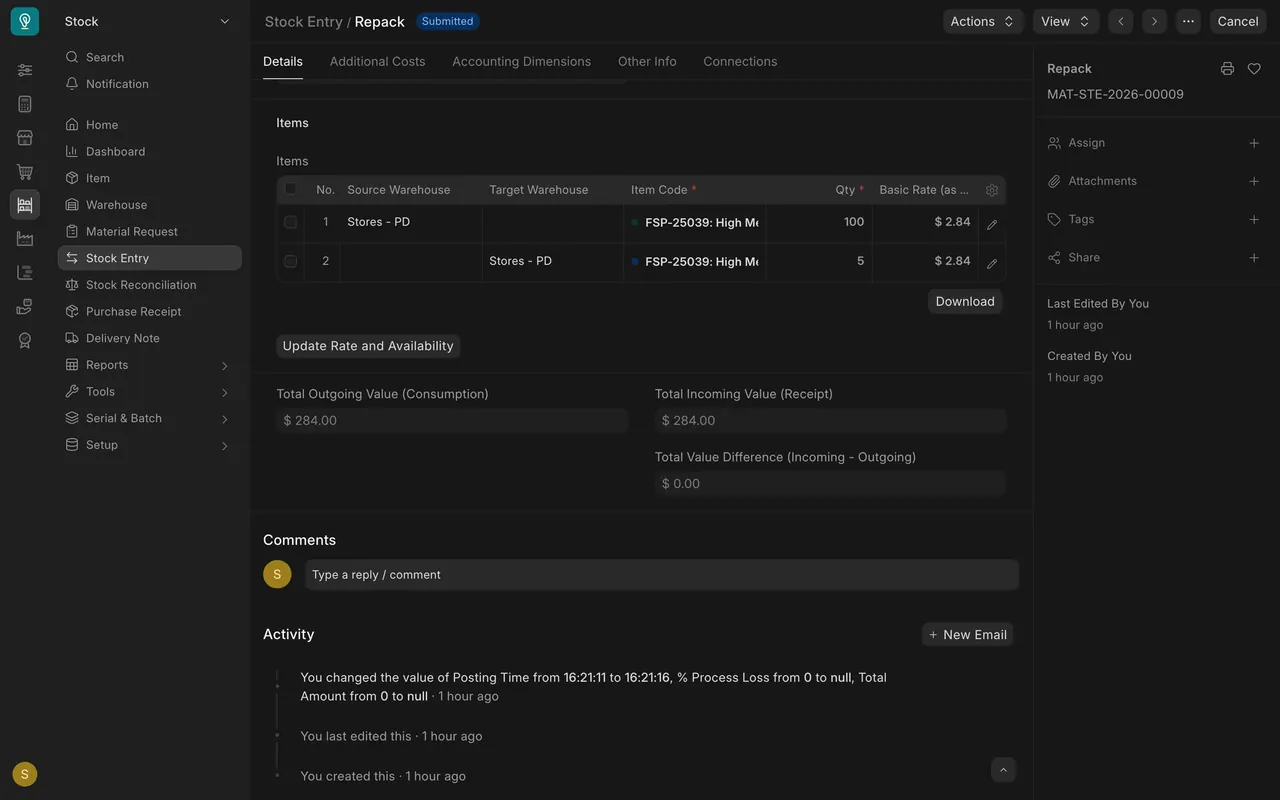
Row 1 has a Source Warehouse and no target: 100 square feet of the plank.
Step 3. Put the new packs in
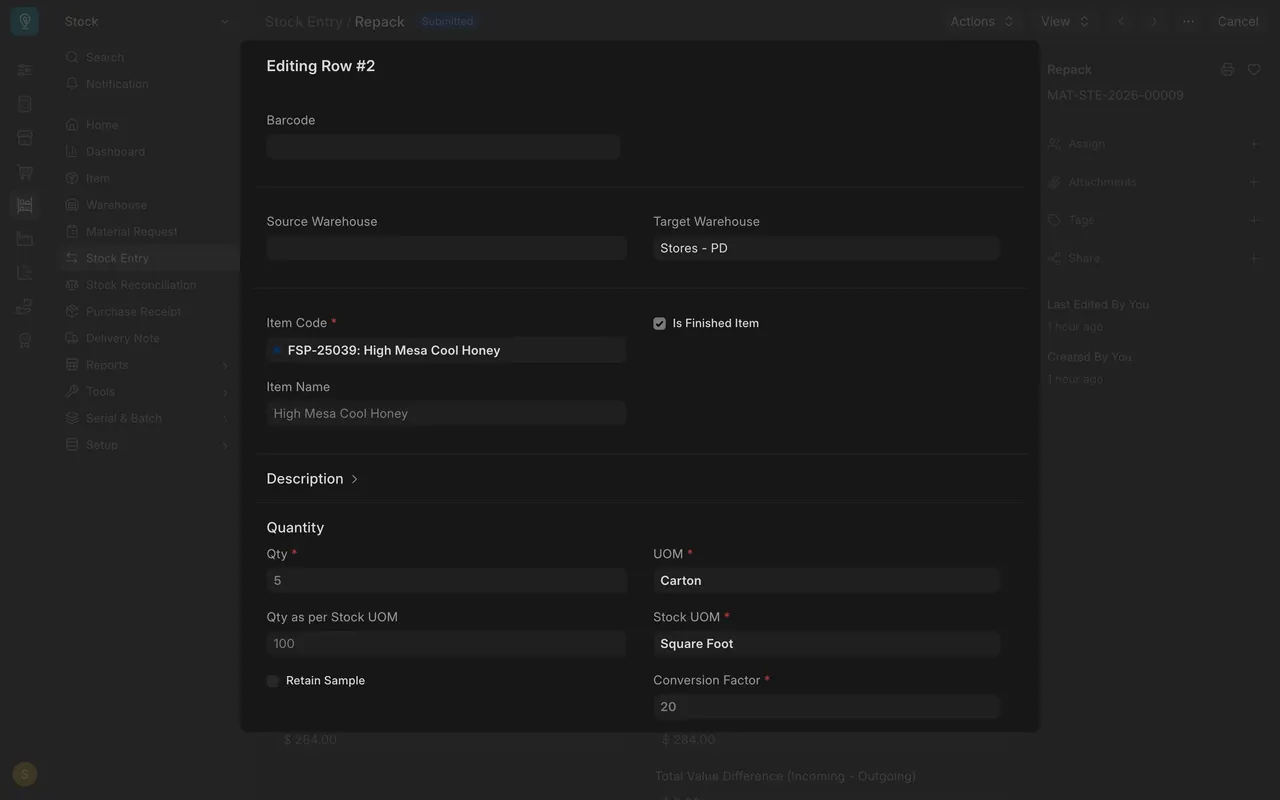
Row 2 has a Target Warehouse, Is Finished Item ticked, UOM Carton, quantity 5 and Conversion Factor 20, so 5 cartons equal 100 square feet. The totals match, so the value difference is $0.00.
Step 4. Check the stock ledger
In Stock Ledger, filtered by item and warehouse, the repack shows 100 out and 100 in.

Common mistakes
- A wrong conversion factor counts the wrong number of square feet.
- Forgetting the target row.
Check yourself
3 quick questions.
1. Which stock entry type turns one form of stock into another?
2. A carton holds 20 square feet. What is five cartons in square feet?
3. In the Stock Ledger, what does the repack leave?