V16 Training · Warehouse in Depth · Lesson 6 of 6
Putaway rules and stock ageing
This lesson shows how a putaway rule decides where received goods go, and how the Stock Ageing report shows slow stock in age buckets.
Written guide
The idea
When a warehouse is full, receivers need to know where the rest goes. A putaway rule sets a priority and a capacity for an item in a warehouse. Stock Ageing then shows how old your stock is.
The screens use example data from a demo company that sells flooring.
Step by step
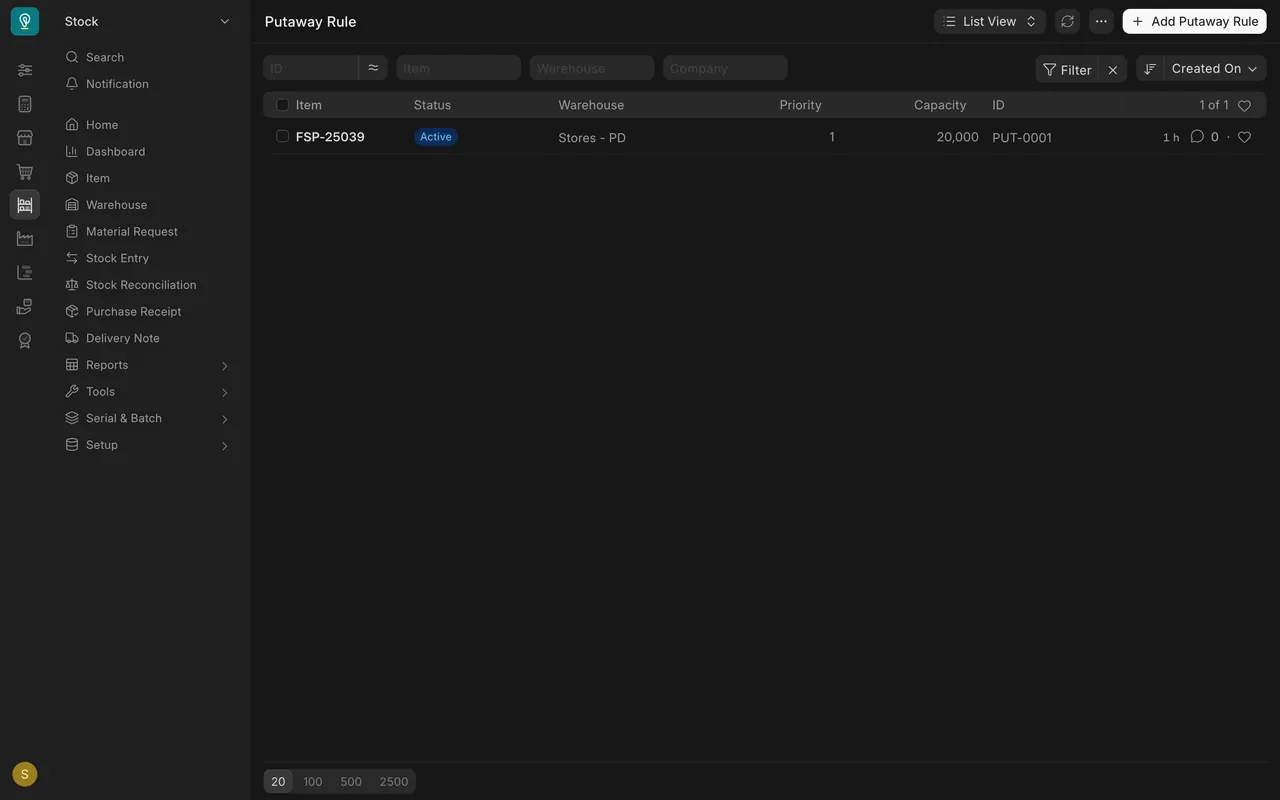
Step 1. Open the Putaway Rule list
Each row is one rule: Item, Warehouse, Priority and Capacity.
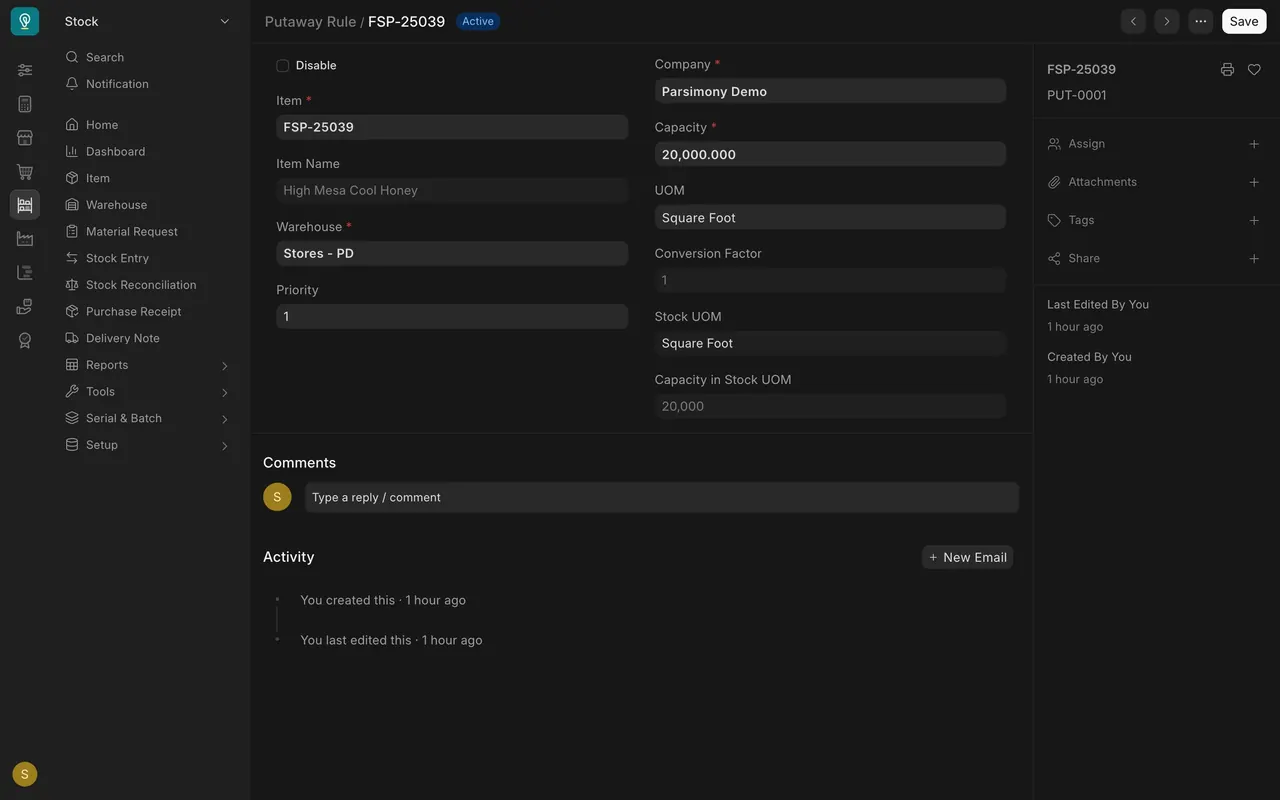
Step 2. Read the rule form
Choose the Item and Warehouse. Priority is a number; the lowest number is tried first. Capacity is how much the warehouse may hold (here 20,000 square feet). Keep it higher than the stock on hand.
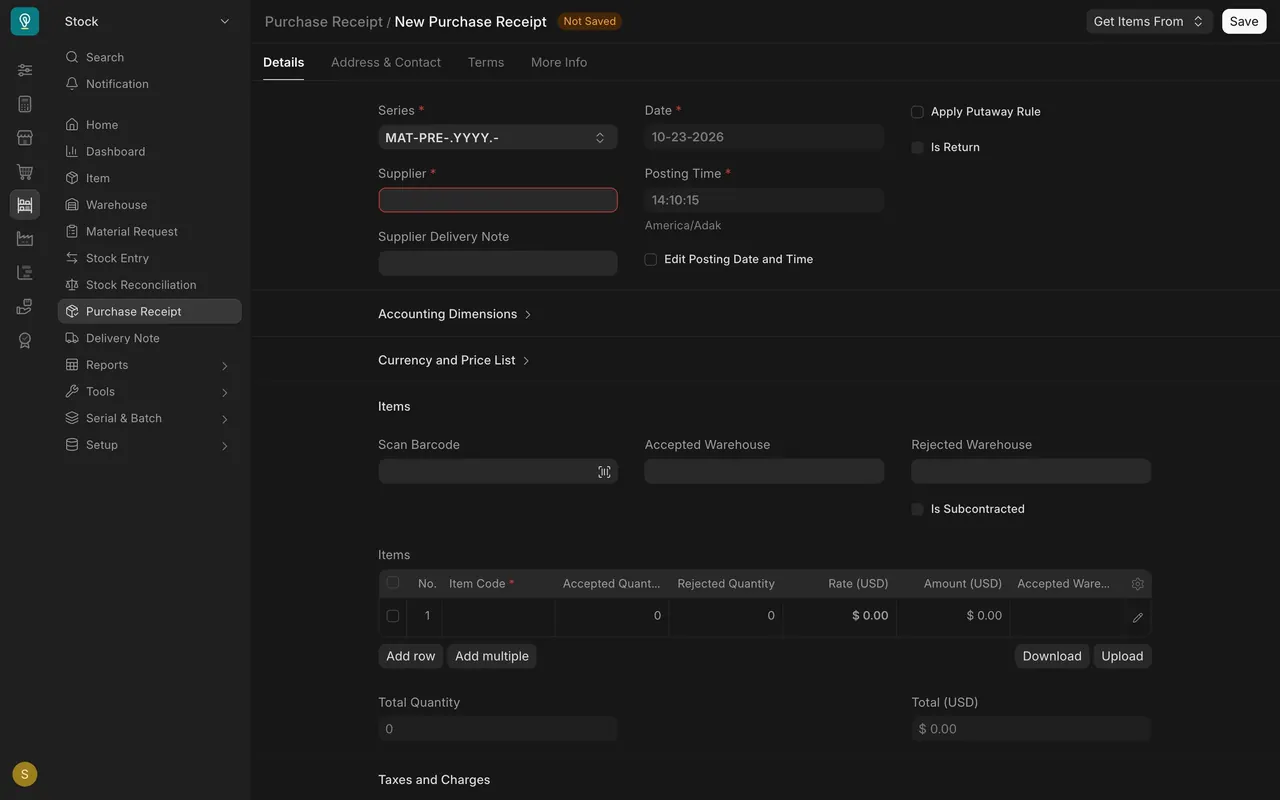
Step 3. Apply the rule on a receipt
On a Purchase Receipt, tick Apply Putaway Rule so each line goes to a warehouse by priority, up to its capacity. (A blank, unsaved receipt is shown.) Lesson 1 covered batches: the rule picks the warehouse, the batch tracks the lot.
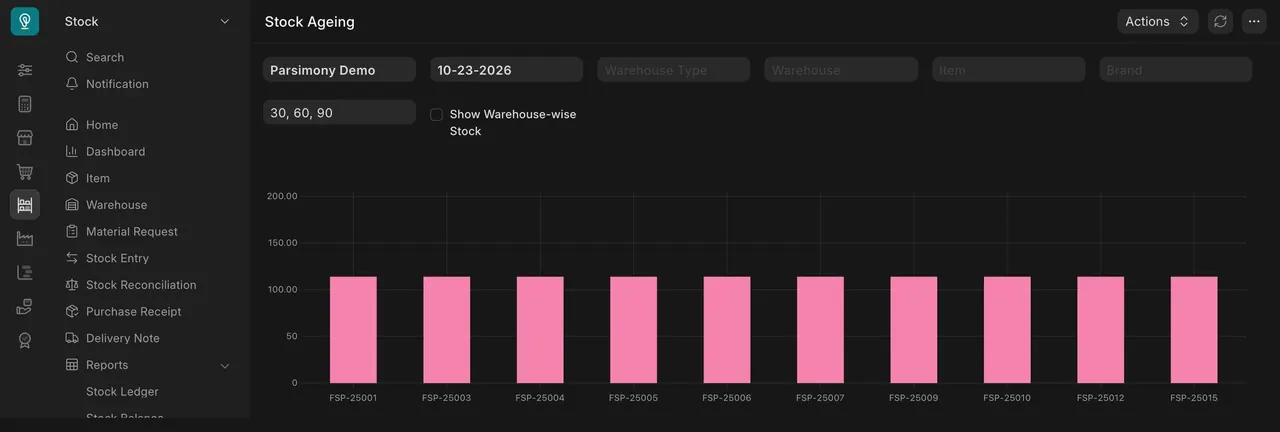
Step 4. Read Stock Ageing
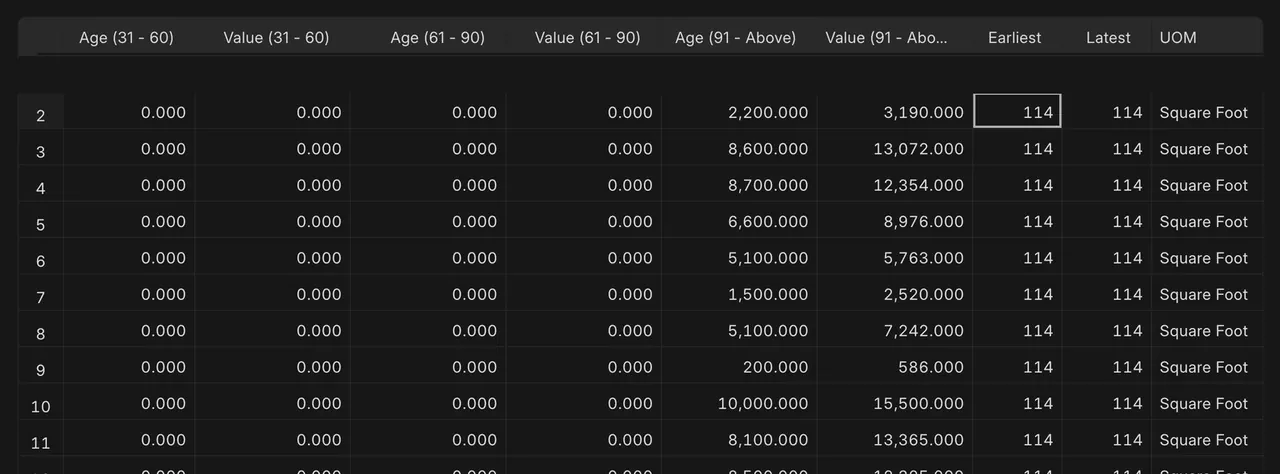
Open Reports > Stock Ageing. The ranges "30, 60, 90" make the age buckets in days. Each item shows Available Qty, Average Age, and an age and value pair per bucket, up to 91 - Above. Look in the oldest bucket for slow stock.
What you may see on your own site
- Your rules, items and ages are your own; here every item is about 114 days old.
Common mistakes
- Capacity lower than the stock on hand.
- Forgetting to tick Apply Putaway Rule on the receipt.
- Reading only Average Age and missing which bucket holds the value.
Check yourself
3 quick questions.
1. What does a putaway rule decide?
2. Which priority number is tried first?
3. Where is slow stock in Stock Ageing?