V16 Training · Warehouse in Depth · Lesson 2 of 6
Pick lists and packing slips
A pick list tells your pickers what to take and from which warehouse. A packing slip describes the boxes. The delivery note records what leaves. Screens are example data from a demo company that sells flooring.
Written guide
Step by step
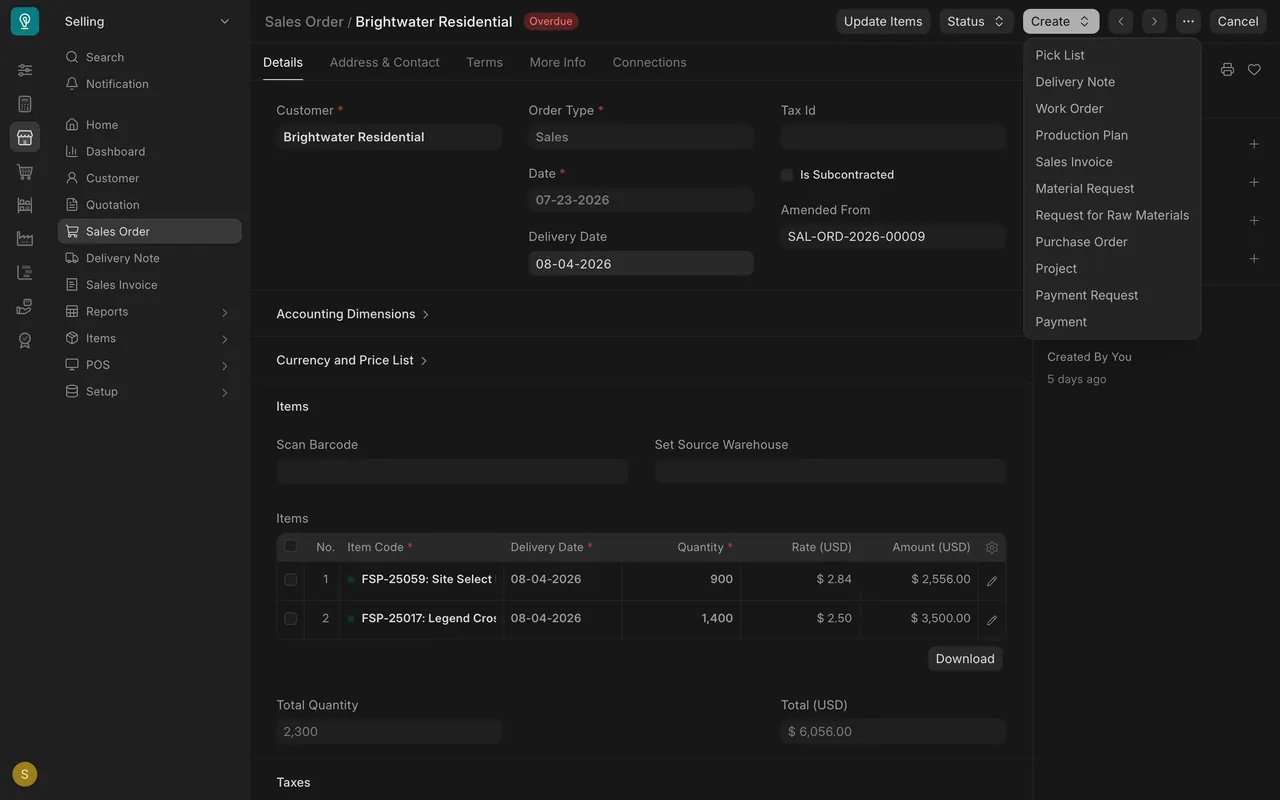
- Raise a pick list. On a submitted sales order, open Create and choose Pick List.
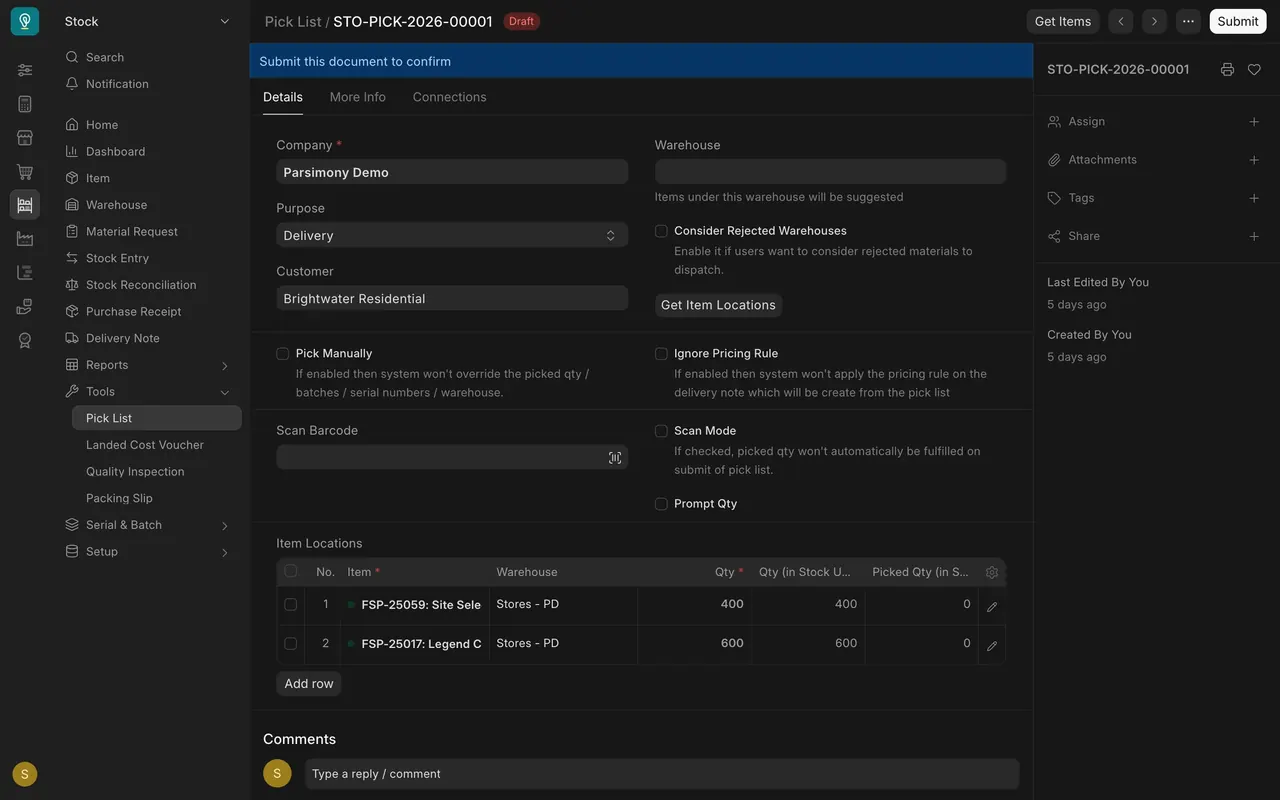
- Work through the locations. The Item Locations table lists item, warehouse and quantity; Picked Qty starts at zero. Tick Pick Manually if pickers choose their own spots.
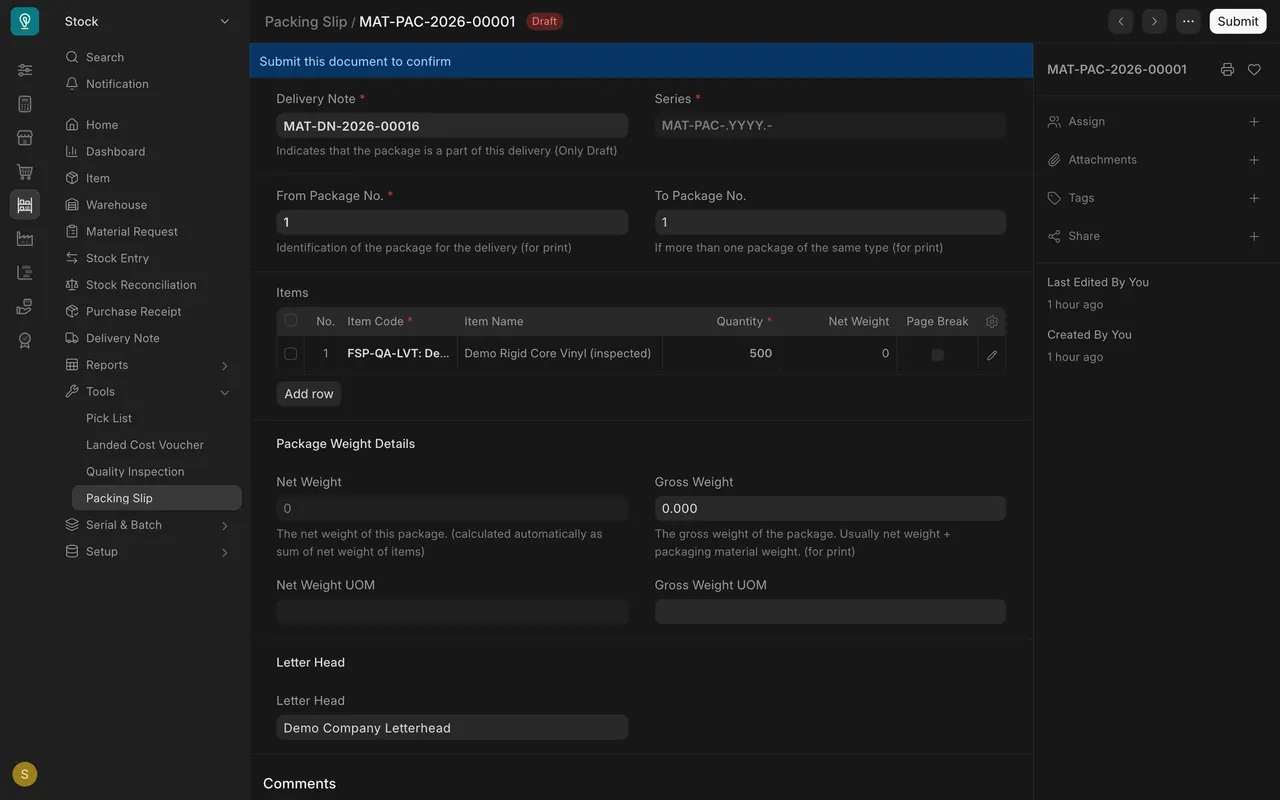
- Pack the goods. On the delivery note, Create, then Packing Slip. Set the package numbers and the gross weight.
- Check the delivery note. Customer, date, lines and total. A draft is not final until you submit it.
Check yourself
3 quick questions.
1. Where do you start a pick list from an order?
2. What does the Picked Qty column show on a new pick list?
3. Is a draft pick list final?