V16 Training · Support and Service · Lesson 4 of 6
Warranty claims
This lesson shows what a warranty claim records, how its form is laid out, how it ties to a delivered item, and how it differs from an issue.
Written guide
The idea
A warranty claim records a product problem for a customer and an item. An issue is a conversation; a claim is a product problem tied to an item.
The screens use example data from a demo company that sells flooring.
Step by step
Step 1. Open the claim
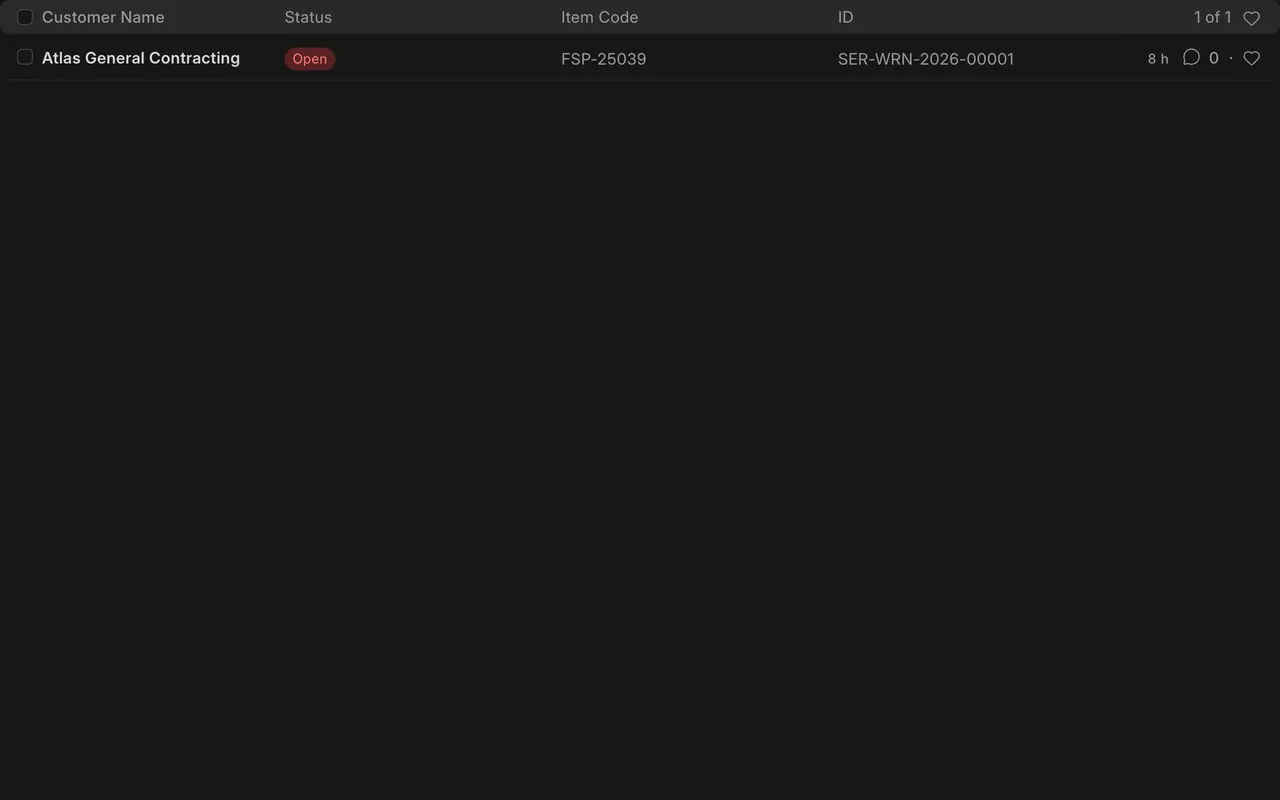
- Open the Warranty Claim list. Each row shows the customer, status and item code. Status can be Open, Work In Progress, Closed or Cancelled.
Step 2. Read the complaint
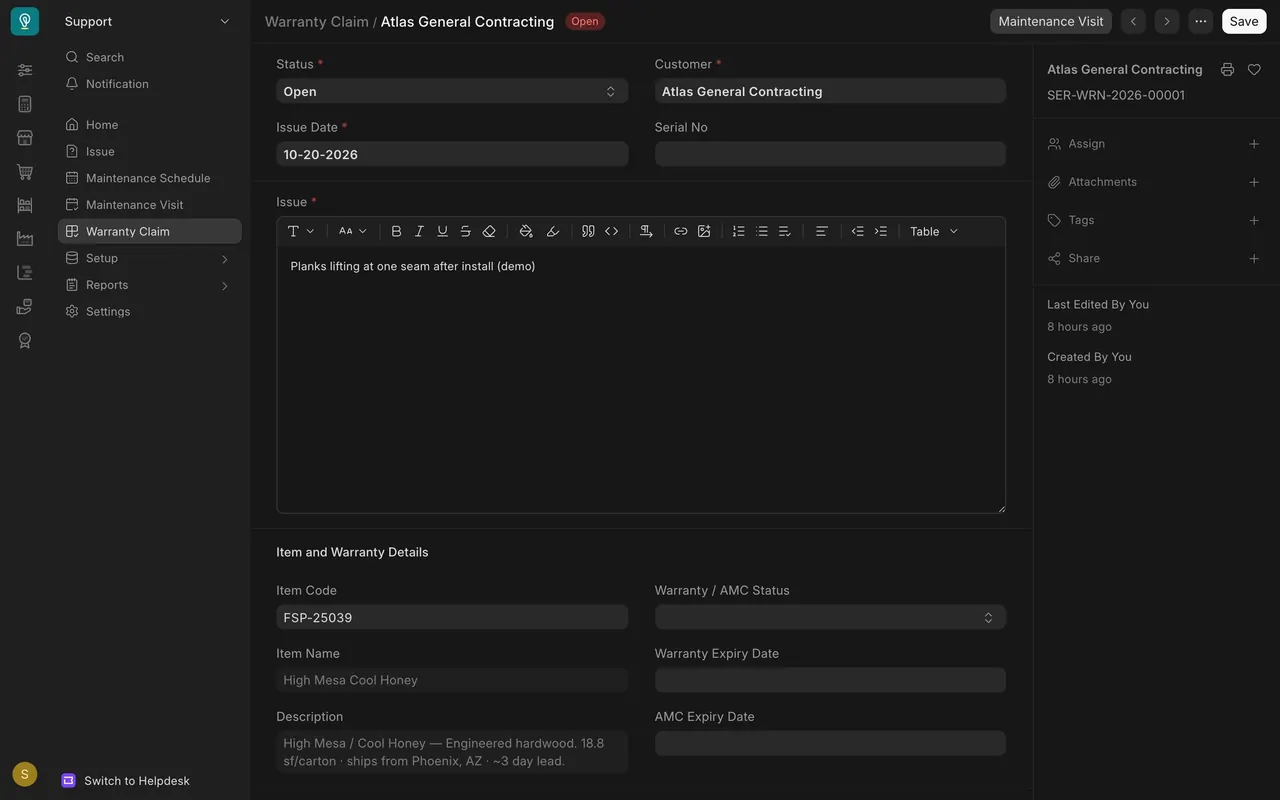
- The Issue box holds the complaint. The Issue Date is when it came in. Serial No is optional.
Step 3. Check the item and warranty
- Item Code and Item Name tie the claim to the delivered product. The warranty status and the expiry dates show coverage.
Step 4. Record the resolution
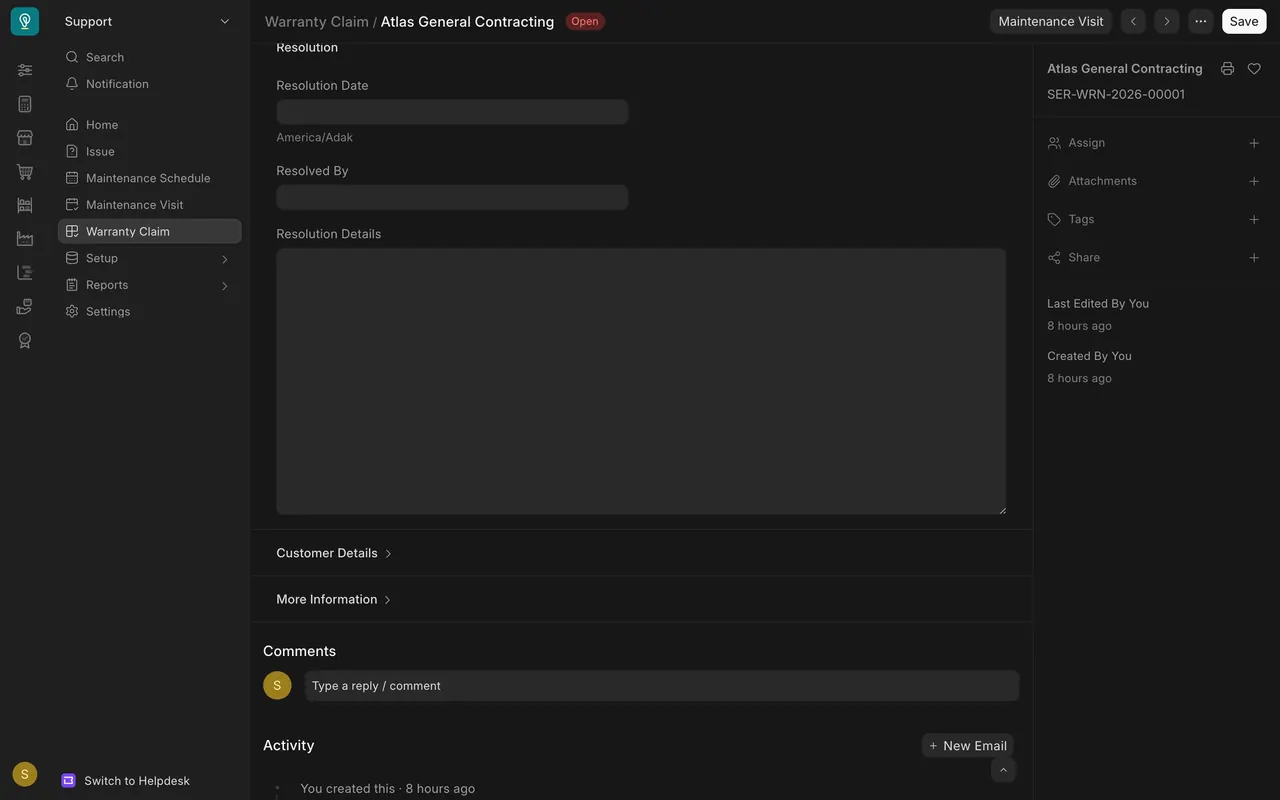
- The Resolution section holds a resolution date, who resolved it, and the details. Fill them in, then set the status to Closed.
What you may see on your own site
- Your claims, items and warranty dates are your own; blank fields here are just this example.
Common mistakes
- Logging a product problem only as an issue. Use a claim when it ties to an item.
- Leaving the status Open after the fix. Fill in the resolution and close it.
Check yourself
3 quick questions.
1. What is a warranty claim tied to?
2. Which section holds who fixed the problem?
3. What is the difference from an issue?