V16 Training · Support and Service · Lesson 2 of 6
Assign, reply and resolve
This lesson shows how to hand an issue to a team member, reply to the person who raised it, choose its status, and close it.
Written guide
The idea
An issue should always have an owner, a visible conversation and a status. The screens use example data from a demo company that sells flooring.
Step by step
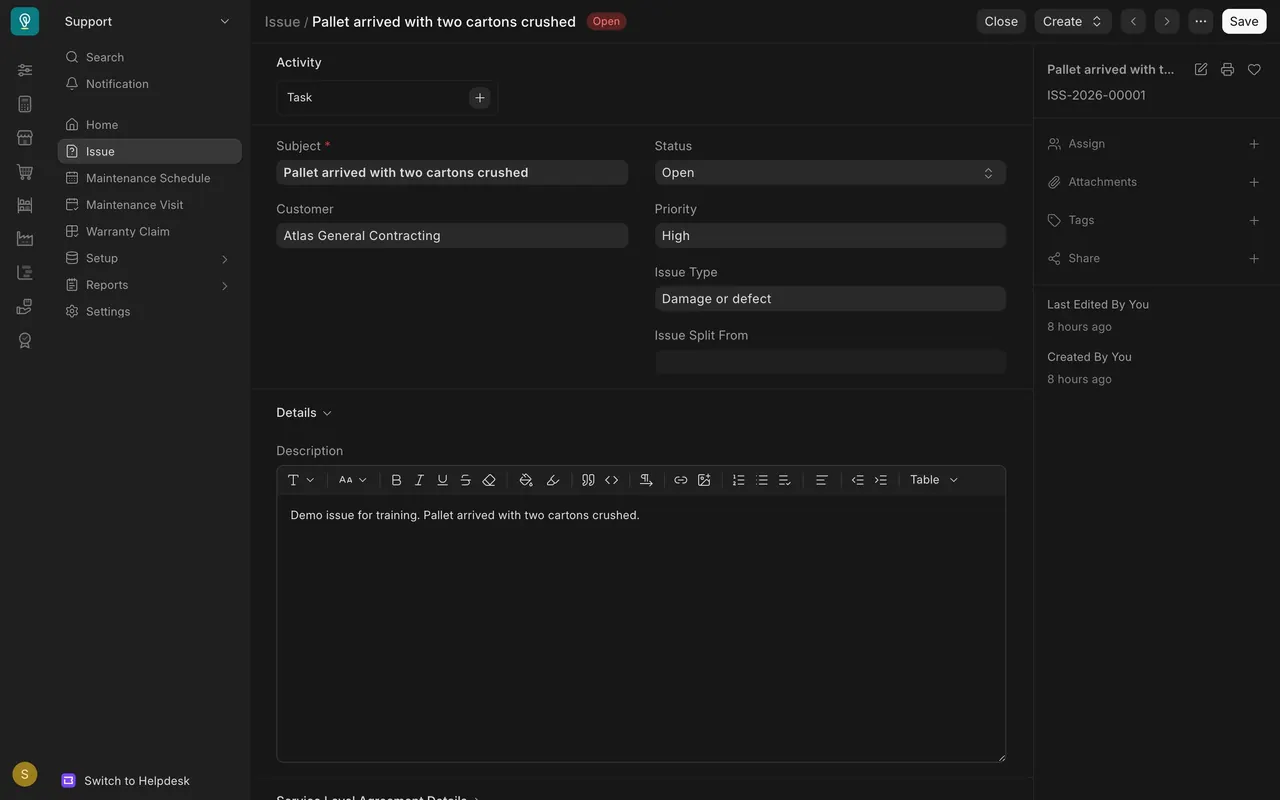
Step 1. Assign the issue
- Open the issue. In the sidebar on the right, click the plus beside Assign.
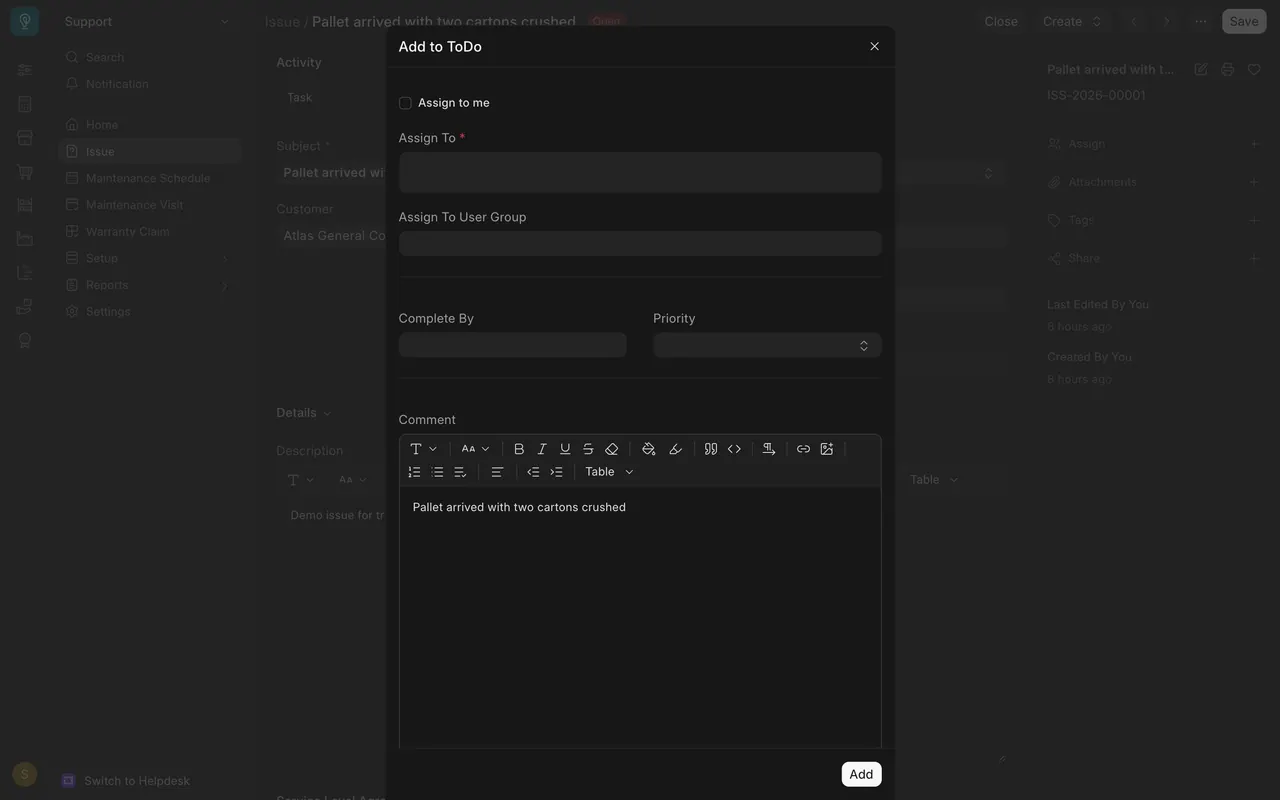
- In the Add to ToDo window, choose the team member in Assign To, then press Add.
Step 2. Reply on the timeline
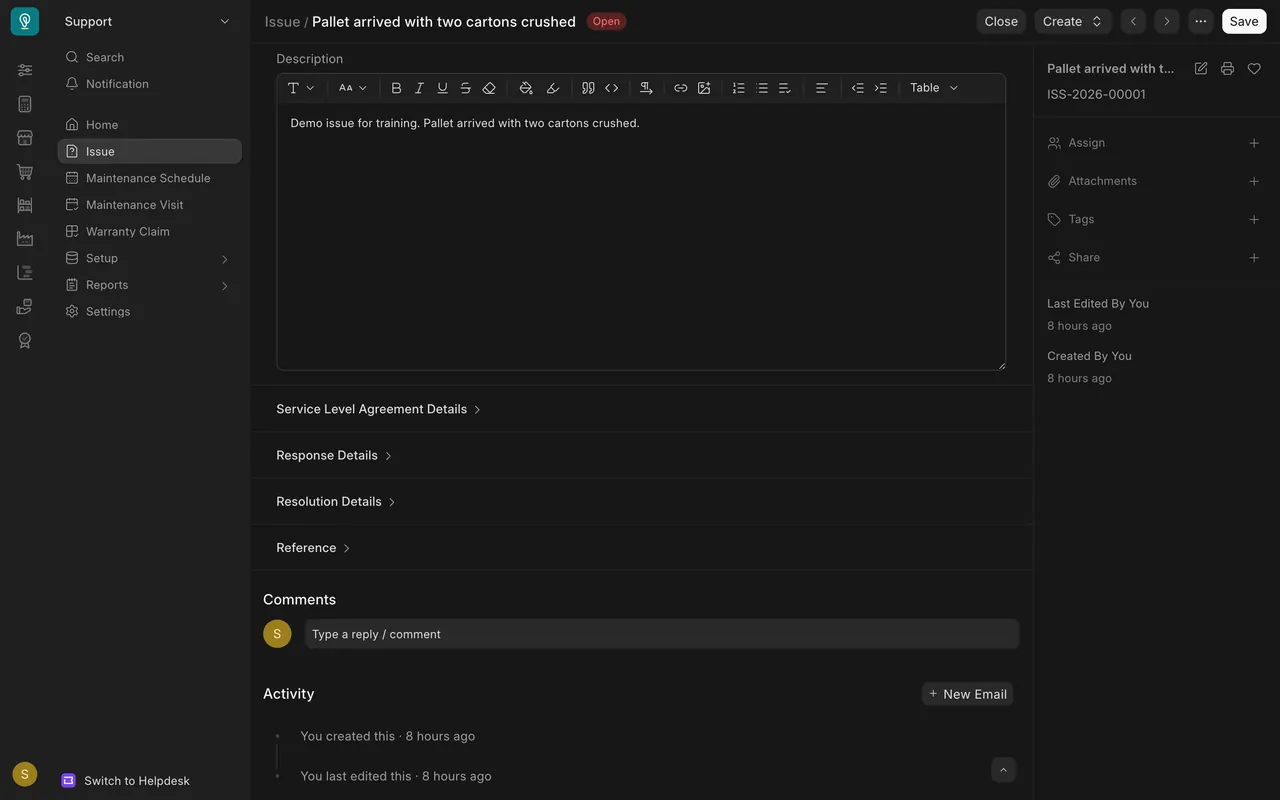
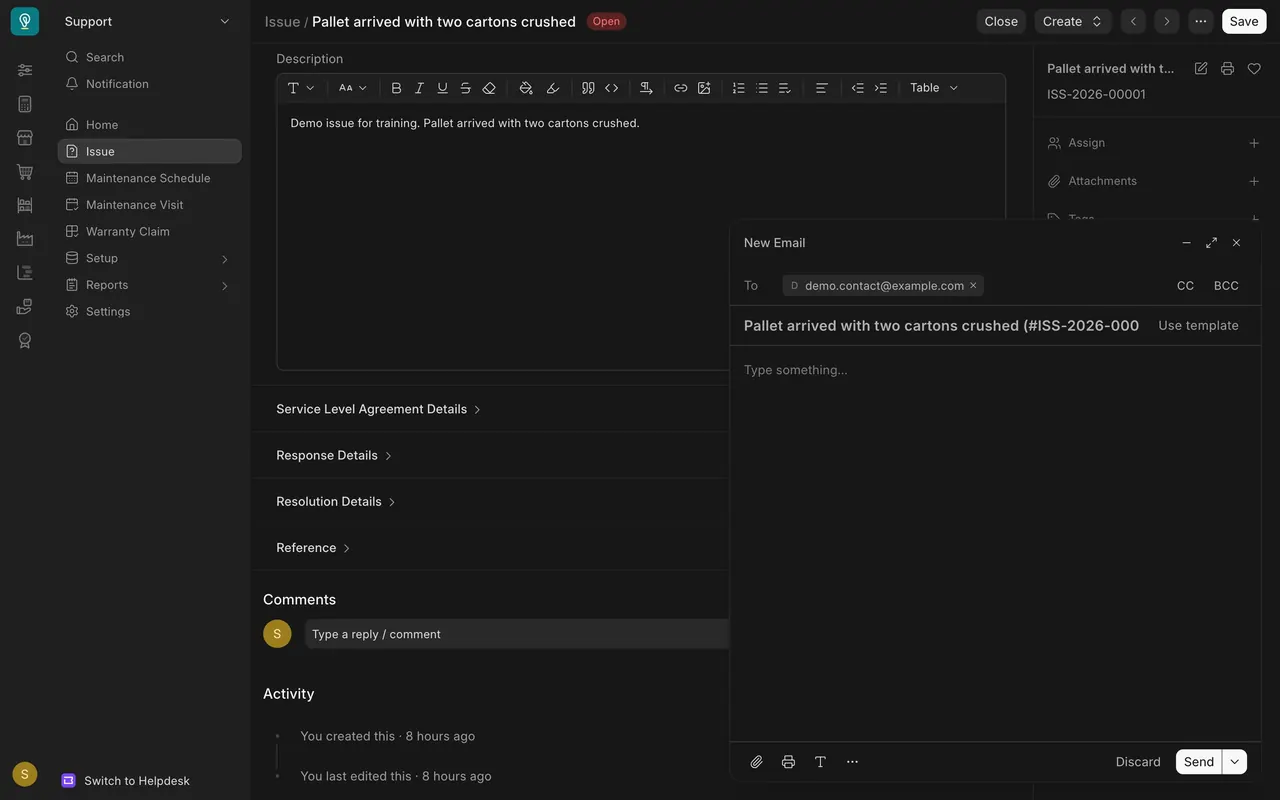
- Scroll to Activity and click New Email.
- The To box holds the person who raised the issue. Type your answer and press Send. If your site is set up to send email, the reply goes to that person.
Step 3. Choose a status
- Open: nobody has answered yet.
- Replied: you answered and are waiting for the customer.
- On Hold: the work is paused.
- Resolved: the problem is fixed.
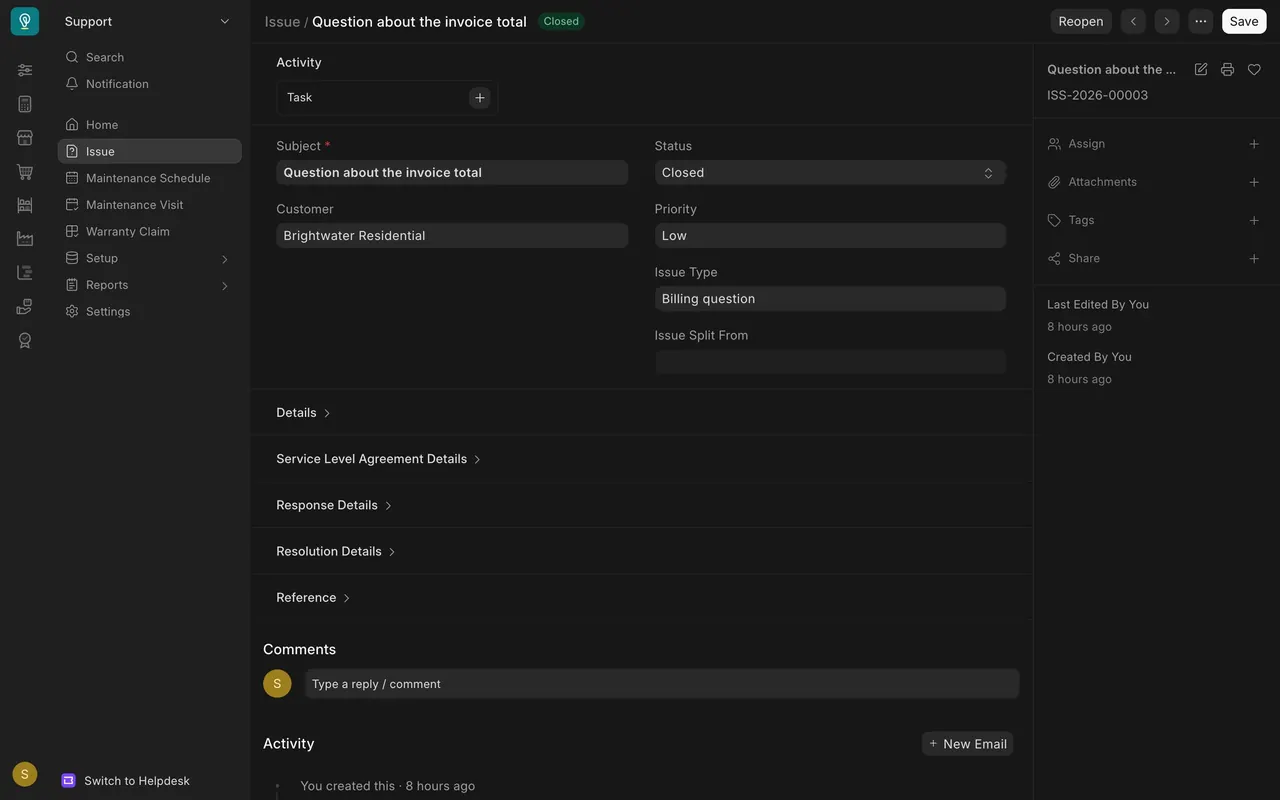
- Closed: the issue is finished.
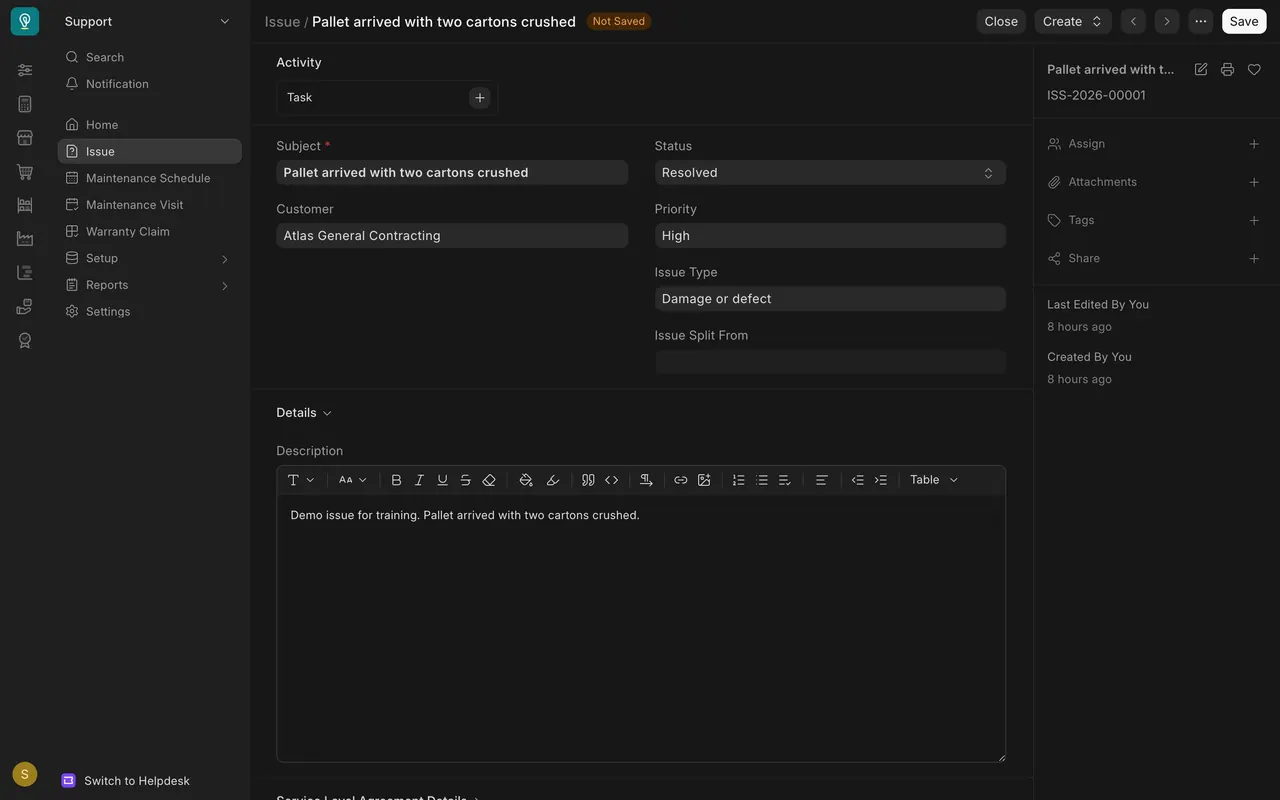
Step 4. Close the issue
Press Close at the top of an open issue. A closed issue shows Reopen instead.
Common mistakes
- Replying in Comments when the customer should see it. Use New Email.
- Leaving an issue Open after you answered. Choose Replied.
- Closing before the customer agrees. Use Resolved first.
Check yourself
3 quick questions.
1. Where do you hand an issue to a team member?
2. You answered the customer and are waiting for a reply. Which status fits?
3. What does a closed issue show at the top instead of Close?