V16 Training · Stock and Warehouse · Lesson 5 of 6
Returns and the negative-stock error
This lesson gives you the right way to process returns in both directions, and a calm routine for the negative-stock error.
Written guide
The idea
Mistakes and returns are part of the job. The rule is simple: the history stays. A return is its own document that points back at the original. Cancelling the original instead makes the numbers look right and hides what really happened.
The second idea is about the error you will meet most. Most companies do not allow negative stock, so Parsimony, set up that way, refuses any document that would take a warehouse below zero. That refusal is the system protecting the count. Treat it as information.
Step by step
A customer returns goods
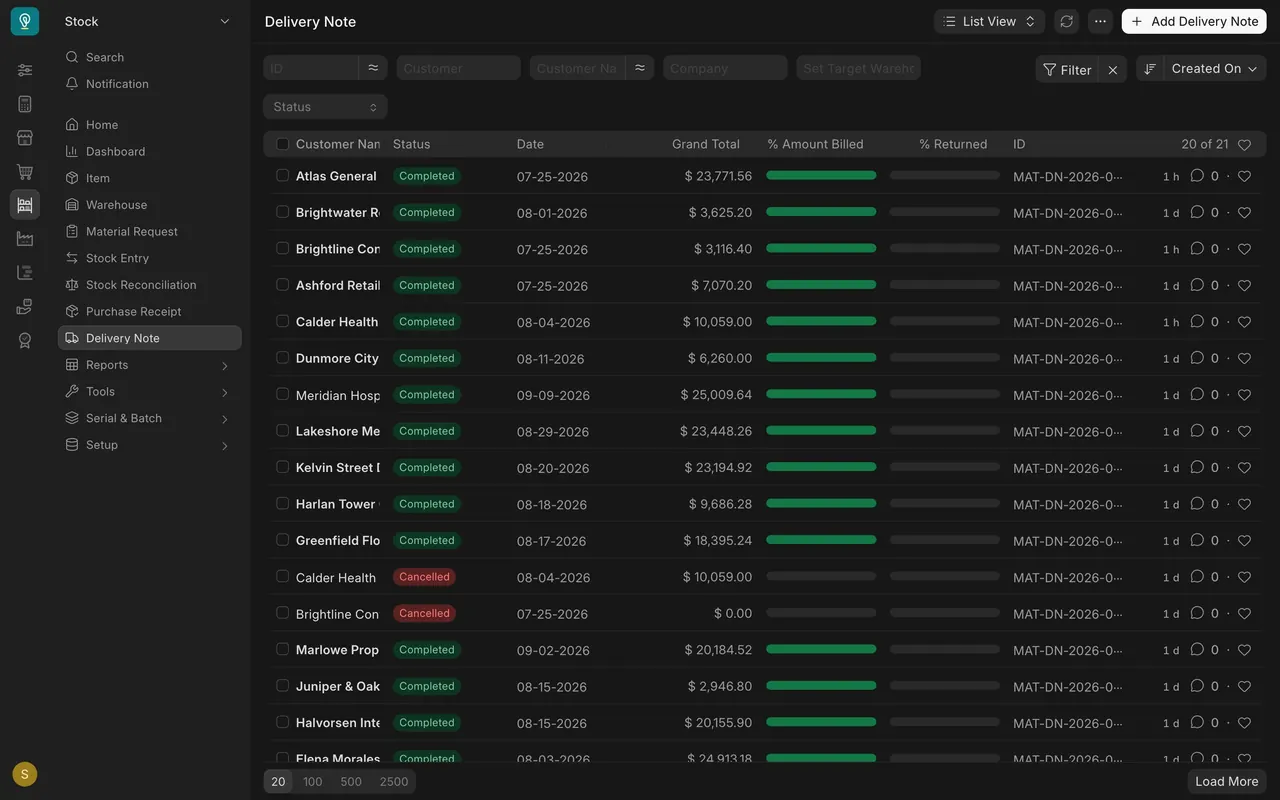
- Open the submitted original Delivery Note (Stock sidebar, Delivery Note). The list's % Returned column shows how much of each delivery has come back; in this example nothing has been returned yet.
- On the delivery note, use the Create button to make the return. The return is a new delivery note with Is Return ticked. Parsimony gives it its own return number series.
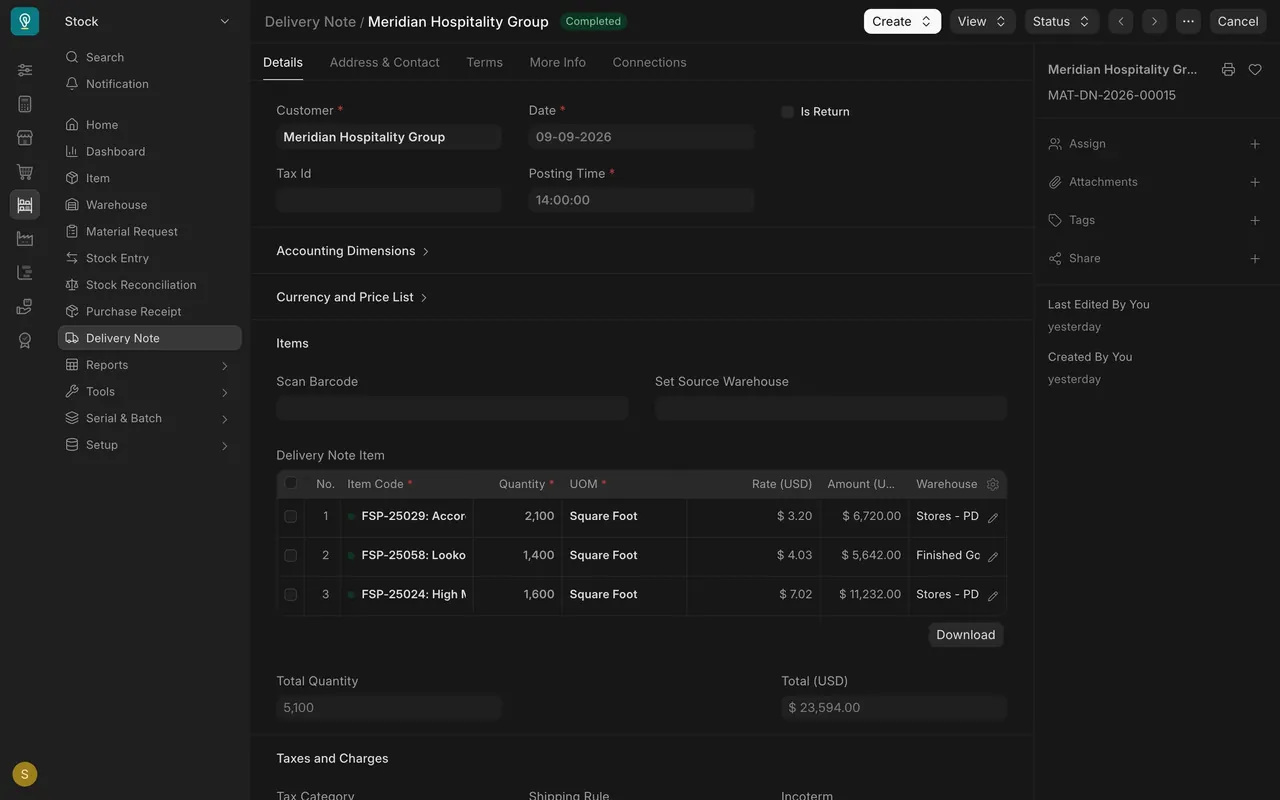
- Keep only the lines that are really coming back, at the quantities really returned. Enter square feet, not cartons.
- Check the Warehouse on each row of the Delivery Note Item table. Damaged flooring should not go back into sellable stock. Ask your manager if you are unsure.
- Save and Submit. Stock goes back up. Tell Accounts, so they can raise the credit note: nothing is emailed.
You return goods to a supplier
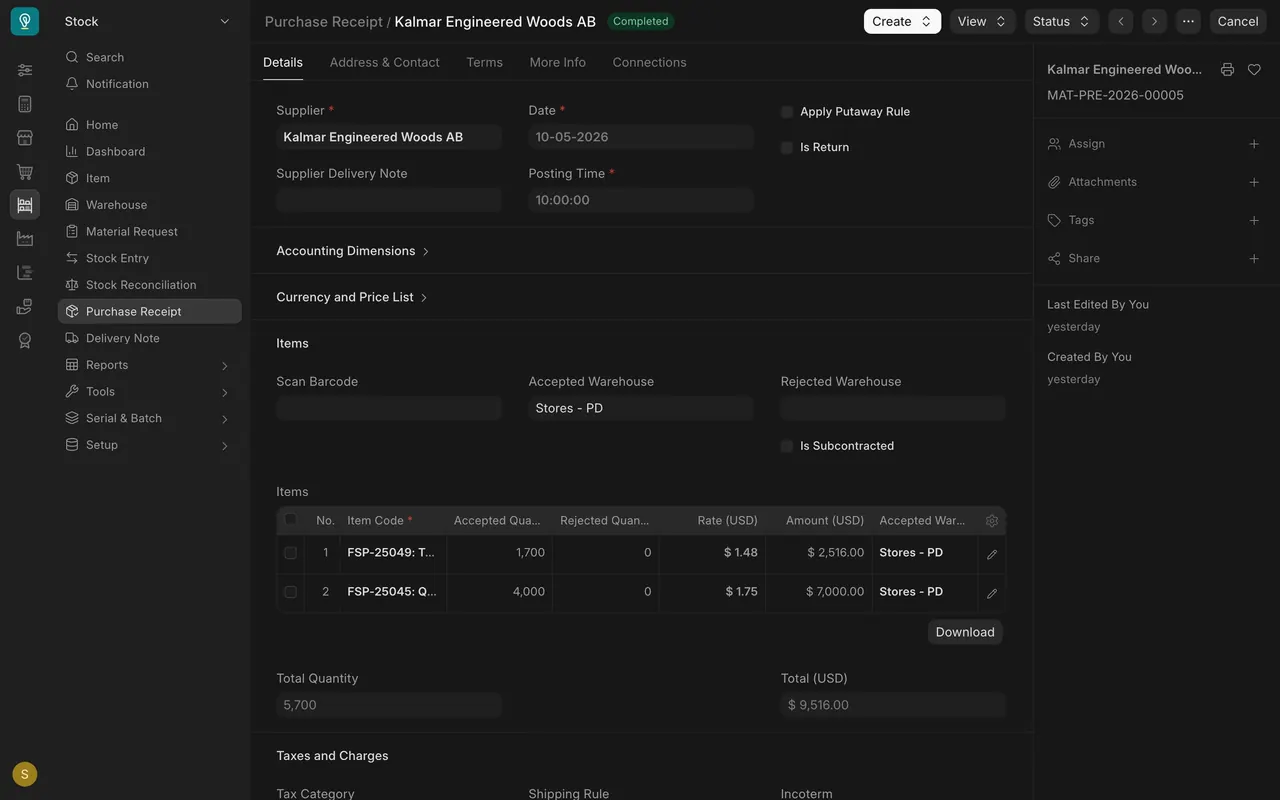
- When Purchasing has agreed the return with the supplier, open the submitted Purchase Receipt.
- Use its Create button to make the return. The return is a purchase receipt with Is Return ticked. It also gets its own return number series.
- Set the quantity to return and check the Accepted Warehouse it comes out of. That warehouse must have the stock.
- Save and Submit. Stock goes down. Tell Purchasing so they can arrange the debit note with Accounts.
The negative-stock error
When you submit, Parsimony may refuse with a message naming an item and a warehouse that does not have enough. It means that warehouse does not hold enough square feet at that posting date and time.
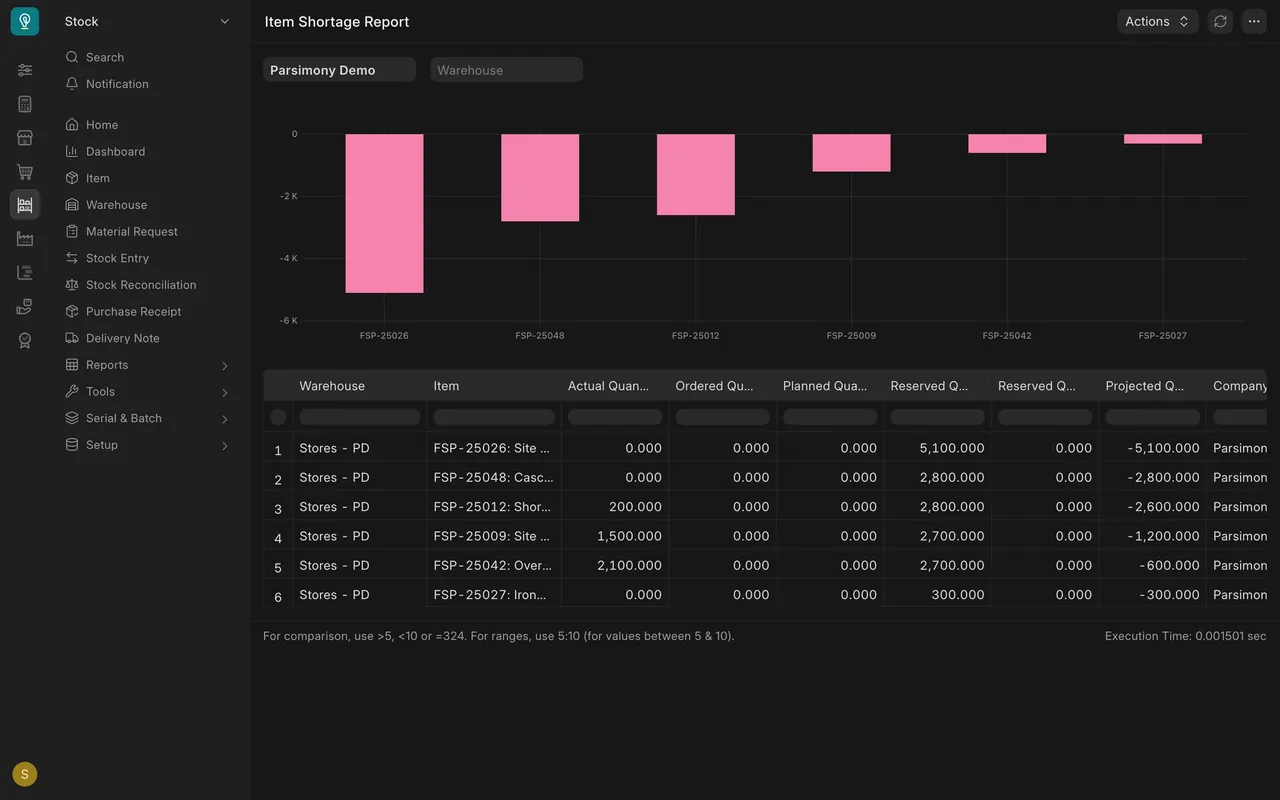
A case from the example data: a sales order for a customer wants 2,800 square feet of Shoreline Clay Pine, and the Stores warehouse holds 200. The Item Shortage Report shows it: Actual Quantity 200, Reserved Quantity 2,800, Projected Quantity -2,600. A delivery note for the full 2,800 from Stores would be refused.
- Read the item and warehouse named in the message.
- Open Stock Ledger (Stock sidebar, Reports) and filter it to that item and warehouse. Read the In Qty, Out Qty and Balance Qty for each date. In the example for Shoreline Clay Pine: opening 3,000, out 2,800 on 08-20-2026, balance 200.
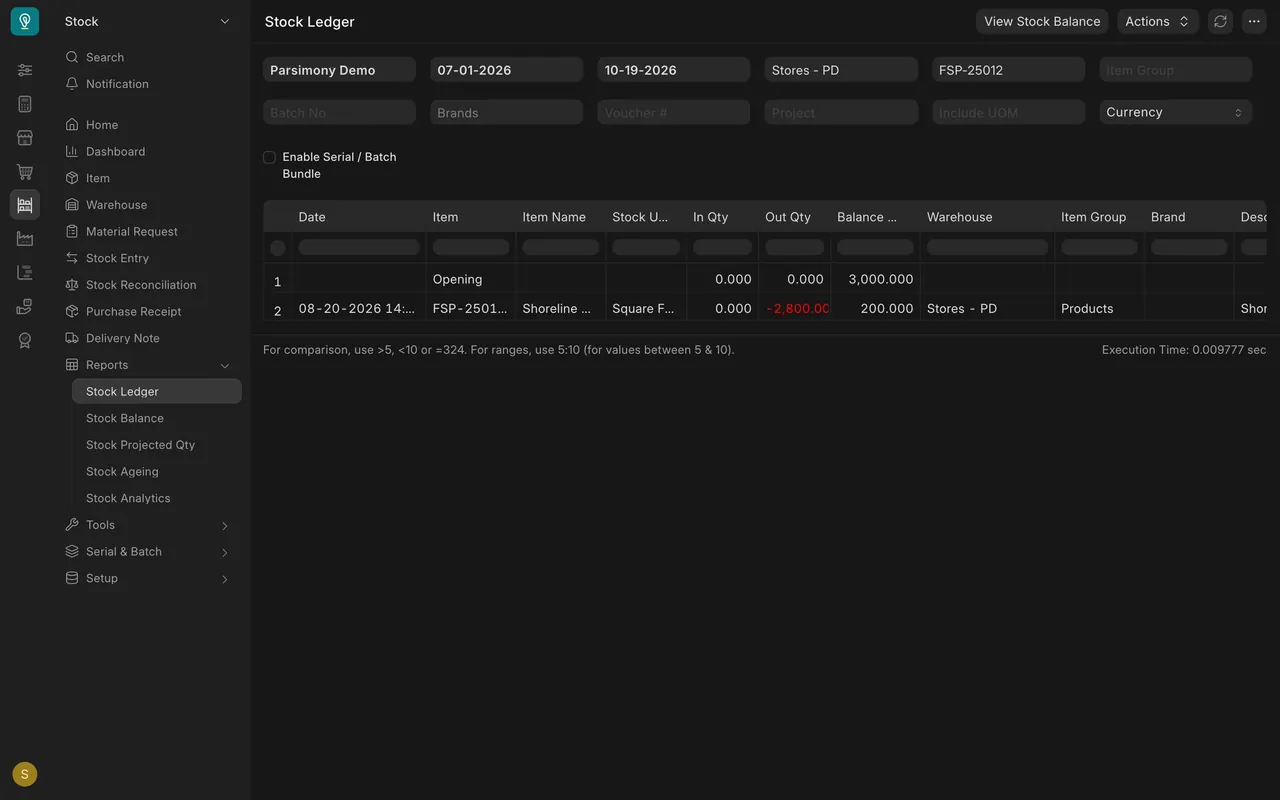
- Check for the wrong warehouse, the wrong quantity, or a posting date and time before the stock arrived.
- Check whether a purchase receipt or stock entry into that warehouse is still a draft. The Status filter and column on each list show it. If the draft is correct, submit it first.
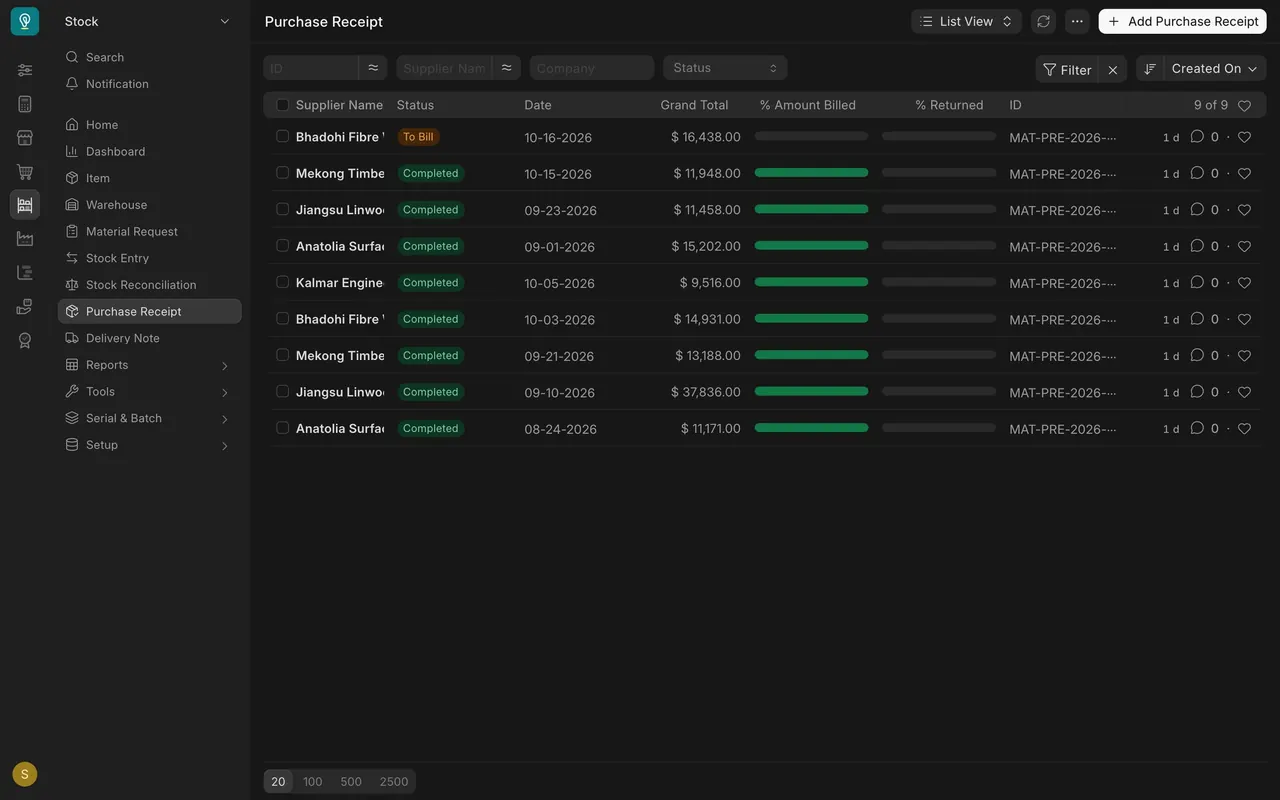
- If the flooring is truly missing, do not force it. Tell your Stock Manager, who can investigate and count it.
How your company may have set it up
- Negative stock: most companies do not allow it in any warehouse, and the example site does not. Your administrator can tell you how yours is set. You can see it in Stock Settings.
- Return numbers: delivery note returns and purchase receipt returns each get their own number series.
- Permissions: in the example, Stock Users can create, submit and cancel delivery notes, purchase receipts and their returns. Credit and debit notes belong to Accounts.
- Approval workflow: the example has no custom one, so documents go Draft, Submitted, Cancelled. If your company added an approval step, follow it.
Common mistakes
- Cancelling instead of returning. You cancel the original delivery note to "undo" it. Fix: make the return with Create, so the history stays.
- Returned damage into Stores. Fix: choose a warehouse your manager agrees is not sellable stock.
- Returning lines that did not come back. Fix: keep only the lines and quantities that are physically back.
- Back-dating into a hole. A posting date before the stock arrived triggers the negative-stock error. Fix: check the date and time.
- Forcing the number. Asking for a stock adjustment to get past the error. Fix: find the real cause, or hand it to the Stock Manager.
- Starting a return from a blank form. Ticking Is Return on a new receipt or delivery note leaves it unlinked. Fix: always start from Create on the submitted original.
- Sending goods back before Purchasing agrees. Fix: Purchasing agrees the return with the supplier first; then make the return.
Check yourself
3 quick questions.
1. A customer brings back flooring. What is the correct document?
2. A delivery note is refused for Shoreline Clay Pine in the Stores warehouse. A purchase receipt for that item into the Stores warehouse is still a draft. What do you do?
3. What should you check first after a negative-stock error?