V16 Training · Quality and Inspections · Lesson 3 of 6
Inspect on a purchase receipt
This lesson shows how to inspect incoming goods from a purchase receipt: create the inspection from the receipt, fill in the readings, let the status set itself, and submit the receipt with the inspection linked.
Written guide
The idea
A purchase order becomes a purchase receipt when the goods arrive. For an item that needs inspection, you create a Quality Inspection from the receipt. Each parameter on it has limits, you type your reading, and Parsimony sets Accepted or Rejected for you. The inspection number is linked on the receipt line.
The screens use example data from a demo company that buys engineered oak and vinyl flooring.
Step by step
Step 1. Start from the receipt
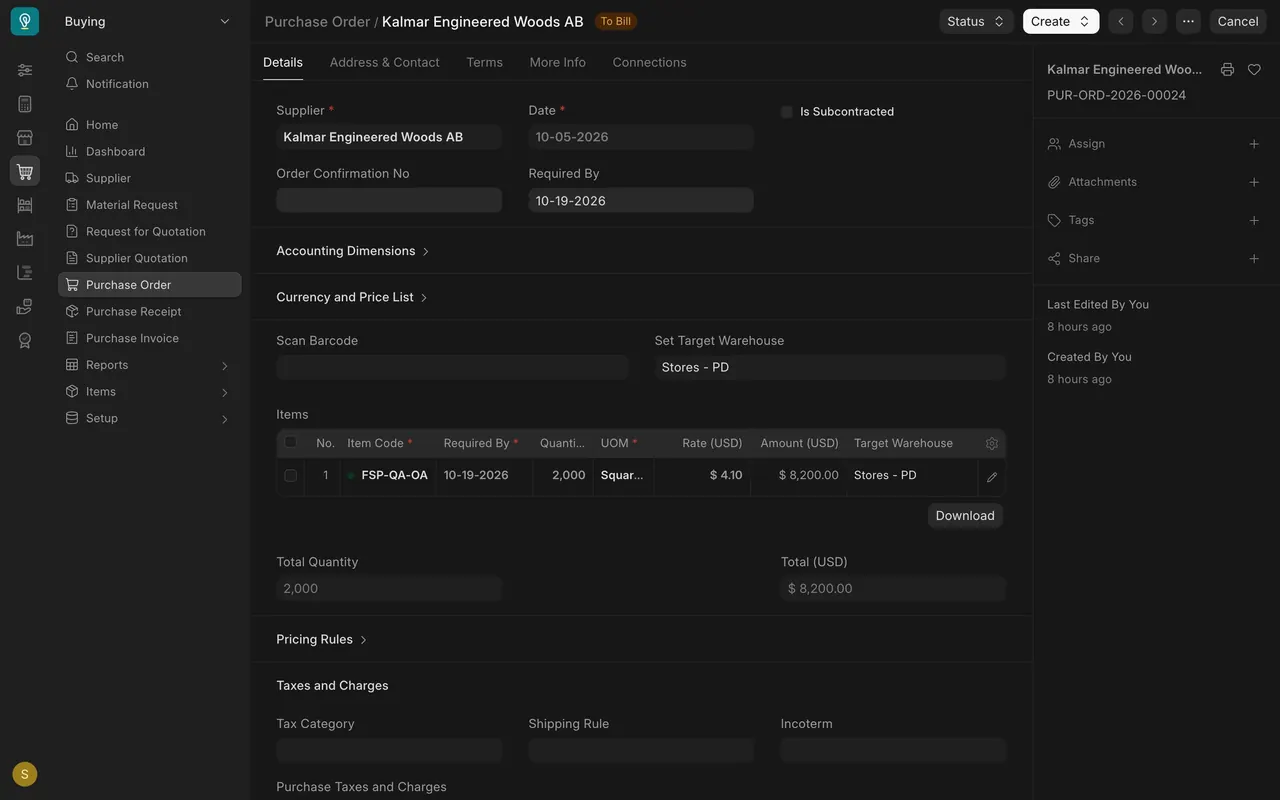
- Make a purchase receipt from the purchase order. In this example, 2,000 square feet of oak from Kalmar Engineered Woods.
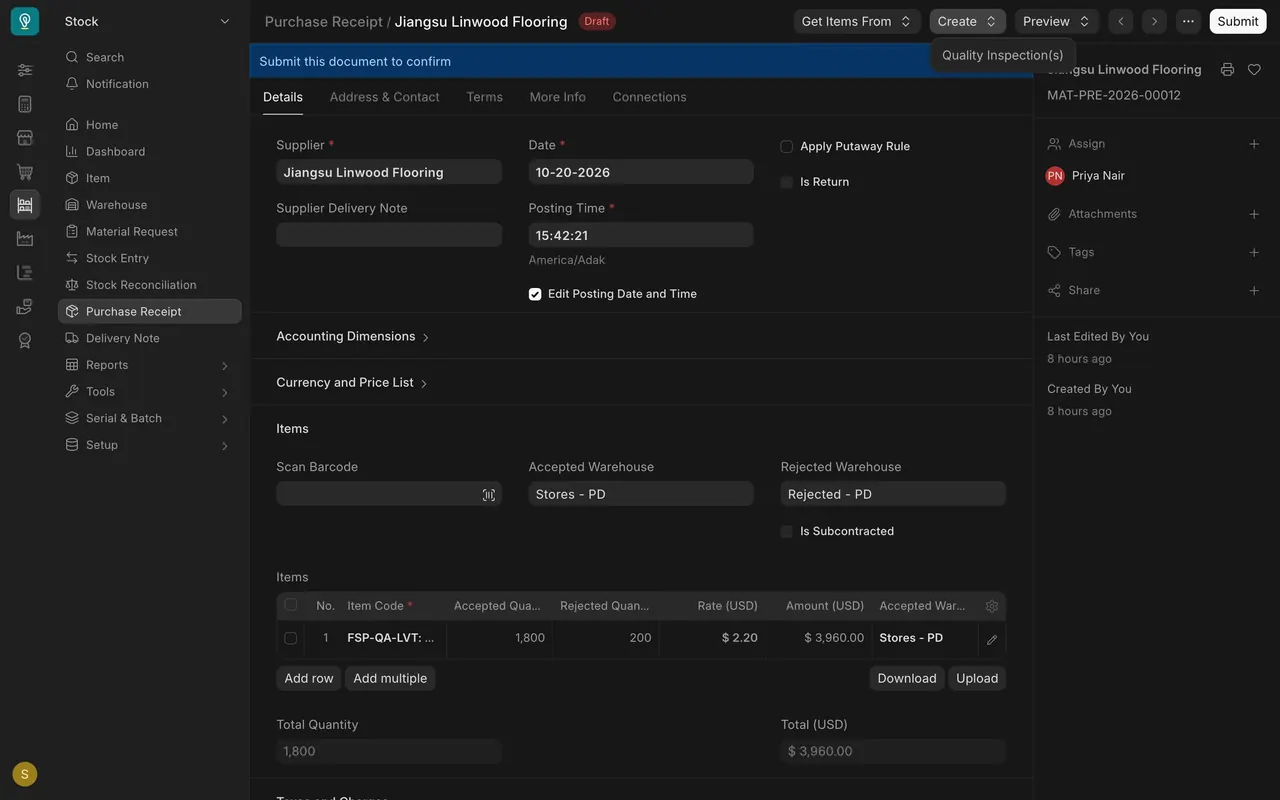
- On a draft receipt, open Create and choose Quality Inspection(s).
Step 2. Fill in the readings
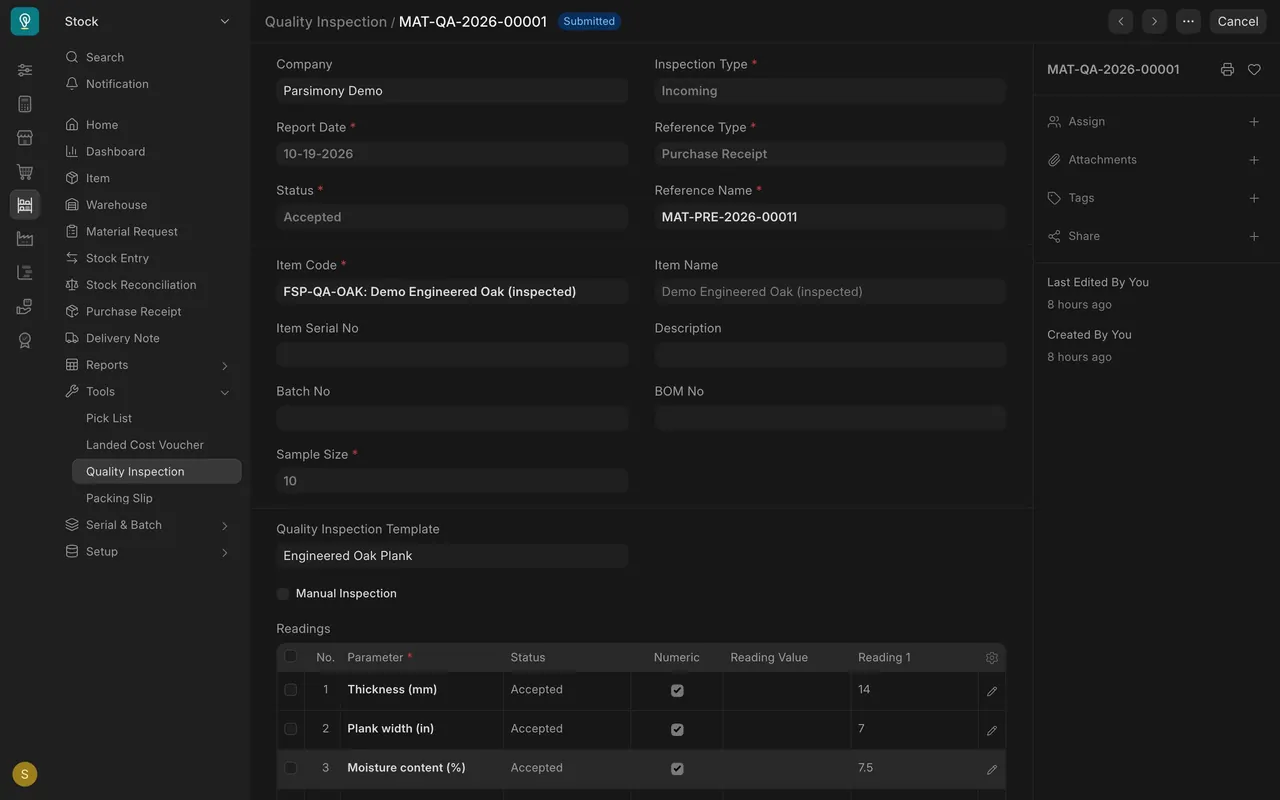
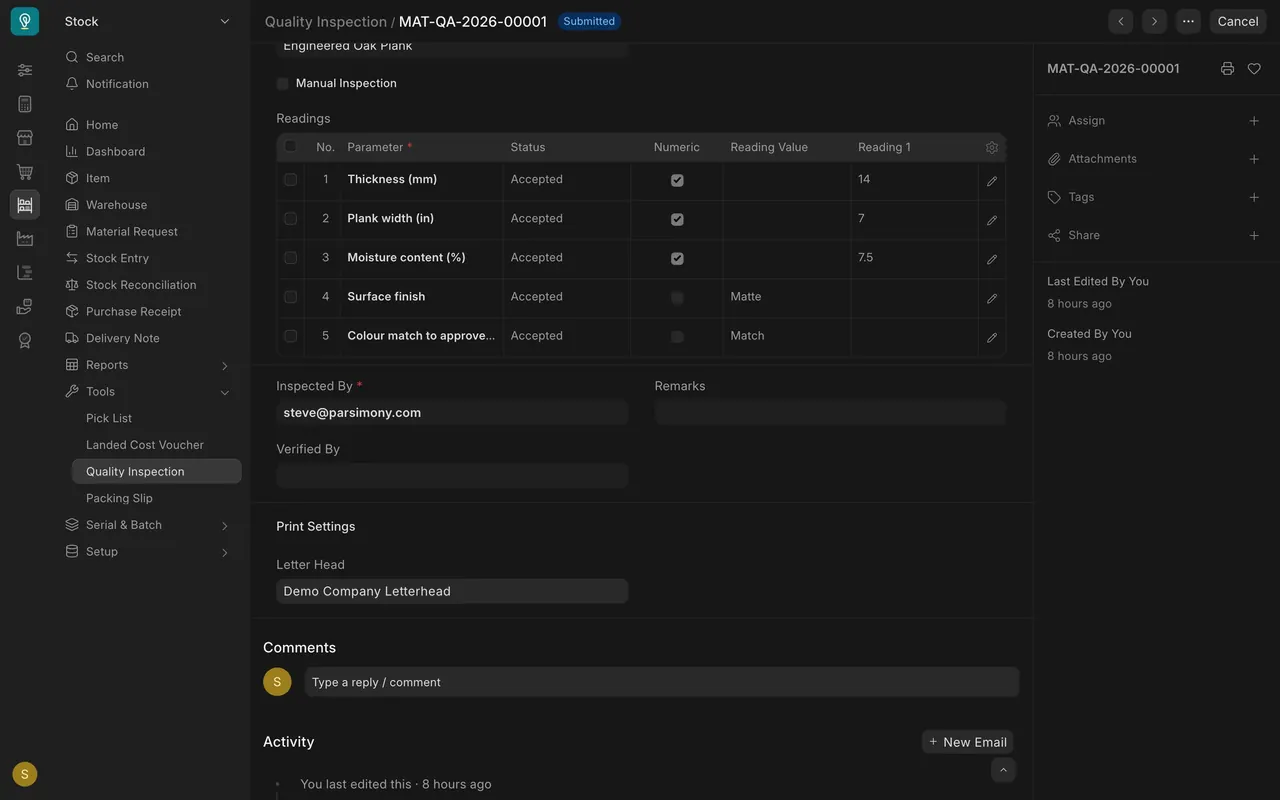
- The inspection template (here Engineered Oak Plank) brings in the parameters.
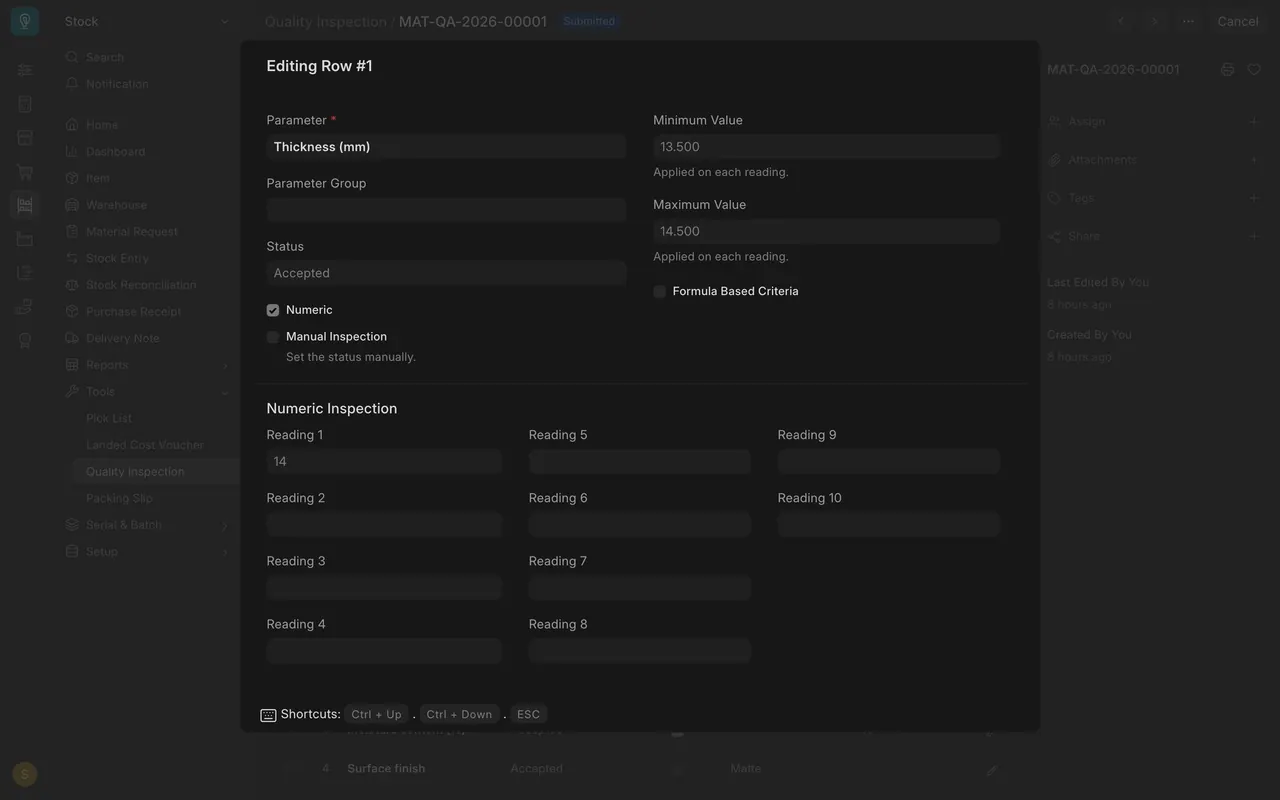
- Type what you measured under Reading 1. Open a row to see its Minimum Value and Maximum Value.
Step 3. Read the status
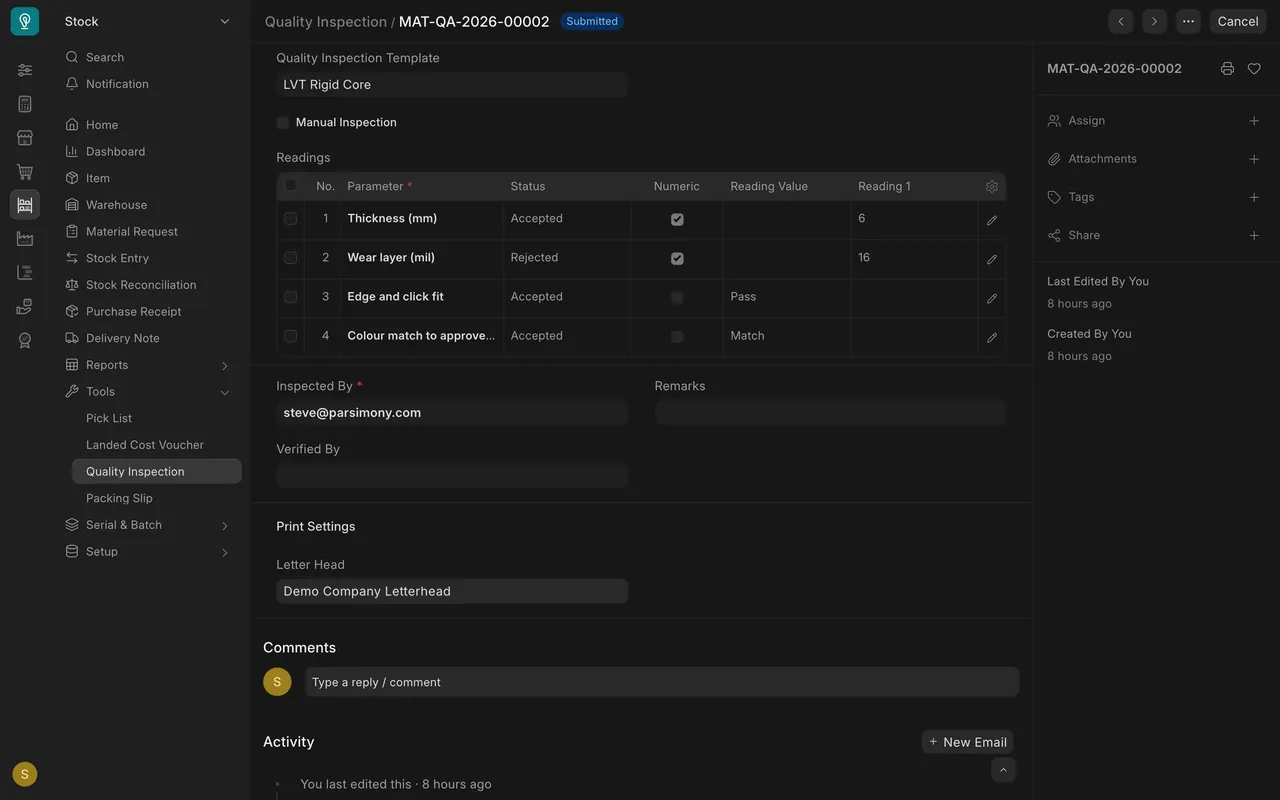
- You never set the status by hand. Each row turns Accepted or Rejected from its reading and limits.
- If every row is Accepted, the inspection is Accepted. A vinyl example shows a wear layer reading of 16 turning its row Rejected.
Step 4. Submit the receipt
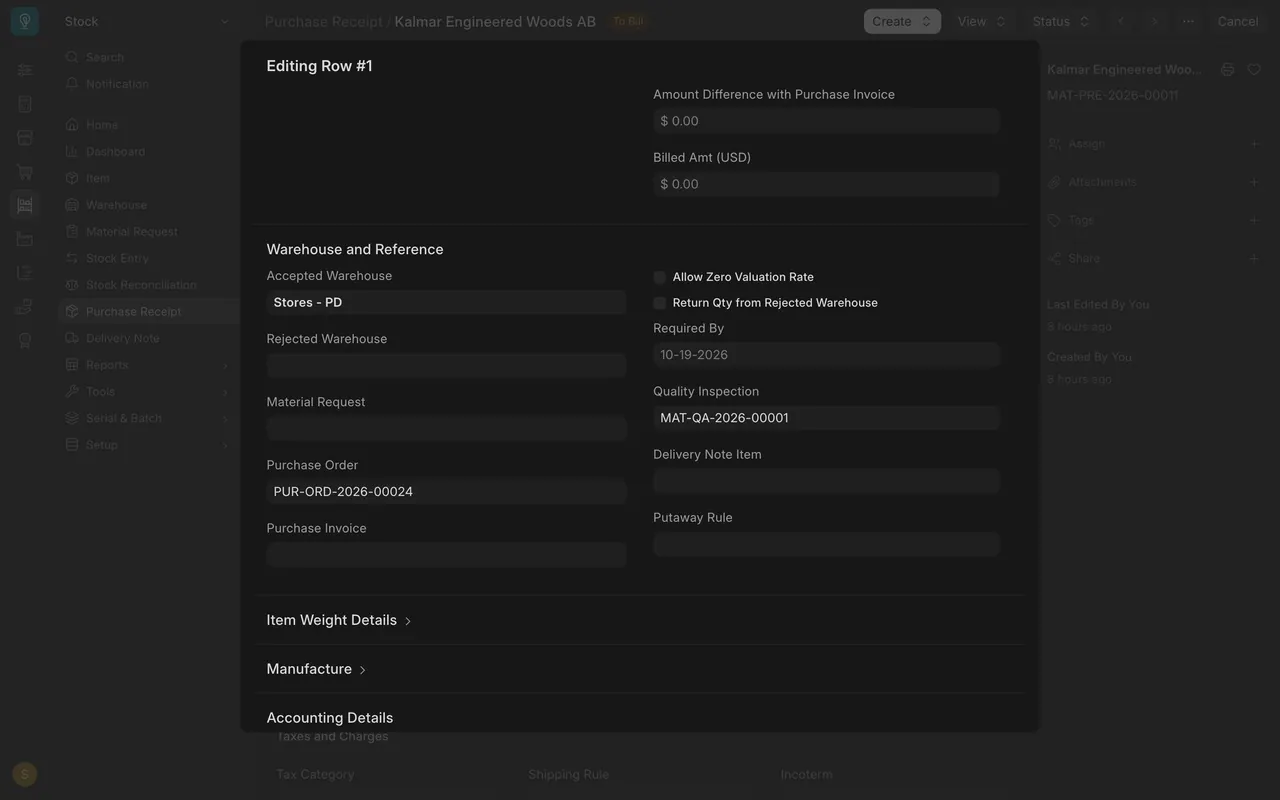
- On the receipt line, the Quality Inspection box holds the inspection number.
- For items that need inspection before purchase, Parsimony can stop you from submitting the receipt until an accepted inspection is linked. Your administrator decides how strict this is.
What you may see on your own site
- Your items, templates and limits are your own.
- How strictly Parsimony stops a submit depends on how your administrator set it up.
Common mistakes
- Trying to set the status by hand. It follows the readings.
- Leaving a reading empty. The row cannot say Accepted or Rejected without it.
- Forgetting to link the inspection on the receipt line.
Check yourself
3 quick questions.
1. Where do you start an inspection for arriving goods?
2. A thickness reading of 14 has limits of 13.5 and 14.5. What status does the row get?
3. What can happen if an item needs inspection and no accepted inspection is linked to the receipt line?