V16 Training · Make It Yours · Lesson 4 of 5
Email templates
This lesson shows what an email template is: the list of templates, the fields of one template, the placeholders that the document fills in, and where templates are used from a document's New Email box.
Written guide
The idea
An email template is reusable wording with fields filled in from the document. The details change each time; the rest stays the same. Screens use example data from a demo company.
Step by step
Step 1. Open the list
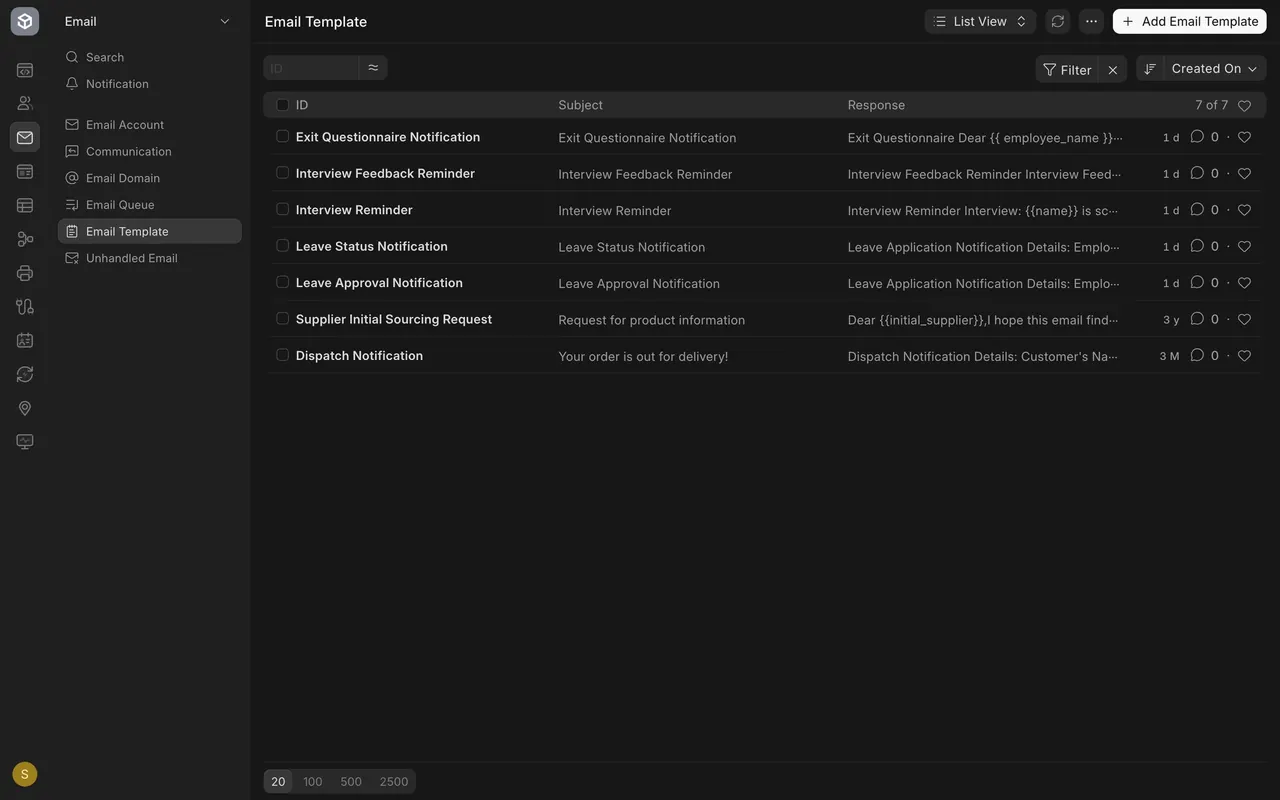
- In the Email area choose Email Template. The list shows the name, subject and the start of the response.
Step 2. Open one template
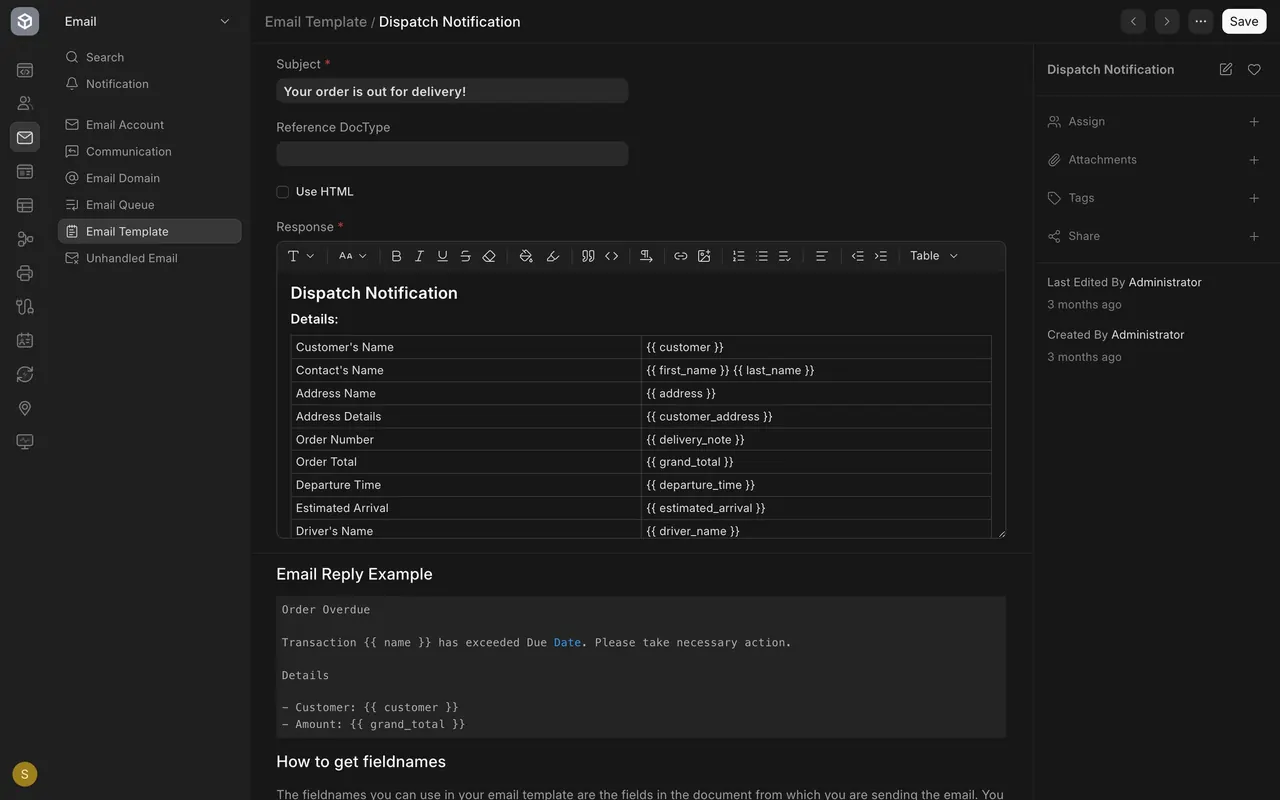
- Open Dispatch Notification. Subject and Response are required. Use HTML is unticked and Reference DocType is blank in this example.
Step 3. Read the placeholders
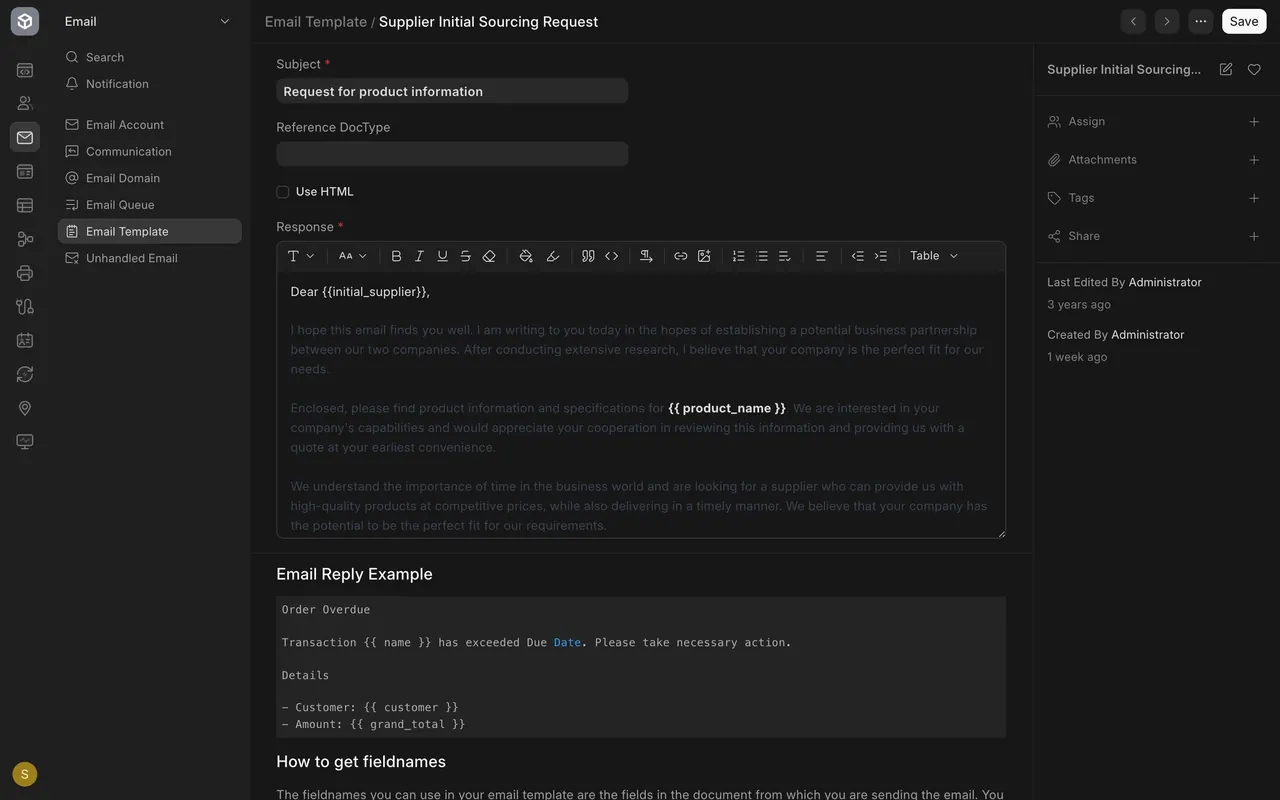
- In the response, each placeholder is a field name between two curly brackets, such as customer, delivery note or grand total. Parsimony swaps each one for the real value from the document.
Step 4. See where templates are used
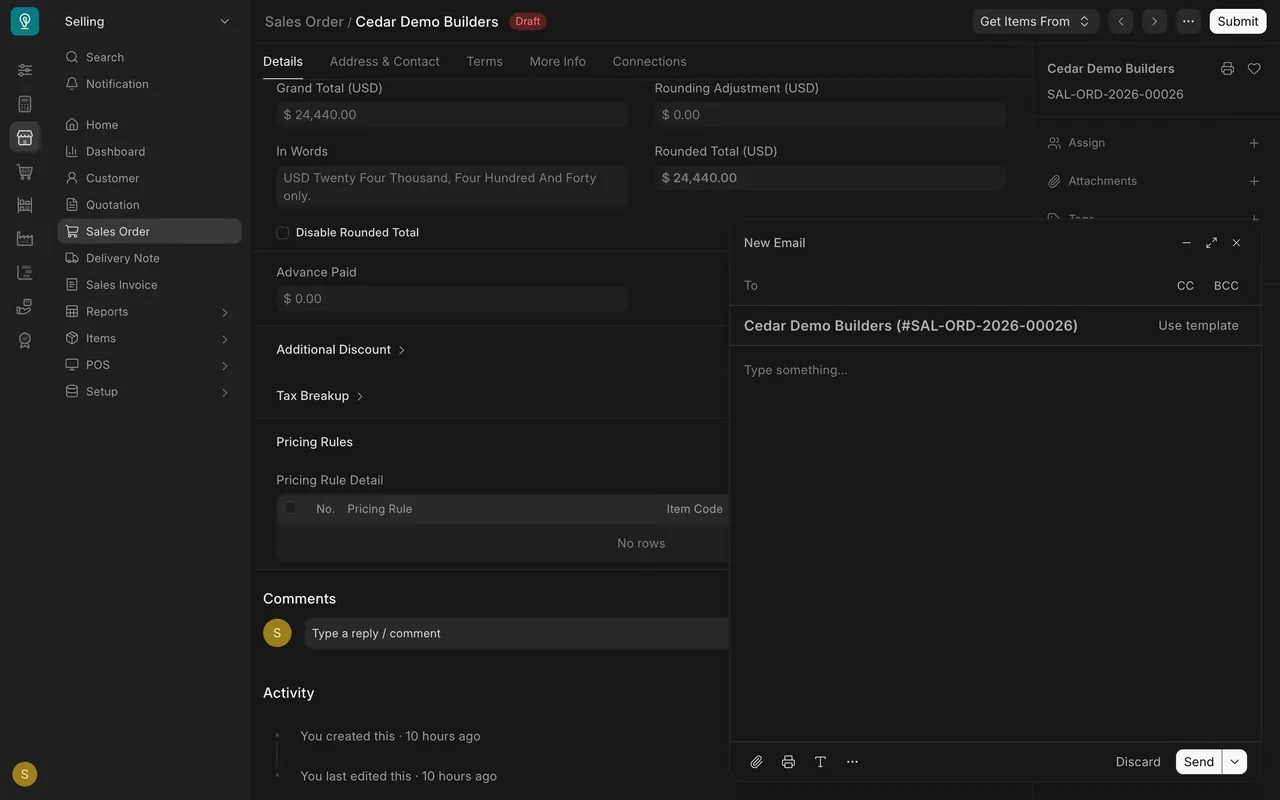
- On a document, scroll to Activity and click New Email. If your site is set up to send email, use Use template to fill in the wording.
What you may see on your own site
- Your templates are your own; the seven here are the demo company's. Whether your site sends email depends on how it was set up.
Common mistakes
- Retyping the same email. Put repeated wording in a template.
- Mistyping a placeholder. Copy the field name from the document.
Check yourself
3 quick questions.
1. What is an email template?
2. What is a placeholder?
3. Where do you reach a template when writing an email?