V16 Training · Imports and Landed Cost · Lesson 5 of 6
True margin
This lesson shows why the margin you quoted can differ from the margin you earn: landed cost (freight, duty and insurance) is part of an item's cost only once the landed cost voucher is submitted.
Written guide
The idea
Three screens tell the story. The Gross Profit report shows selling amount, buying amount and gross profit, and the Valuation Rate each item was carried at. The Stock Ledger shows the incoming rate when goods arrive and the outgoing rate when they are sold. The Landed Cost Voucher adds charges to the receipt's items and recalculates their valuation rate when it is submitted.
The screens use example data from a demo company. In this example the voucher is still a draft, so the costs on the first two screens leave landed cost out.
Step by step
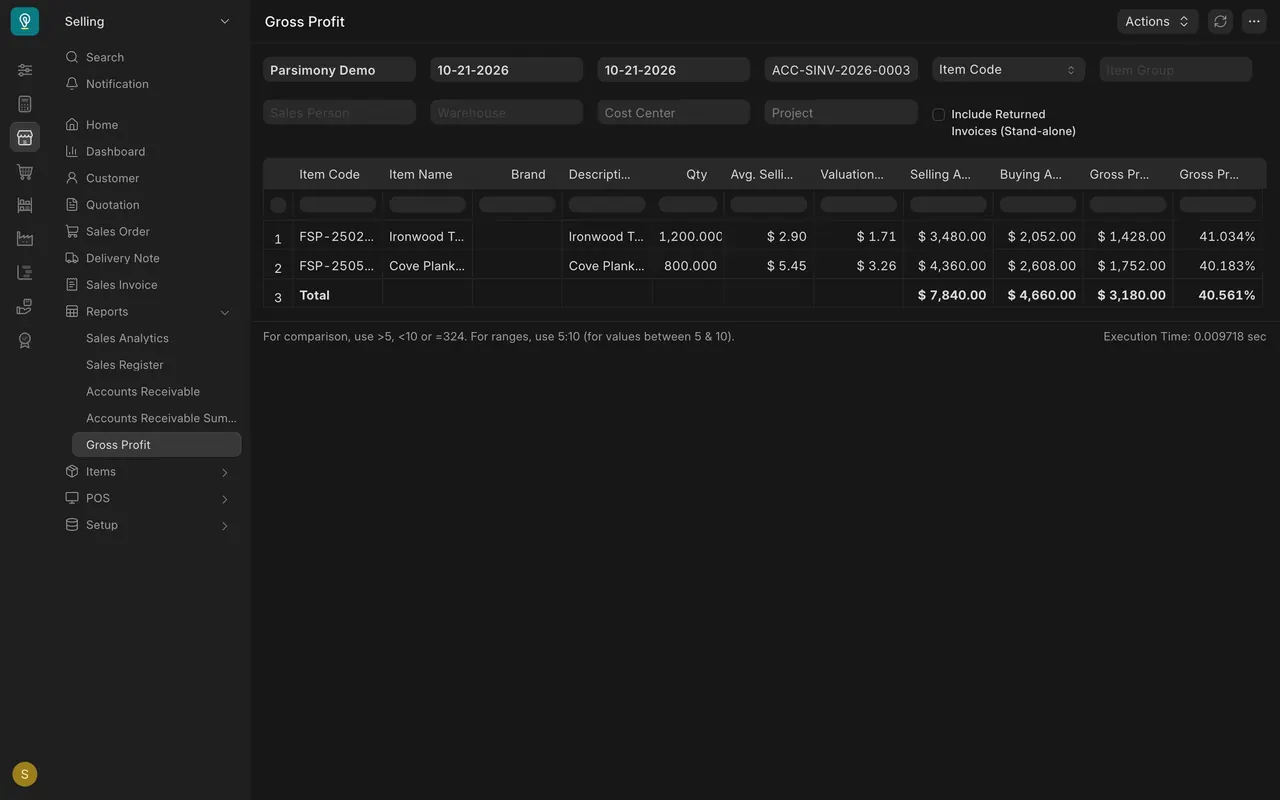
Step 1. Read the Gross Profit report
- From the Selling menu, open Gross Profit under Reports and filter it to one sales invoice.
- In this example the invoice sells 7,840.00 against a buying amount of 4,660.00: a gross profit of 3,180.00, about 41 percent.
- The Valuation Rate column is the cost per unit: 1.71 and 3.26.
Step 2. Check the Stock Ledger
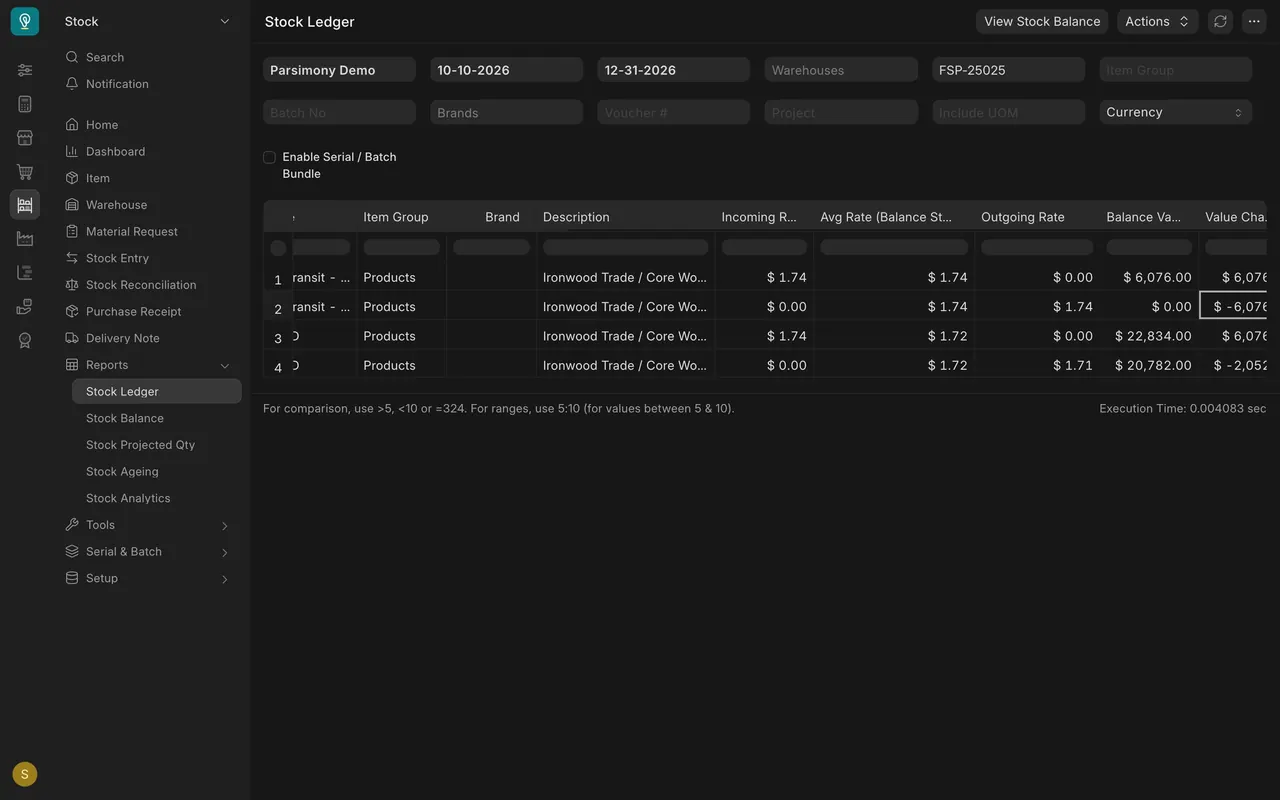
- Open Stock Ledger and filter it to the item.
- The receipt has an Incoming Rate of 1.74, the purchase price alone. The sale has an Outgoing Rate of 1.71.
Step 3. Open the landed cost voucher
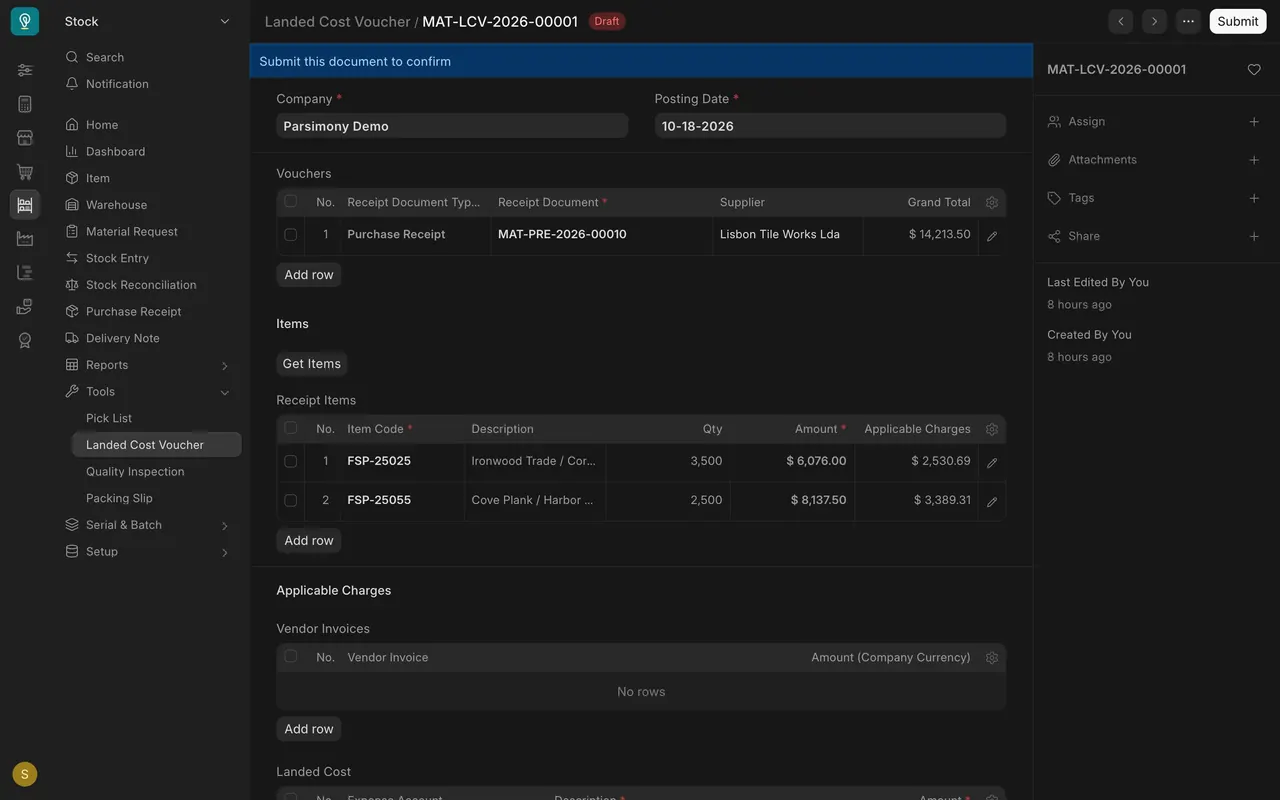
- Open the voucher for the receipt. Each item shows its Applicable Charges: 2,530.69 and 3,389.31.
- The charges are freight, duty and insurance, 5,920.00 in all, distributed by Amount.
- The notes on the voucher say the item valuation rate is recalculated once it is submitted. This one is still a draft.
A worked estimate (our arithmetic, not a report)
First item: (6,076.00 + 2,530.69) / 3,500 is about 2.46 per unit. Second item: (8,137.50 + 3,389.31) / 2,500 is about 4.61. At those costs the same sale earns about 1,200, roughly 15 percent: still a profit, far below 41.
What you may see on your own site
- If your landed cost vouchers are already submitted, the report already includes landed cost.
- Run the report again after submitting a voucher and compare.
Common mistakes
- Trusting the margin before landed cost is submitted.
- Comparing the quoted margin with the buying amount only.
- Treating our estimate as a report. Run the report to see the real figure.
Check yourself
3 quick questions.
1. Why does the Gross Profit report show about 41 percent in this example?
2. Which Stock Ledger column shows the cost the stock was bought at?
3. What does submitting the landed cost voucher do, according to its notes?