V16 Training · Imports and Landed Cost · Lesson 6 of 6
Revalue open foreign balances
This lesson shows the month-end step that brings open foreign-currency balances up to date: the Exchange Rate Revaluation.
Written guide
The idea
A supplier invoice in euros that is still partly open at month end sits in your books at the rate of the day it was booked. If the rate has moved, the dollar value of what you still owe has moved too. Exchange Rate Revaluation compares each foreign-currency account at the old and new rate and proposes one journal for the difference. The screens use example data from a demo company; the rates are examples, not real market rates.
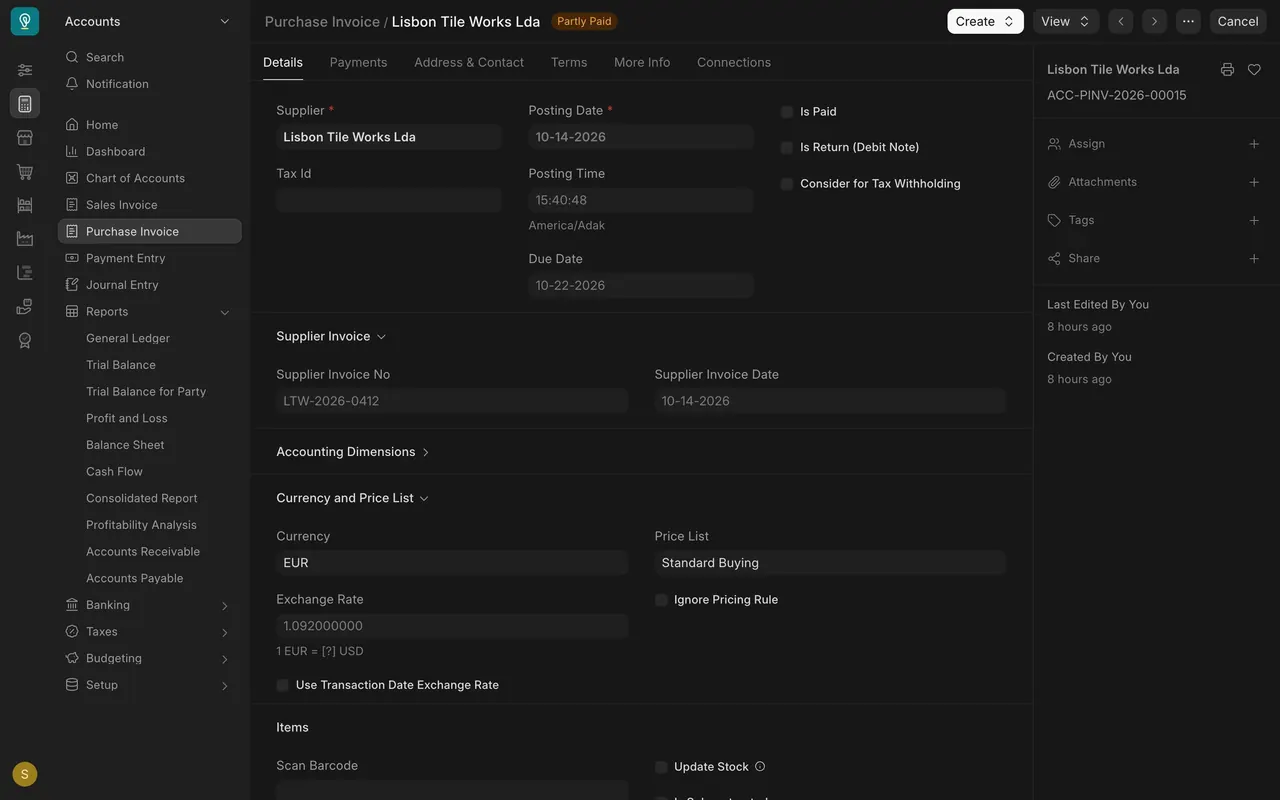
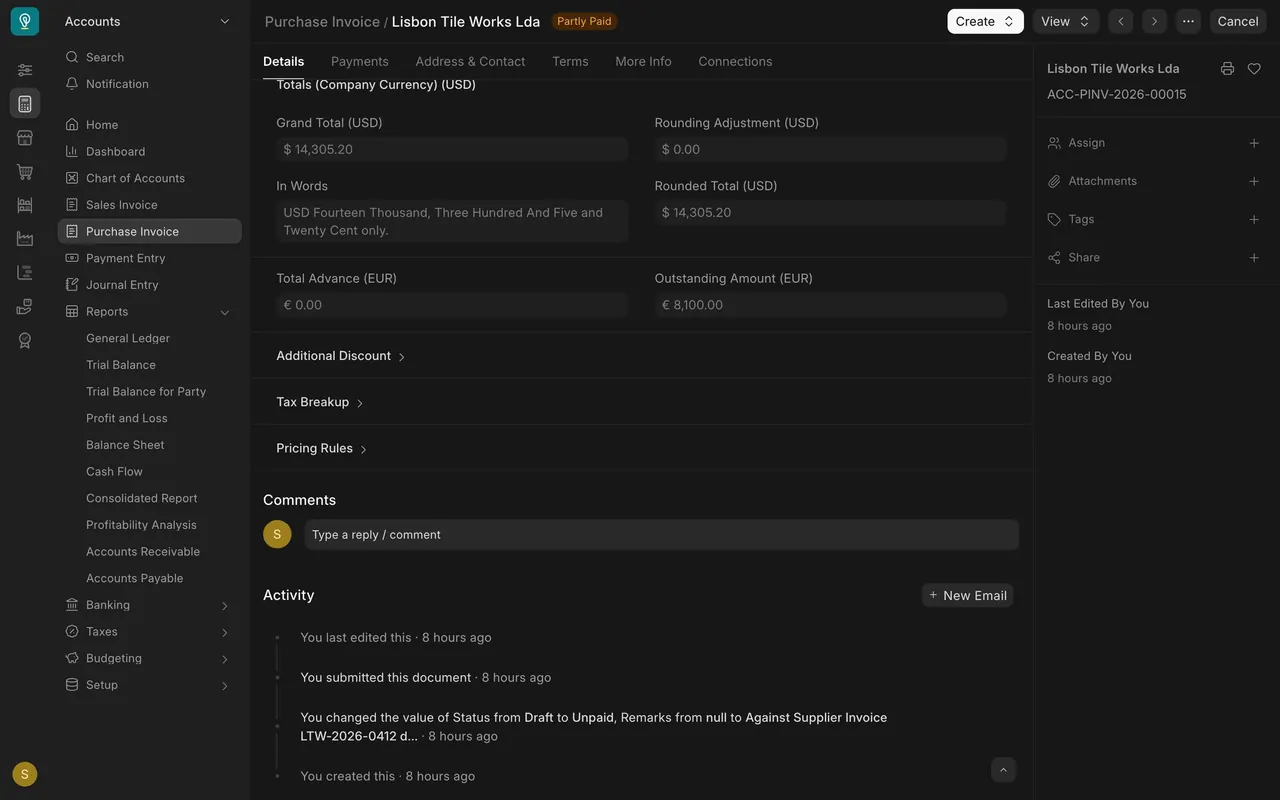
In this example the invoice from Lisbon Tile Works Lda is for EUR 13,100.00 booked at 1.092 and is Partly Paid, with EUR 8,100.00 outstanding.
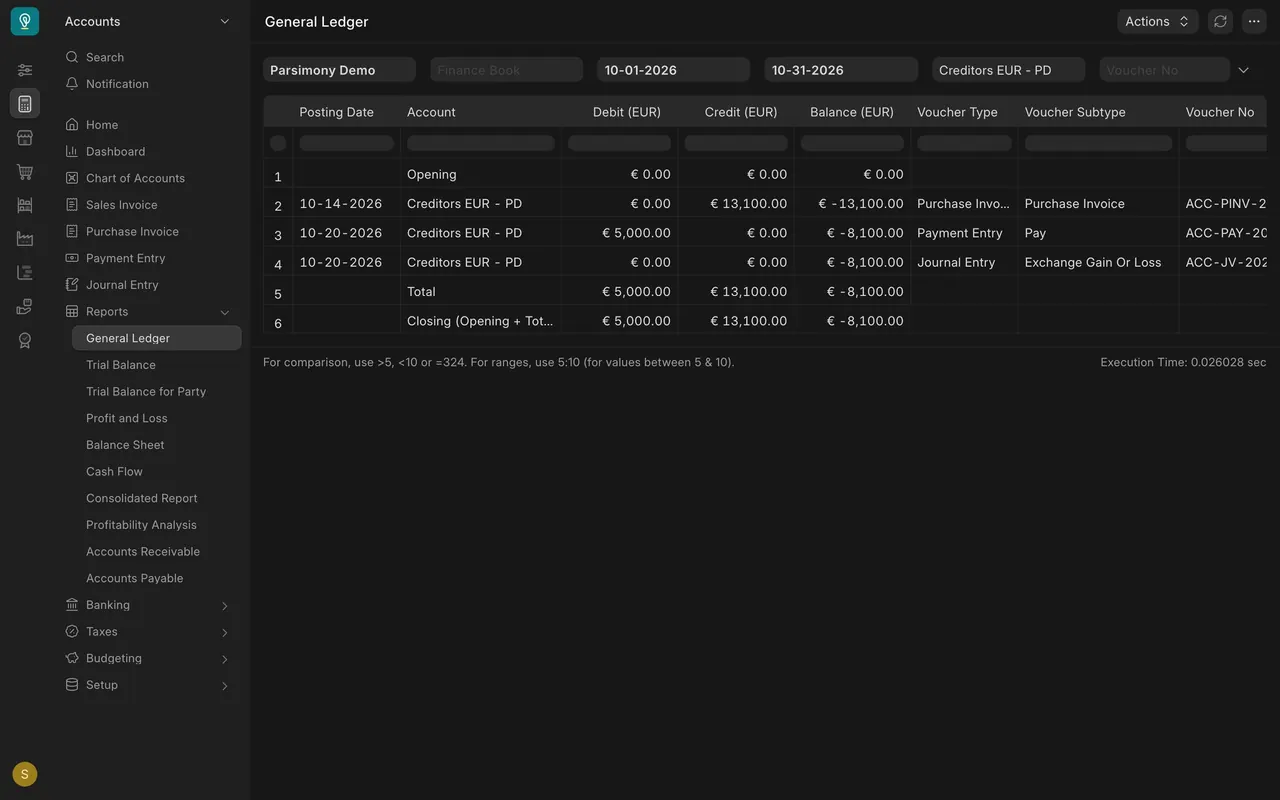
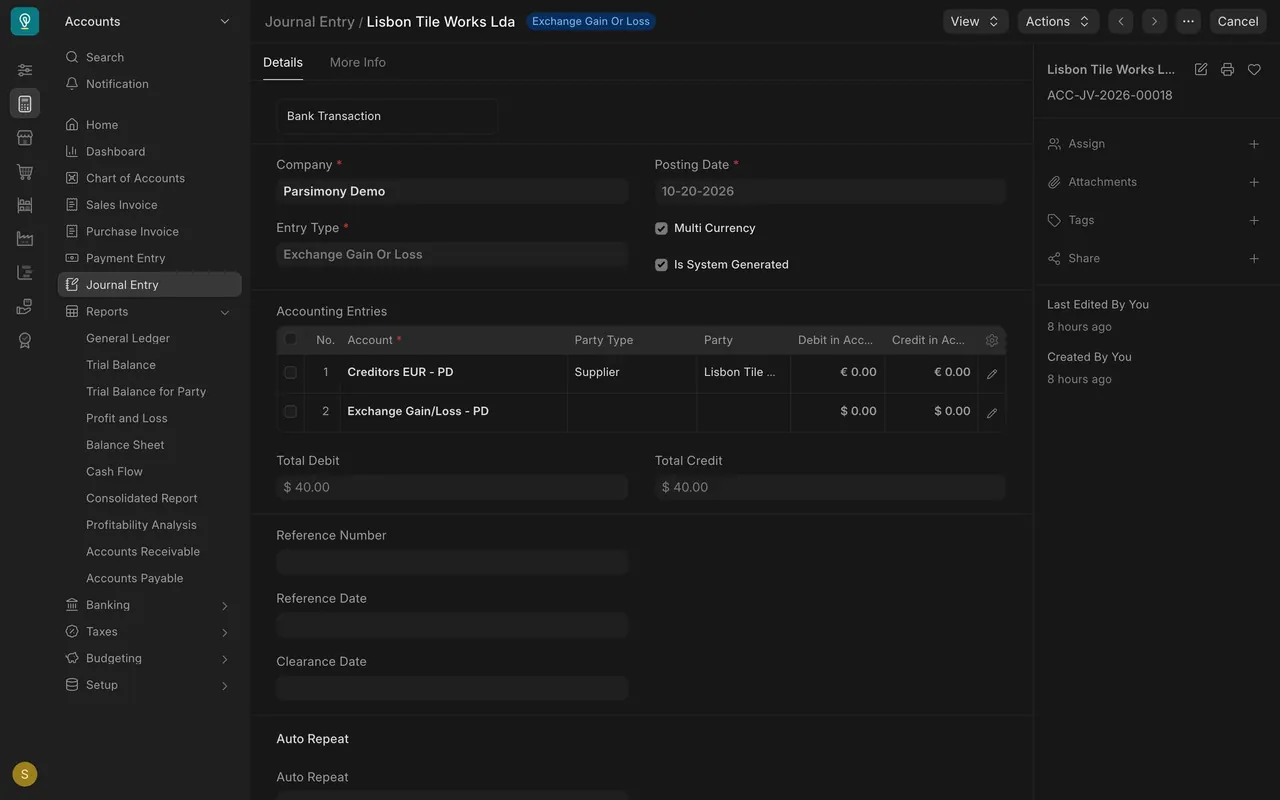
The General Ledger for the Creditors euro account shows EUR 13,100.00 in, EUR 5,000.00 out and EUR 8,100.00 owed. The Exchange Gain Or Loss journal on October 20 covers the part already paid (lesson 2). The revaluation covers the part still owed.
Step by step
Step 1. Add a new revaluation
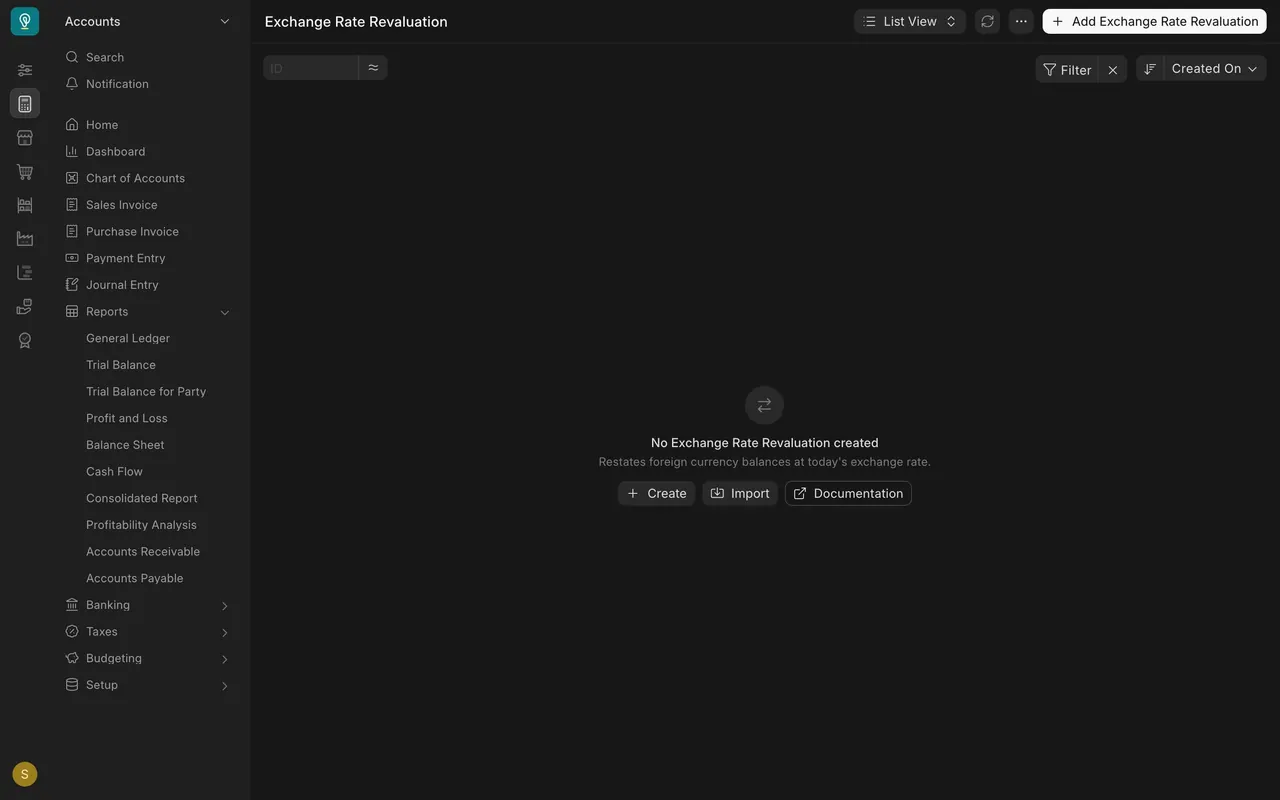
Search for Exchange Rate Revaluation and add a new one. The list is empty in this example.
Step 2. Set the date and company
Set the Posting Date to the last day of the month and check the Company. Leave Rounding Loss Allowance alone unless your accountant says otherwise.
Step 3. Choose Get Entries
Get Entries lists each account that holds a foreign-currency balance, such as the Creditors euro account. In the recording the button did not fill the table, so the lesson shows the empty columns it fills.
Step 4. Read the columns
New Exchange Rate is the rate for your posting date. Balance In Base Currency is what your books show now. New Balance In Base Currency is the same amount at the new rate. Gain/Loss is the difference. Below the table, Total Gain/Loss adds it up and Gain/Loss already booked holds differences from payments.
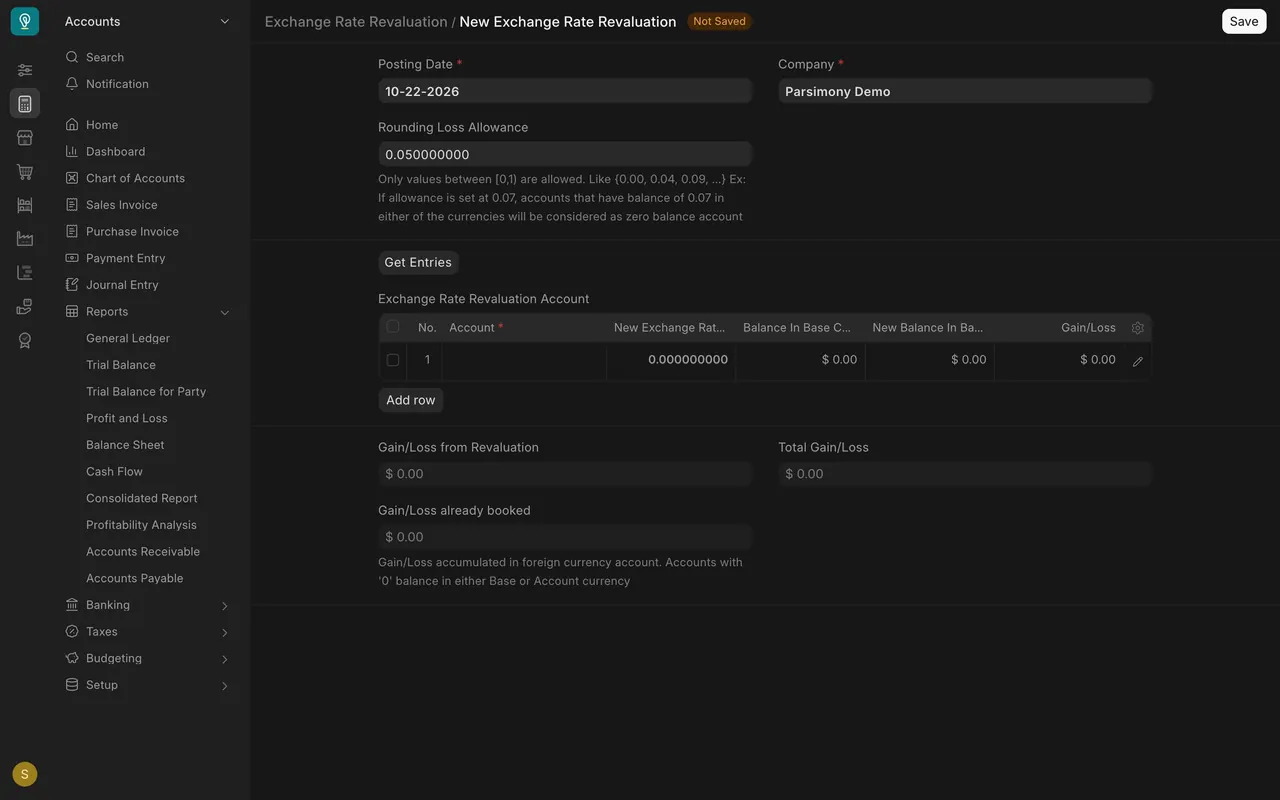
Submitting posts a journal that moves each account to its new balance and puts the difference in an exchange gain or loss account. Review the numbers with your accountant first. This lesson never submits.
What you may see on your own site
- Your accounts, currencies and rates are your own. Your company currency may not be dollars.
- Which account takes the difference is set up for your company; ask your accountant.
Common mistakes
- Running it before the month's invoices and payments are in. Finish those first.
- Mixing it up with the realised gain or loss. That one is booked when you pay; the revaluation is for what is still open.
- Submitting without review. Check each row's rate and the total first.
Check yourself
3 quick questions.
1. When is the Exchange Rate Revaluation for?
2. What does the Gain/Loss column show for an account row?
3. Which lesson covers the gain or loss on the part of an invoice that was already paid?