V16 Training · Imports and Landed Cost · Lesson 4 of 6
Landed cost vouchers
This lesson shows how a landed cost voucher adds freight, duty and insurance to the cost of the items you received. The screens use example data from a demo company.
Written guide
The idea
The supplier invoices the goods, and other businesses invoice the freight, duty and insurance. A Landed Cost Voucher ties those charges back to the purchase receipt and spreads them across its items.
Step by step
Step 1. Pick the receipt
- Open Landed Cost Voucher in the Stock module.
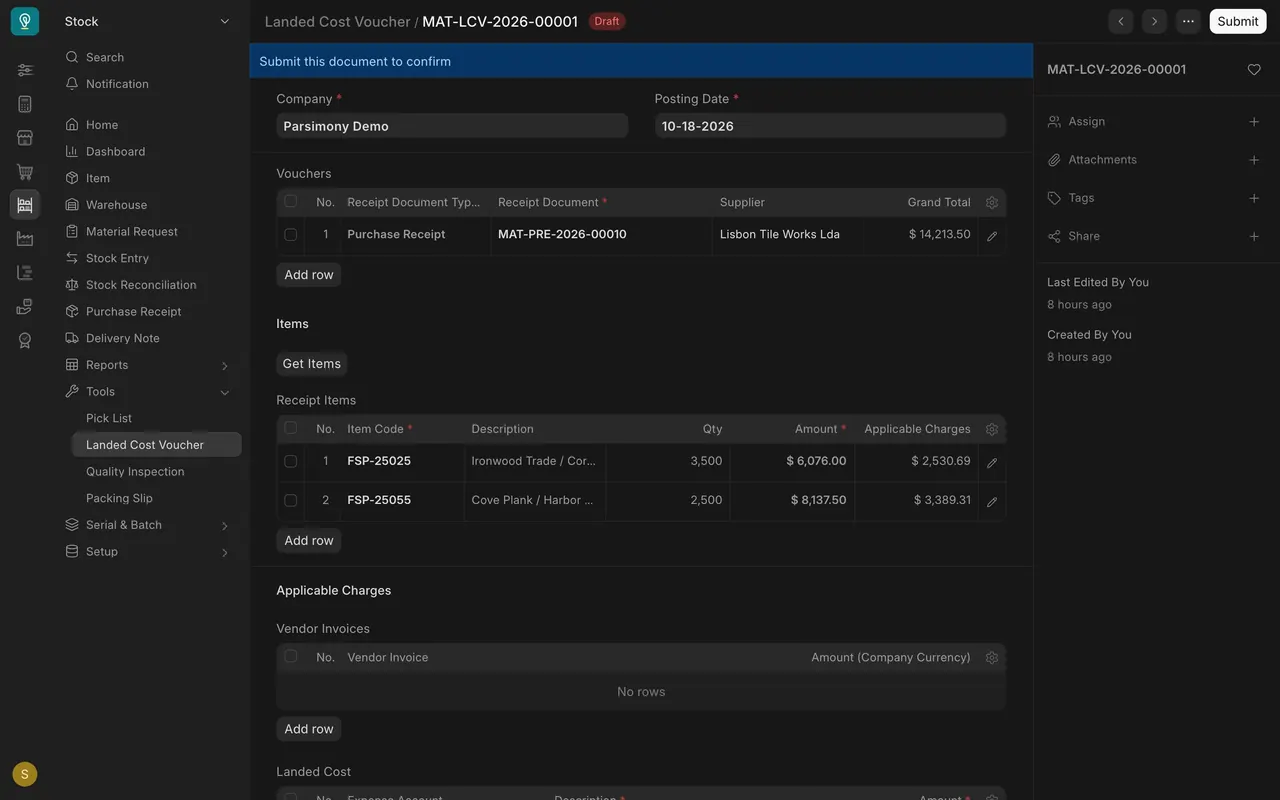
- Under Vouchers, add the purchase receipt. Here it is $14,213.50 from the Portuguese mill. The voucher is a draft.
- Receipt Items lists each item. Applicable Charges is the share each will carry.
Step 2. Add the charges
- Vendor Invoices can pull in your freight forwarder's invoice.
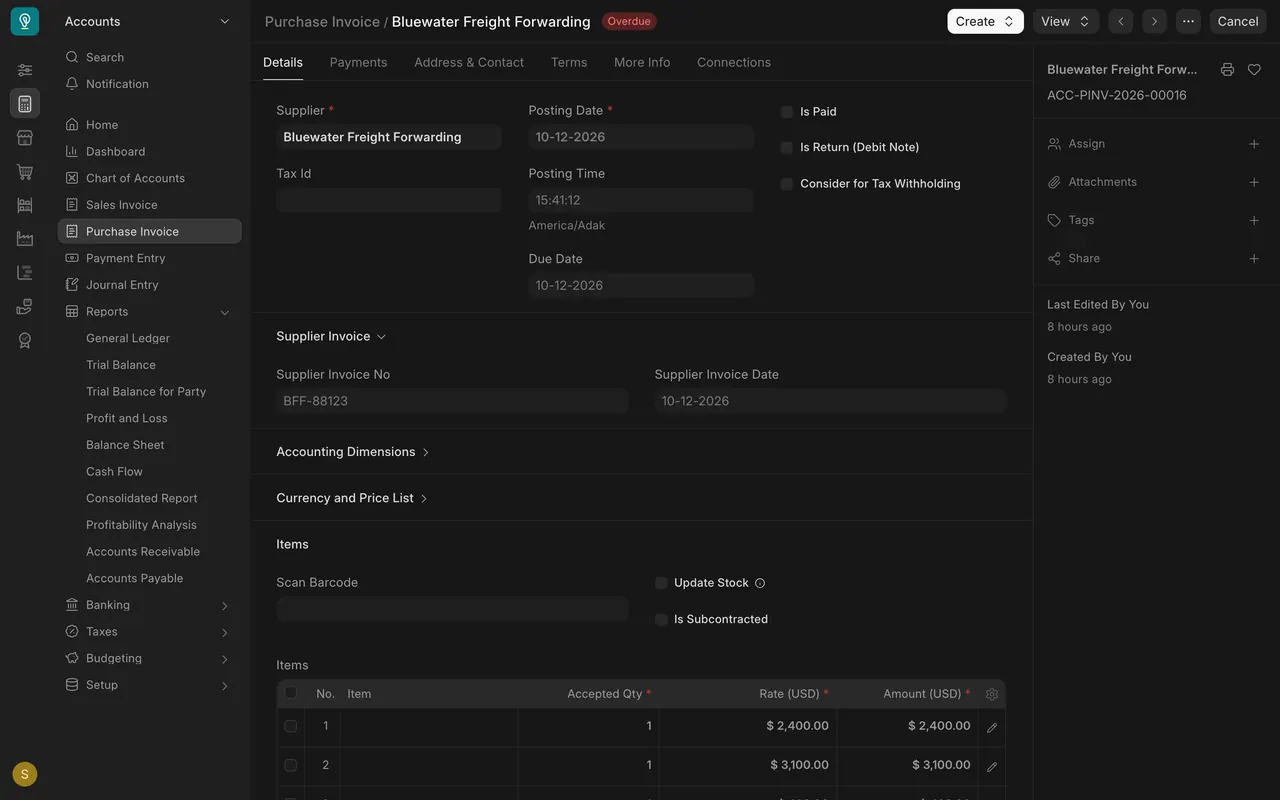
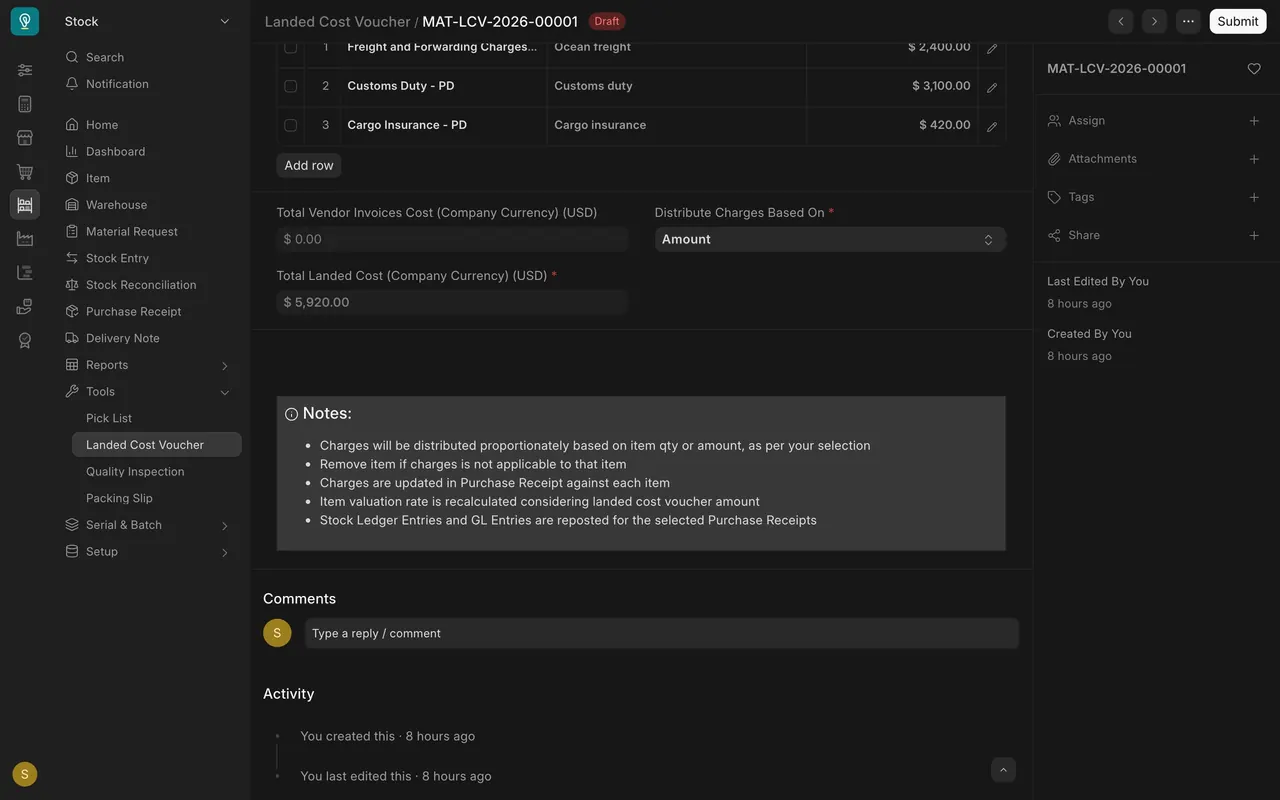
- Or type each charge under Landed Cost with an expense account: freight $2,400, customs duty $3,100, cargo insurance $420. Total $5,920.
Step 3. Choose how to spread them
- Distribute Charges Based On is Amount here. You can also spread by quantity, or by hand.
- The shares ($2,530.69 and $3,389.31) add up to the total.
What you may see on your own site
- Your accounts and charges are your own.
- Submitting reposts stock and accounting entries, so check first.
Common mistakes
- Submitting before the charges are right.
- Leaving an item that should carry no charge in the list. The form's note says to remove it.
- Forgetting to pick the receipt first.
Check yourself
3 quick questions.
1. What does a landed cost voucher do?
2. The voucher is set to distribute by Amount. Which item carries the larger share?
3. What happens to an item's valuation rate when the voucher is submitted?