V16 Training · Imports and Landed Cost · Lesson 3 of 6
Follow a shipment
This lesson follows a shipment from the mill to your store: the expected date on the purchase order, receiving into a transit warehouse, transferring on arrival with a stock entry, and where the FOB point lives.
Written guide
The idea
Goods you import spend days or weeks on a ship. Parsimony shows them in three places: the Required By date on the purchase order, a warehouse kept for goods on the way (in this example, Goods In Transit), and a stock entry that moves them to your store when they arrive.
The screens use example data from a demo company. Your warehouse names are your own.
Step by step
Step 1. Read the expected date on the purchase order
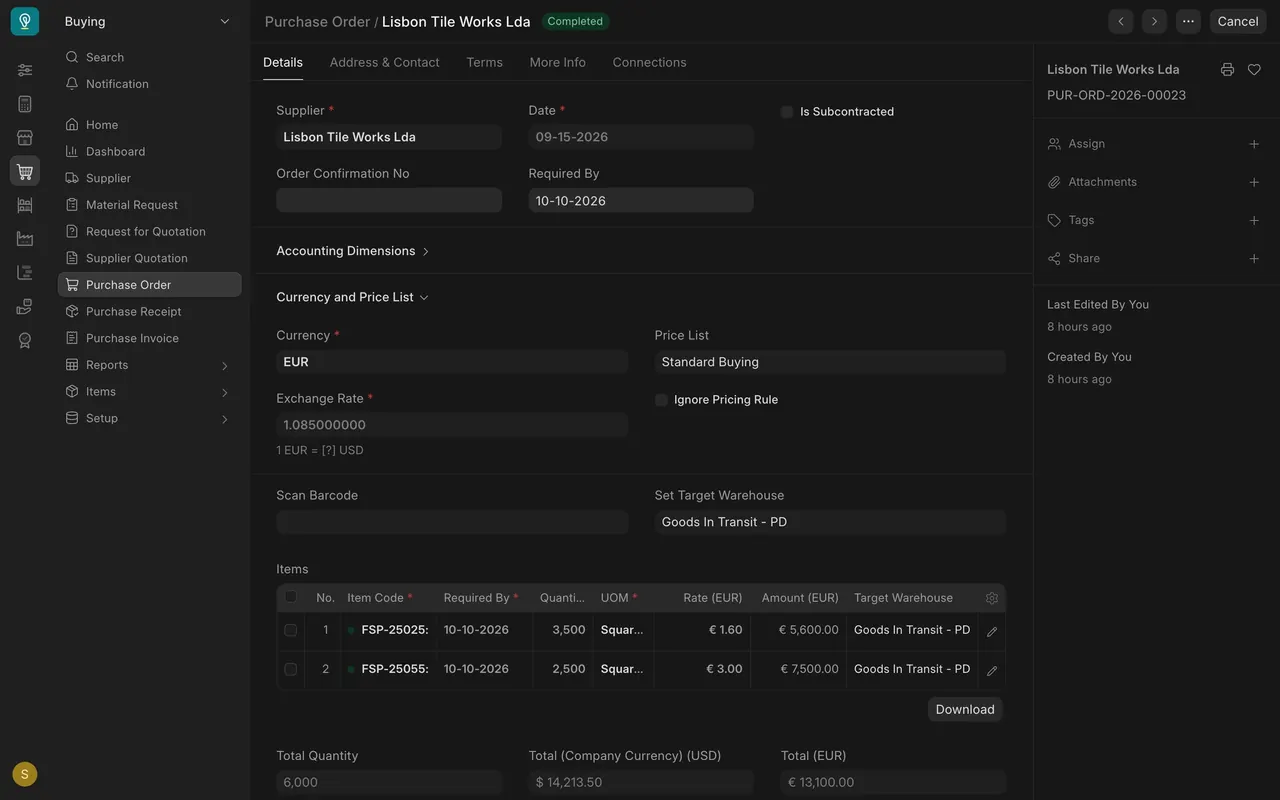
- Open the purchase order. Required By is the day you expect the goods, and each item row has its own.
- Look at Set Target Warehouse. In this example it names Goods In Transit, not the store.
Step 2. Receive the goods into the transit warehouse
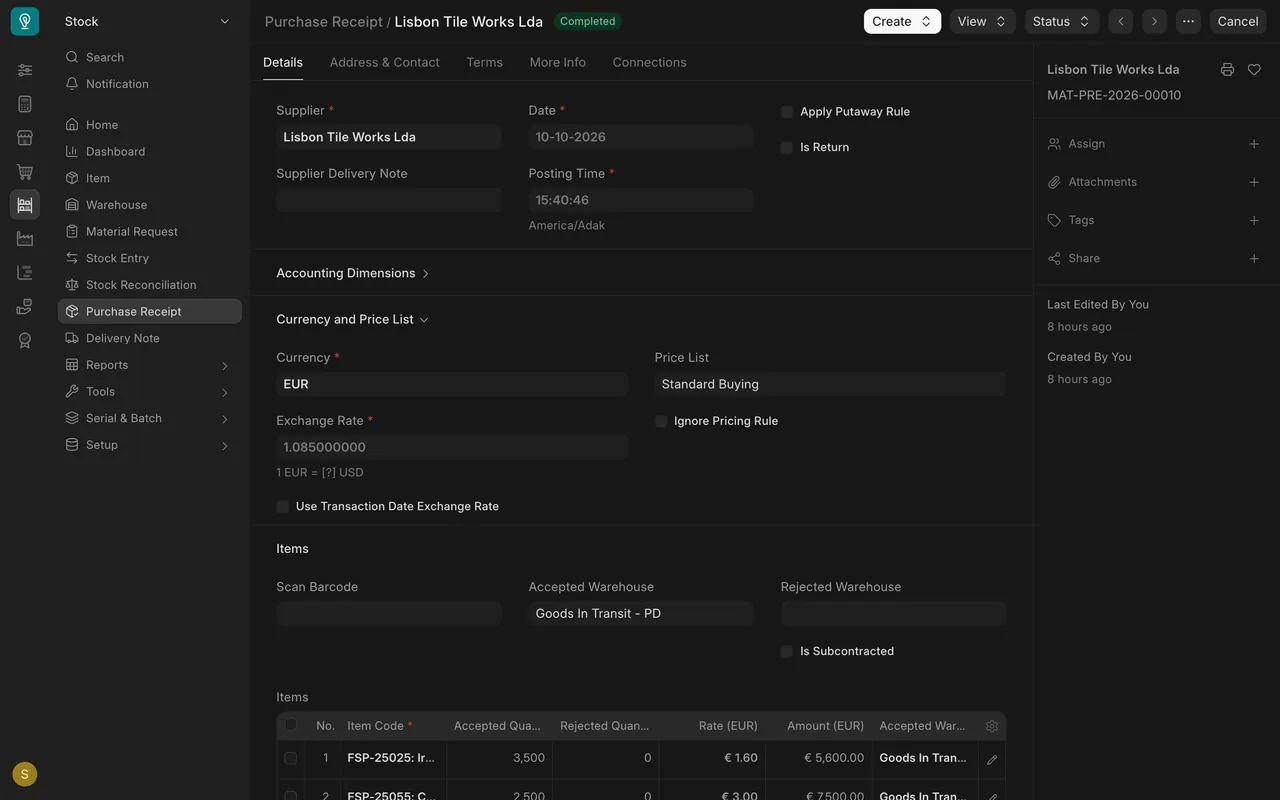
- On the purchase receipt, the accepted warehouse is Goods In Transit. In this example the receipt is dated October 10.
Step 3. Transfer the goods when they arrive
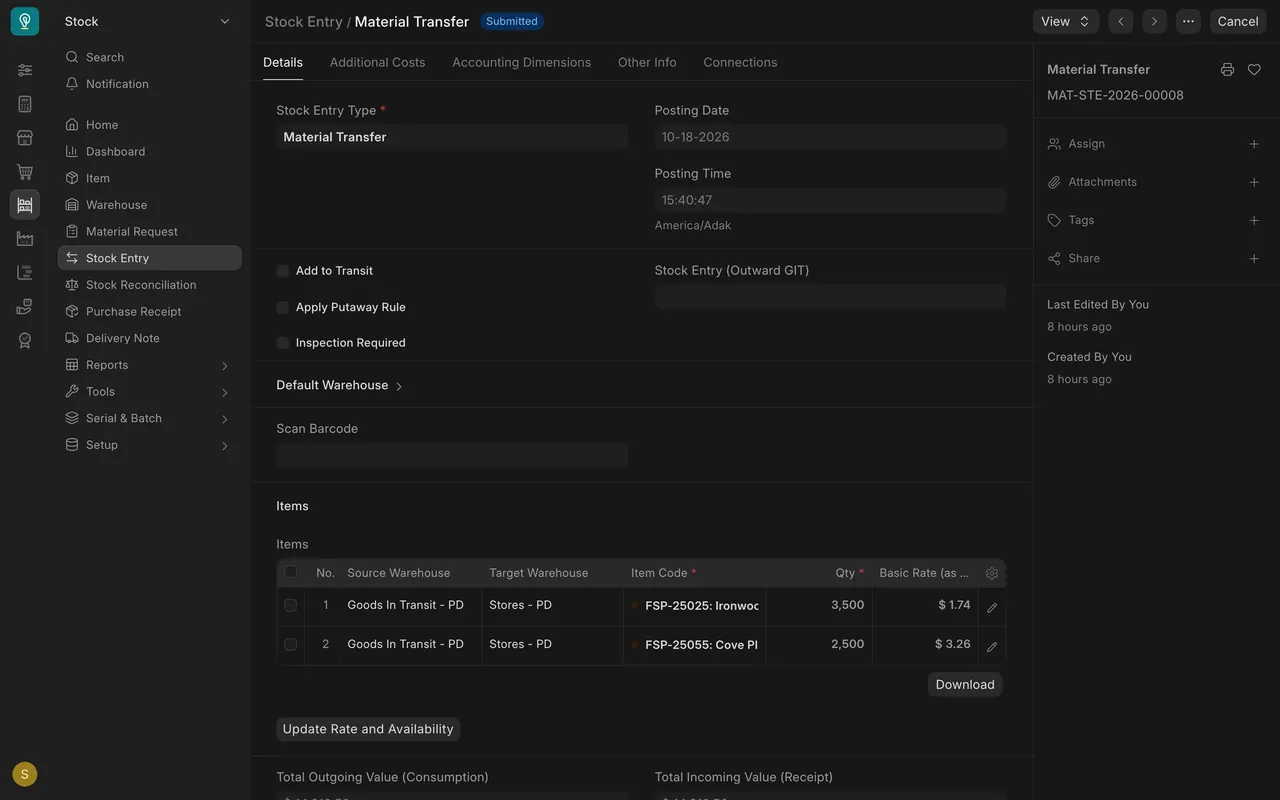
- Make a stock entry of the type Material Transfer. It moves each item from Goods In Transit to Stores. In this example it is dated October 18.
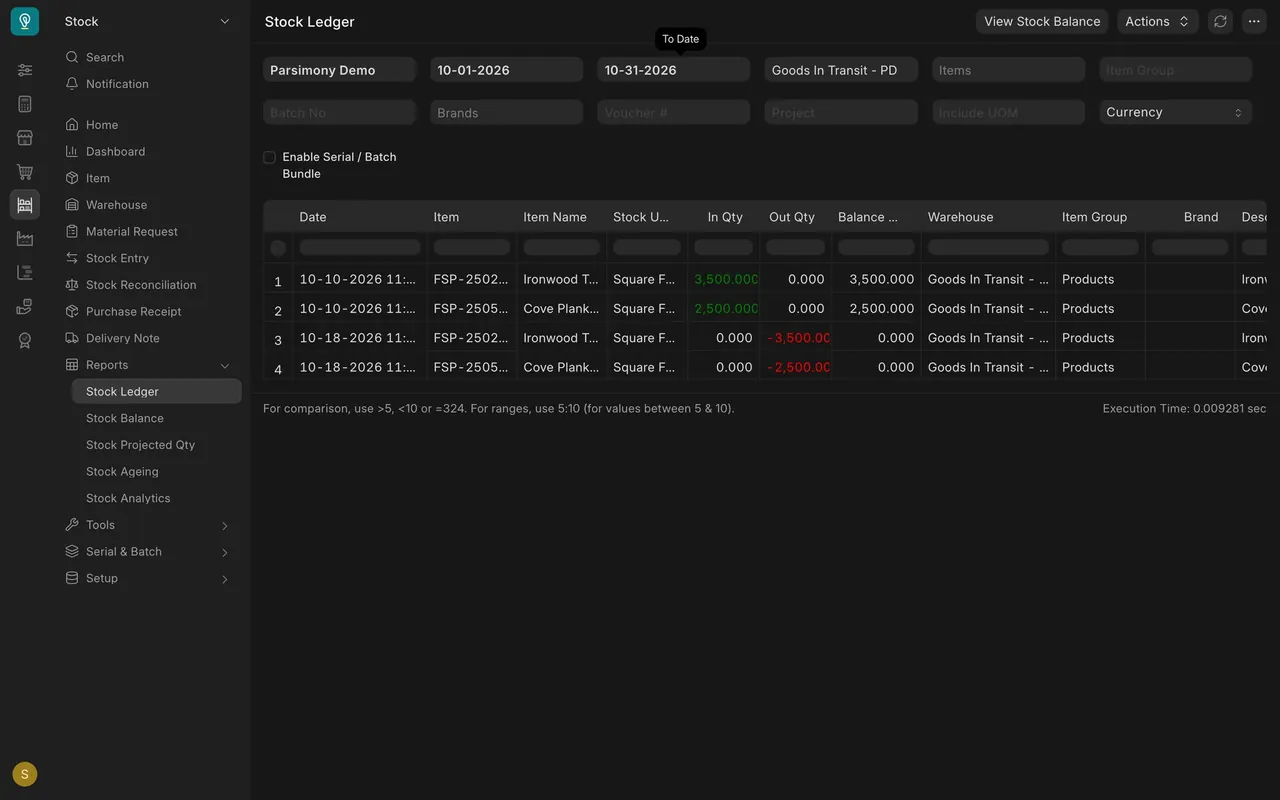
- In the Stock Ledger for the transit warehouse, each item has a line in on October 10 and a line out on October 18. The balance is back to zero.
Where the FOB point lives
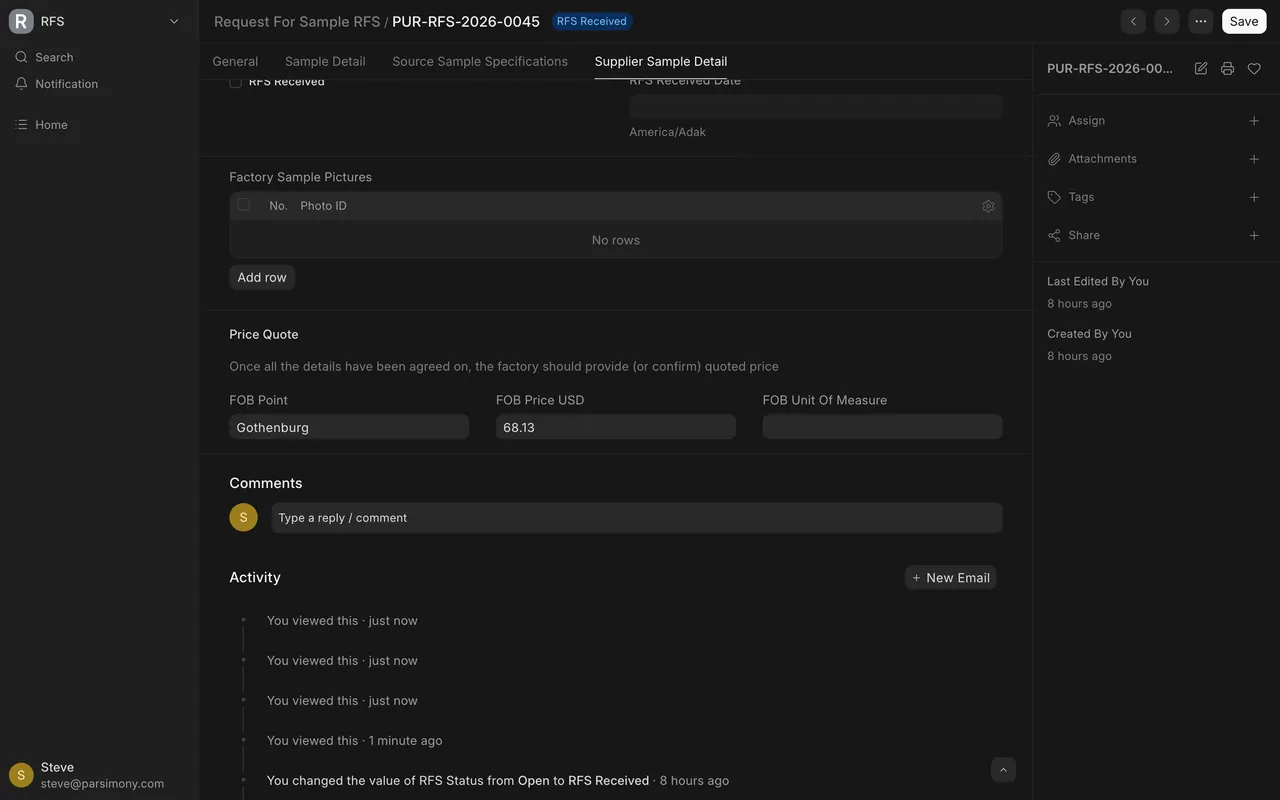
On a Request For Sample, open the Supplier Sample Detail tab. Under Price Quote, FOB Point is the place the supplier's quoted price covers the goods to. FOB means free on board. Here it is Gothenburg.
The Shipment document is for outgoing goods
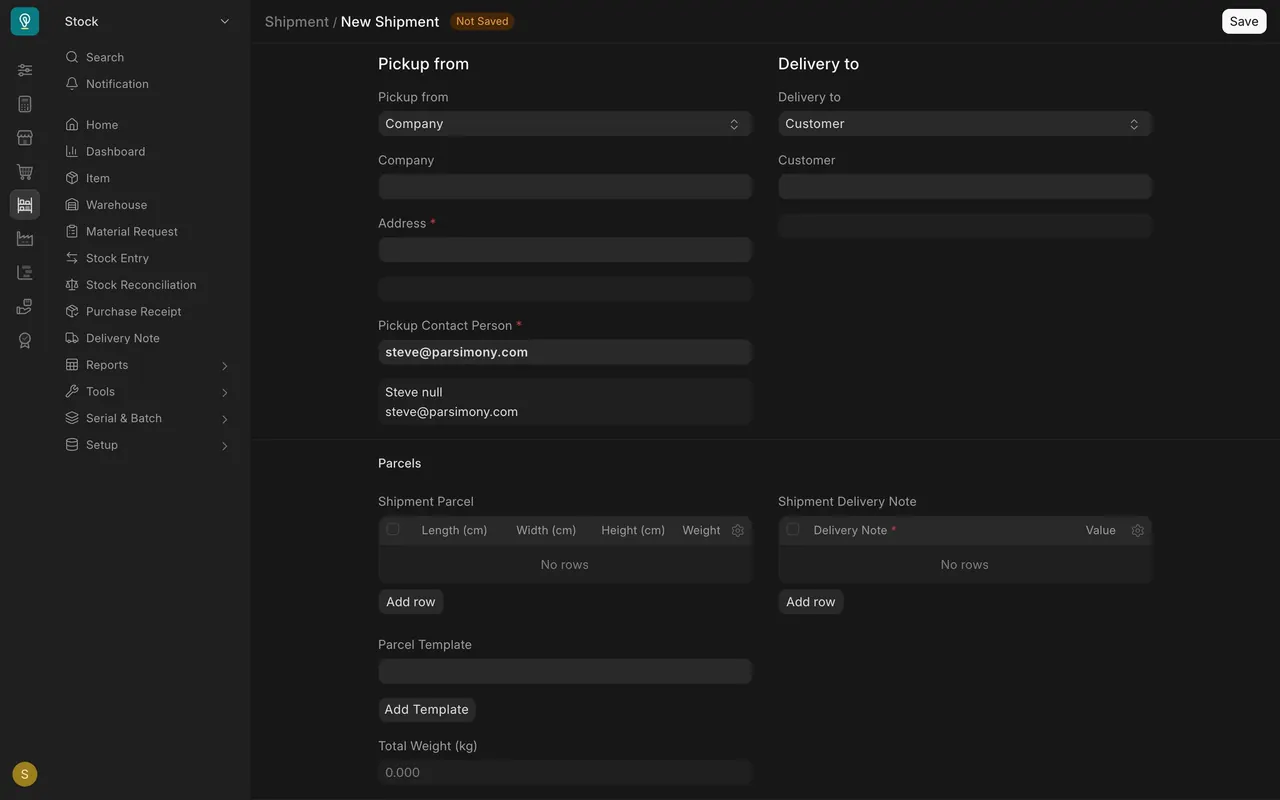
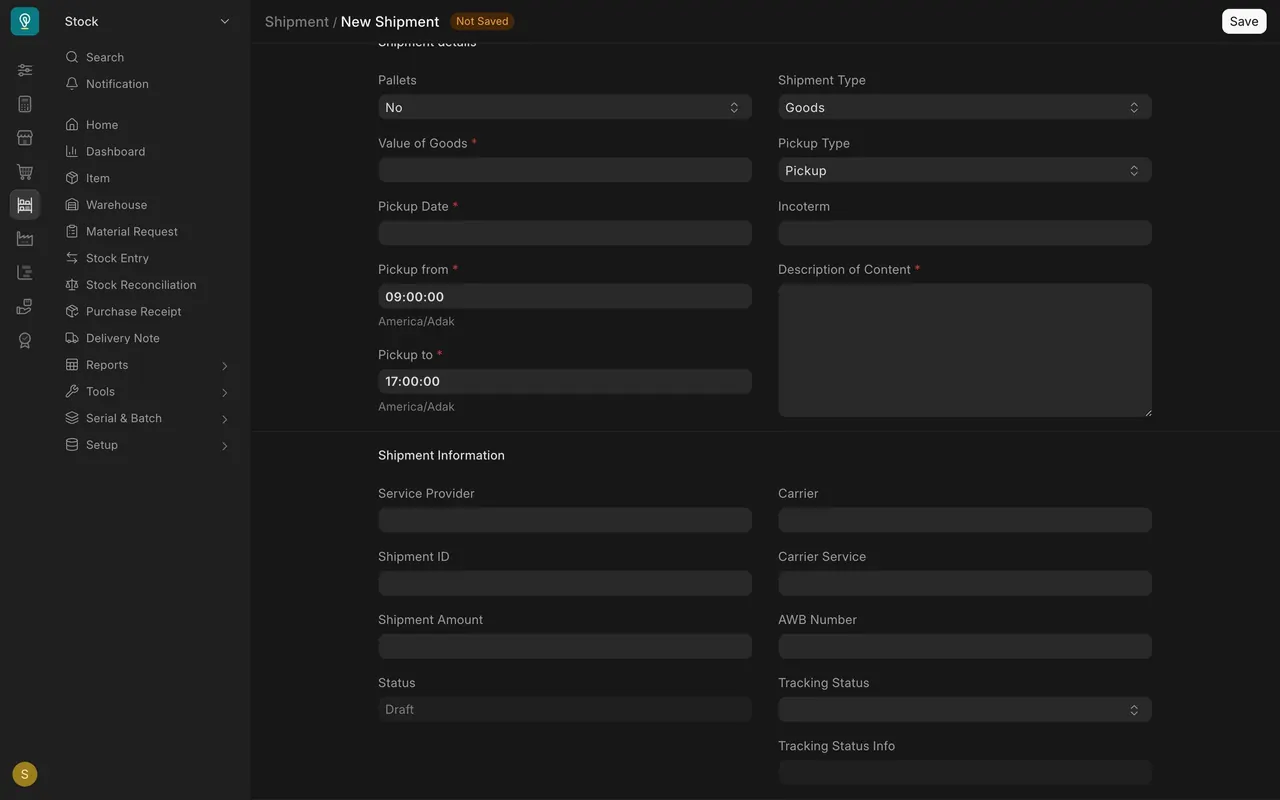
It holds parcels, a carrier and tracking details for goods you send out. Do not use it to follow a purchase that is coming in.
What you may see on your own site
- Your transit warehouse may have another name, and your company may not receive into it until goods ship.
- Dates and quantities are your own.
Common mistakes
- Forgetting the transfer. Goods left in the transit warehouse look as if they have not arrived.
- Using the Shipment document for inbound goods. It is for goods you send out.
- Reading the FOB price as the full landed cost. Freight and duty come later (Landed cost vouchers).
Check yourself
3 quick questions.
1. Where does a purchase order show the day you expect the goods?
2. What moves the goods from Goods In Transit to your store when they arrive?
3. The Stock Ledger for the transit warehouse shows a balance of zero. What does that mean?