V16 Training · Assets and Budgets · Lesson 2 of 4
Fixed assets
This lesson shows what a fixed asset is and how Parsimony sets one up: an asset category, an item flagged as a fixed asset, the asset record, and the asset list and register.
Written guide
The idea
A fixed asset is something long-lived that your company owns. Each one has its own asset record with its cost, dates and location. Depreciation, covered in the next lesson, spreads the cost over its years of service.
The screens use example data from a demo company.
Step by step
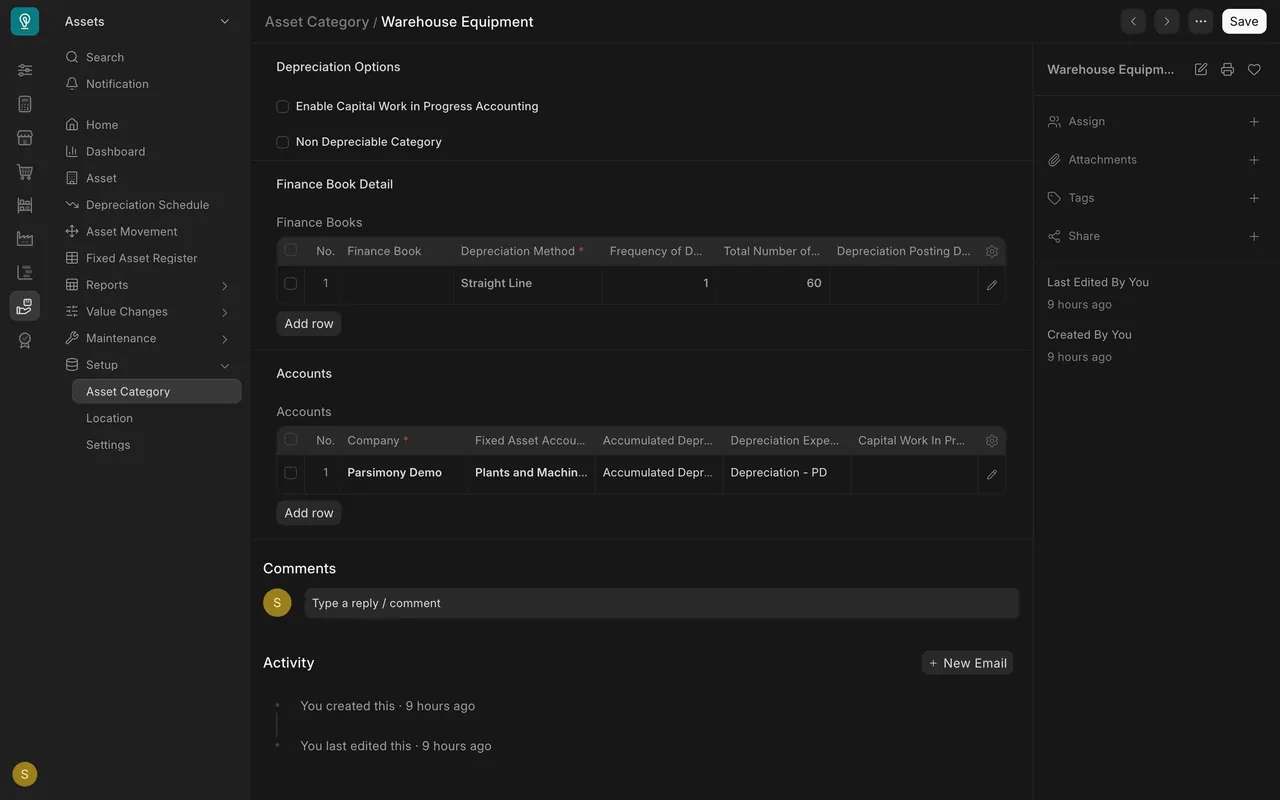
Step 1. Set up the asset category
- The category groups similar assets. Its Finance Books table holds the method (Straight Line), the months between entries (1) and the number of entries (60).
- Its Accounts table names the fixed asset, accumulated depreciation and depreciation expense accounts.
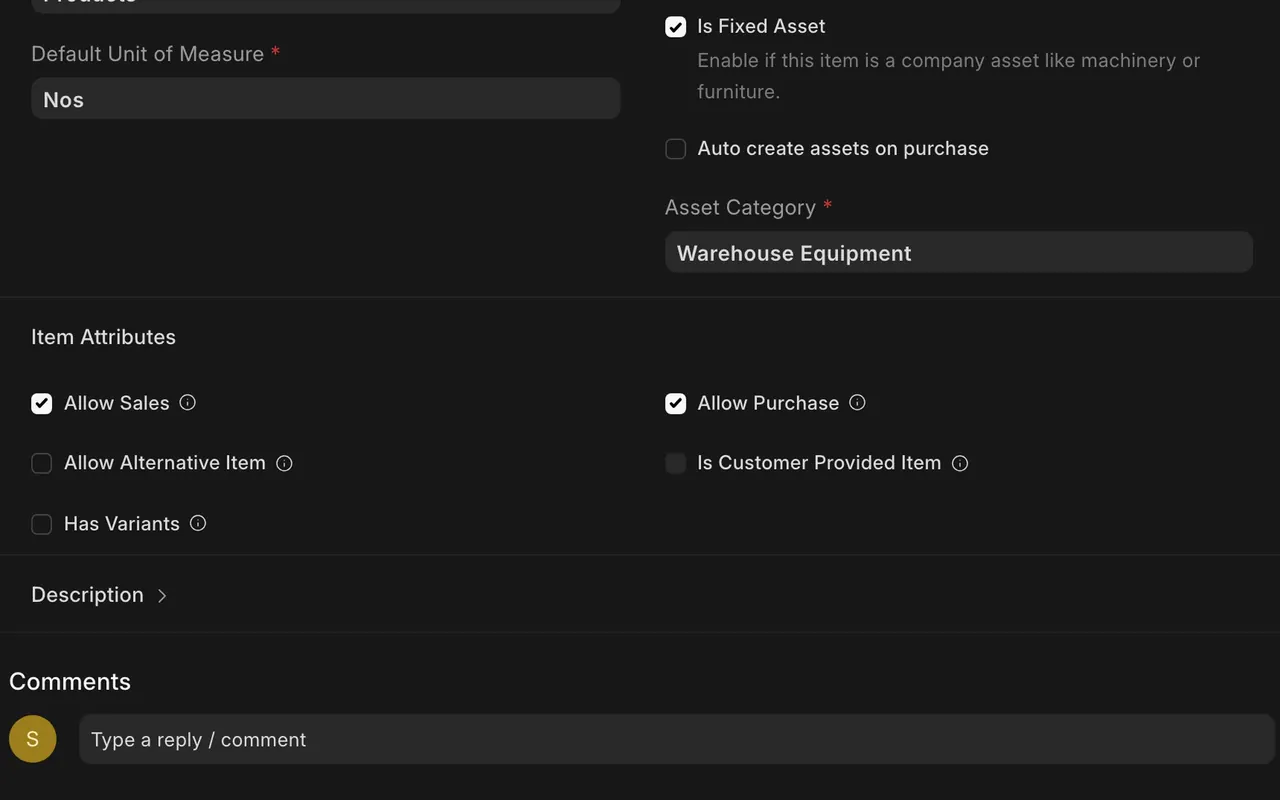
Step 2. Flag the item
- On the item, check Is Fixed Asset and pick the Asset Category.
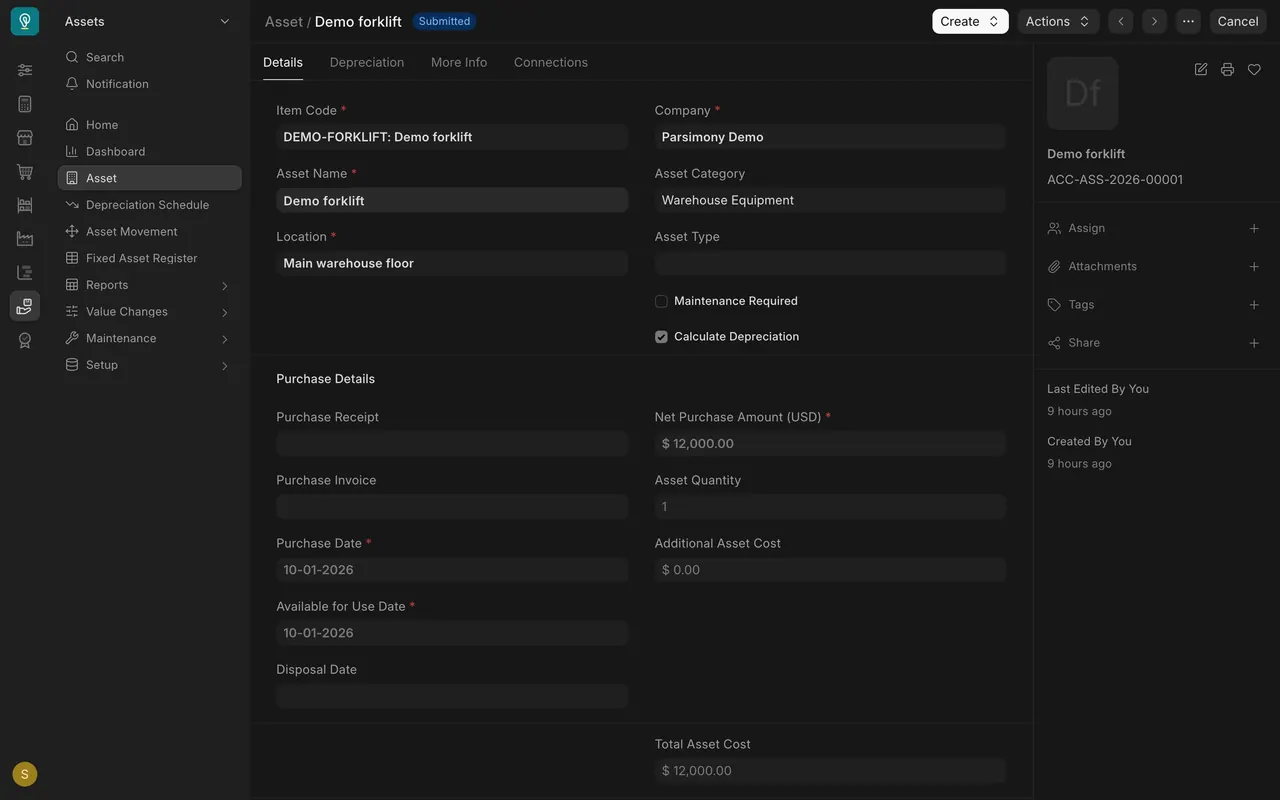
Step 3. Open the asset record
- The record holds the item, name, category, Location and Net Purchase Amount, plus the purchase and available for use dates.
- The Depreciation tab holds the settings for this asset.
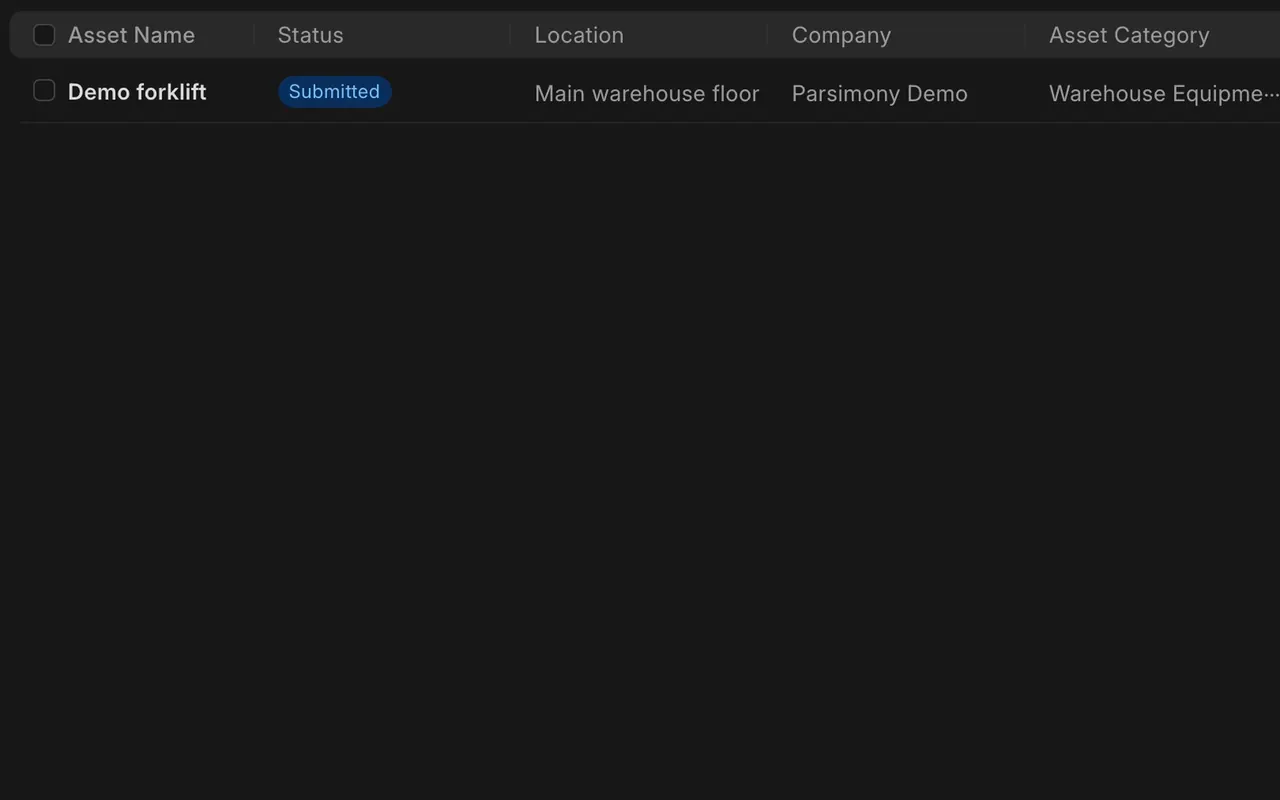
Step 4. Read the register
- The Asset list shows each asset with status, location, company and category. The Fixed Asset Register report adds a chart of asset value against depreciated amount.
What you may see on your own site
- Your own categories, locations, accounts and dates; the values here are example data.
Common mistakes
- Forgetting to flag the item. An item must be a fixed asset before it can have an asset.
- Mixing categories. The category sets the accounts and depreciation defaults, so pick it with care.
Check yourself
3 quick questions.
1. Where are the accounts and default depreciation method set?
2. What must you check on an item before it can become an asset?
3. Where does the asset's location live?