V16 Training · Assets and Budgets · Lesson 3 of 4
Depreciation
This lesson shows how depreciation spreads the cost of an asset over its life: where the settings live, what the schedule looks like, what posts each month, and which asset reports to open.
Written guide
The idea
A forklift is used for years, so its cost is spread over those years instead of landing in one month. Each month, a journal entry moves a share of the cost from the asset to an expense. The screens use example data from a demo company.
Step by step
Step 1. Read the depreciation settings
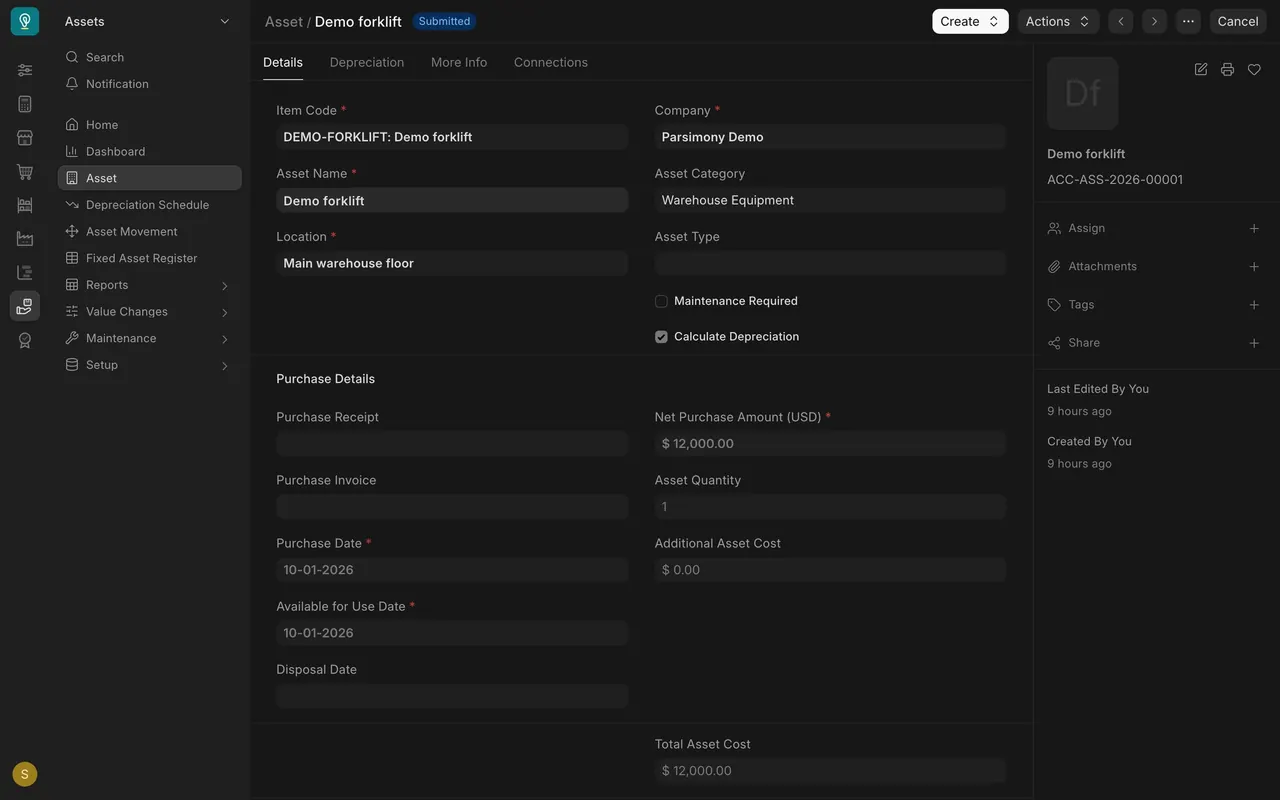
- Open the asset. On the Details tab, Calculate Depreciation is ticked.
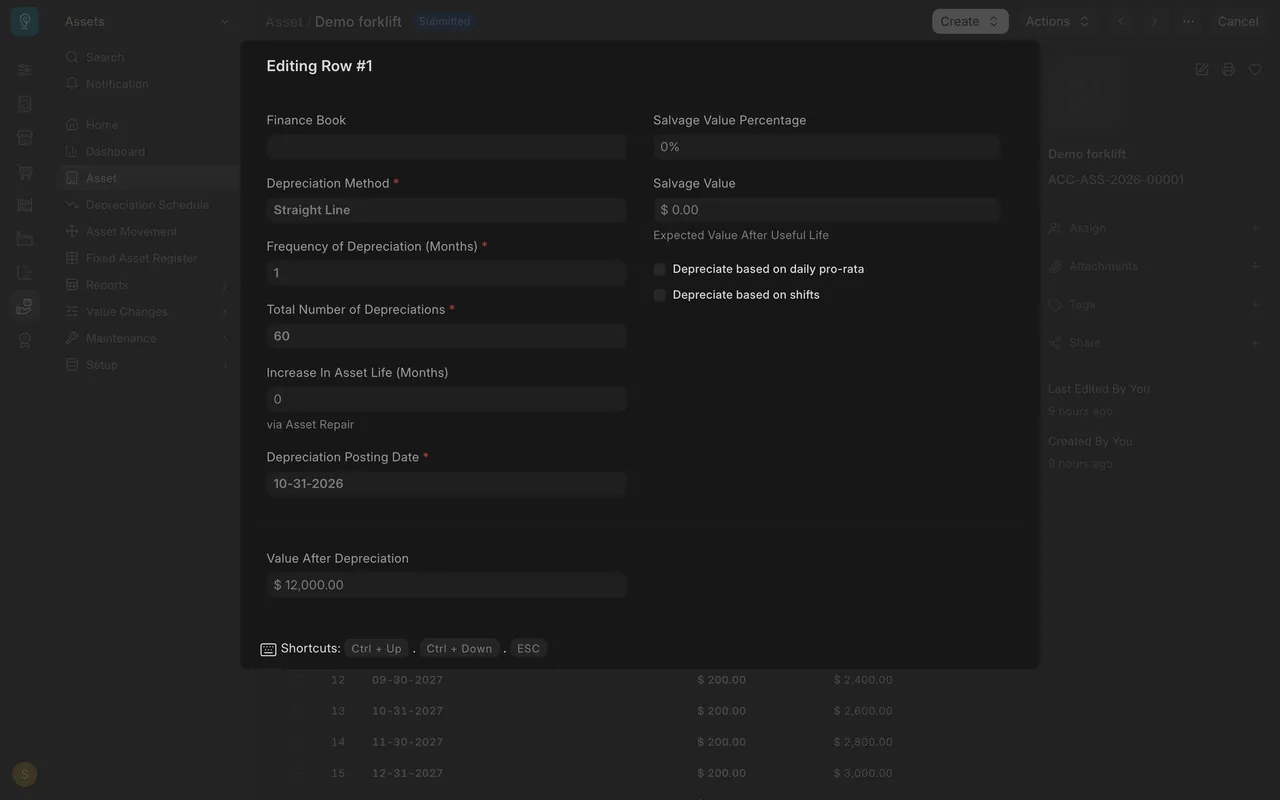
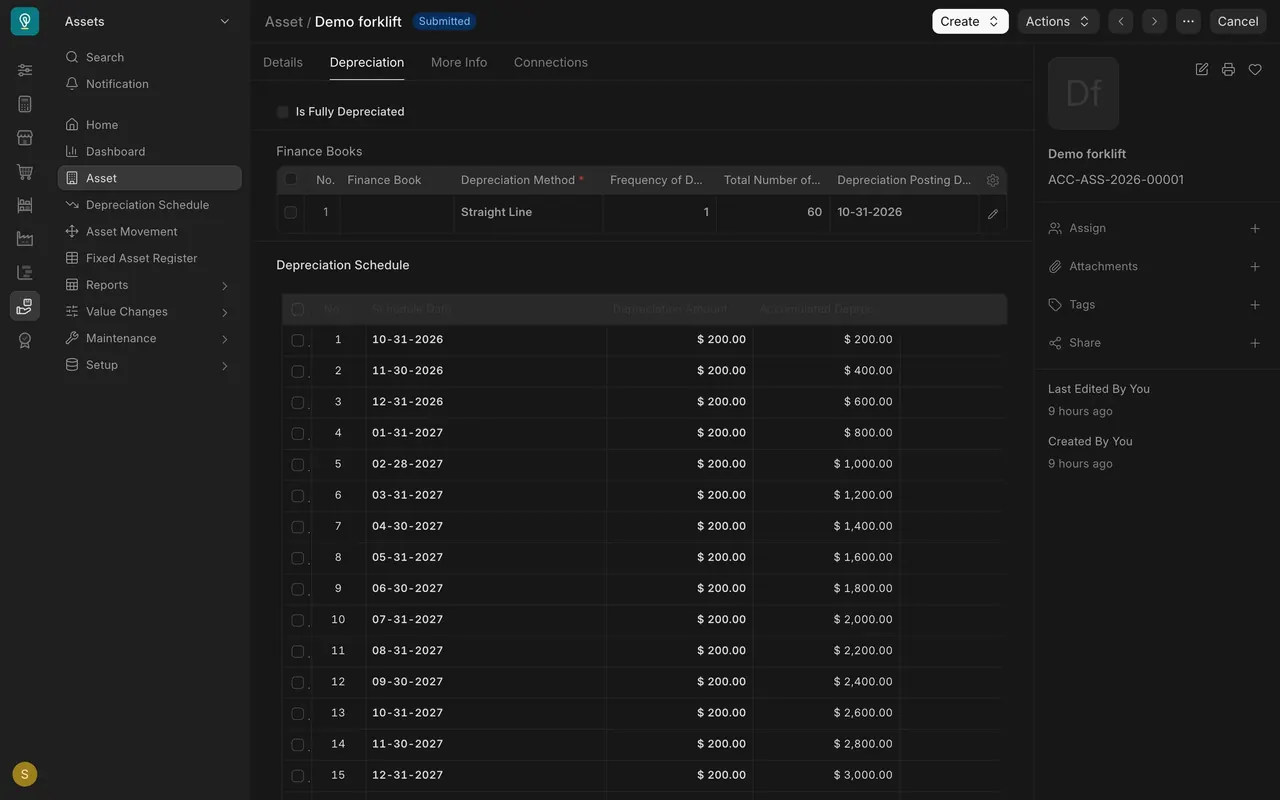
- On the Depreciation tab, the Finance Books table has one row. Open it to see Depreciation Method (Straight Line), Frequency of Depreciation (Months) (1), Total Number of Depreciations (60), Depreciation Posting Date (the first date) and Salvage Value.
Step 2. Read the schedule
- The Depreciation Schedule table lists one row per month: date, depreciation amount ($200.00 here) and accumulated depreciation.
- Twelve thousand dollars divided by sixty months is two hundred dollars: straight line means the same amount every month.
- The same schedule has its own record in the Depreciation Schedule list, with a Journal Entry column.
Step 3. See what posts each month
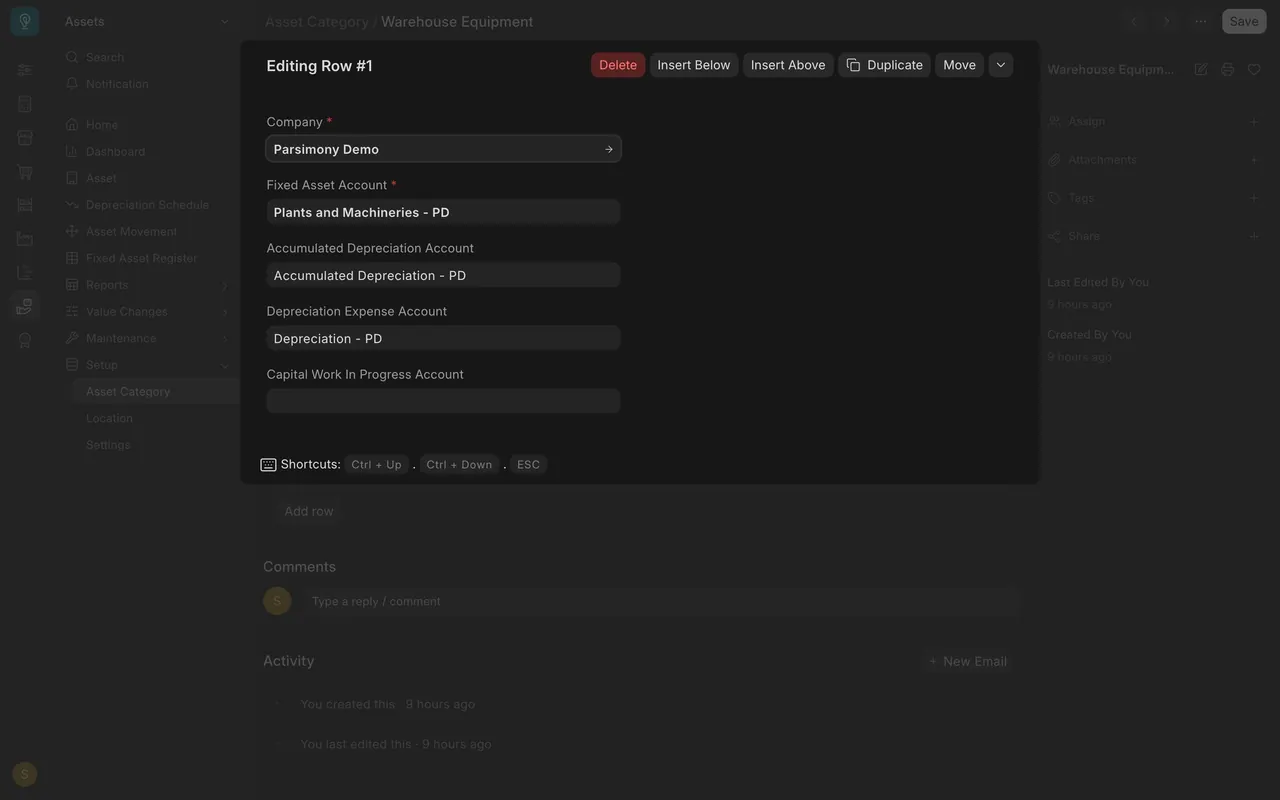
- Each month a journal entry moves the amount. It debits the Depreciation Expense Account and credits the Accumulated Depreciation Account, both set on the asset category.
- Nothing has posted in this example, so the Journal Entry column is empty. Whether entries post by themselves depends on how your company set up Parsimony.
Step 4. Open the asset reports
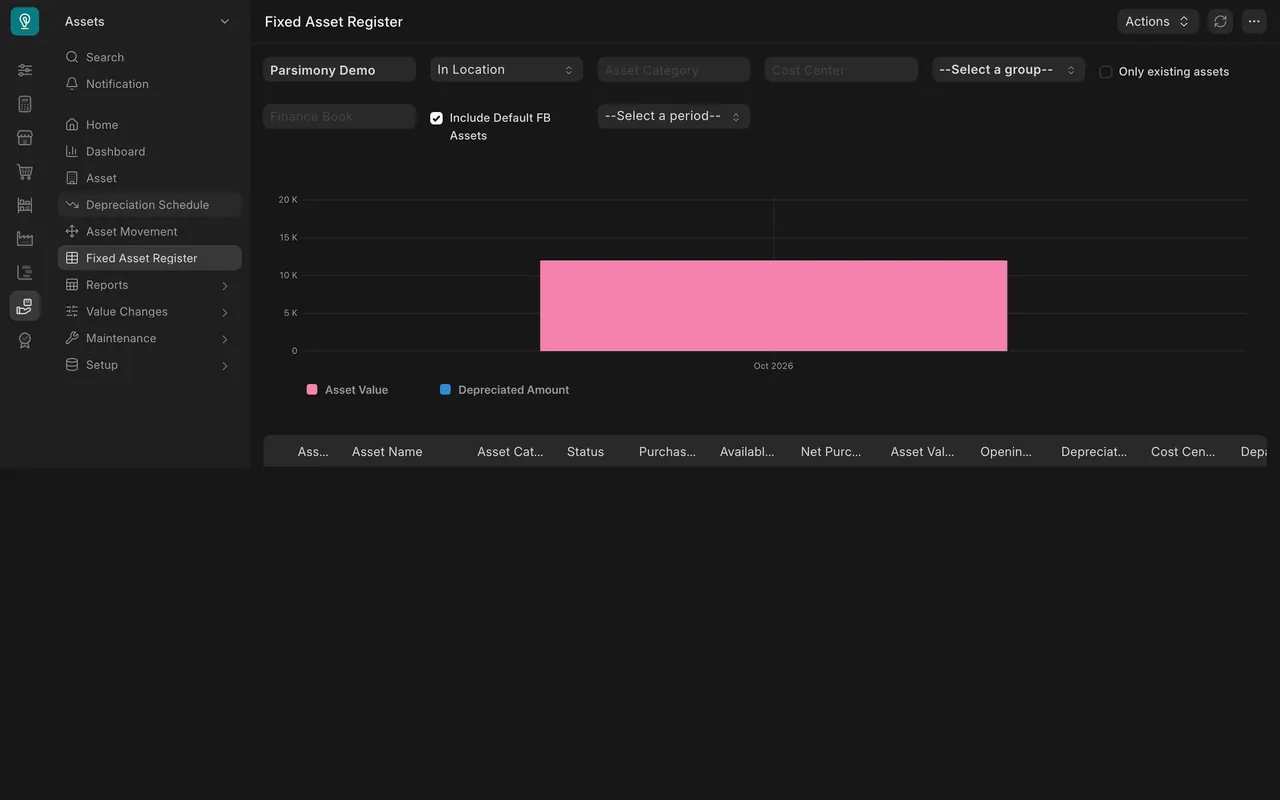
- Fixed Asset Register lists each asset with its value and depreciated amount.
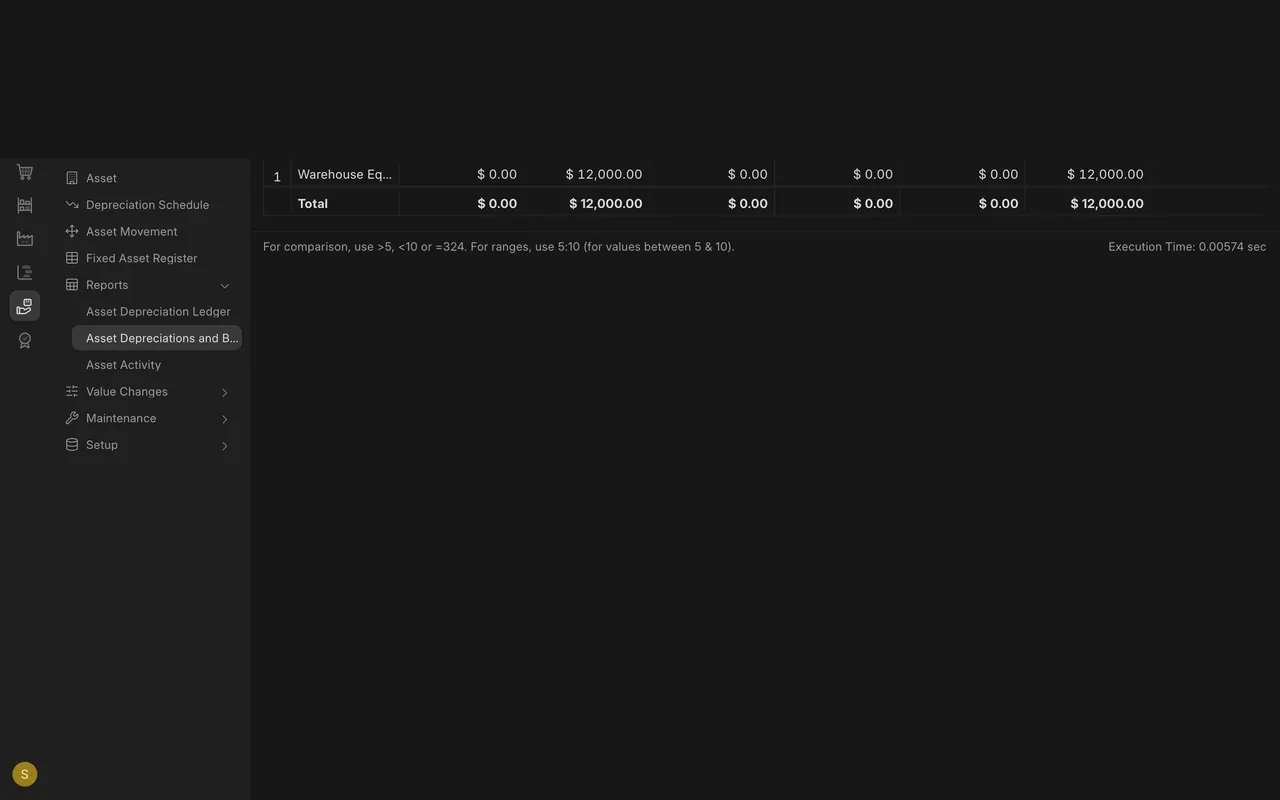
- Under Reports: Asset Depreciation Ledger (entries for a date range, empty until the first entry posts) and Asset Depreciations and Balances (totals by category).
What you may see on your own site
- Your assets, methods and account names are your own.
- A company may post depreciation by itself or by hand.
Common mistakes
- Leaving Calculate Depreciation unticked. The asset then has no schedule.
- Expecting the ledger to show future months. It lists entries that have posted.
- Confusing salvage value with cost. Salvage value is what the asset is worth at the end.
Check yourself
3 quick questions.
1. How is the monthly amount worked out for a straight-line asset?
2. Which account does the monthly depreciation entry debit?
3. Why is the Asset Depreciation Ledger empty in this example?