V16 Training · Work Faster · Lesson 2 of 4
Assignments and to-dos
Hand a job to a person, see it on their list, find what is waiting for you, and let a rule assign work automatically.
Written guide
The To Do list
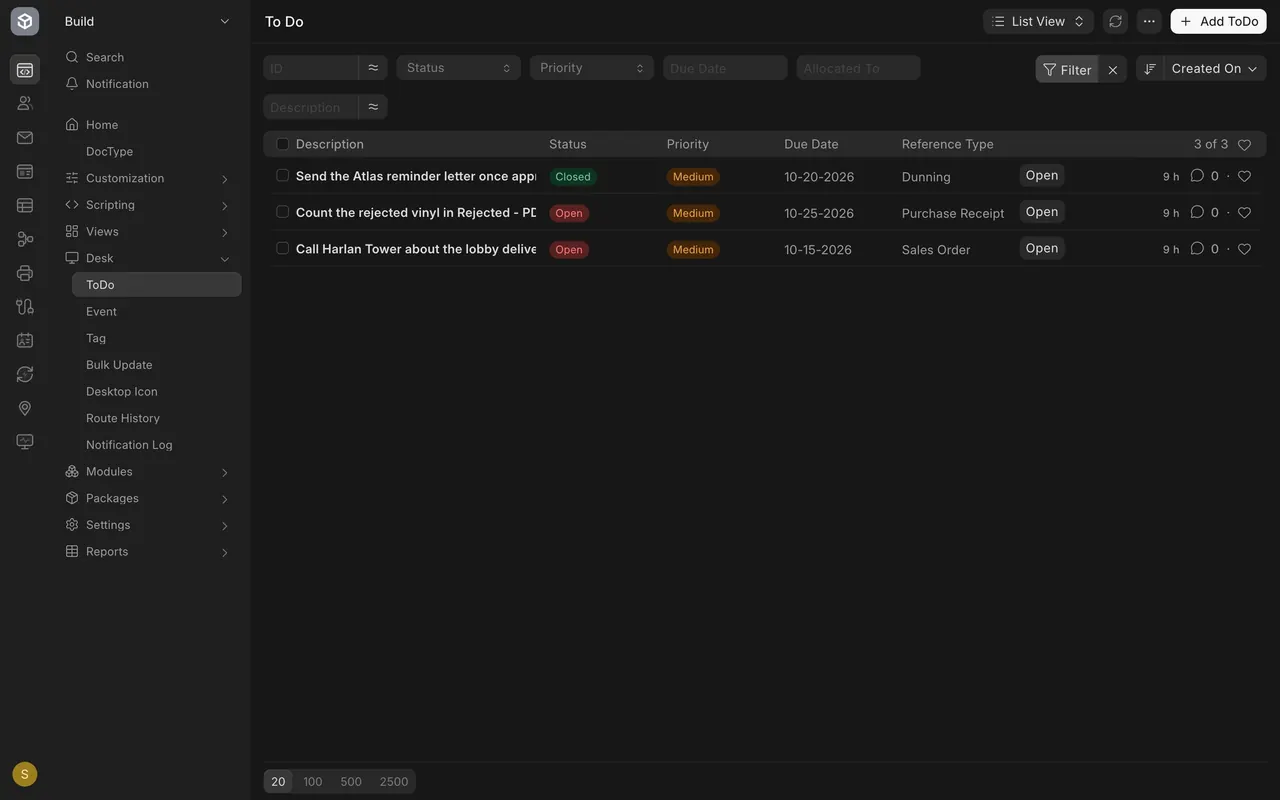
Open ToDo in the Desk section of the sidebar. Each row is one job, with a Status, a Priority, a Due Date and the kind of document it belongs to.
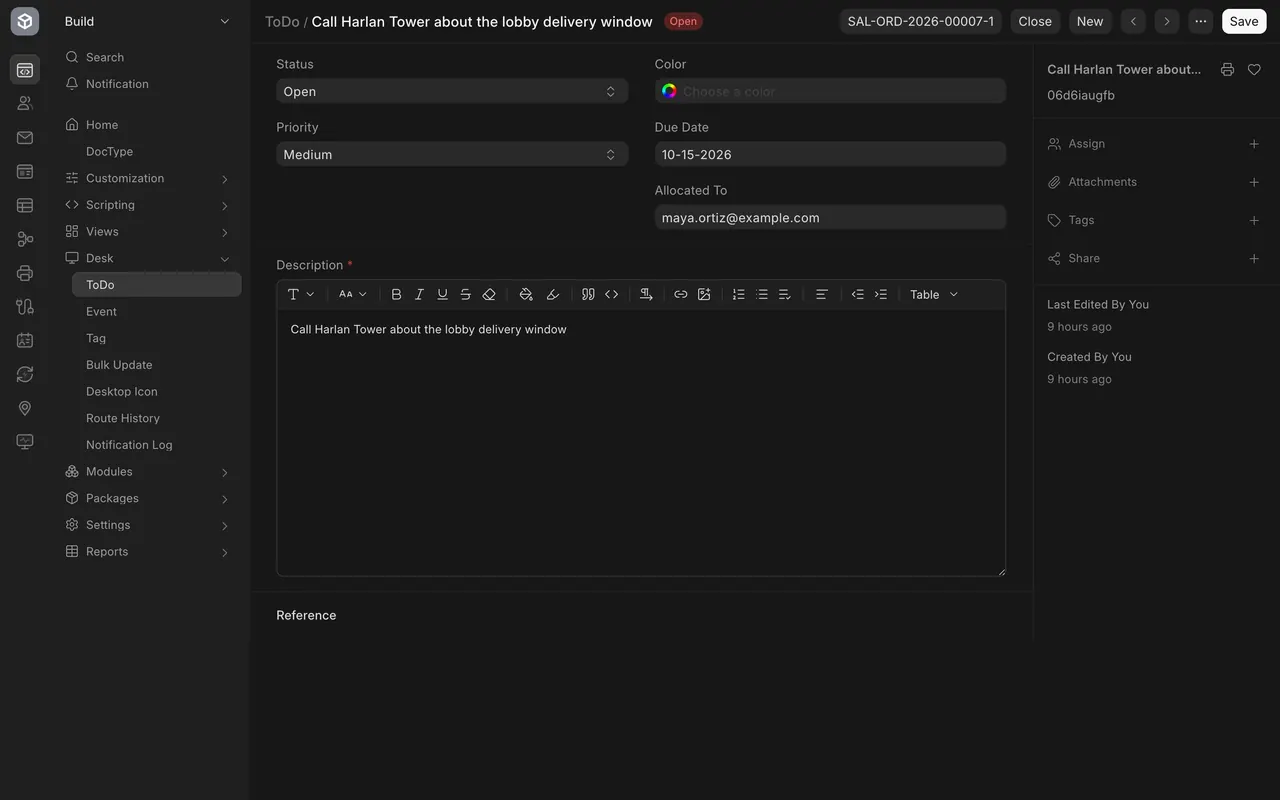
Open a row to see the whole job. Allocated To names the person who owns it. When the work is finished, choose Close at the top.
Assign a document
Step 1: open the box
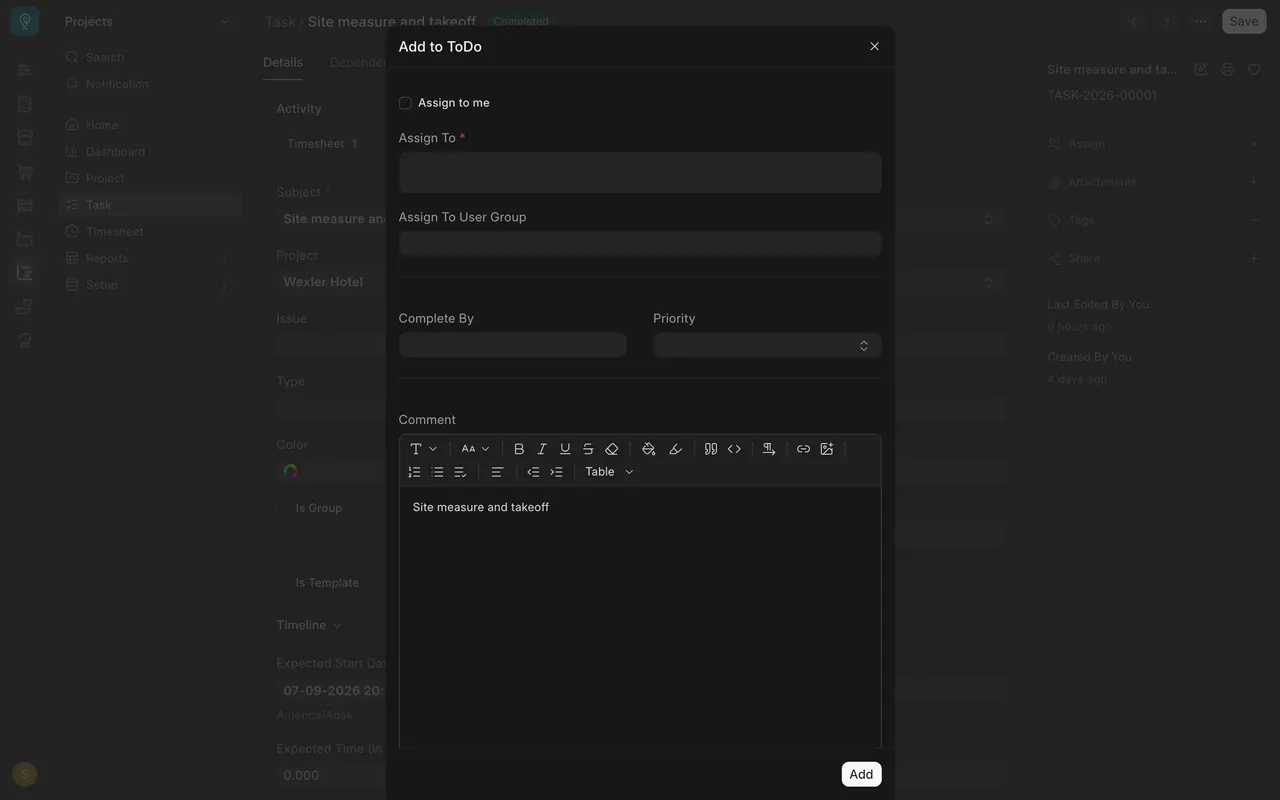
Open any document, here a task, and choose Assign in the sidebar.
Step 2: fill it in
Pick the person in Assign To, or tick Assign to me. Set Complete By, pick a Priority, and write a Comment.
Step 3: add it
Choose Add to create the job on the person's list.
Find what is waiting for you
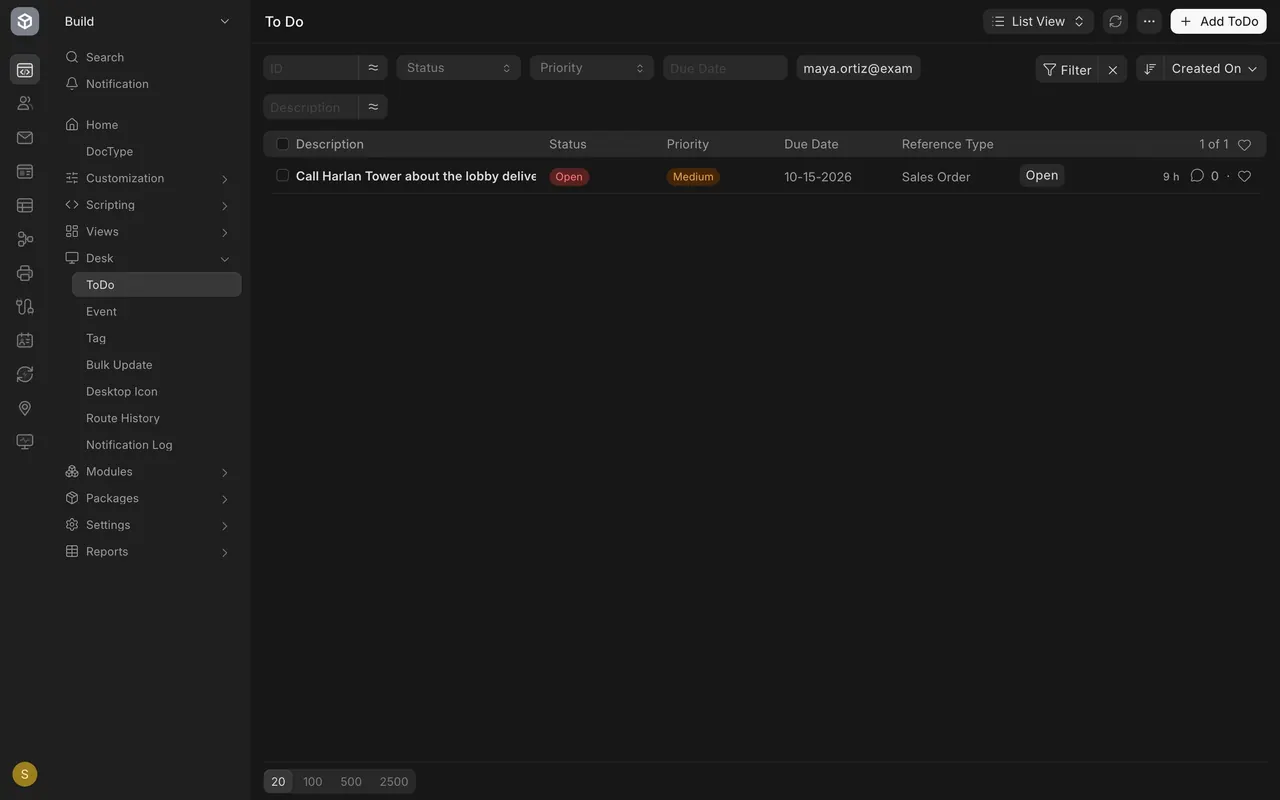
Type an address into the Allocated To box above the To Do list. The list narrows to that person's jobs. On your own site, use your own address.
Assign automatically with a rule
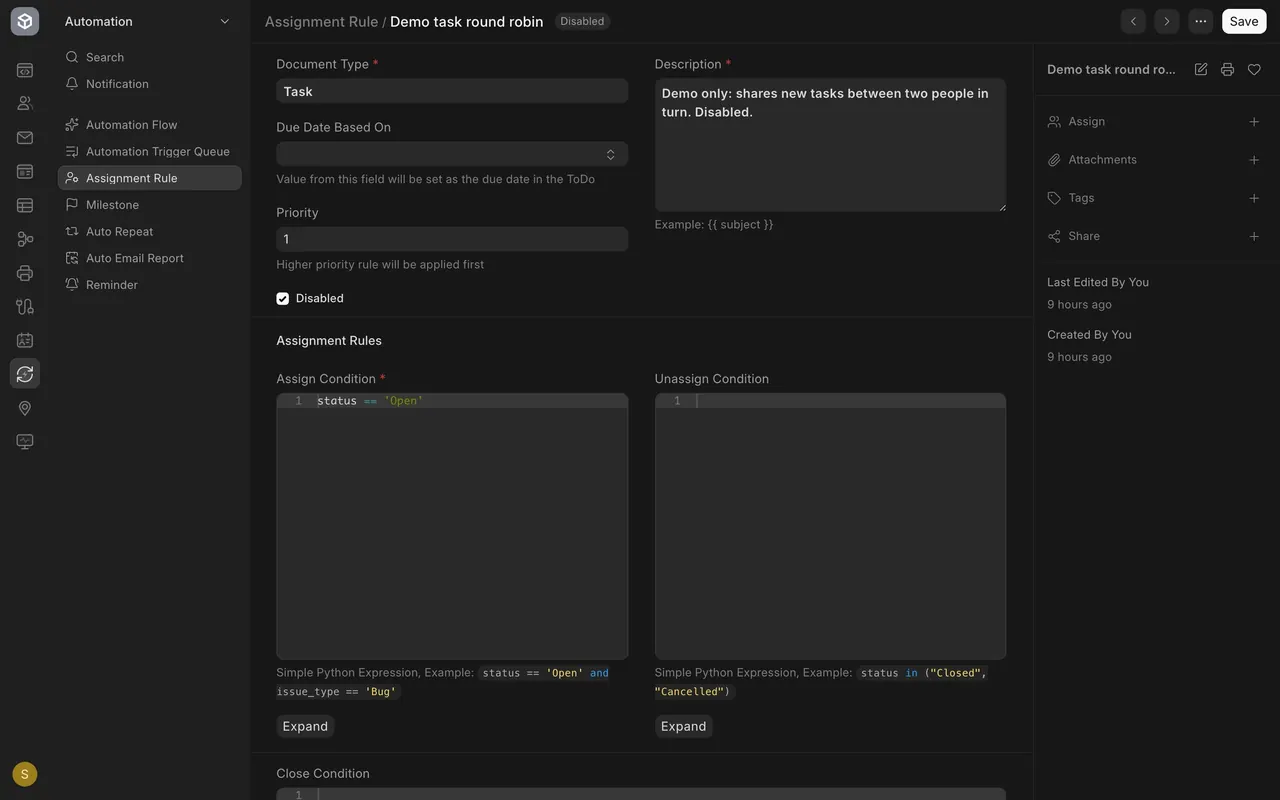
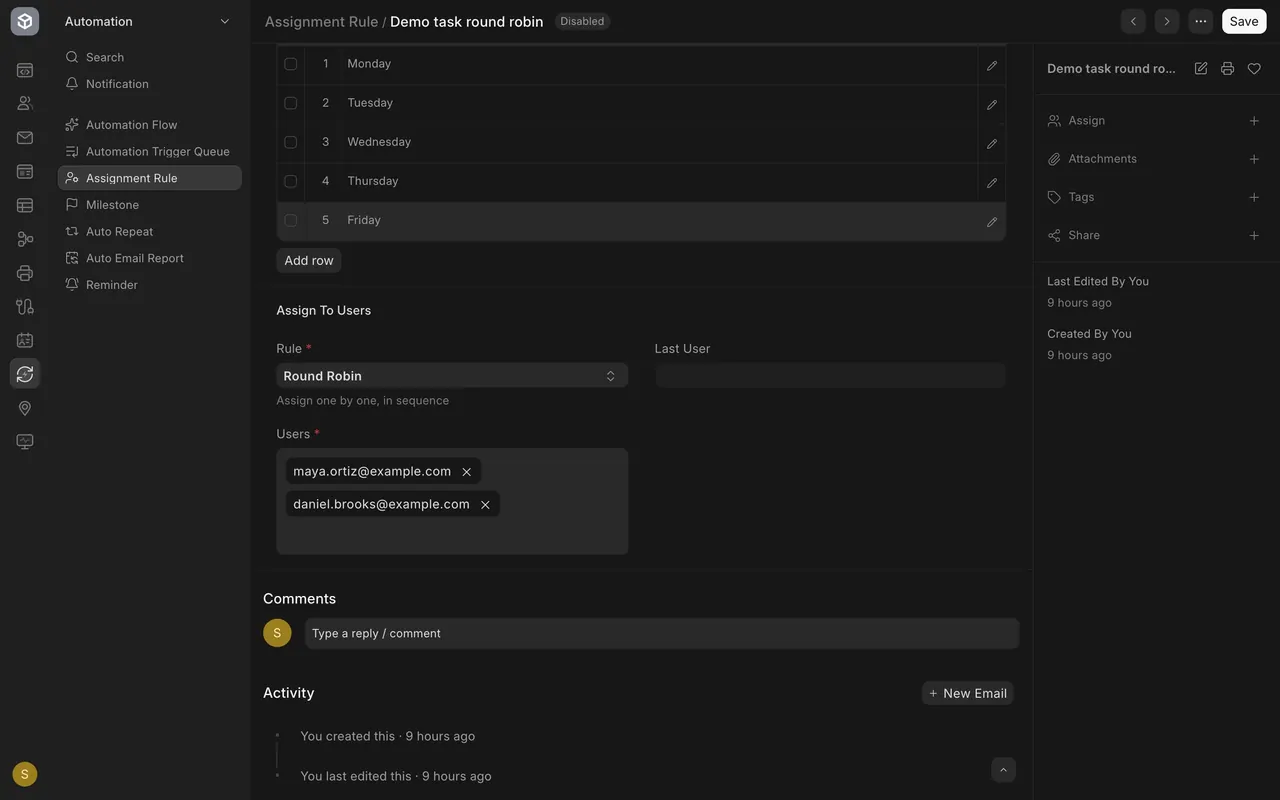
Search for Assignment Rule and open one. Pick the Document Type, write an Assign Condition, and under Assign To Users choose a Rule and the people. With Round Robin, each new job that matches goes to the next person in turn. A weekday table says on which days it runs. The Disabled box switches a rule off, and in this example it is ticked.
What you may see on your own site
- Your rules, people and jobs are your own. You may have no rule yet.
- Whether a person is told about a new assignment depends on how your site and that person's notification settings are set up.
Common mistakes
- Assigning with no Complete By date. The job lands on the list, but nothing says when it is due.
- Leaving a finished job open. Choose Close so it stops waiting.
- Forgetting a rule is Disabled. A ticked Disabled box means nothing is assigned automatically.
Check yourself
3 quick questions.
1. Where do you see the person who owns a to-do?
2. What does the Round Robin rule do with new matching jobs?
3. A rule has the Disabled box ticked. What happens to new jobs?