V16 Training · Work Faster · Lesson 1 of 4
Keyboard shortcuts
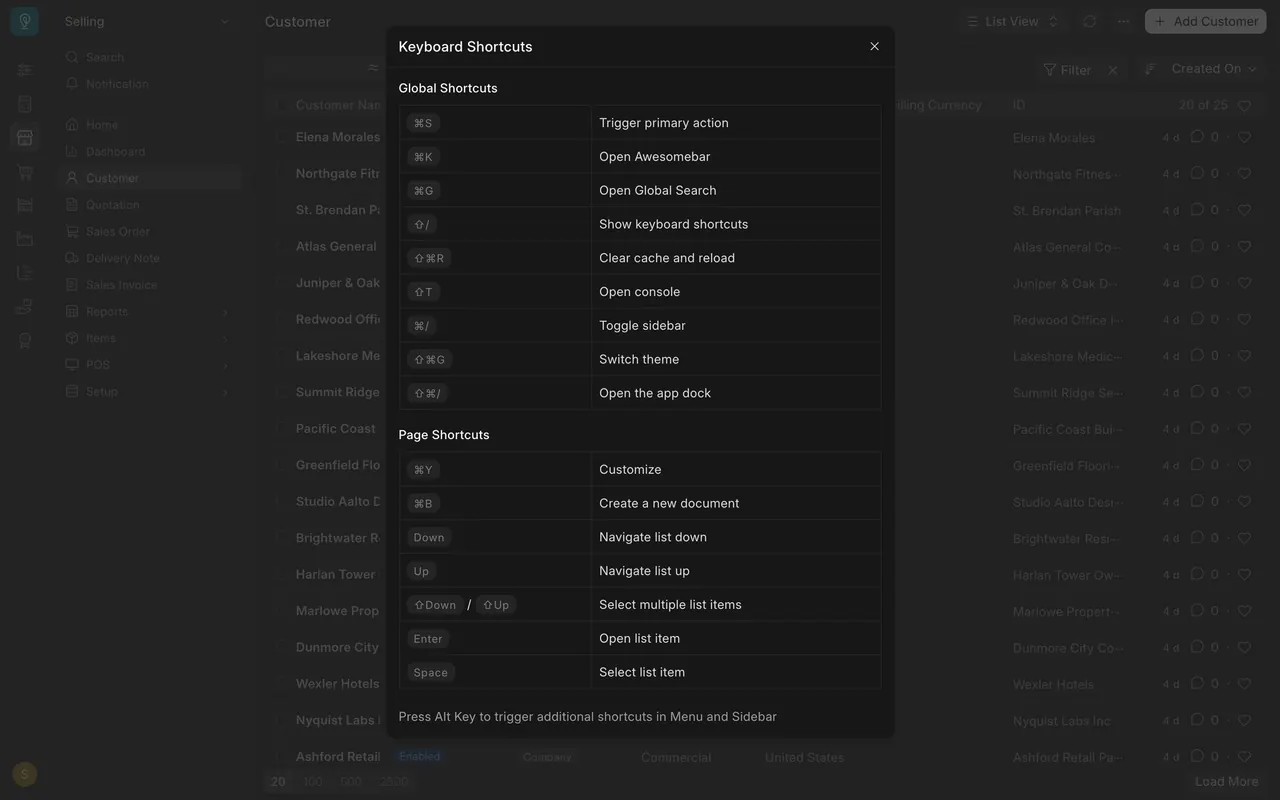
This lesson shows the few keyboard shortcuts that save the most clicks, read from the Keyboard Shortcuts window in Parsimony.
Written guide
The idea
Parsimony lists its own shortcuts in one window, so you never have to guess. The screens use example data from a demo company. Your own Parsimony site shows the same window, drawn for your own computer.
Step by step
Step 1: open the shortcut list
- On any page, hold Shift and press the slash key.
- The Keyboard Shortcuts window opens, with Global Shortcuts (anywhere) and Page Shortcuts (the page you are on).
- The note at the bottom says to press the Alt key for more shortcuts in the menu and sidebar.
Step 2: jump anywhere
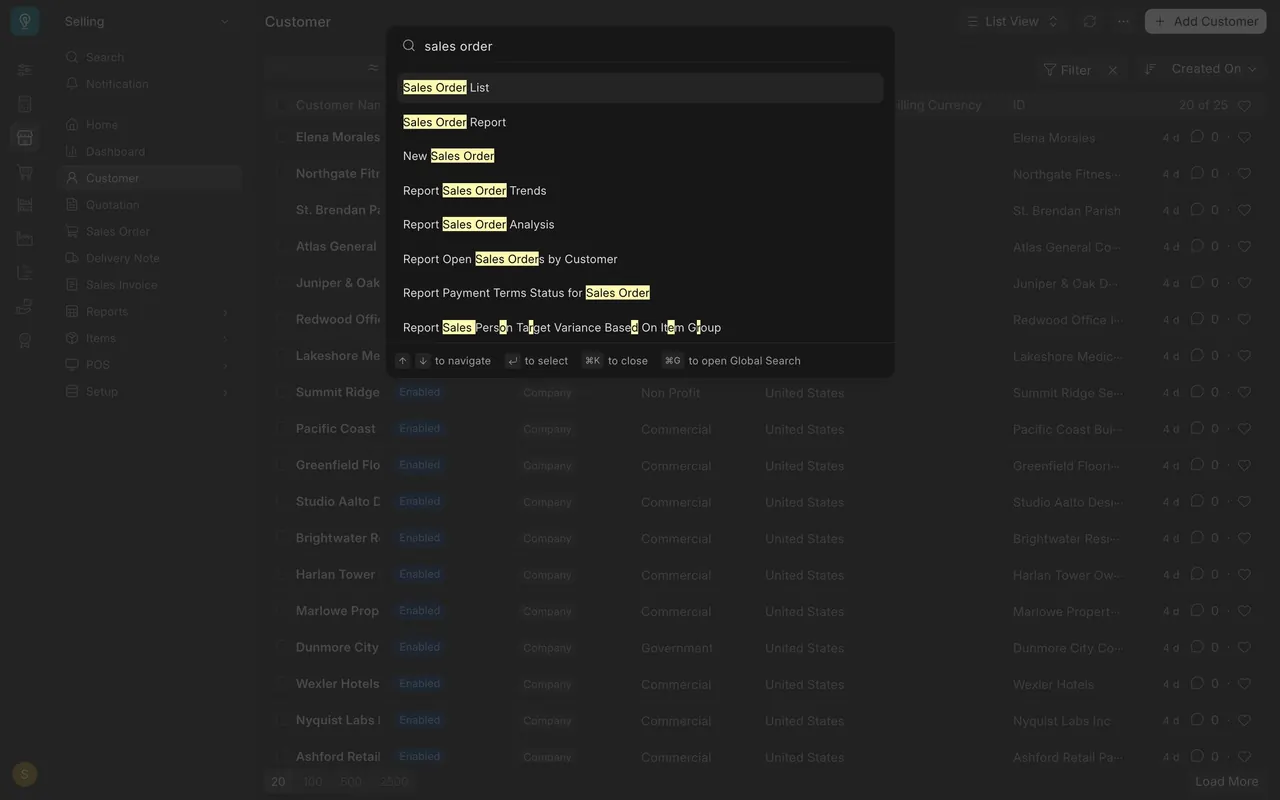
- Press command K (the window shows the command key on a Mac). The awesome bar opens: Search or type a command.
- Type a name, such as "sales order". The list offers Sales Order List, Sales Order Report and New Sales Order.
- Move with the up and down arrows, select with Enter, and press command K again to close.
Step 3: save without the mouse
- Trigger primary action is command S, in Global Shortcuts.
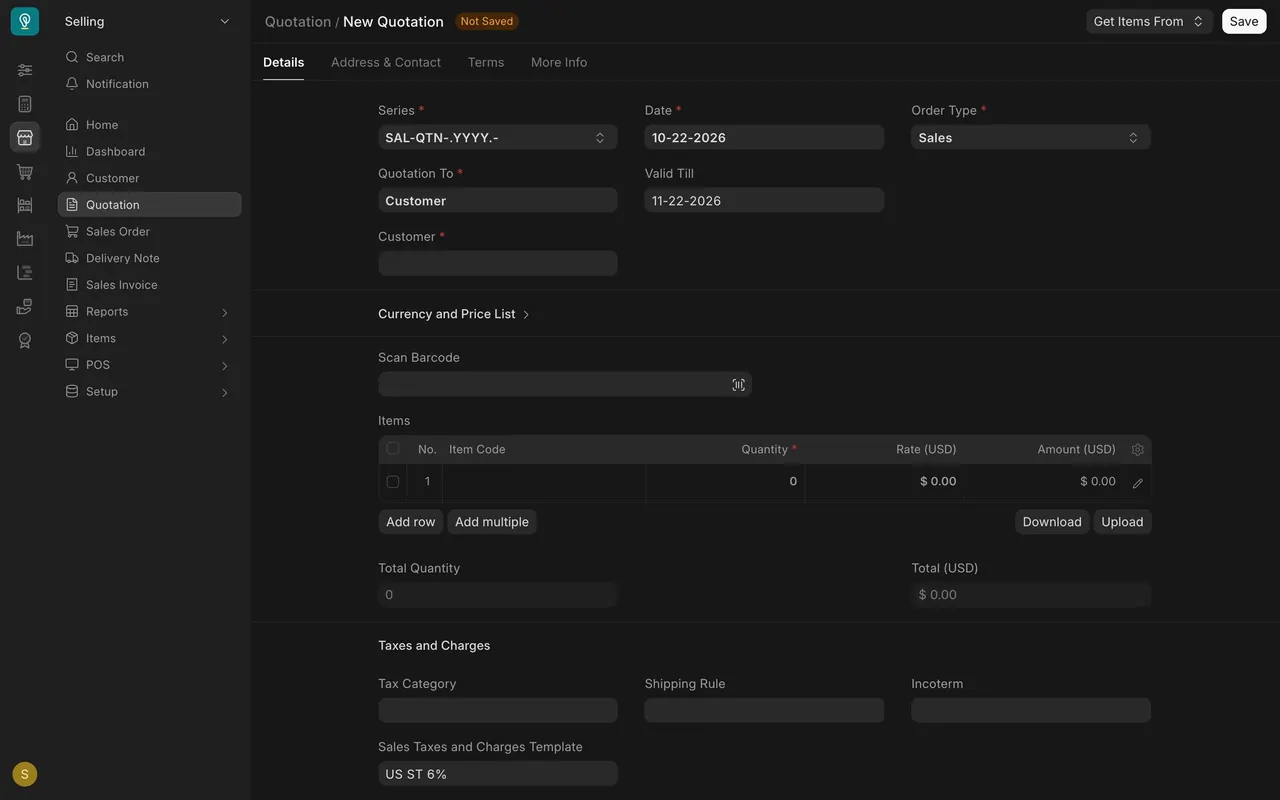
- On a form, the primary action is the button at the top right. On this new quotation it is Save, and the form says Not Saved.
Step 4: start a new document
Under Page Shortcuts, Create a new document is command B. On the Quotation list it opens a blank form, so you skip the Add button.
Step 5: move around a list
Page Shortcuts lists Navigate list down and up (the arrow keys), Open list item (Enter), Select list item (Space) and Select multiple list items (Shift with an arrow).
Also in Global Shortcuts
Open Global Search is command G, and Toggle sidebar is command slash.
What you may see on your own site
- Your window draws the keys for your own computer.
- A page may add its own shortcuts to the Page Shortcuts list.
Common mistakes
- Reading the keys for the wrong computer. Your window draws the keys for your own computer; read the keys it shows.
- Memorizing the list. Open the window again whenever you forget.
- Forgetting what command S triggers. It triggers the primary action, the button at the top right of the form.
Check yourself
3 quick questions.
1. Which keys open the list of shortcuts?
2. What does command K open?
3. What does command S trigger?