V16 Training · Selling and Customer Relationships · Lesson 5 of 6
Hand off to the warehouse and Accounts
This lesson shows you how to hand a sales order to the warehouse and to Accounts, and how to check that both handoffs actually happened.
Written guide
The idea
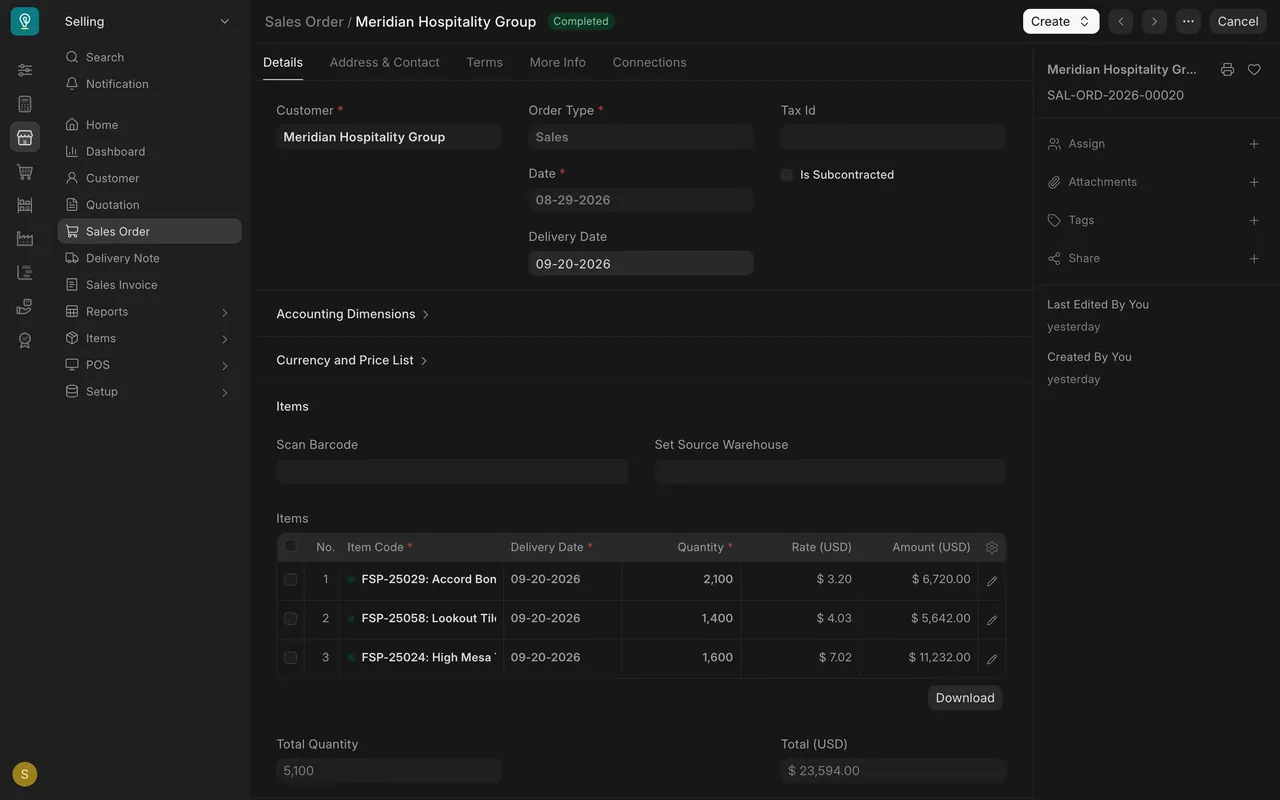
A submitted sales order is a promise. Two more documents keep it:
- The delivery note takes the flooring out of the warehouse and records what left, when and from where. The warehouse makes it from your sales order, after a pick list. In the example setup, sales users have the right to make one; do it only when the warehouse asks.
- The sales invoice asks the customer to pay. It belongs to Accounts.
Each one is made from the sales order (or, for the invoice, from the delivery note) with "Create", so the customer, items, quantities and prices carry through, and each one updates the order's progress bars. Your job is not to do Accounts' work or the warehouse's work. It is to make sure the order reaches both of them, and to notice when one handoff happens without the other.
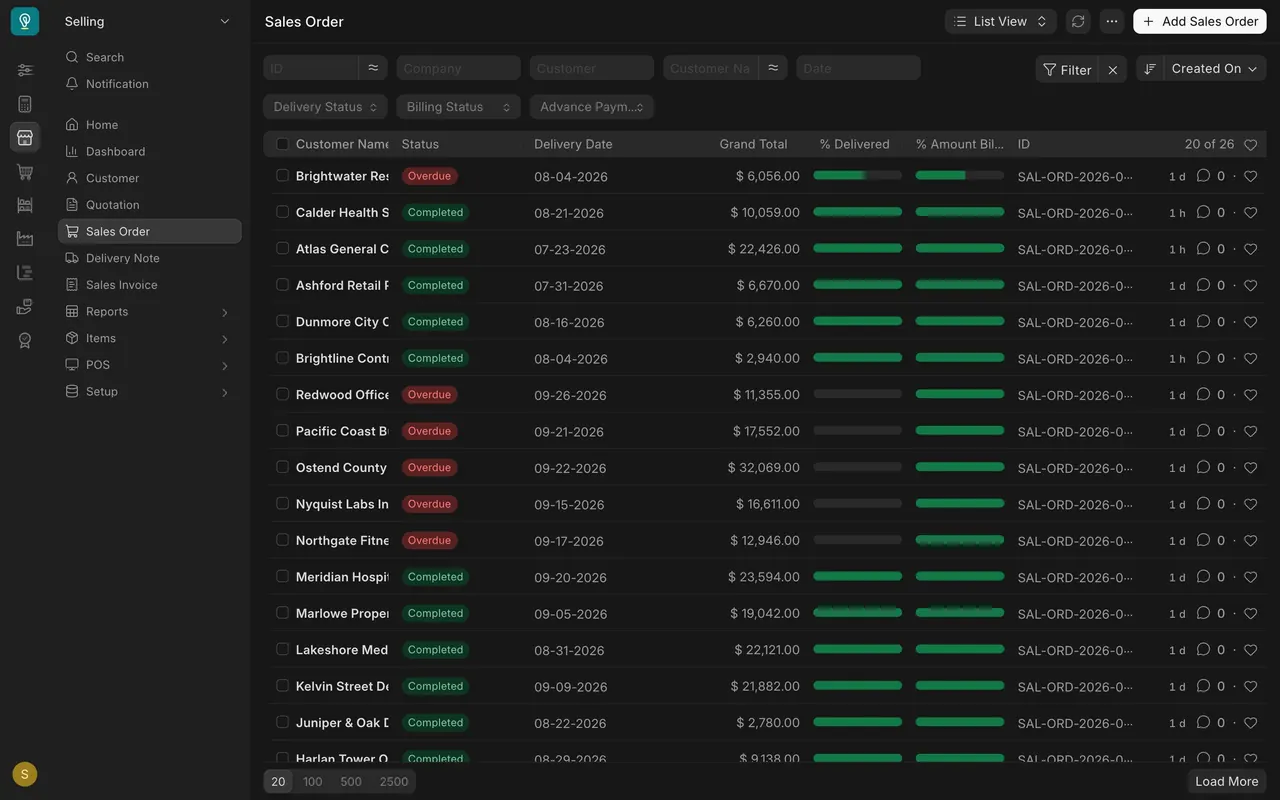
Look at the Redwood Office Interiors order in the example data. It is billed in full and nothing has been delivered. The customer has an invoice for flooring they do not have. That is exactly the kind of gap the progress bars show you, if you look.
Step by step
Hand off to the warehouse: the delivery note
- Submit the sales order. That is the warehouse's signal: they make a pick list from it, then the delivery note, both with "Create" on the order (Stock and Warehouse course, lesson 4).
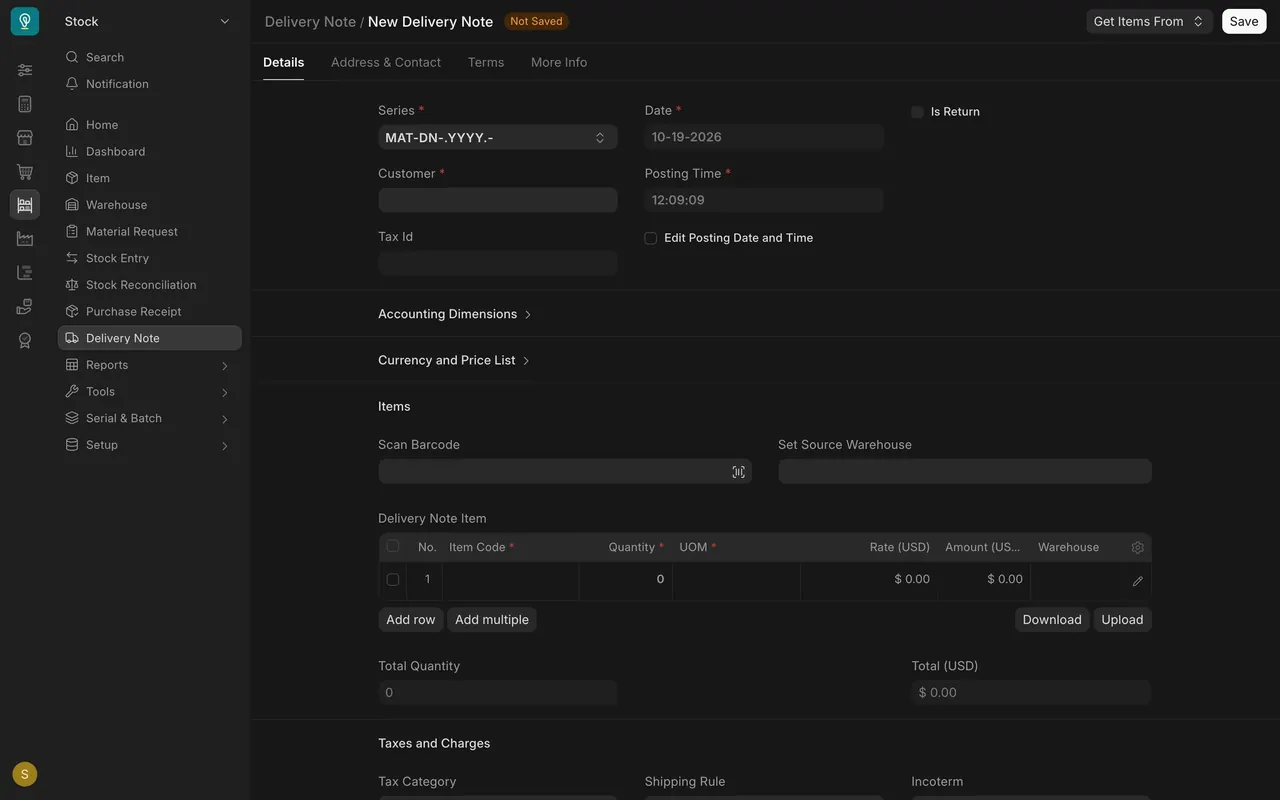
- Do not make the delivery note yourself unless the warehouse asks you to. If they do, use "Create" on the submitted order and follow steps 3 to 5.
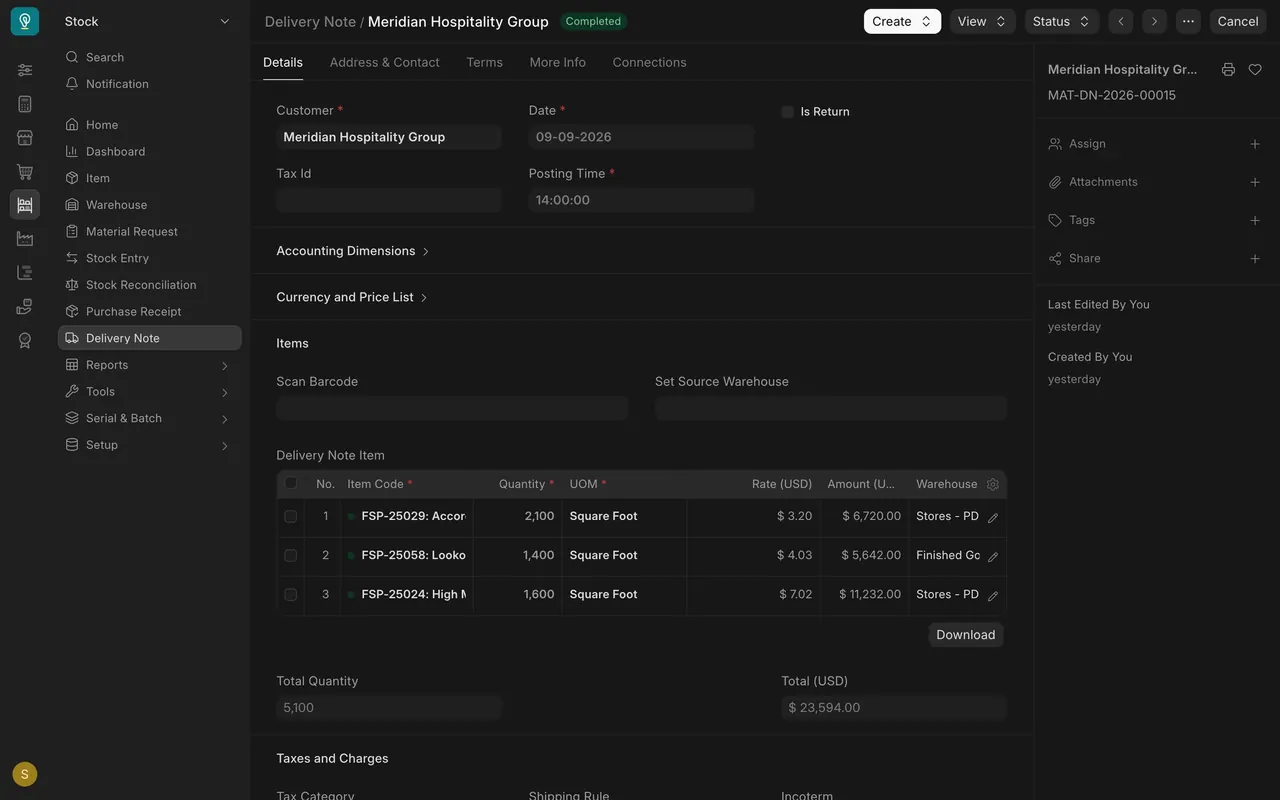
- Check the "Warehouse" on every row. It must be the warehouse where the flooring physically sits. On the example Meridian Hospitality Group delivery, two lines ship from the Stores warehouse and one from Finished Goods.
- Check "Quantity" and the unit of measure (the "UOM" column). In this example the unit is "Square Foot".
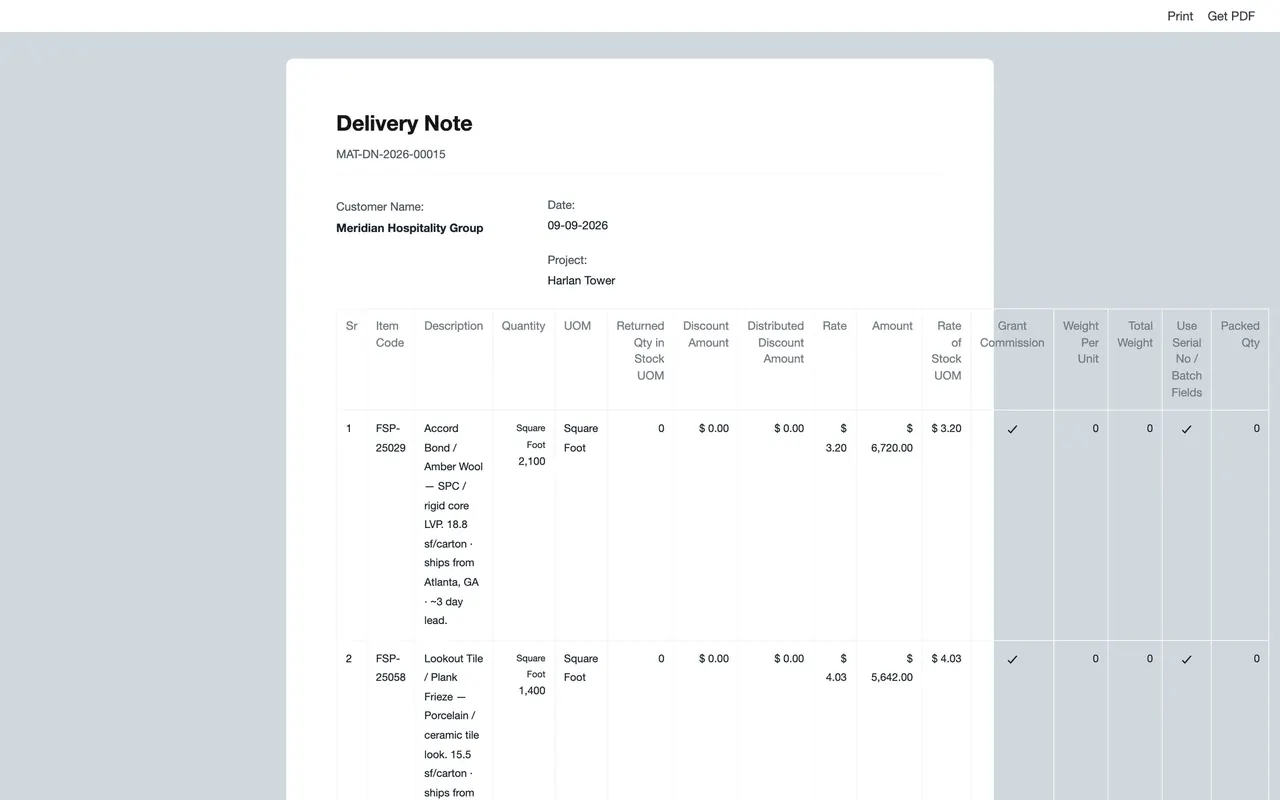
- Save it, then open the print view to see the delivery note as the customer and the driver will receive it. Submit only when the goods are picked and leaving: submitting takes the stock out of the warehouse.
Hand off to Accounts: the sales invoice
- Tell Accounts the order is ready to bill, or has shipped, using the customer name and order number.
- Accounts raises the sales invoice from the order or the delivery note.
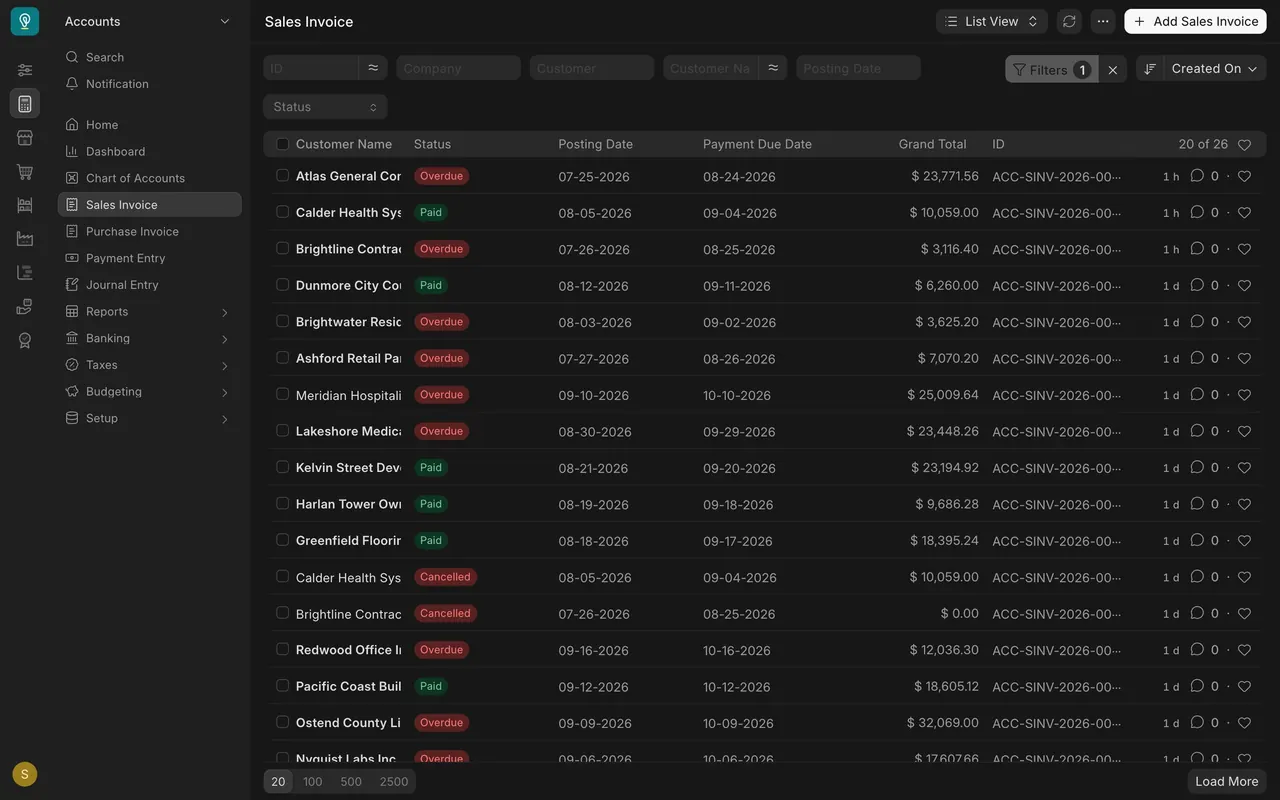
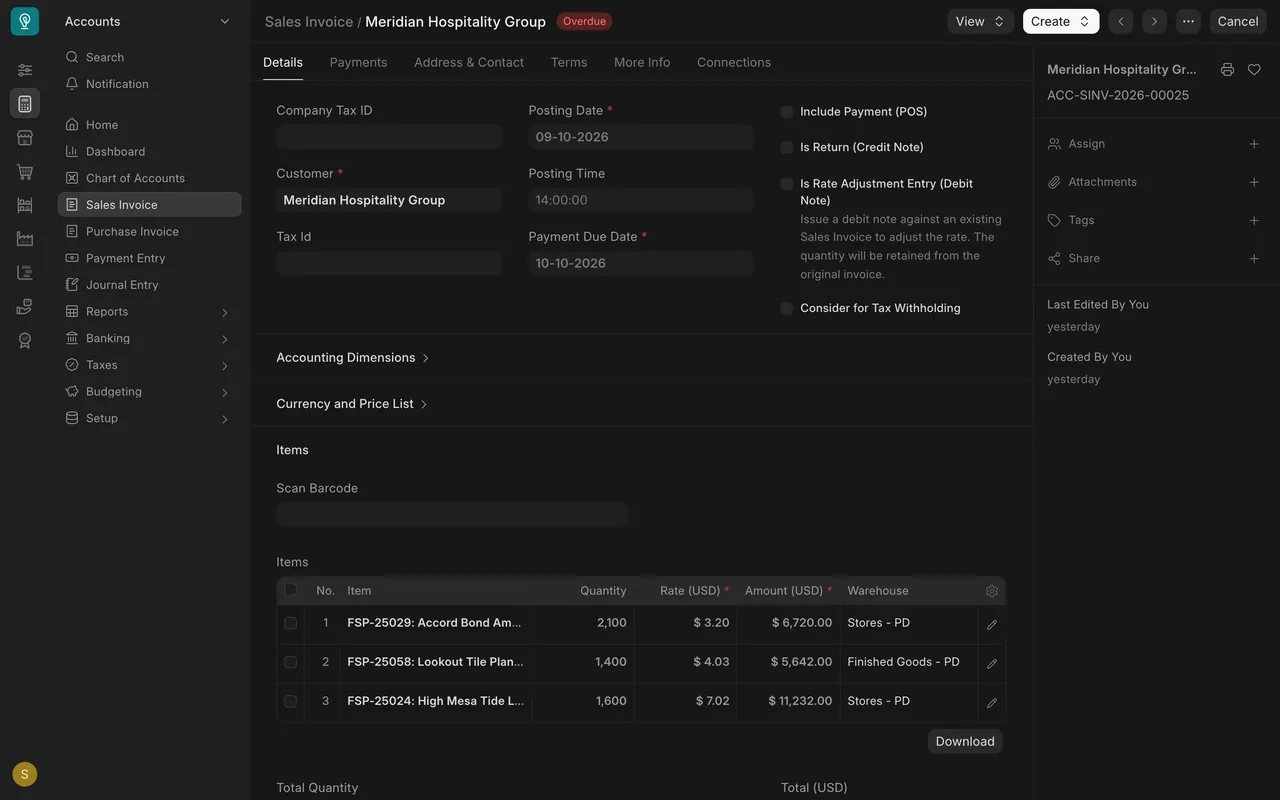
- If your role can open the Sales Invoice list, you can follow the invoice there. In this example, Meridian's invoice has a "Posting Date" of 09-10-2026 and a "Payment Due Date" of 10-10-2026, and its status is now "Overdue". Chasing payment is Accounts' job, but you may hear about it from the customer first.
Check both handoffs without opening everything
- Open the sales order list. "% Delivered" and "% Amount Billed" show both handoffs as bars.
- Both full: done. Delivered but not billed: chase Accounts. Billed but not delivered: talk to the warehouse and Accounts the same day.
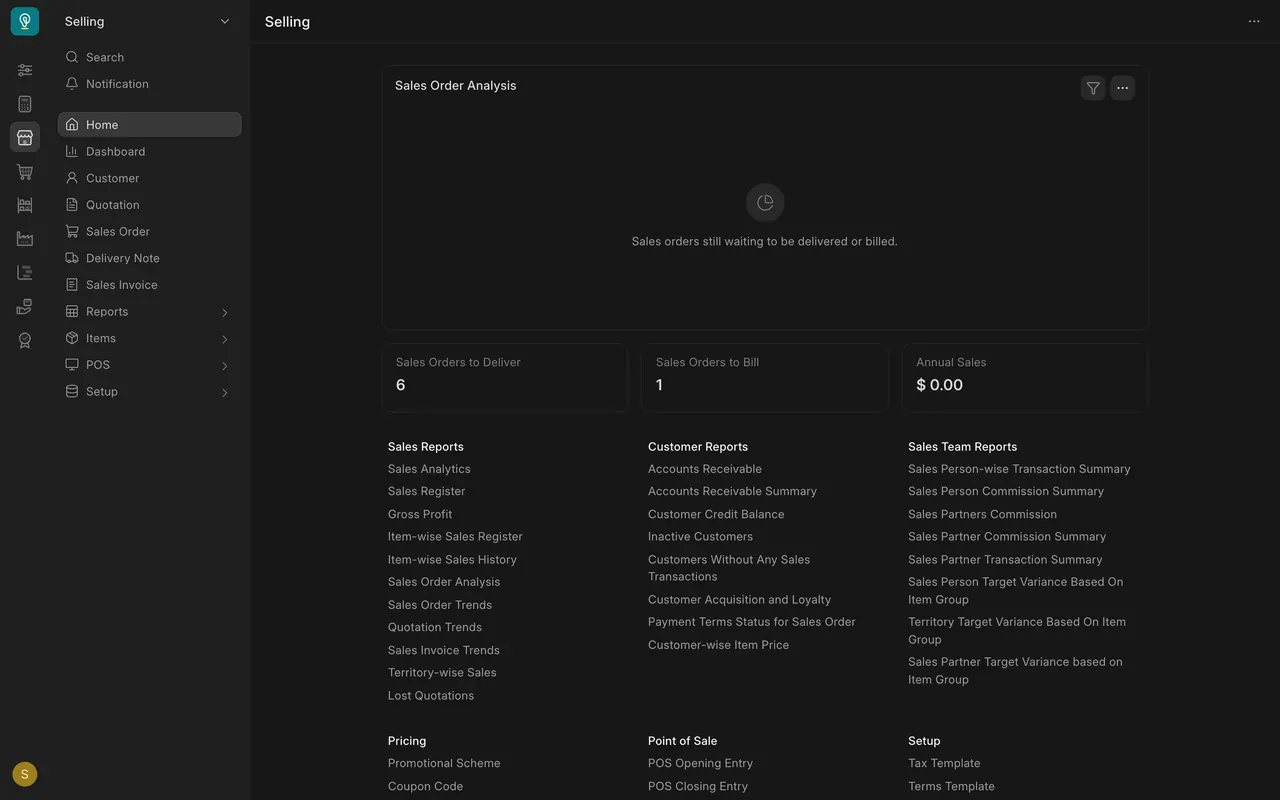
- On the Selling home page, the cards "Sales Orders to Deliver" and "Sales Orders to Bill" count the orders still waiting on each handoff.
Setup in the example
- Delivery notes: in the example, the Sales User, Stock User, Stock Manager, Delivery User and Delivery Manager roles can read, write, create, submit and cancel them, and the Accounts User role can read them. The example process has the warehouse make and submit them, after a pick list (Stock and Warehouse course, lesson 4).
- Sales invoices: the Accounts Manager role can read, write, create, submit and cancel. the Accounts User role can do the same except cancel. Sales roles do not raise invoices; ask Accounts.
- Payments: recorded by Accounts only.
- Warehouses: the example uses Stores, Finished Goods, Work In Progress and Goods In Transit. Negative stock is not allowed in the example, so a row pointing at a warehouse with no stock cannot be delivered. Check how your own site is set up.
- Units: square feet throughout in the example; your company will have its own units.
- Tax ID: shown on delivery notes and invoices, taken from the customer.
- Email: in the example, invoices are not emailed from Parsimony and Accounts sends them. If your site is set up to send email, you can send them from the form.
Common mistakes
- Making the delivery note yourself. The warehouse makes it after picking. If you draft one too, the same delivery exists twice. If they do ask you, submit only when the goods are leaving.
- The wrong warehouse on a row. Check where the goods actually are. A row pointing at an empty warehouse cannot be delivered.
- Assuming Accounts knows. Tell them when an order ships or is ready to bill.
- Billing ahead of delivery without a reason. If the bars show billed but not delivered, find out why the same day.
- Looking for a way to raise the invoice yourself. Invoices belong to Accounts. Give them the order number instead.
Check yourself
3 quick questions.
1. When should a delivery note be submitted?
2. The sales order list shows a full billed bar and an empty delivered bar. What do you do?
3. An order has shipped in full, but its billed bar is still empty. What do you do?