V16 Training · Sales and Credit Control · Lesson 4 of 6
Returns and credit notes
This lesson shows how to return goods against a delivery note and issue a credit note against a sales invoice, without editing or cancelling the originals.
Written guide
The screens use example data from a demo company that sells flooring.
Step by step
Step 1. Return goods against a delivery note
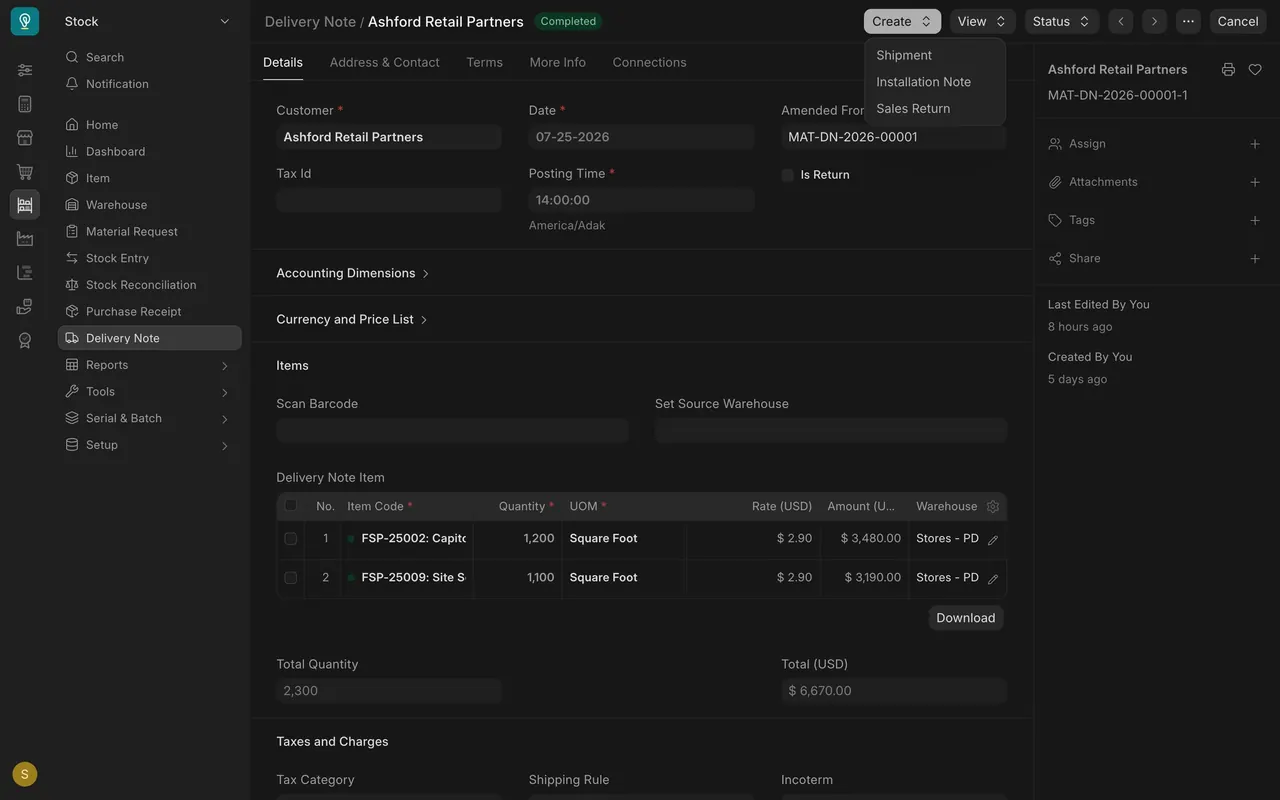
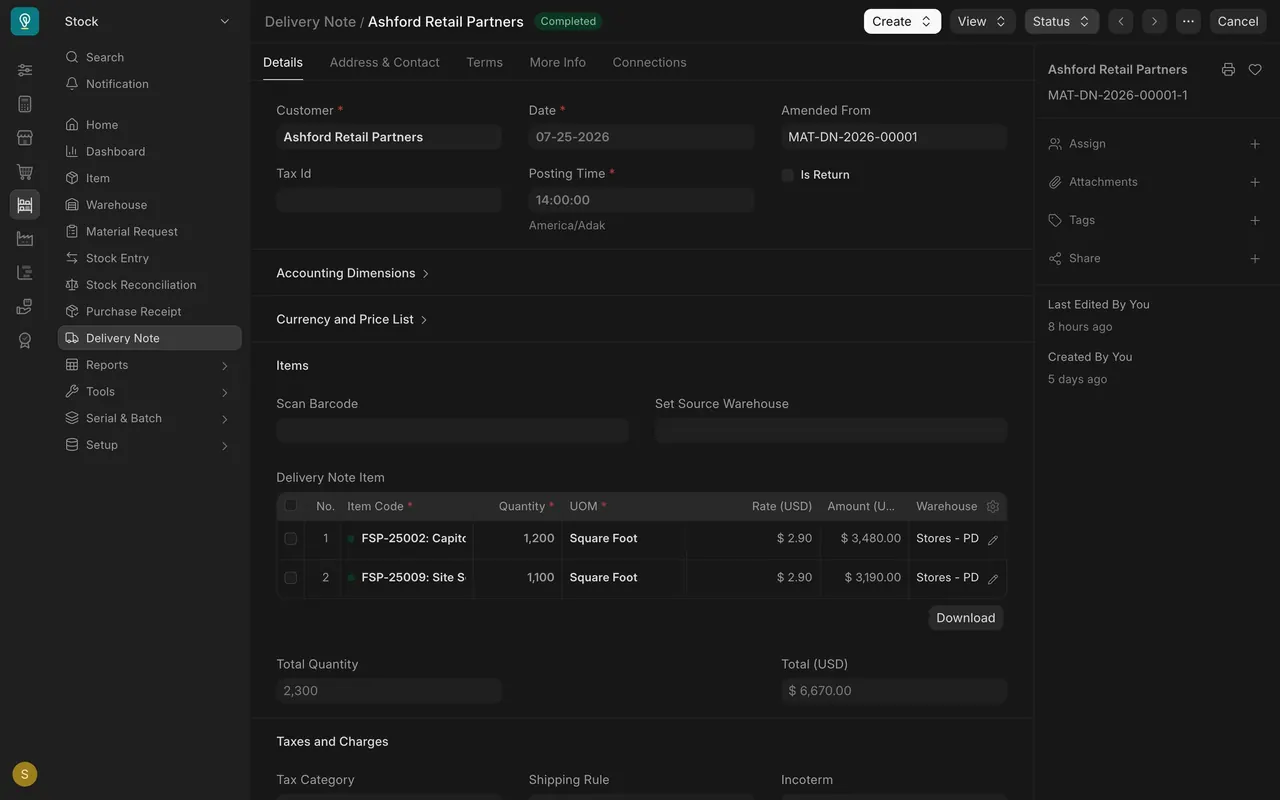
Open a submitted delivery note. Click Create and choose Sales Return. It opens a new delivery note built from the original.
Step 2. See what the return changes
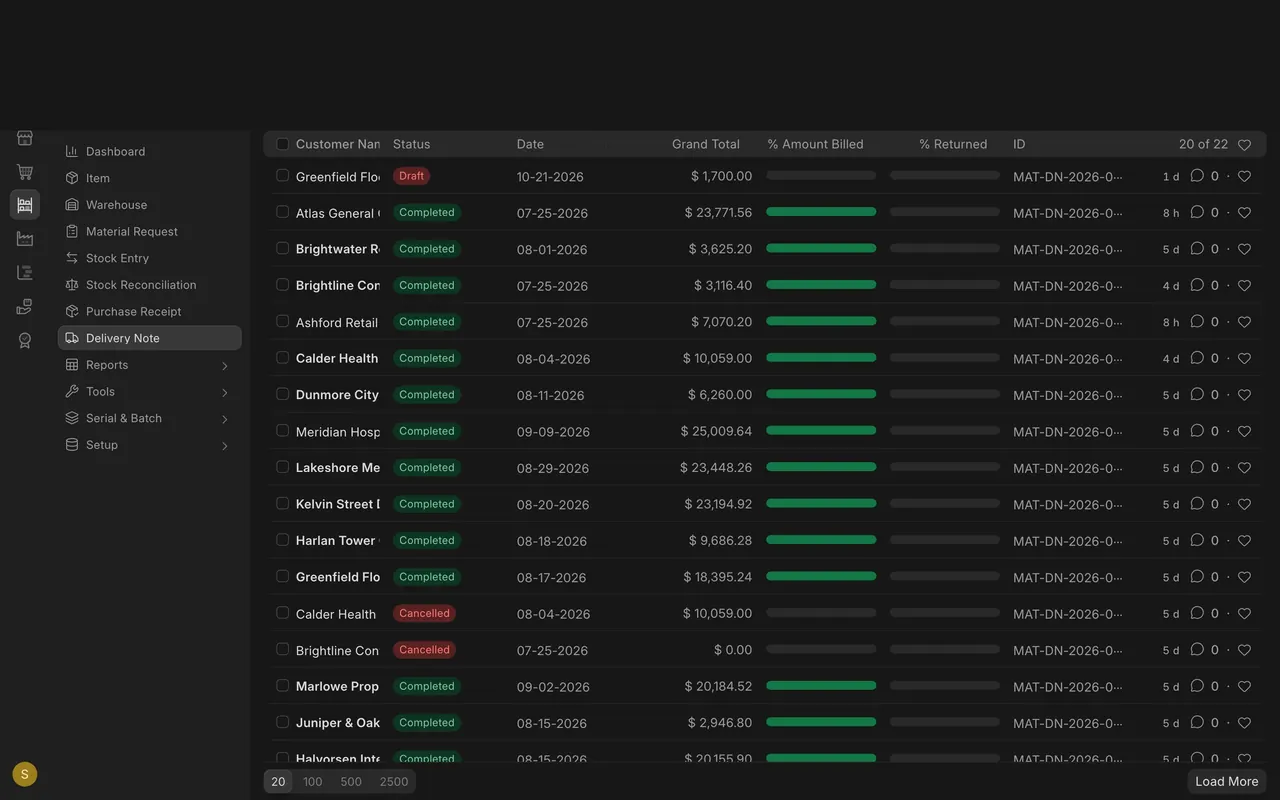
The new note has Is Return ticked and is linked to the original. Quantities are negative, and stock goes back into the warehouse. On the Delivery Note list, the % Returned column shows how much of each note has come back.
Step 3. Issue a credit note on the invoice
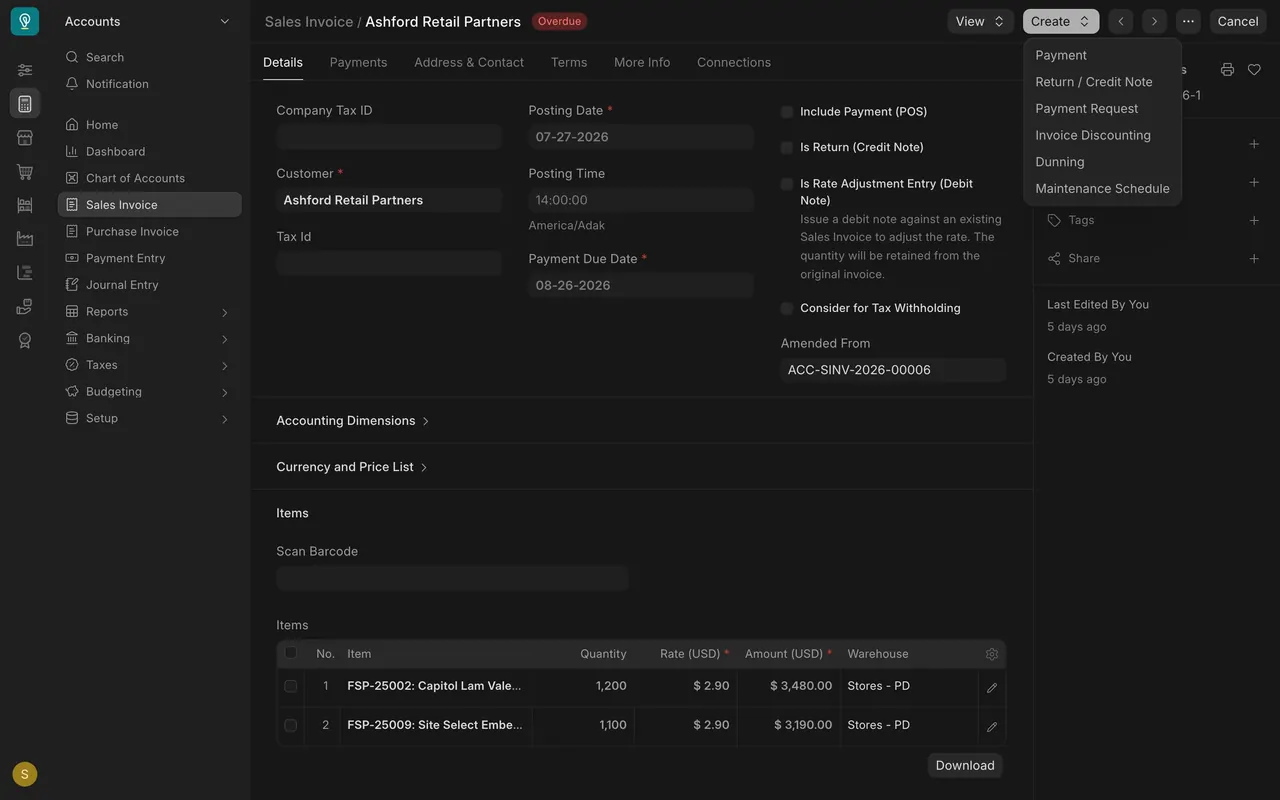
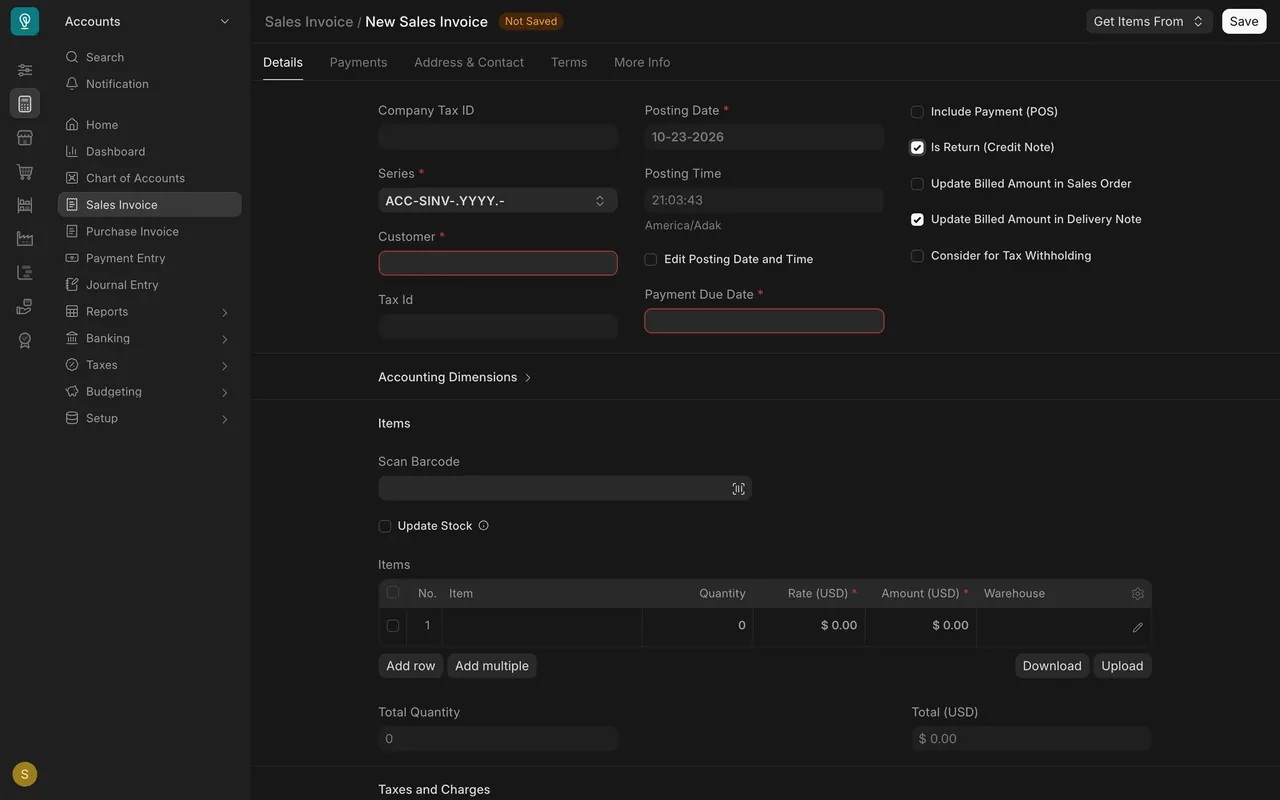
Open the sales invoice, click Create, and choose Return / Credit Note. A credit note is a sales invoice with Is Return (Credit Note) ticked. Its amounts are negative, so the customer's balance goes down.
Step 4. Leave the originals alone
Do not edit the delivery note or cancel the invoice. A return shows what really happened: the goods went out, then some came back.
Check yourself
3 quick questions.
1. What do you do when a customer sends goods back?
2. What is a credit note in this system?
3. Why leave the original delivery note and invoice alone?