V16 Training · Sales and Credit Control · Lesson 5 of 6
Blanket orders
This lesson shows what a blanket order is (a standing agreement for a quantity and price over a period), how to read its form, and where a sales order item points to it.
Written guide
The screens use example data from a demo company that sells flooring.
Step by step
Step 1. Open the list
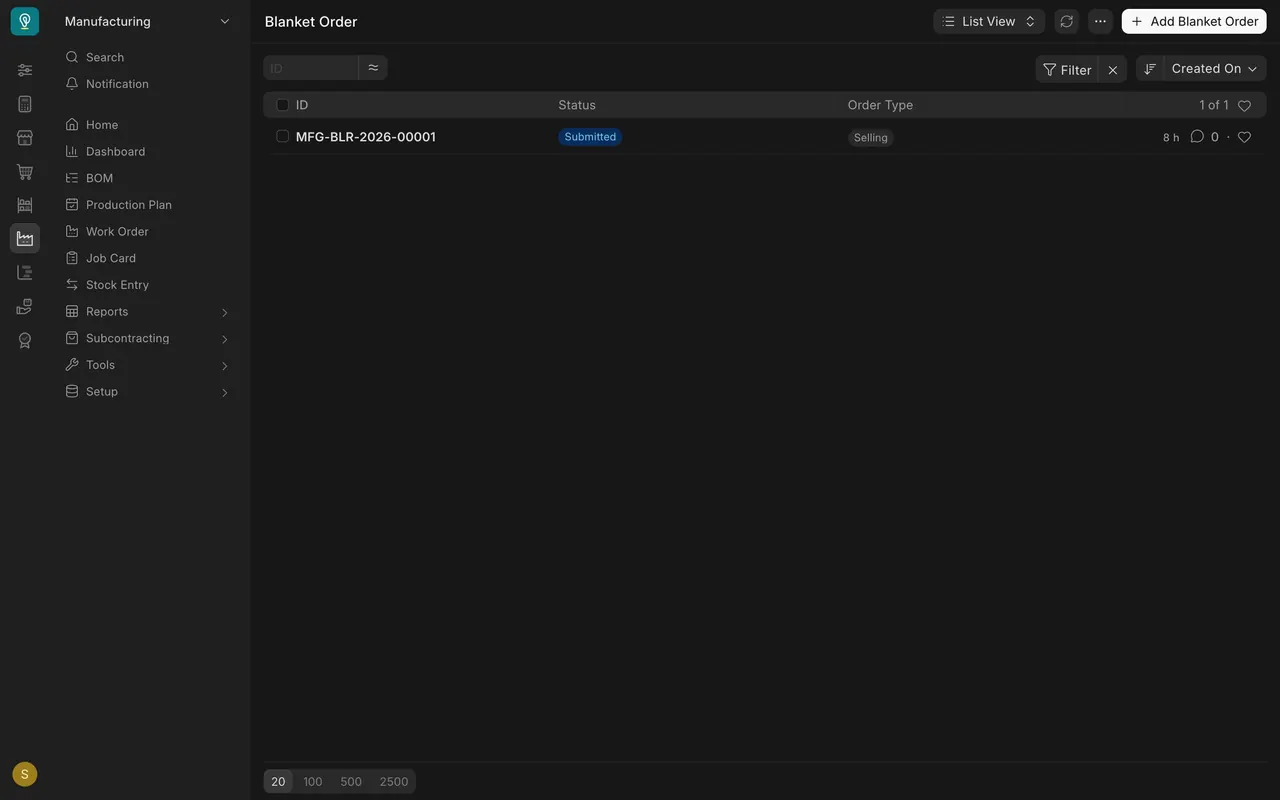
Open Blanket Order. In this example there is one, submitted, with order type Selling.
Step 2. Open the blanket order
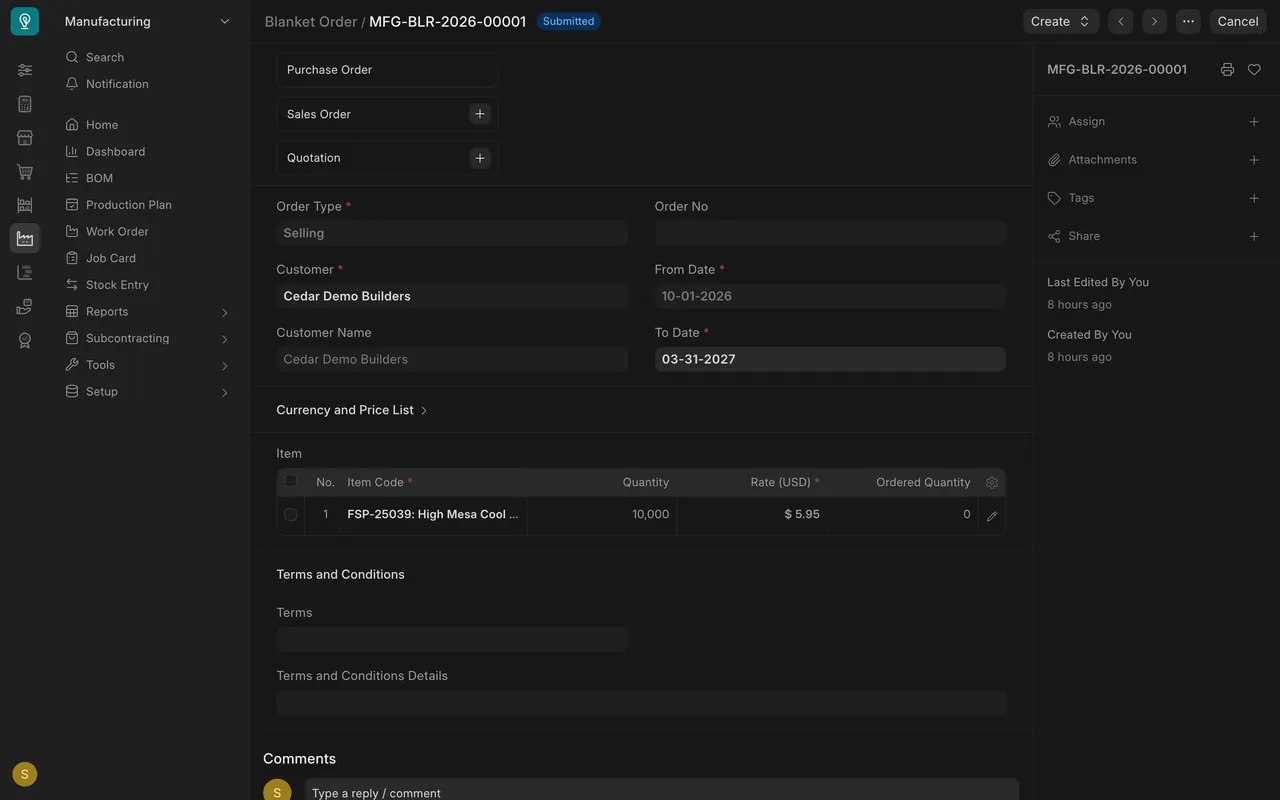
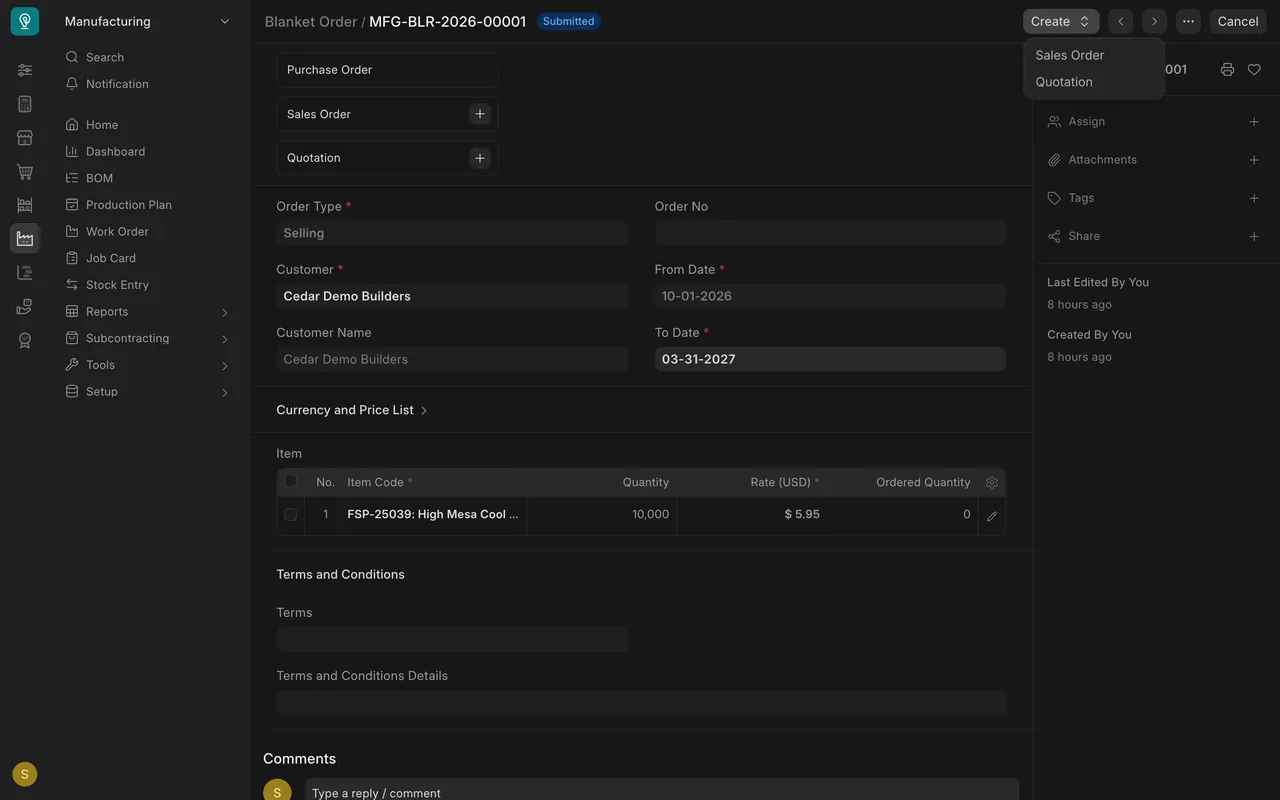
The customer, the From Date and To Date, and an item table with Quantity, Rate and Ordered Quantity. The Create menu offers Sales Order and Quotation.
Step 3. Draw an order against it
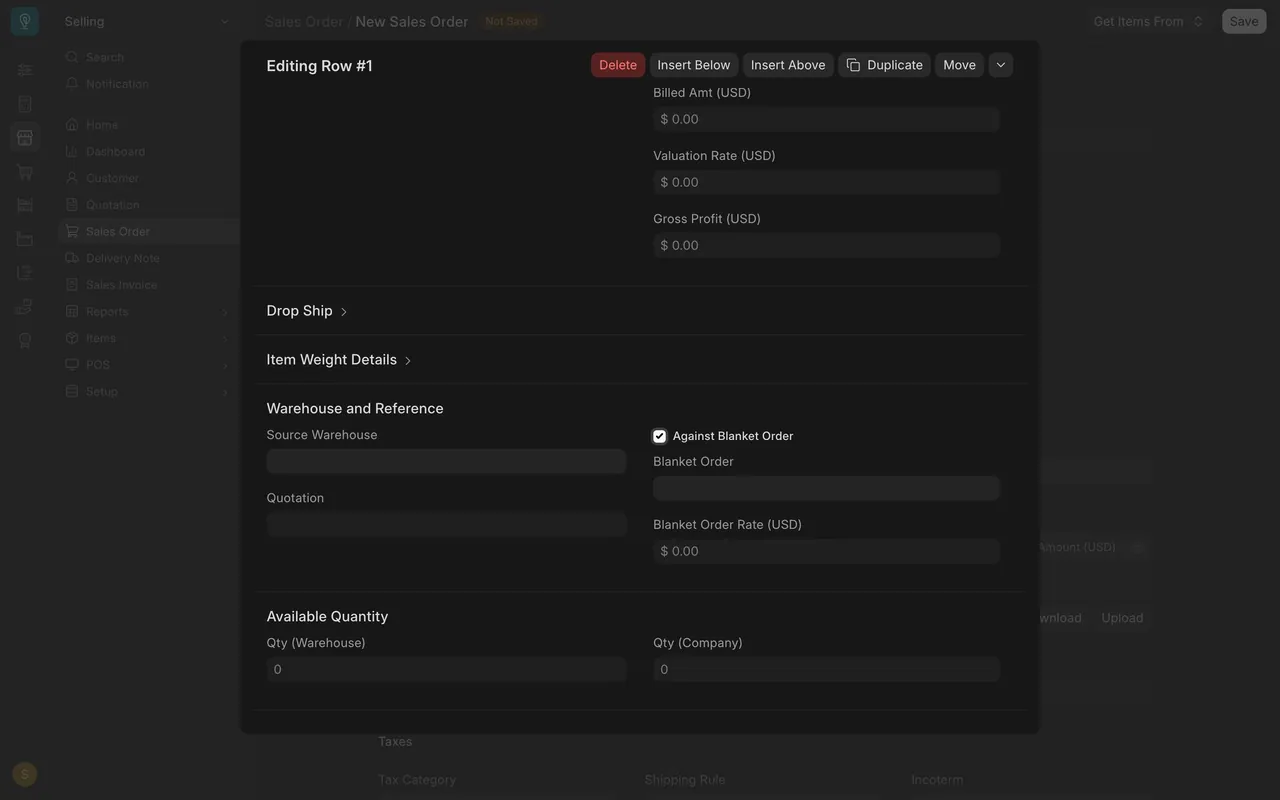
On a new sales order, click the edit button on the item row, go to Warehouse and Reference, and tick Against Blanket Order. The Blanket Order box appears.
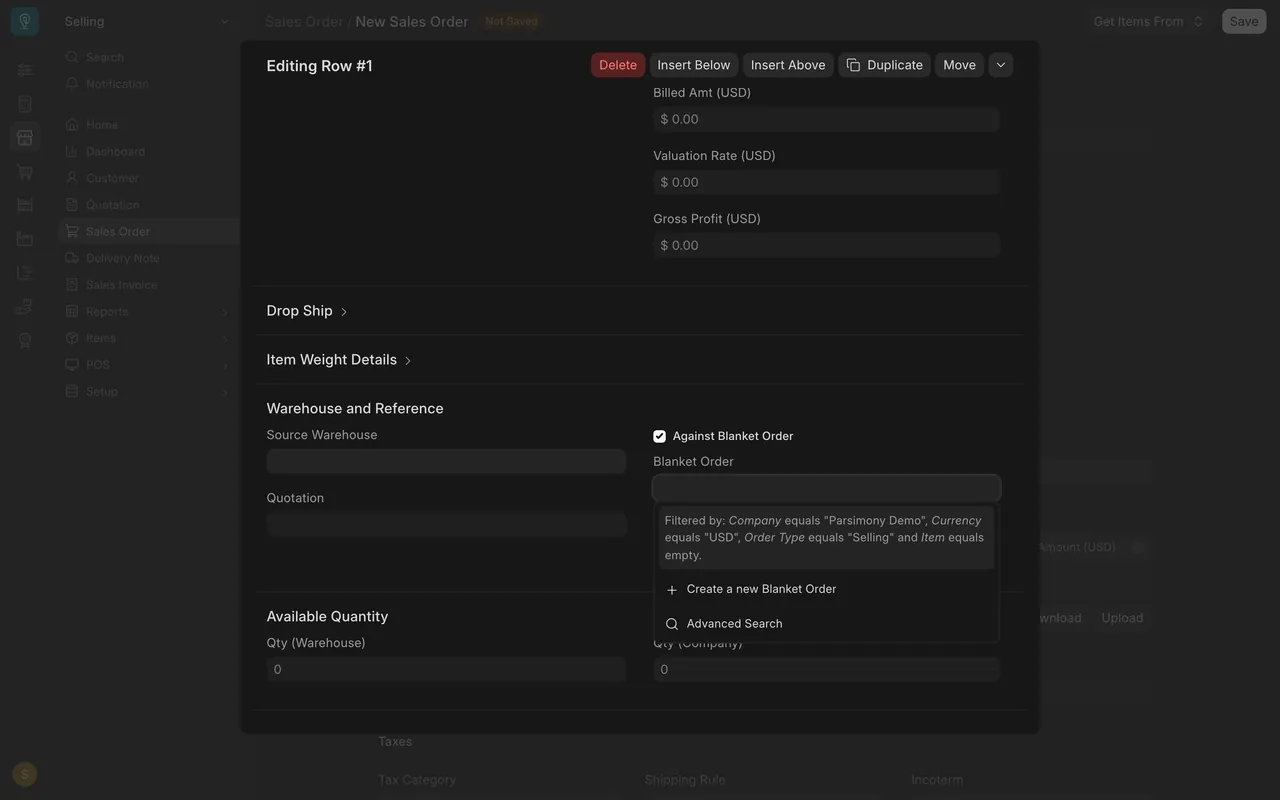
Step 4. Watch the limits
Compare Ordered Quantity with Quantity, and today's date with the To Date. What your site does at a limit is not shown in this lesson; ask your administrator.
Check yourself
3 quick questions.
1. What does a blanket order record?
2. Which column shows how much has been ordered so far?
3. On a sales order item row, what do you tick to reveal the Blanket Order box?