V16 Training · Sales and Credit Control · Lesson 6 of 6
Customer statements and commissions
This lesson shows you how to read a customer's statement, send it yourself, schedule it, and set up a sales partner's commission.
Written guide
The screens use example data from a demo company that sells flooring.
Step by step
Step 1. Build the statement
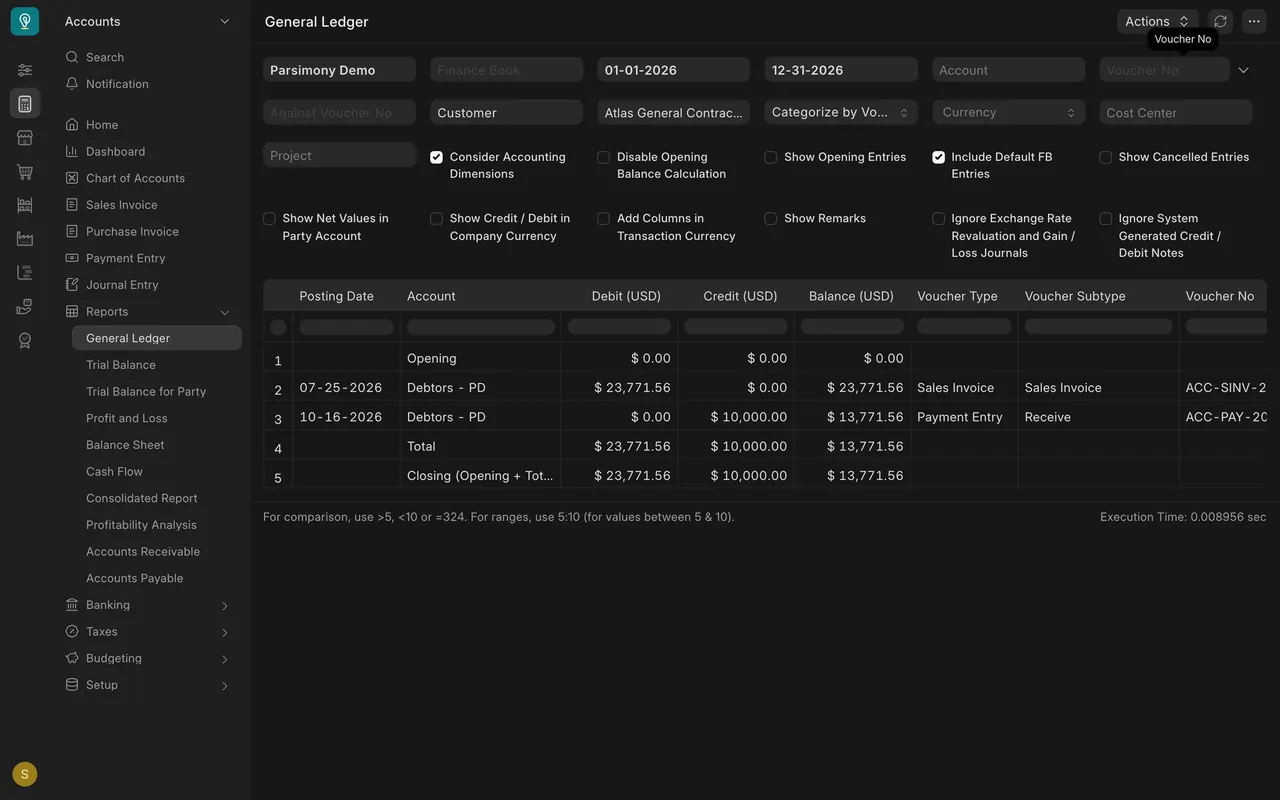
Open the General Ledger report, set Party Type to Customer and choose one customer, here Atlas General Contracting. The rows show the opening balance, the invoice, the payment and the closing balance.
Step 2. Send it yourself
Print the report or save it as a file, look it over, then send it from your own mailbox.
Step 3. Schedule it
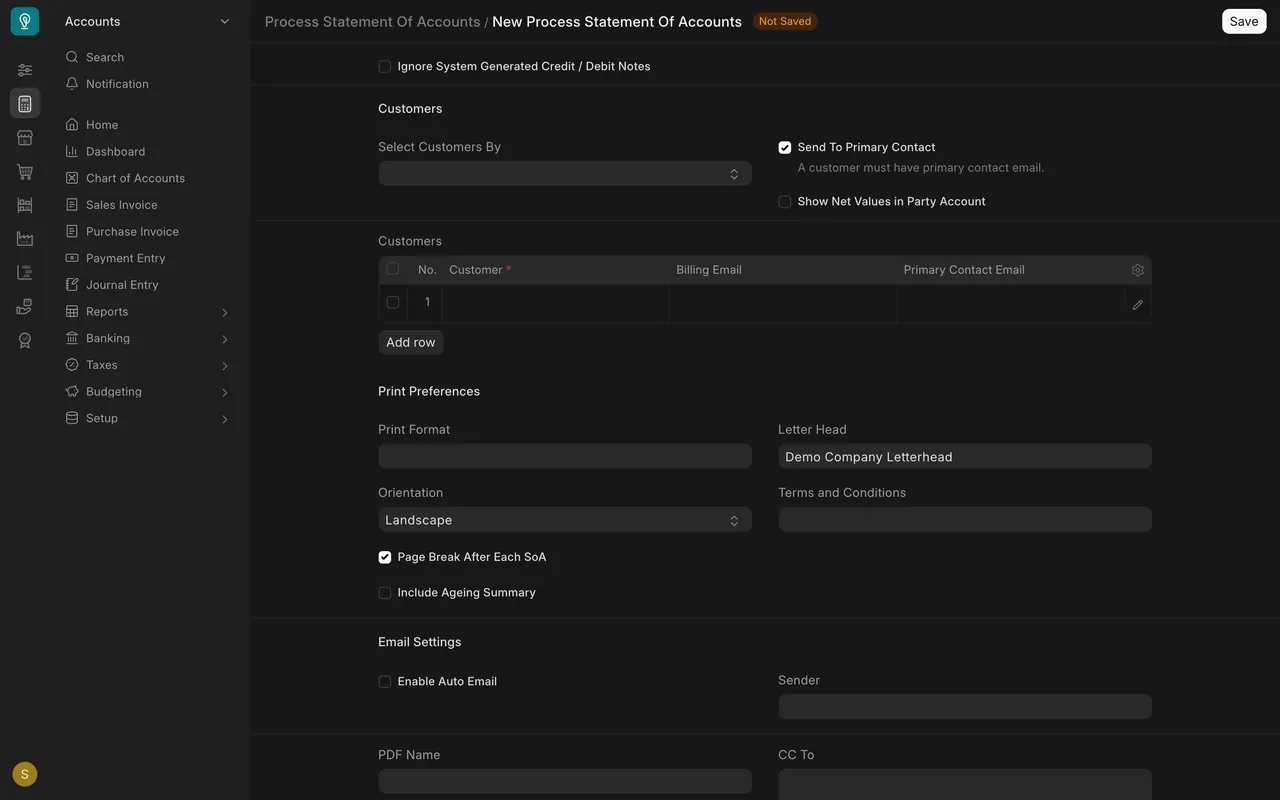
Open Process Statement Of Accounts. Pick the report and dates, add customers. If your site is set up to send email, Send To Primary Contact and Enable Auto Email control sending.
Step 4. Pay a sales partner
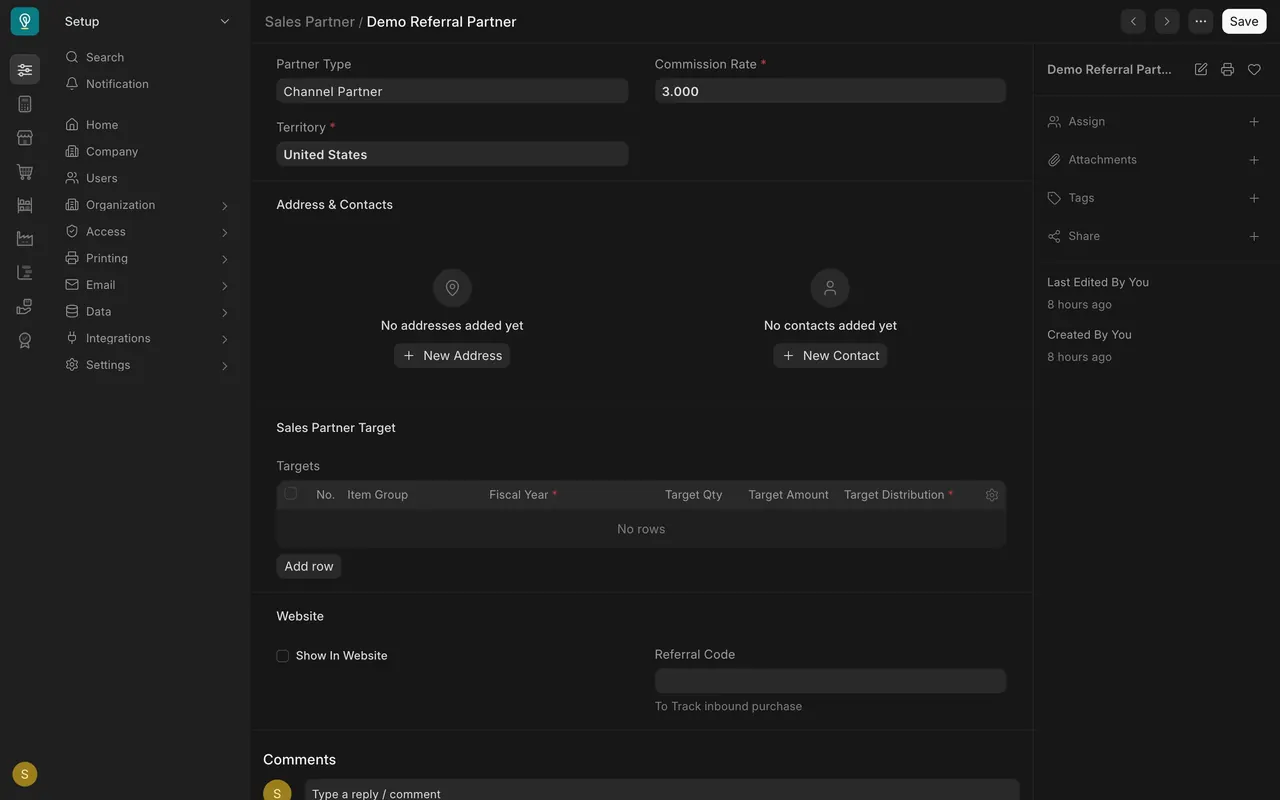
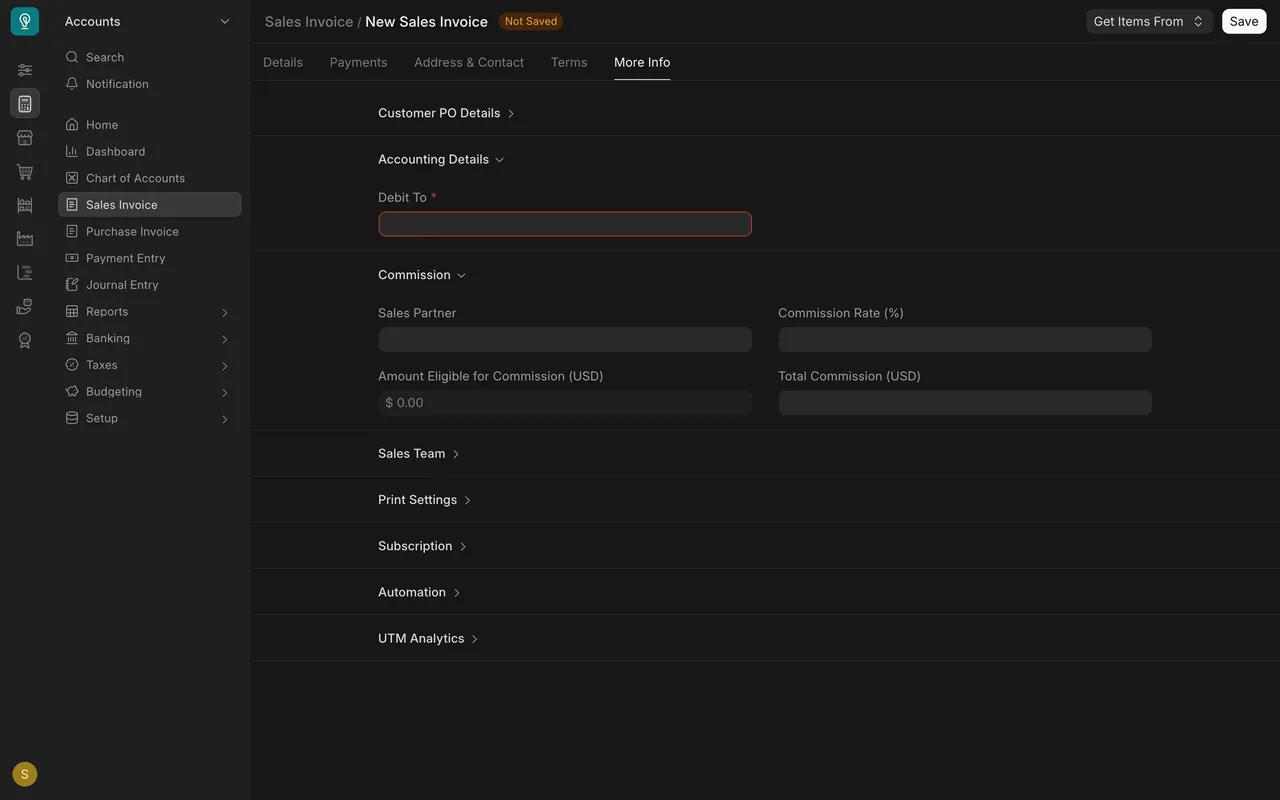
Open Sales Partner, then Demo Referral Partner: type Channel Partner, Commission Rate 3. On a sales invoice, the Commission section on the More Info tab holds the partner.
Check yourself
3 quick questions.
1. How do you build a customer statement from the General Ledger?
2. Which box turns on scheduled sending in Process Statement Of Accounts?
3. Where does a sales invoice hold the sales partner?