V16 Training · Sales and Credit Control · Lesson 2 of 6
Credit limits
This lesson shows how a credit limit works: where it is set on a customer, what an order over the limit does, who may override it, and how to see what a customer owes now.
Written guide
The idea
A credit limit is the most a customer may owe you. Parsimony compares the order and the customer's balance to that limit when someone submits an order, and stops the order if the limit would be crossed. The screens use example data from a demo company that sells flooring.
Step by step
Step 1. Find the limit
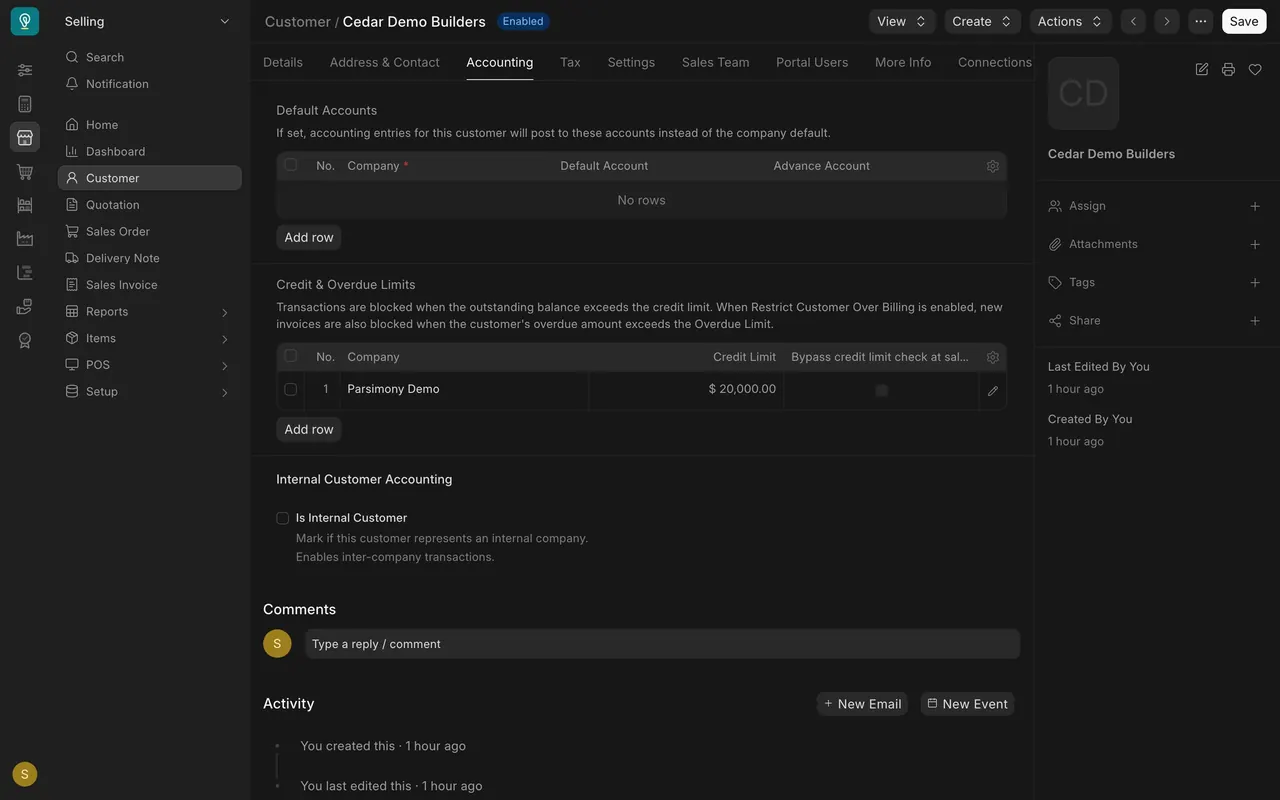
- Open the customer, then the Accounting tab.
- In Credit & Overdue Limits, each company has a row with a Credit Limit. Here it is $20,000.
- Bypass credit limit check at sales order, when ticked, skips the check for that company.
Step 2. See an order over the limit
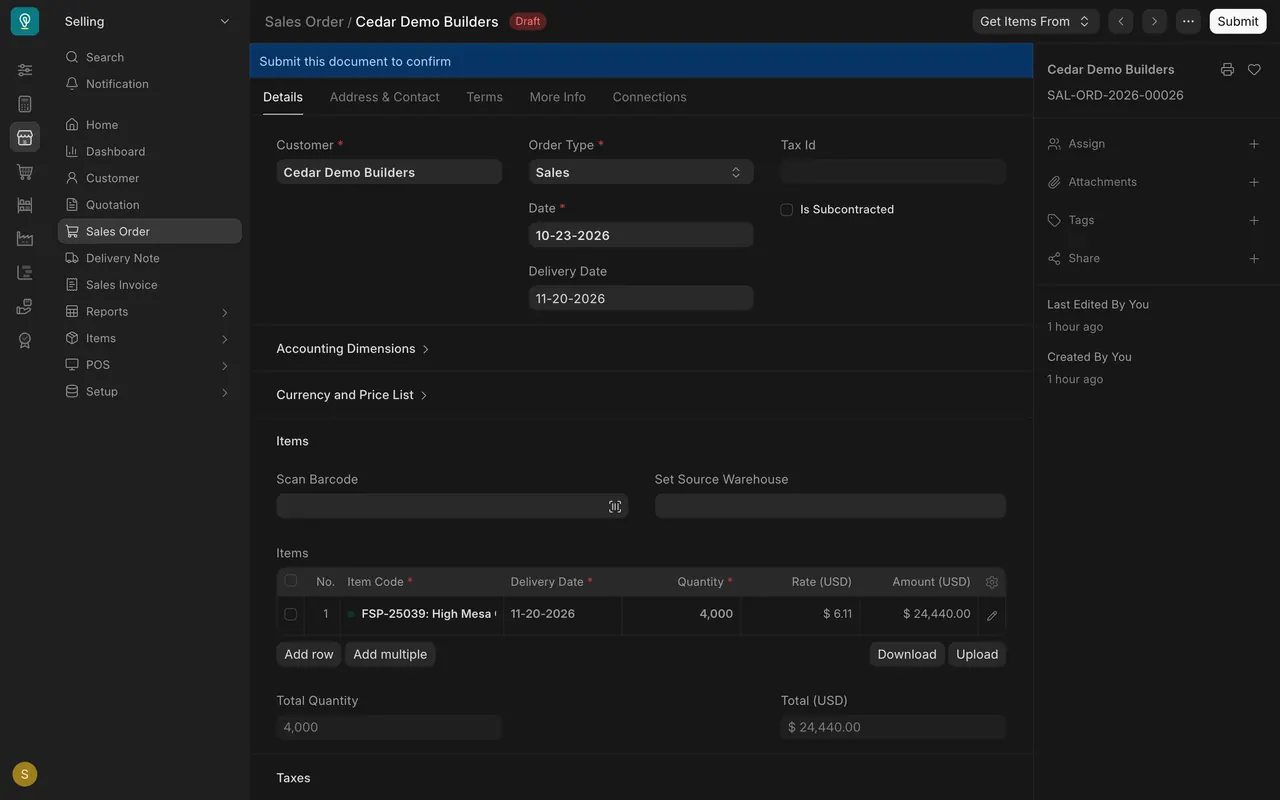
- The draft sales order here totals $24,440, which is $4,440 above the limit.
- Submitting is what triggers the check. This demo order is never submitted, so the stop message is not shown.
Step 3. Know who may override
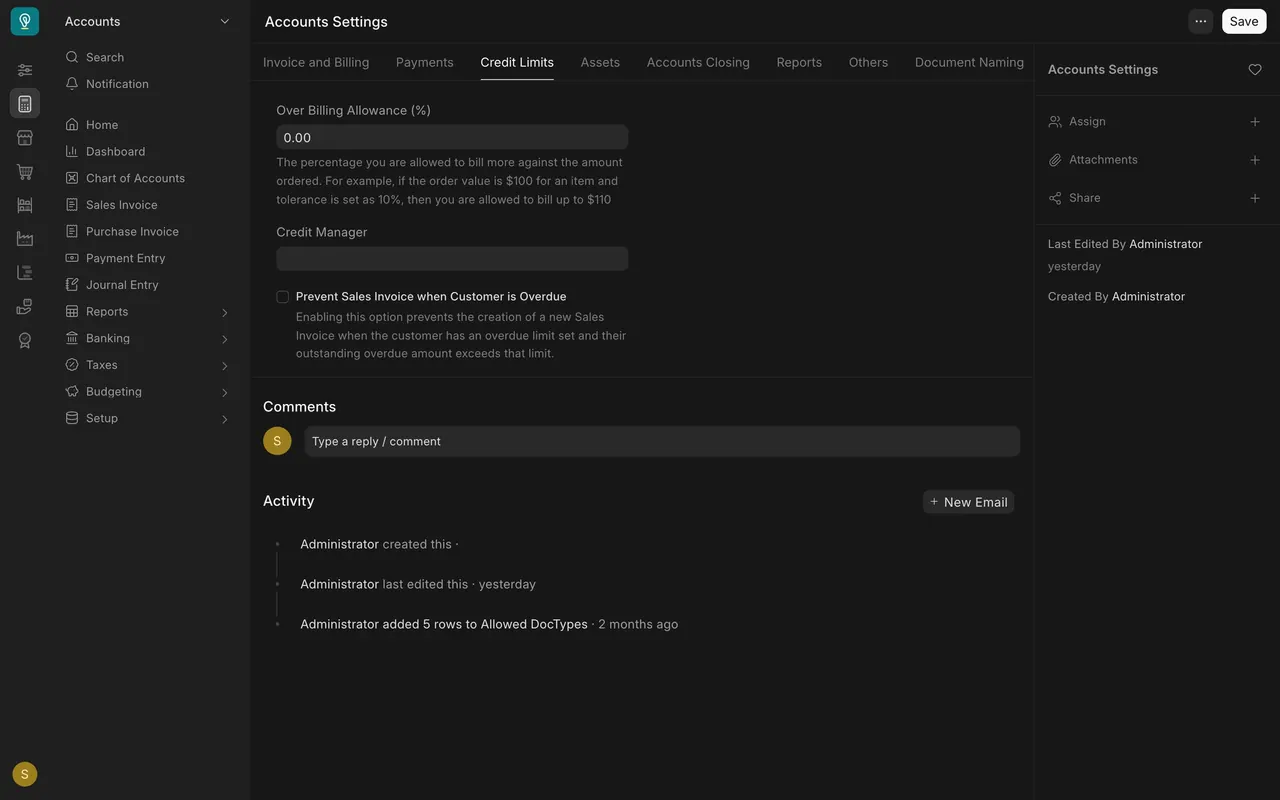
- In Accounts Settings, open the Credit Limits tab.
- Credit Manager holds a role. People with that role may submit past a limit. Here the box is empty.
Step 4. Check what a customer owes
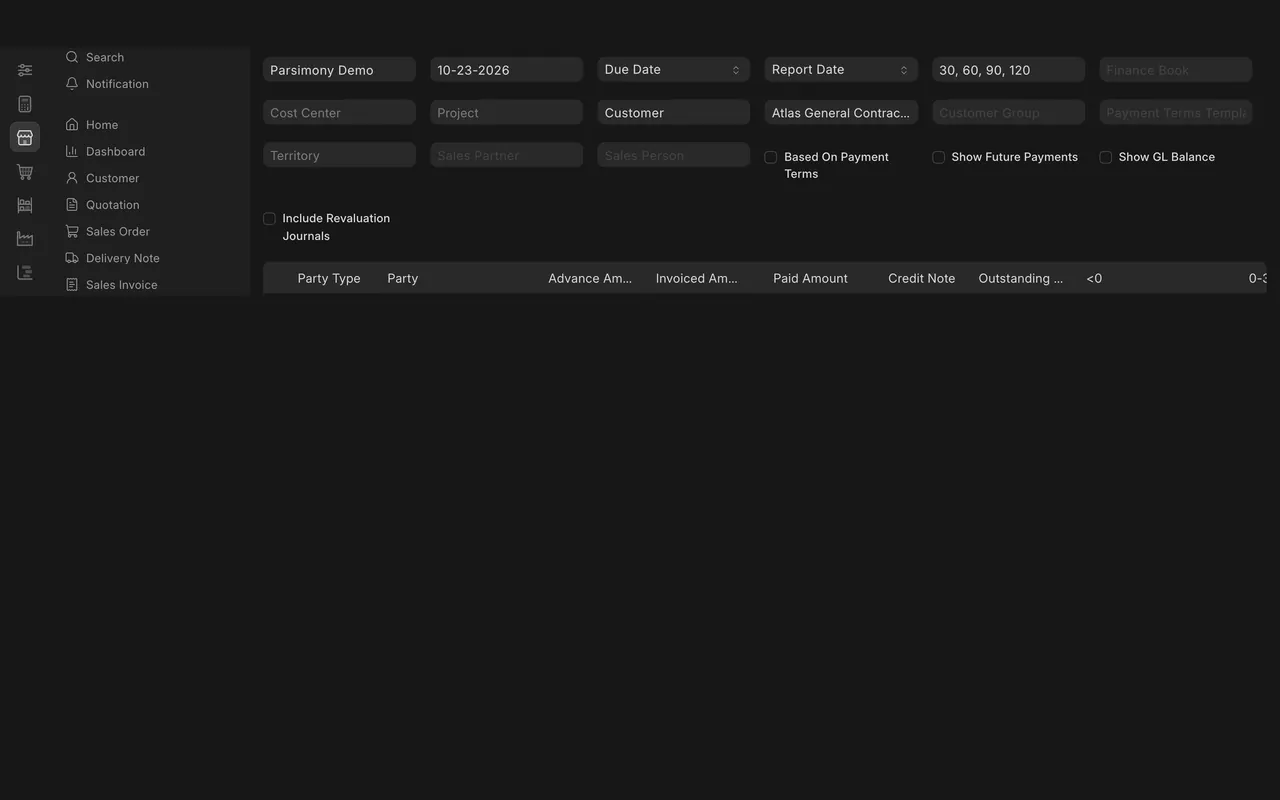
- Open Accounts Receivable Summary and choose the customer in Party.
- Outstanding is the unpaid balance. Here the example customer owes $13,771.56.

What you may see on your own site
- Your limits, roles and customers are your own.
- A customer can have a different limit for each company.
Common mistakes
- Ticking Bypass and forgetting it. That customer is never checked.
- Leaving Credit Manager empty and not knowing who can override.
- Judging by the limit alone. Look at the outstanding balance too.
Check yourself
3 quick questions.
1. Where is a customer's credit limit set?
2. What does ticking "Bypass credit limit check at sales order" do?
3. Which report shows what a customer still owes?