V16 Training · Sales and Credit Control · Lesson 1 of 6
Payment terms
This lesson shows what a payment term and a Payment Terms Template are, where to set one, and how the due date follows on a sales order.
Written guide
The idea
A payment term is one rule: how much of the invoice, and how many days after the invoice date. A template groups terms. You choose a template on a customer or a document, and Parsimony fills the due dates for you.
The screens use example data from a demo company that sells flooring.
Step by step
Step 1. Know a payment term
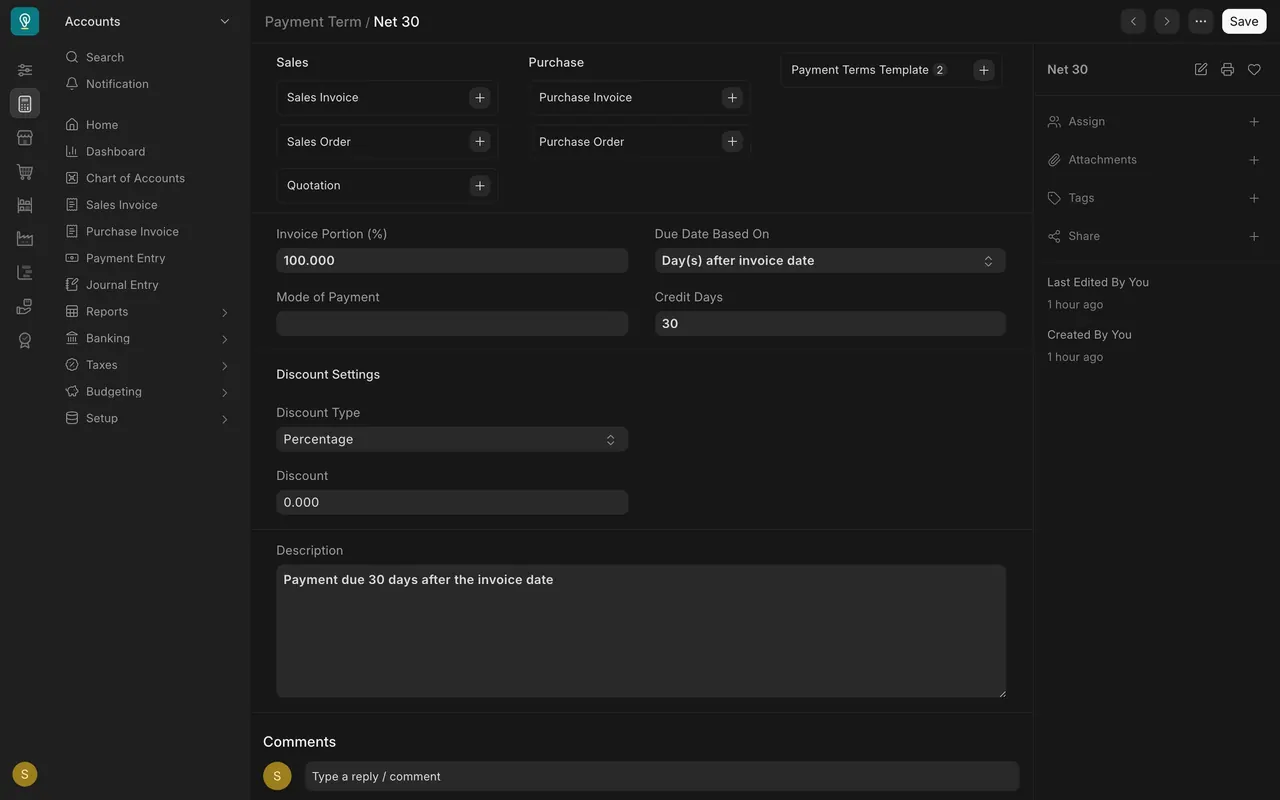
- In the Accounts module, open the term Net 30.
- Invoice Portion (%) is 100, Due Date Based On is days after the invoice date, and Credit Days is 30.
Step 2. Build a template
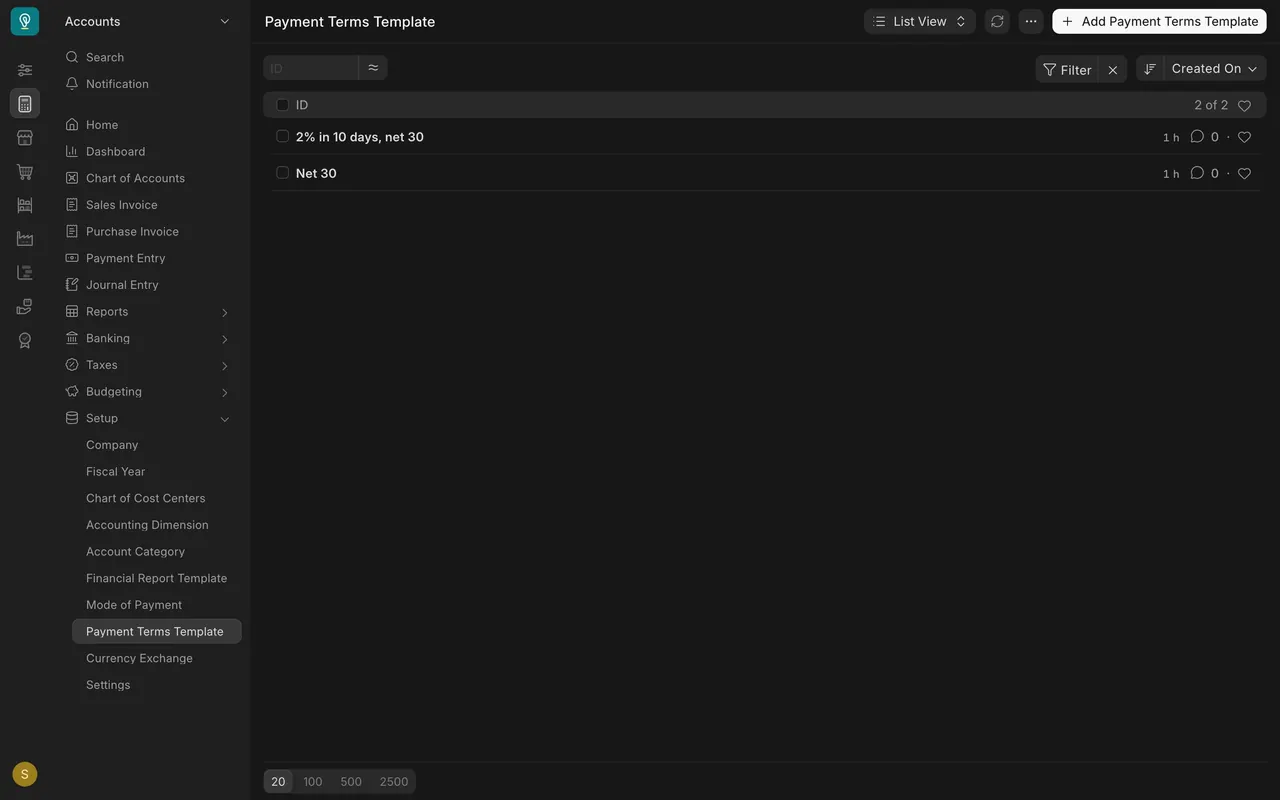
- Open the Payment Terms Template list. The example has two templates.
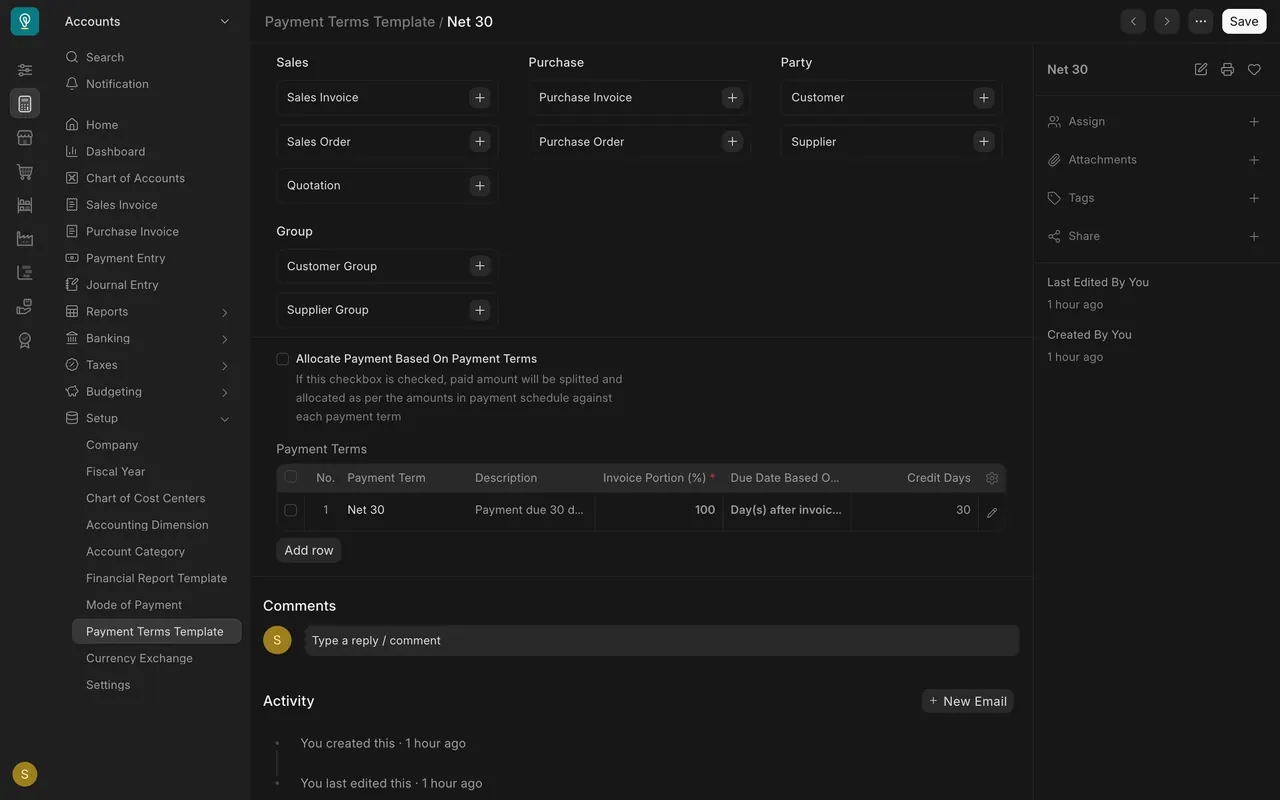
- Open Net 30. The Payment Terms table has one row. More rows would split an invoice, if the portions add up to 100.
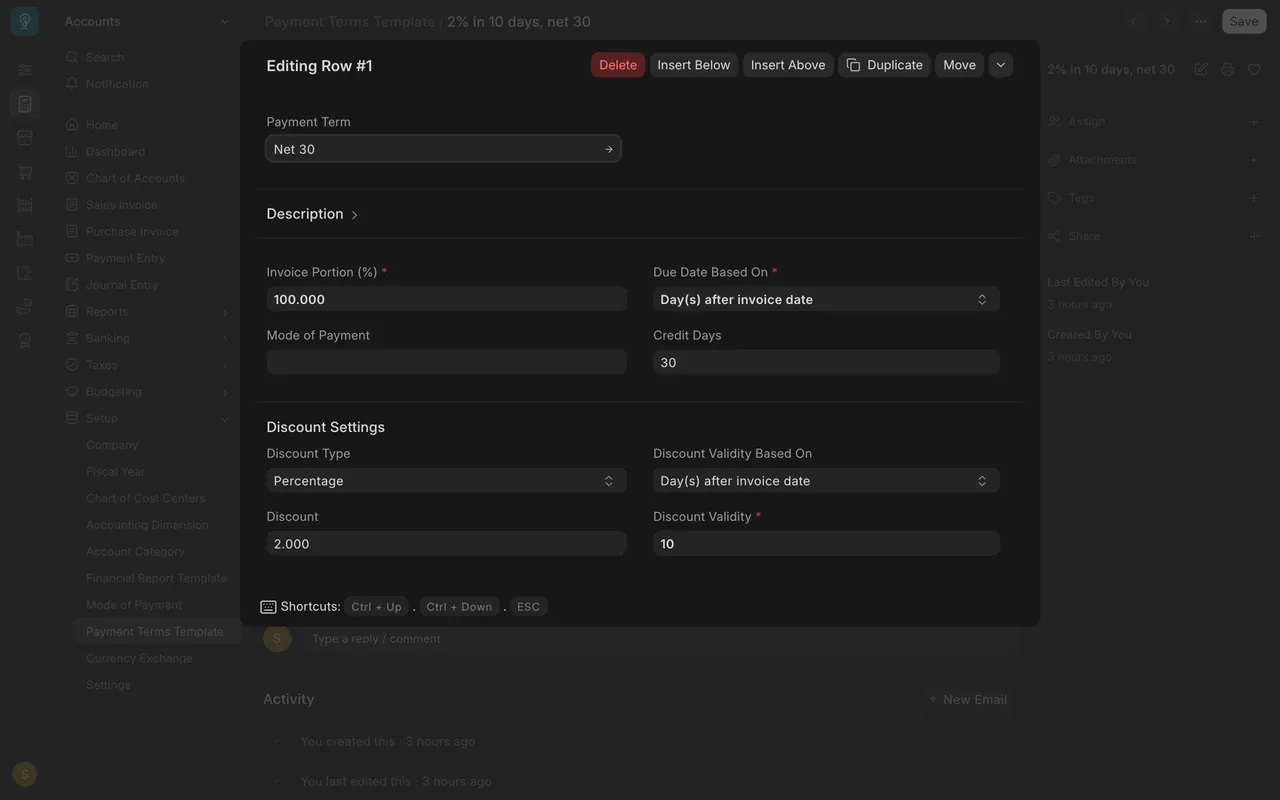
- Open the row of the early payment template. Discount Settings: Discount Type Percentage, Discount 2, Discount Validity 10 days after the invoice date.
Step 3. Set the terms on the customer
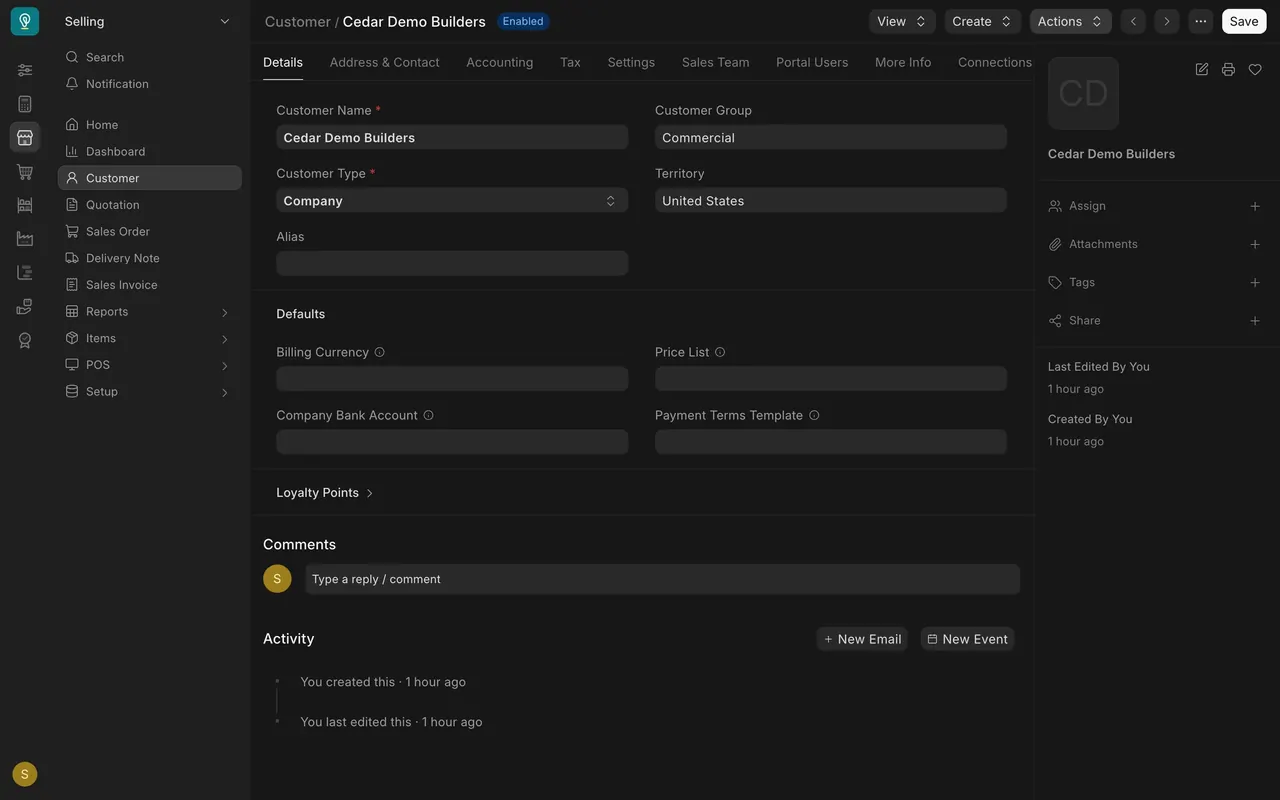
- Open a customer. On the Details tab, under Defaults, the Payment Terms Template box is blank for the example customer.
- Choose a template there and the customer's new orders start with it.
Step 4. Watch the due date follow
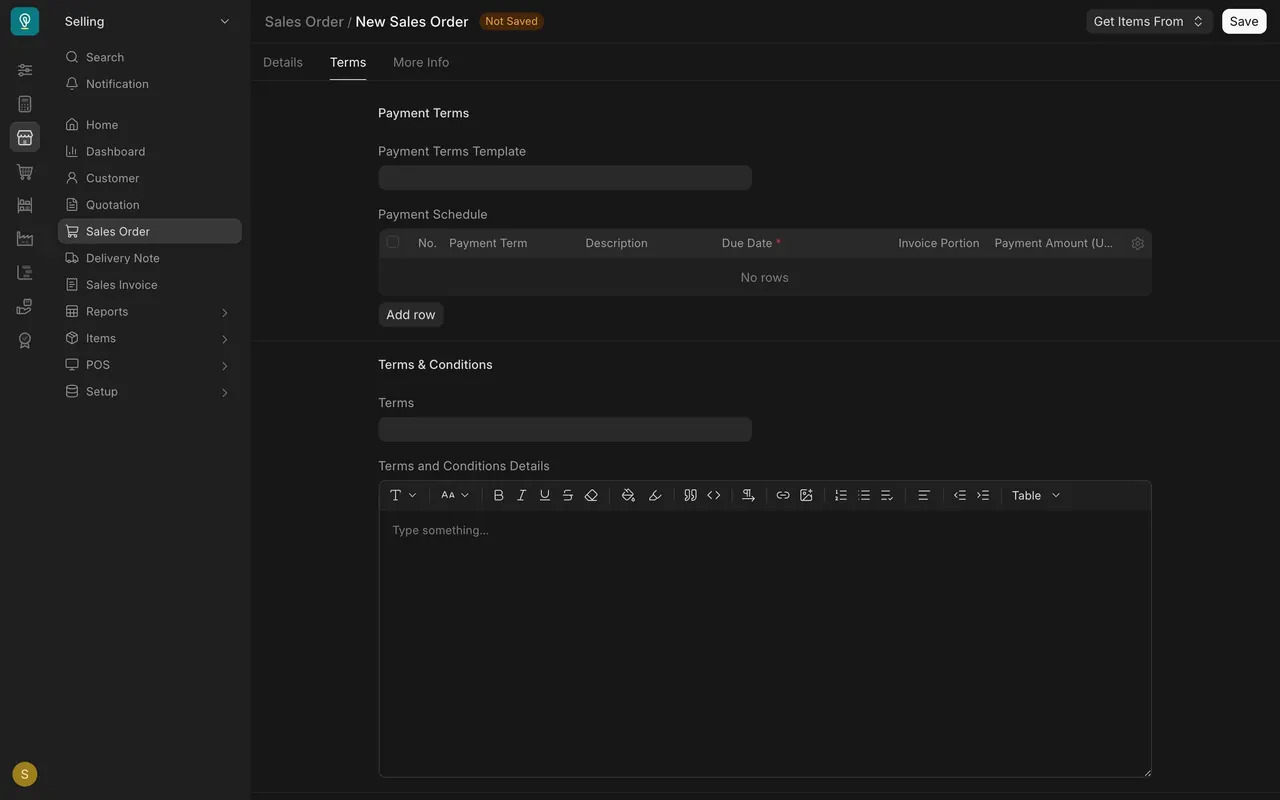
- On a new sales order, open the Terms tab. With no template the Payment Schedule is empty.
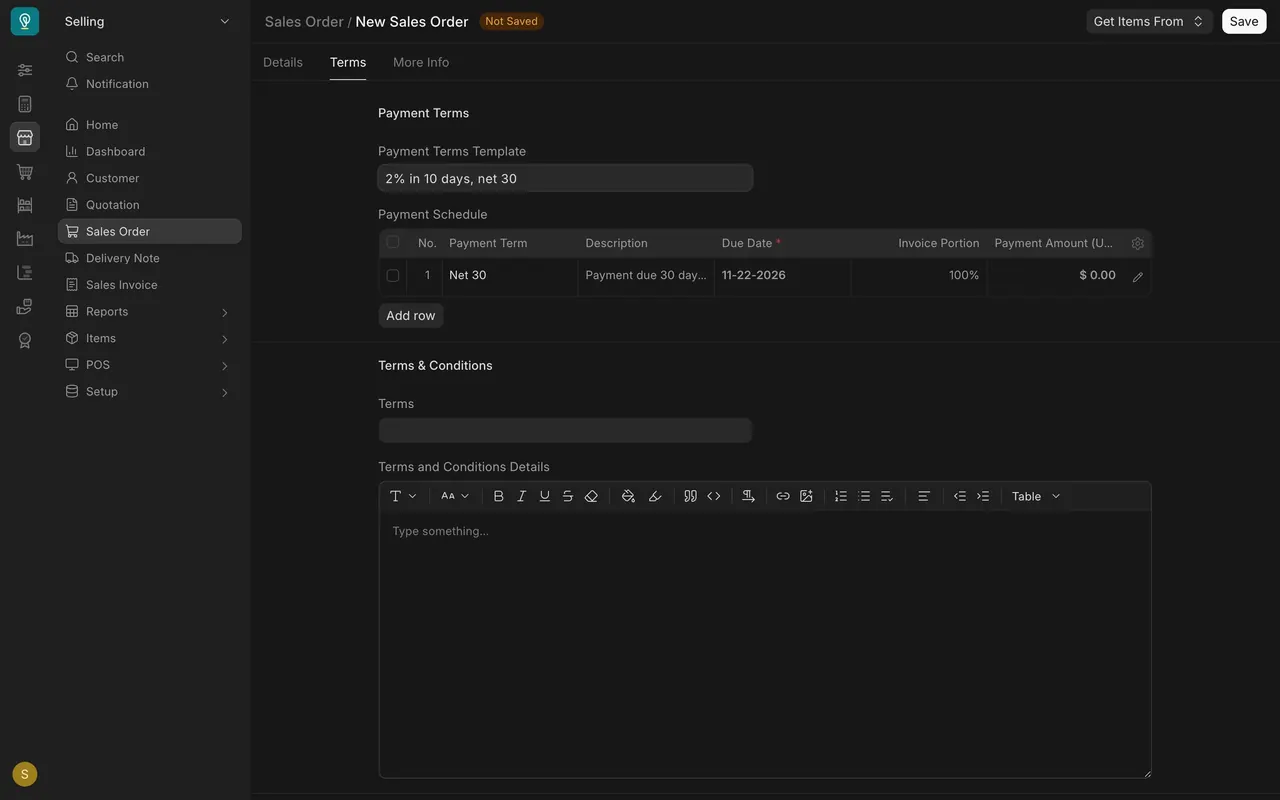
- Choose a template and the schedule fills: here Net 30, 100%, Due Date 11-22-2026, thirty days after the order date.
What you may see on your own site
- Your own templates, customers and dates.
- Your administrator decides which templates exist.
Common mistakes
- Leaving a customer's template blank and expecting a schedule.
- Splitting an invoice with portions that do not add up to 100.
- Saving a test order while exploring. Only look.
Check yourself
3 quick questions.
1. What does Credit Days hold on the Net 30 term?
2. Where do you choose a template on a sales order?
3. A customer's Payment Terms Template box is blank. What happens?