V16 Training · Reports and Dashboards · Lesson 2 of 6
Report view and group by
This lesson shows you how to turn a list into a table you control: choose its columns, group the rows, add totals, and save the view.
Written guide
The idea
Every list has a second face called Report View. It shows the same records as a table. You choose the columns, group the rows, show totals, and keep the result as a report of its own. The screens use the Sales Order list from a demo company that sells flooring. Your own site shows your own orders. Every list works the same way.
Step by step
Step 1. Switch the view
- Open a list, such as Sales Order.
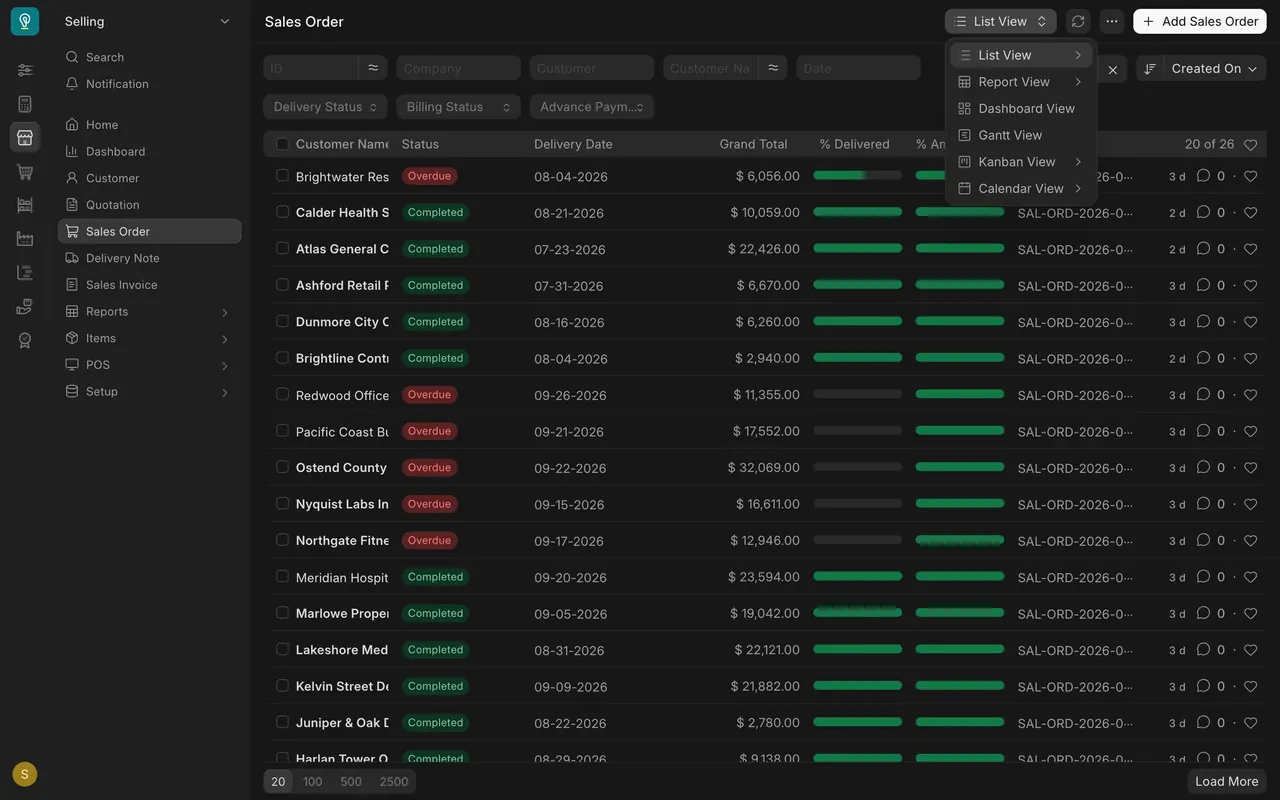
- At the top right, open the view menu. It says List View.
- Choose Report View. The same orders appear as a table, with the same filters across the top.
Step 2. Pick your columns
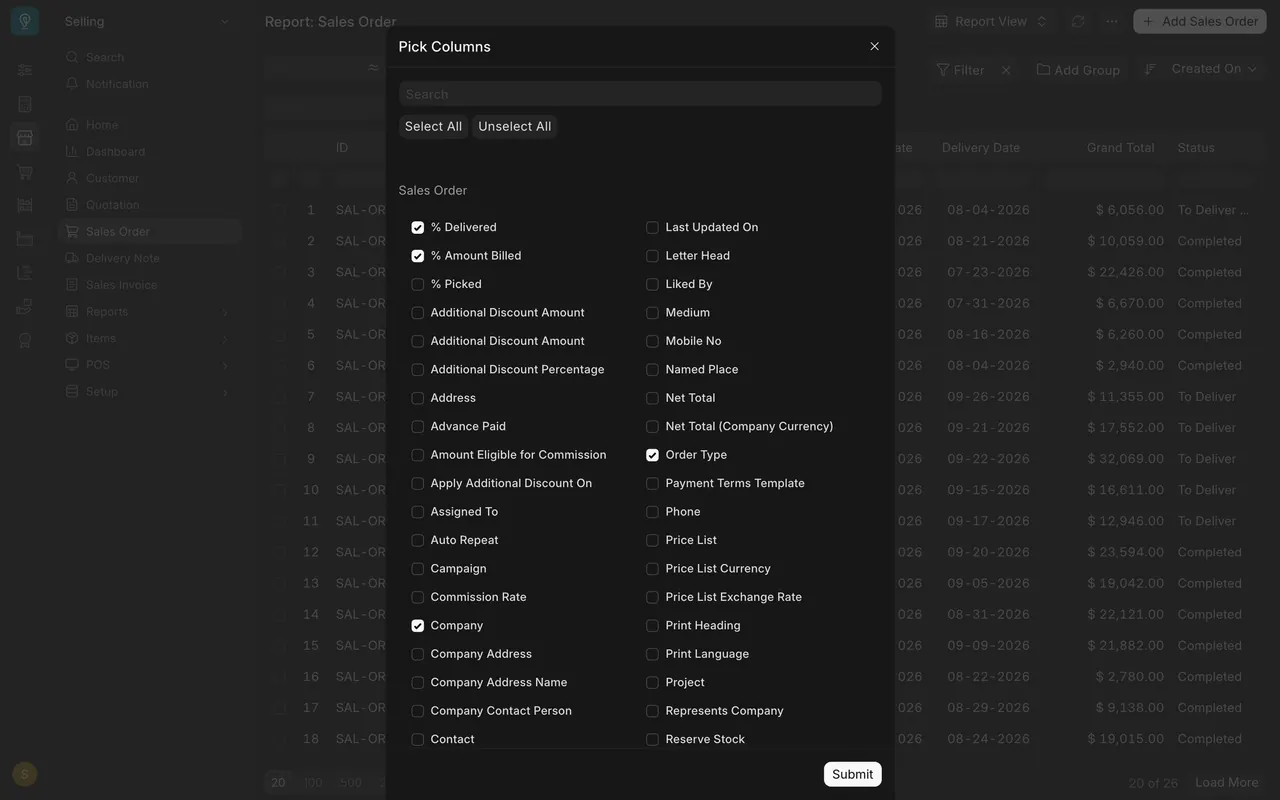
- Open the three-dot menu and choose Pick Columns.
- Tick the fields you want, untick the rest, and choose Submit.
- A column heading also has a small menu with Sort Ascending, Sort Descending, Remove column and Add Column.
Step 3. Group the rows
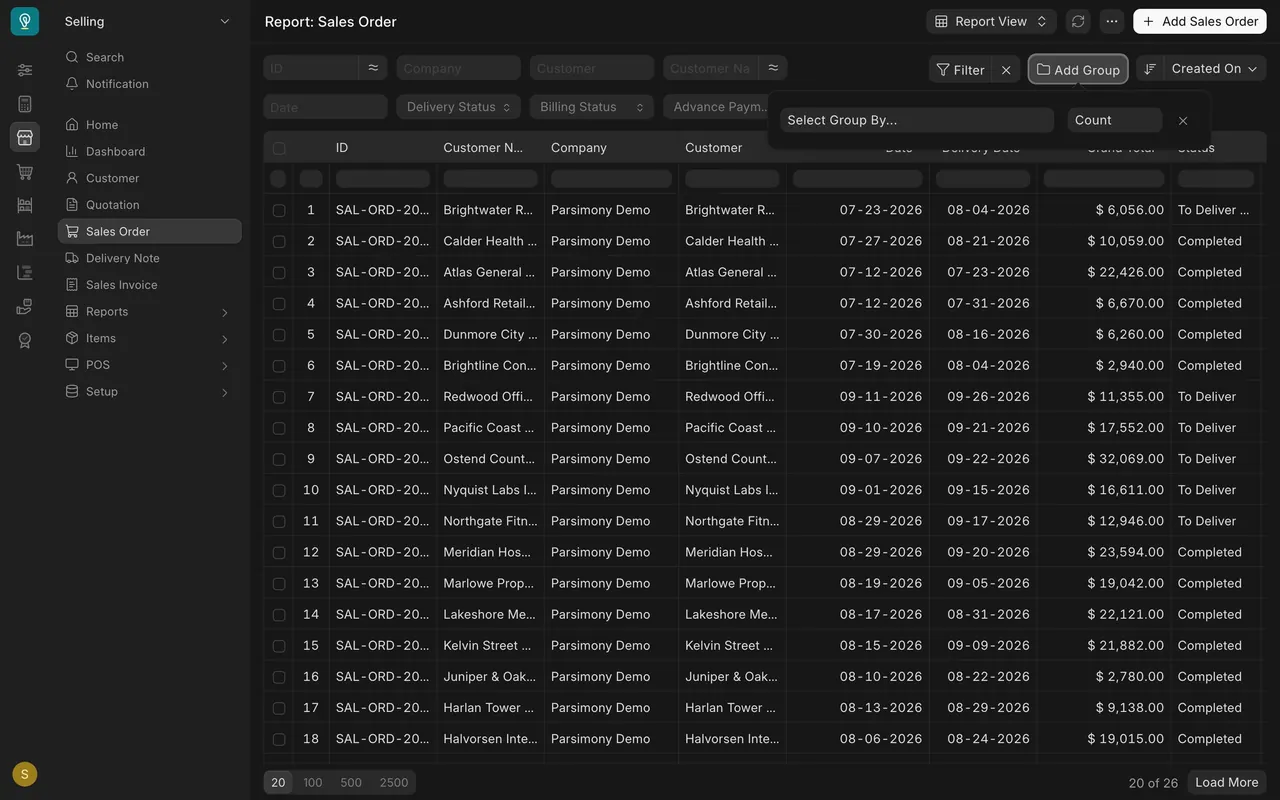
- Choose Add Group, next to Filter.
- In Select Group By, pick a field. The rows gather under each value of it.
- The second box starts at Count, so you see how many orders each group holds.
Step 4. Show totals
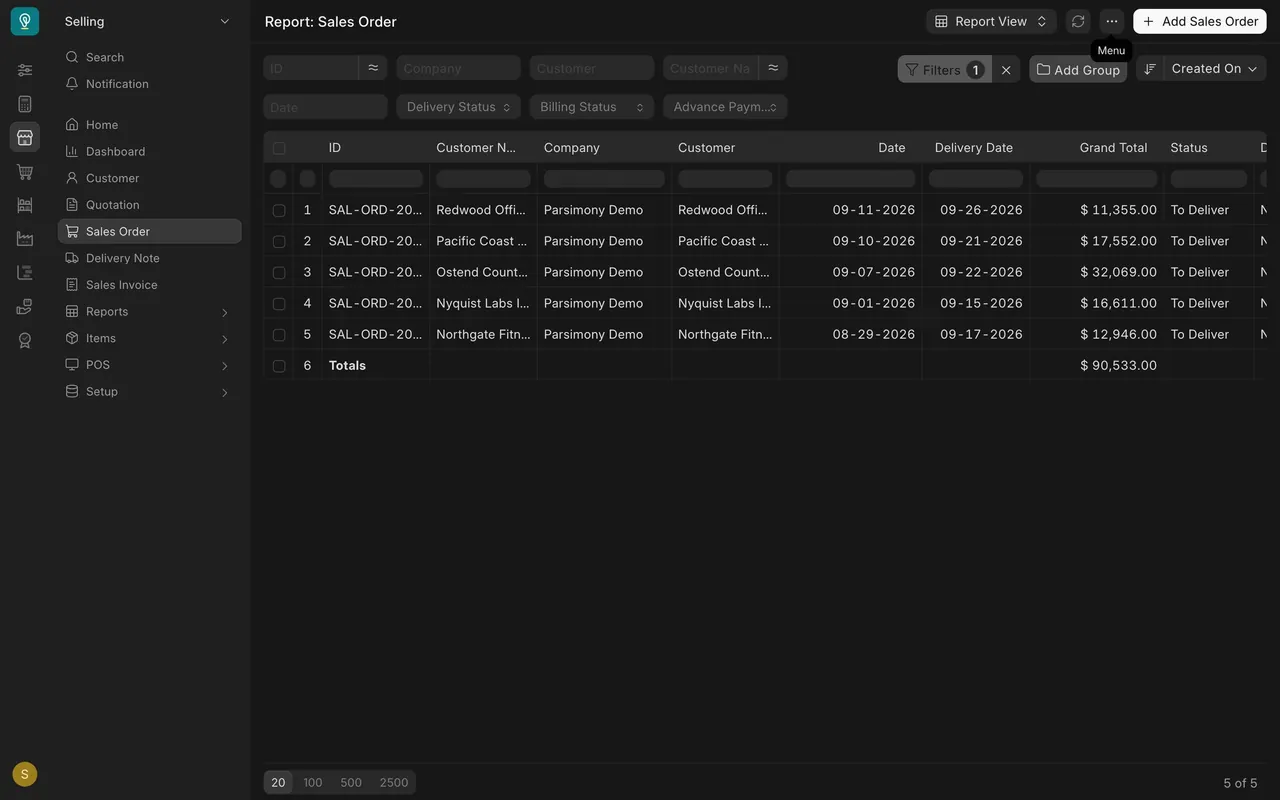
- Open the three-dot menu and choose Show Totals.
- A Totals row appears at the bottom. In this example, five orders still to deliver add up to $90,533.00.
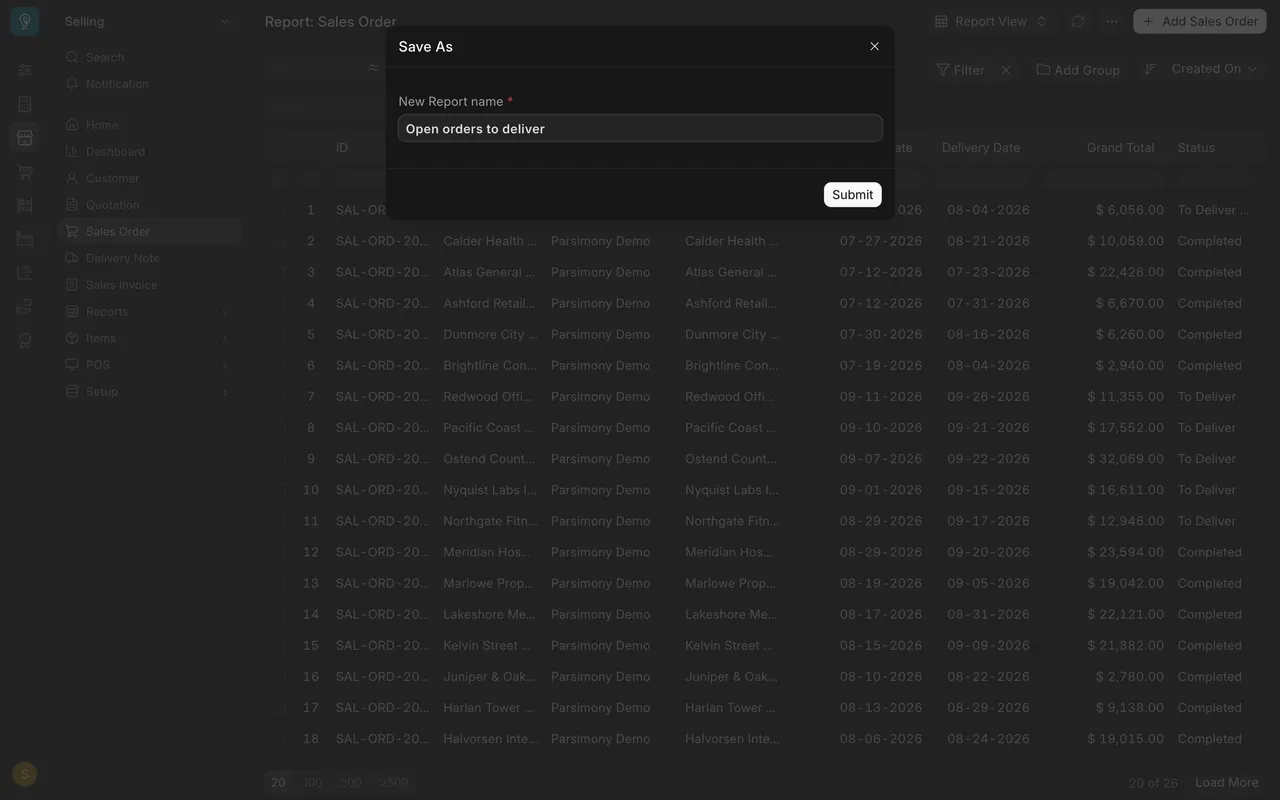
Step 5. Save it with Save As
- Open the three-dot menu and choose Save As.
- Type a New Report name, such as "Open orders to deliver", and choose Submit.
- Parsimony keeps your columns and filters as a report of its own. If your menu has no Save As, ask your administrator.
Filtering a list is covered in Getting Started, lesson three.
What you may see on your own site
- The fields in Pick Columns depend on the list you opened and on how your company set Parsimony up.
- The three-dot menu may show other items, such as Print and Export. Those are covered in the next lesson.
- The orders, customers and amounts are your own.
Common mistakes
- Quoting a total without checking the filters. The Totals row covers only the rows the filters allow.
- Forgetting how many rows are loaded. The footer says, for example, "20 of 26". Load more rows before you trust a total.
- Saving a view with a filter you forgot was on. The saved report keeps what you see.
Check yourself
3 quick questions.
1. Where do you switch a list to Report View?
2. What does Show Totals add?
3. How do you keep your columns and filters for next time?