V16 Training · Quality and Inspections · Lesson 6 of 6
Outgoing inspection and quality reports
This lesson shows how to inspect goods before delivery from a delivery note, and how to read the Quality Inspection Summary report and the Quality workspace chart.
Written guide
The idea
For an item that needs inspection before delivery, you start a Quality Inspection from the draft delivery note. The inspection type is Outgoing and its reference is the delivery note. Readings set the status on their own. The summary report and the Quality workspace then show every inspection in one place.
The screens use example data from a demo company that sells vinyl and oak flooring.
Step by step
Step 1. Start from the delivery note
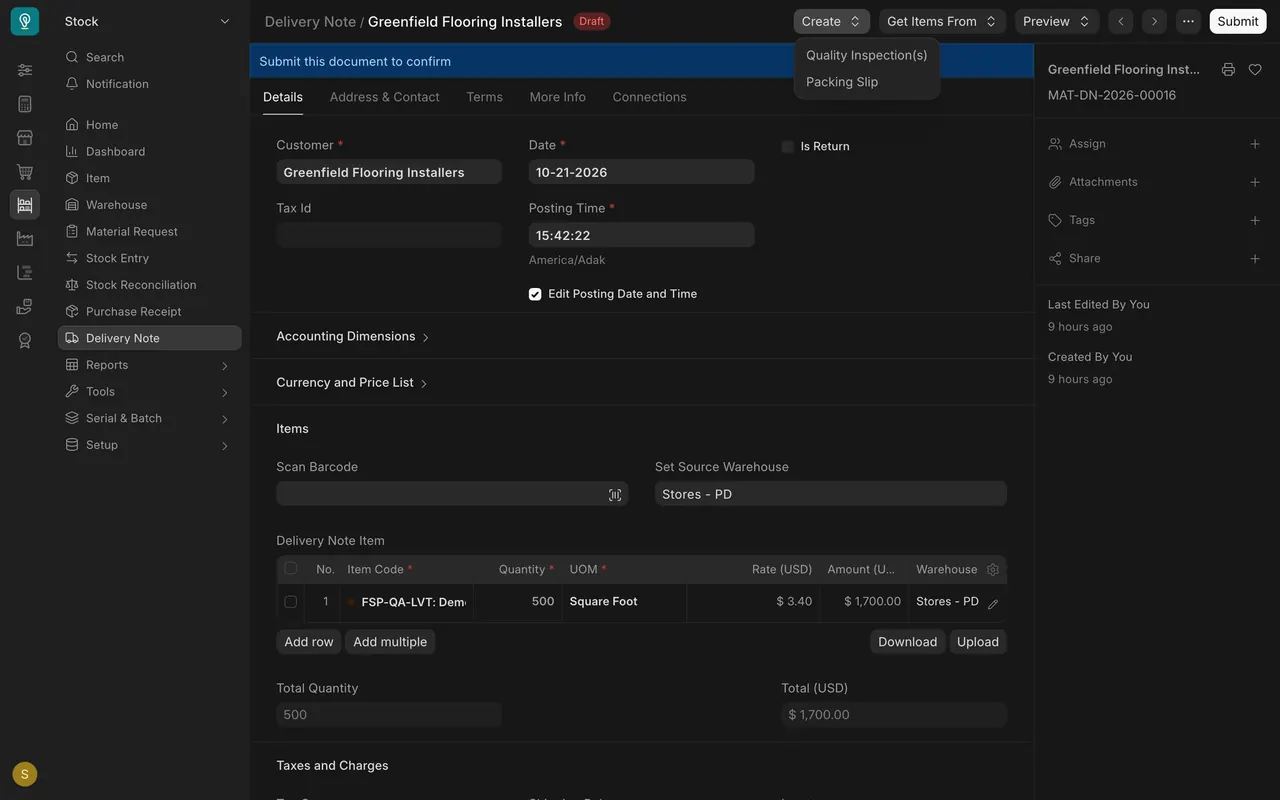
- Open a draft delivery note. In this example, 500 square feet of rigid core vinyl for Greenfield Flooring Installers.
- Open Create and choose Quality Inspection(s). If your administrator set the item to need inspection before delivery, Parsimony can stop you from submitting the note until an accepted inspection is linked.
Step 2. Check the inspection type
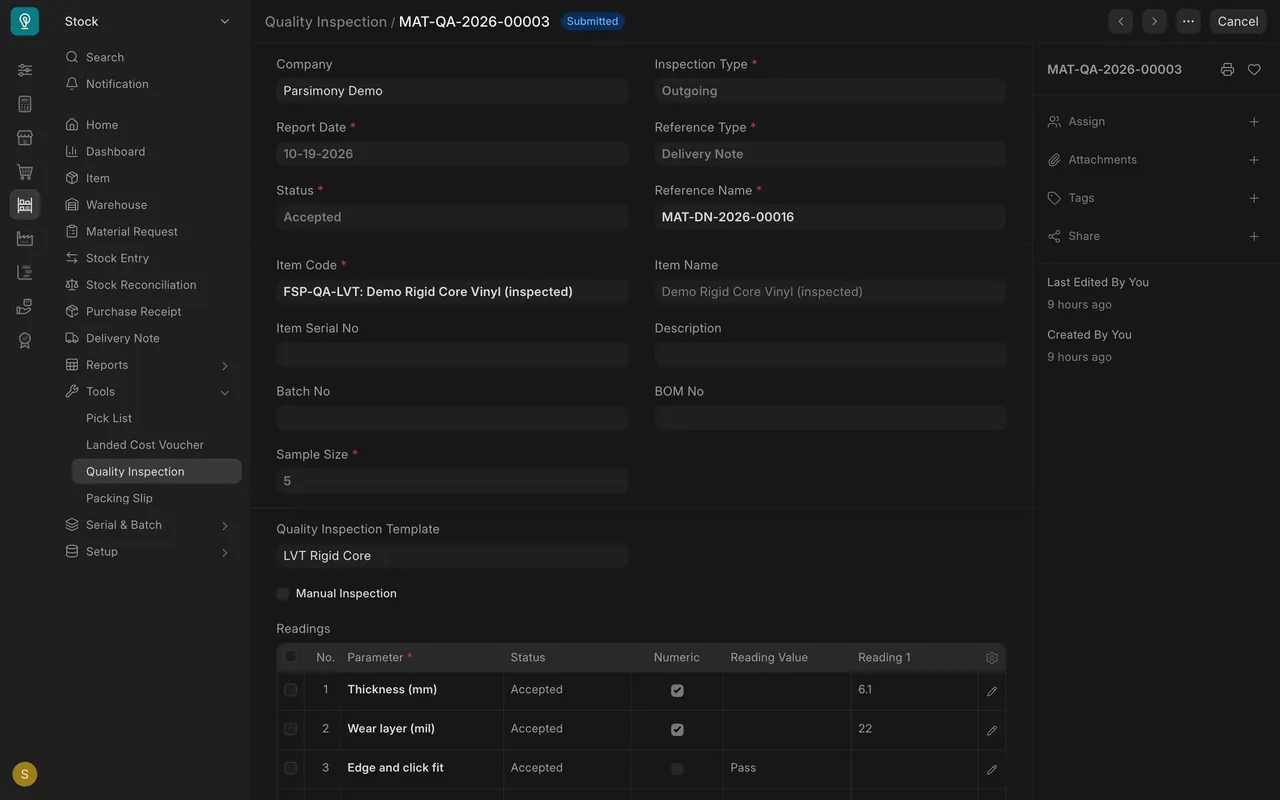
- Inspection Type reads Outgoing.
- Reference Type is Delivery Note and Reference Name is the note it belongs to.
Step 3. Read the status
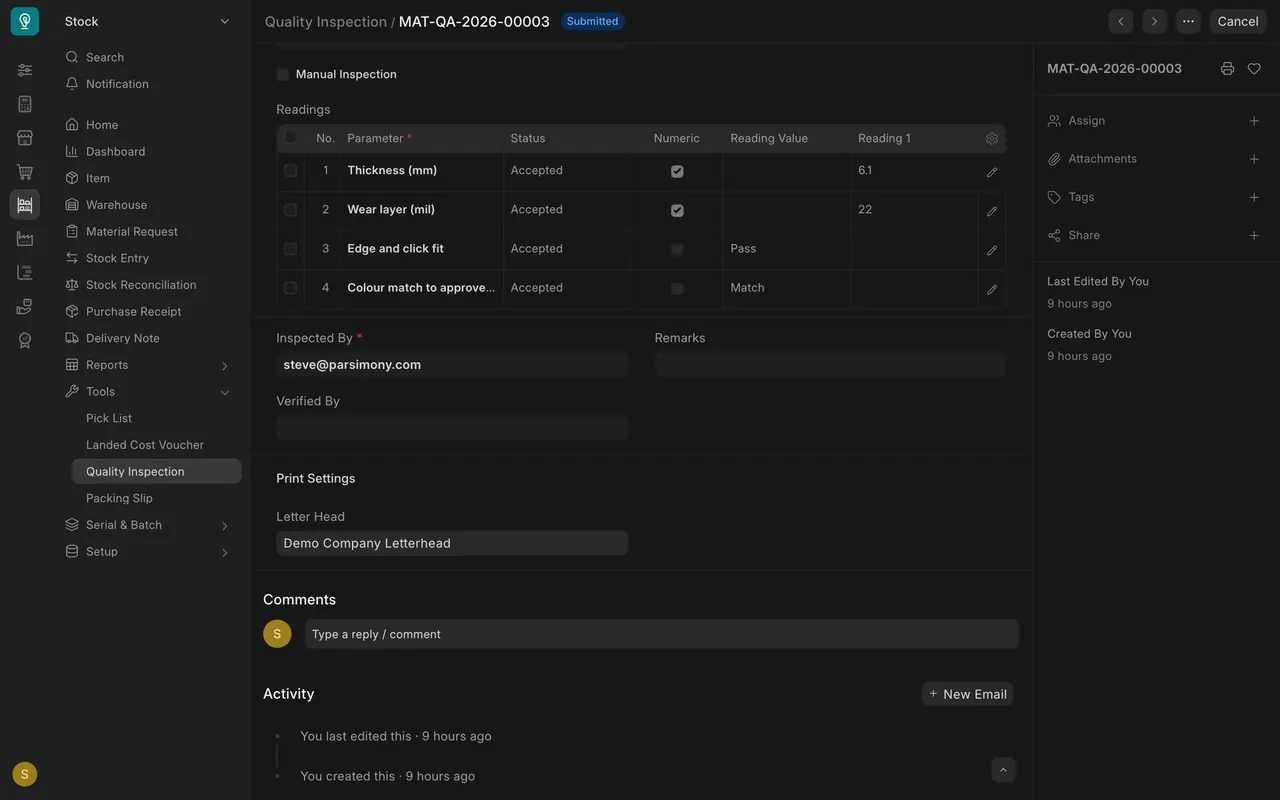
- Each row turns Accepted or Rejected from its reading. You never set it by hand.
- All rows are Accepted here, so the inspection is Accepted.
Step 4. Read the report
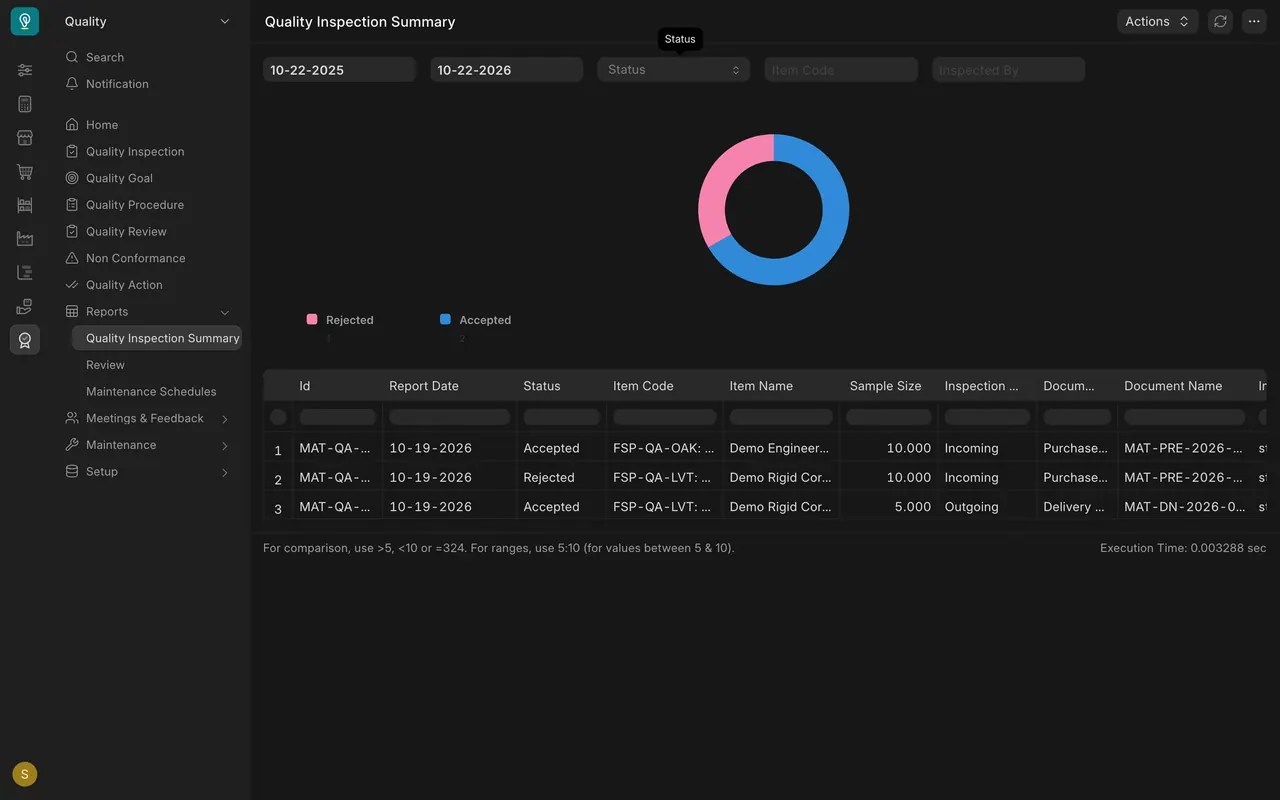
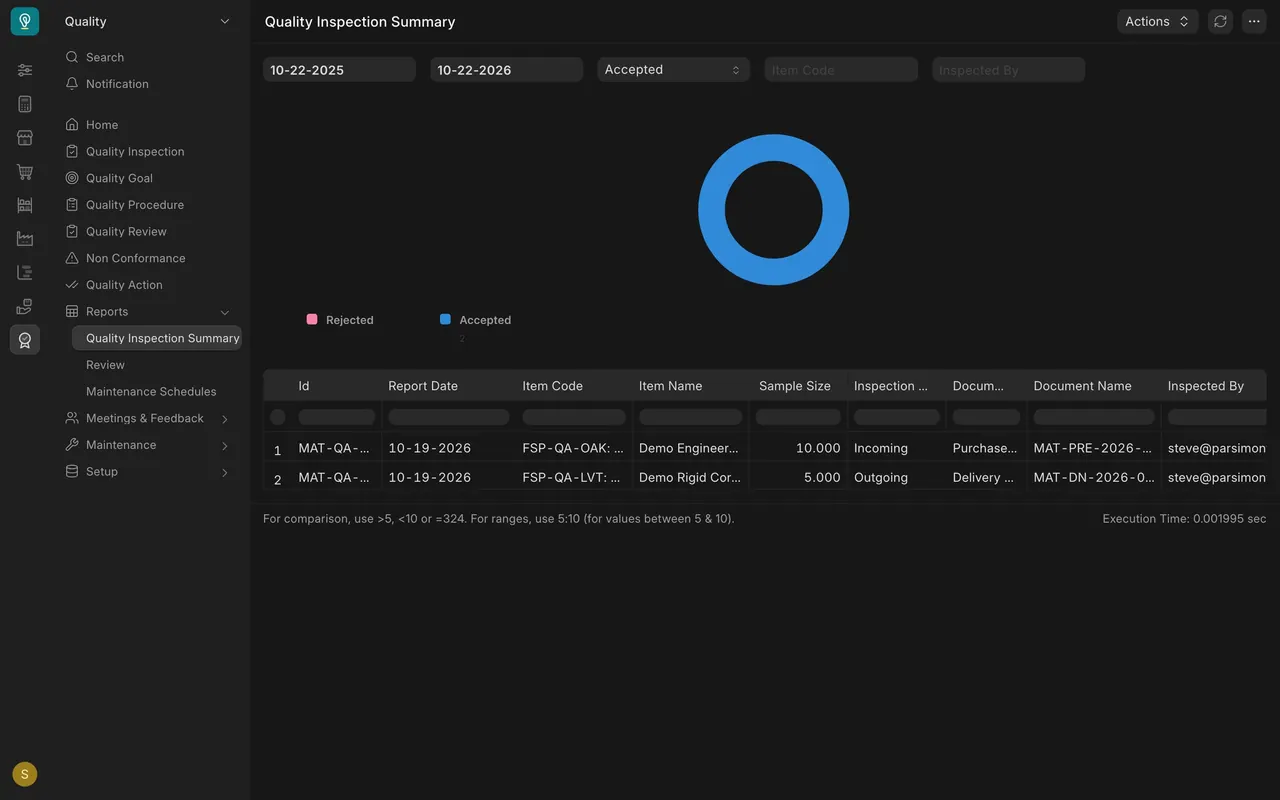
- Open Quality Inspection Summary. It lists incoming and outgoing inspections, and the chart counts them by status.
- Choose a Status filter to narrow the list and chart. You can also filter by date or item code.
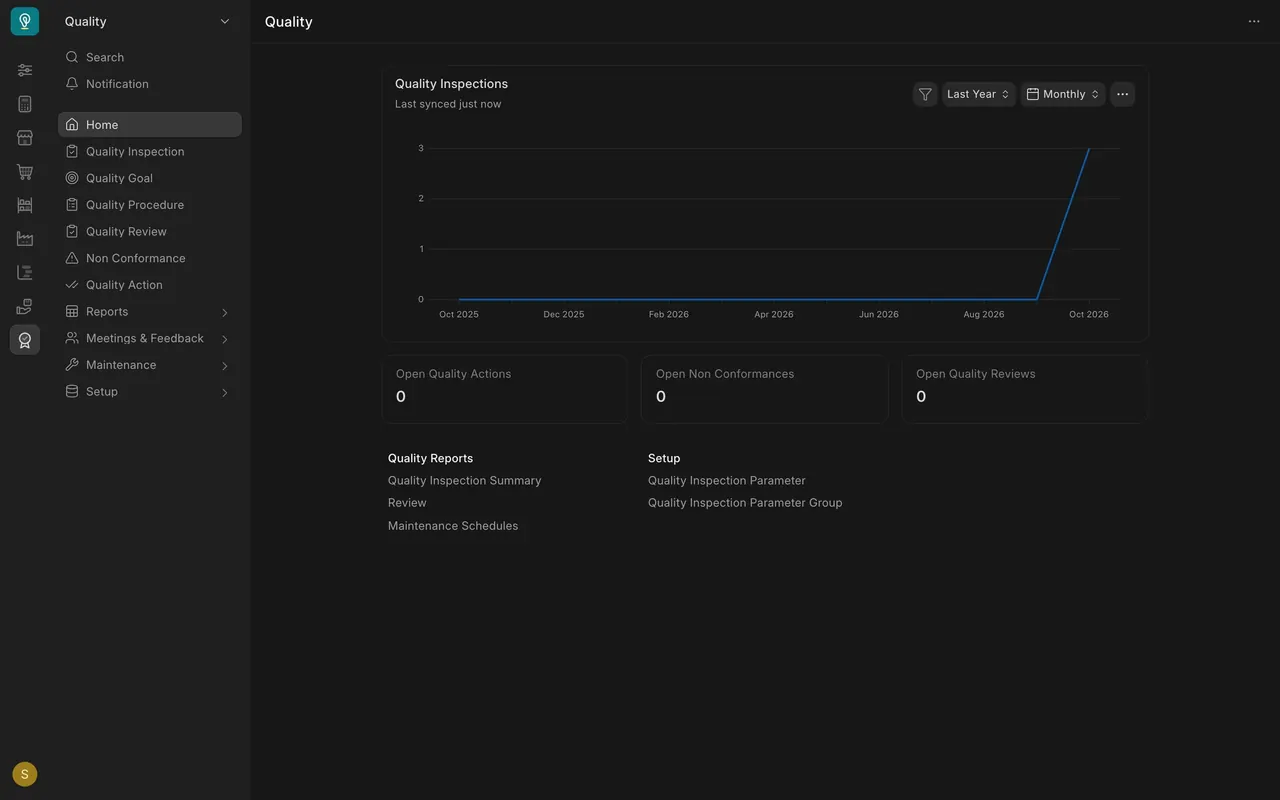
- On the Quality workspace, the Quality Inspections chart counts inspections per month, and three cards count open quality actions, non conformances and quality reviews.
What you may see on your own site
- Your items, templates and inspections are your own, so your counts will differ.
- How strictly Parsimony stops a delivery depends on how your administrator set it up.
Common mistakes
- Forgetting to link the inspection to the delivery note.
- Leaving the date range too short so the report seems empty.
- Trying to set the status by hand. It follows the readings.
Check yourself
3 quick questions.
1. What is the Inspection Type for goods leaving?
2. In the demo report, what happens when you choose the Status filter Accepted?
3. What does the Quality Inspections chart on the Quality workspace count?