V16 Training · Quality and Inspections · Lesson 1 of 6
Inspection parameters and templates
This lesson shows how a company writes down what "good" means for incoming material: inspection parameters, and a template that groups them for one material.
Written guide
The idea
A Quality Inspection Parameter is one thing to check, such as thickness or surface finish. It is only a name. A Quality Inspection Template groups the parameters for one kind of material and holds the limits: a minimum and maximum for a measured value, or an accepted value for something you judge by eye. The screens use example data from a demo company that sells flooring.
Step by step
Step 1. Find the parameters
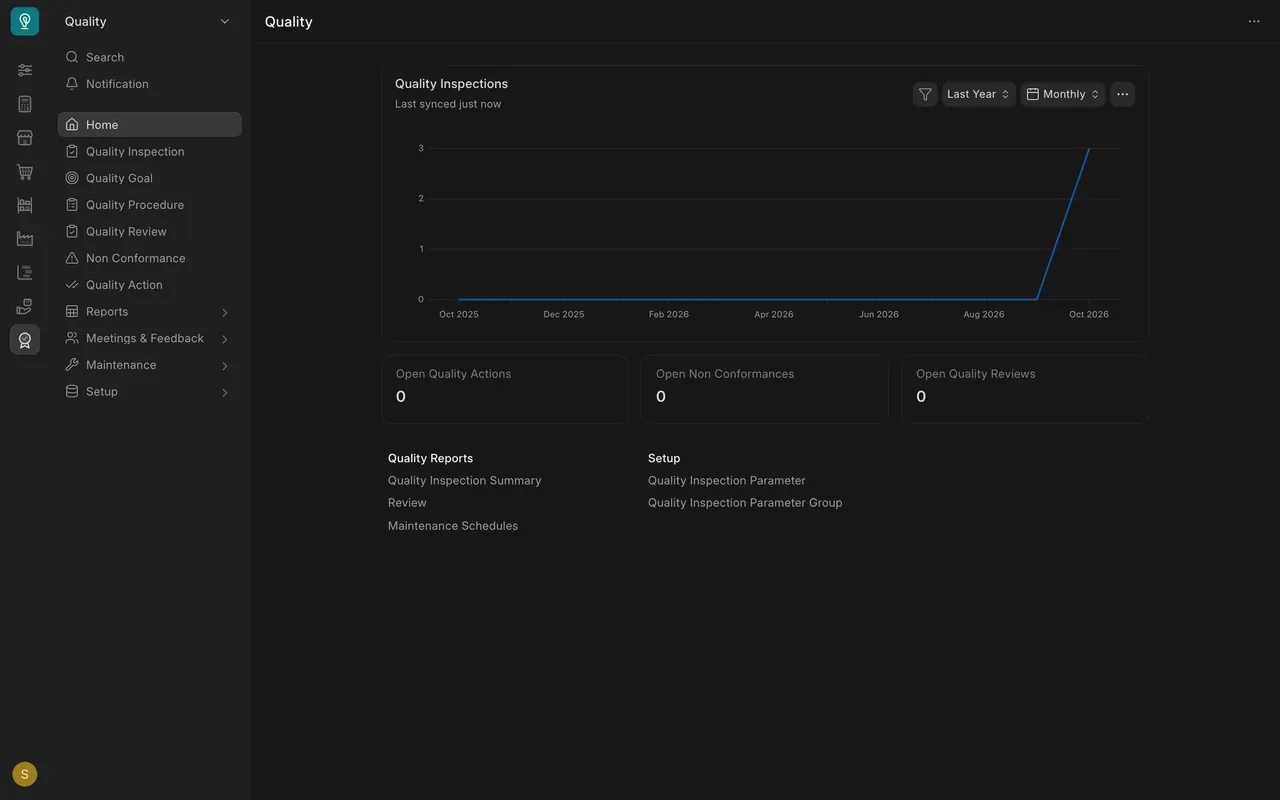
- Open the Quality workspace. Under Setup, open Quality Inspection Parameter.
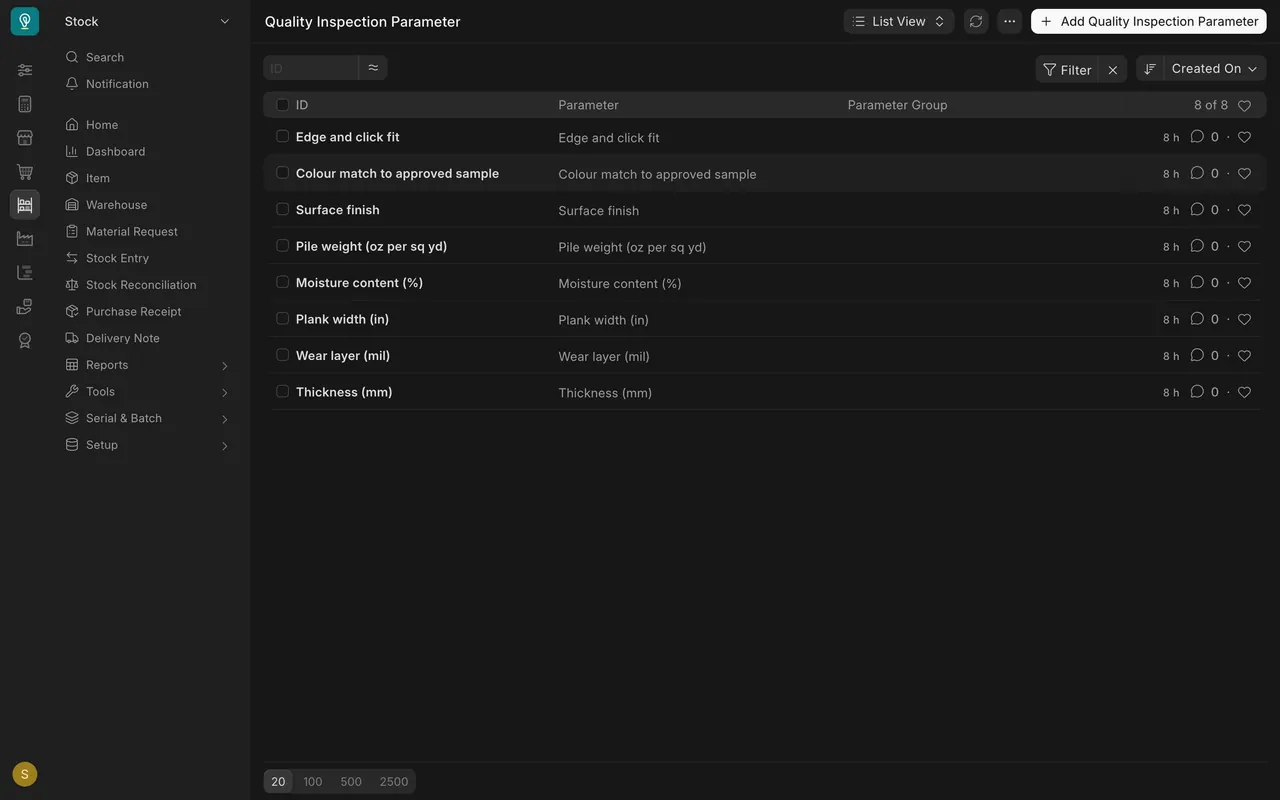
- In this example there are eight parameters, such as Thickness (mm), Plank width (in), Moisture content (%), Surface finish and Wear layer (mil).
Step 2. Find the templates
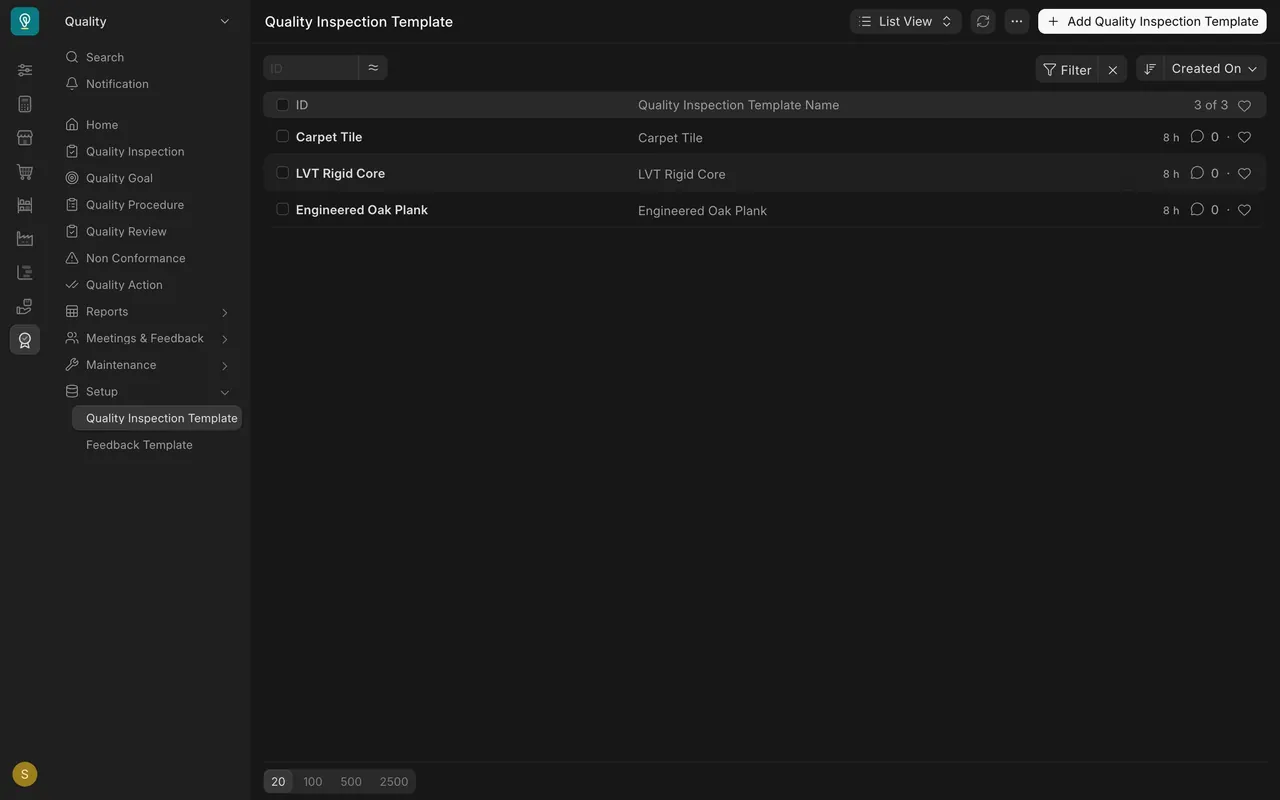
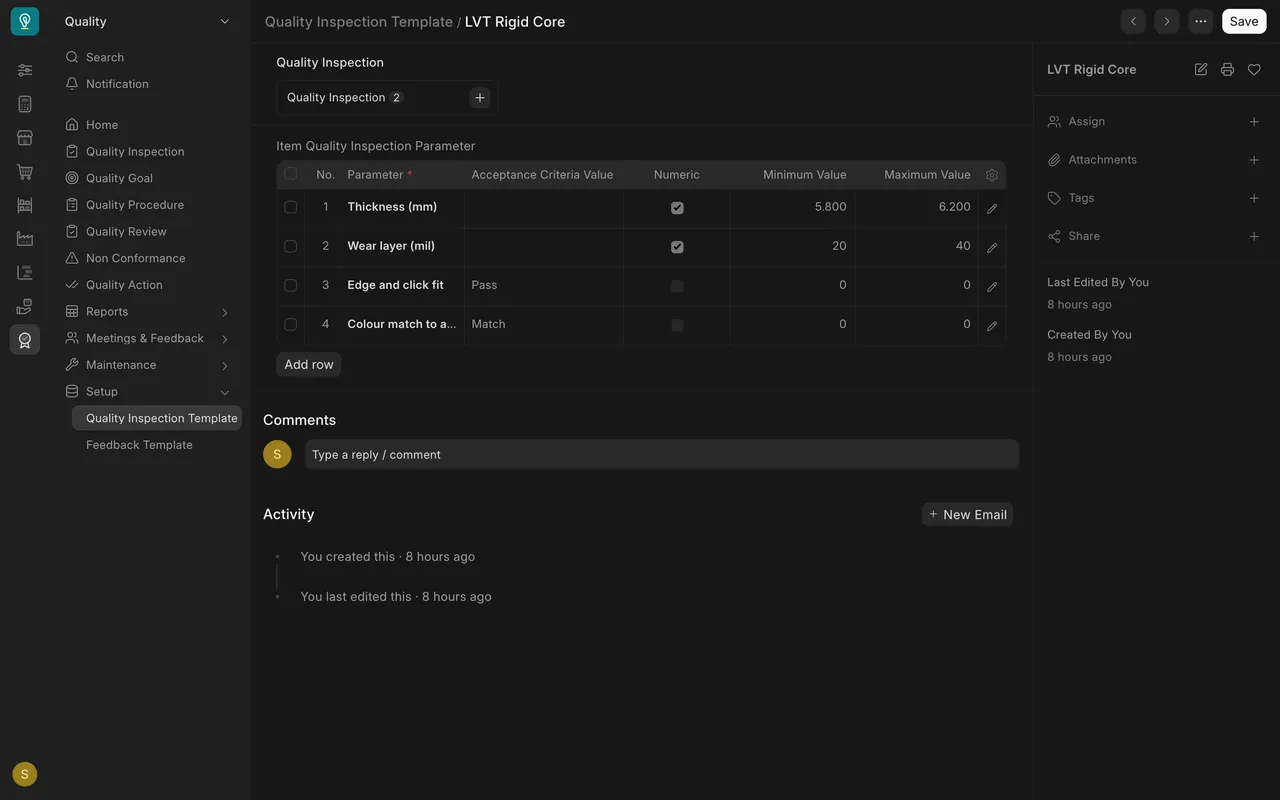
- Open the Quality Inspection Template list. The demo company keeps three: Carpet Tile, LVT Rigid Core (rigid-core vinyl) and Engineered Oak Plank.
Step 3. Read a template
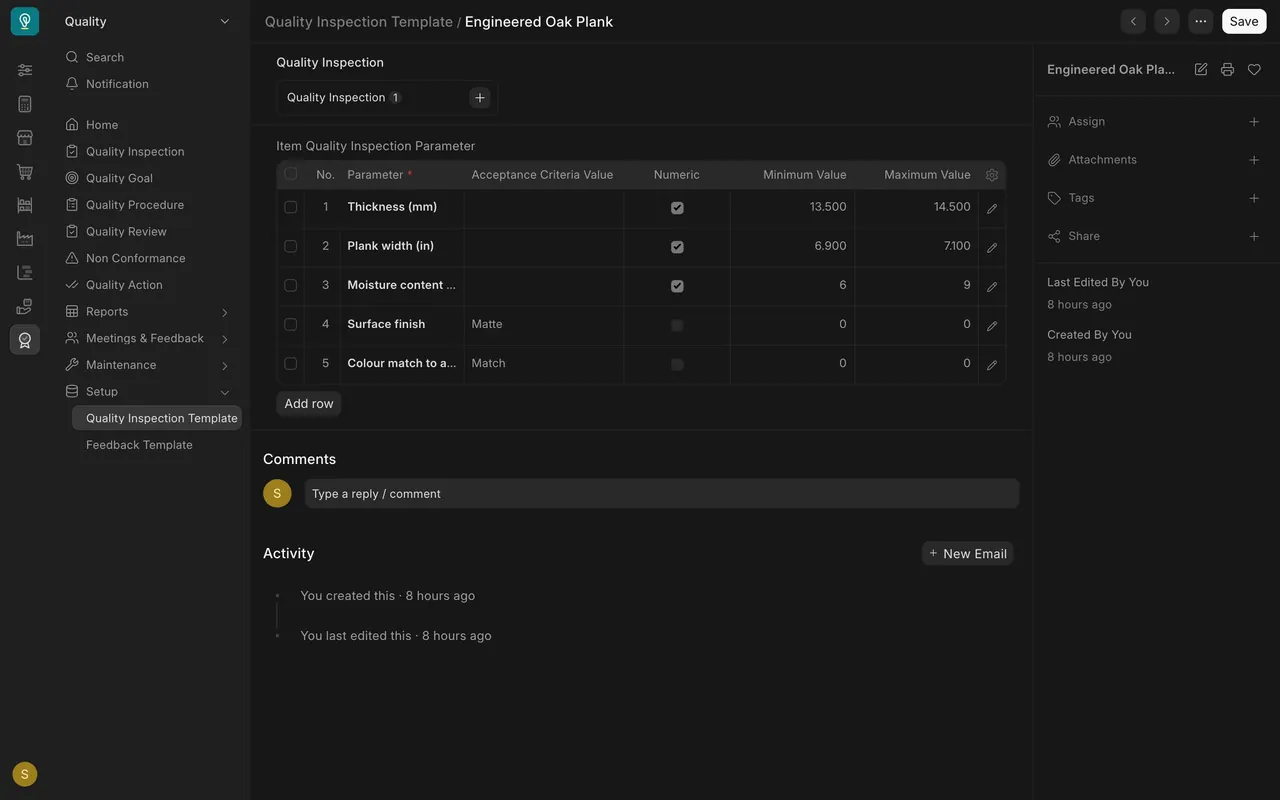
- Open Engineered Oak Plank. Each row of the table is a parameter.
- Rows with Numeric ticked have a Minimum Value and Maximum Value: thickness 13.5 to 14.5, plank width 6.9 to 7.1, moisture 6 to 9. The reading must fall between the limits.
- Rows without it, Surface finish and Colour match, use Acceptance Criteria Value: "Matte" and "Match". Their minimum and maximum stay at zero.
Why one template per material
The limits differ. The rigid-core vinyl template has a thickness of 5.8 to 6.2, a wear layer of 20 to 40, no moisture row, and an "Edge and click fit" check that must read "Pass".
What you may see on your own site
- Your parameters and templates are your own. Take the limits from your specification for each material, not from this example.
Common mistakes
- Looking for the limits on the parameter. The parameter is only a name; the template holds the limits.
- Ticking Numeric for a judged check. A finish or colour check uses an accepted value instead.
- One template for every material. The limits differ, so each material needs its own.
Check yourself
3 quick questions.
1. Where do the minimum and maximum limits live?
2. Surface finish has "Matte" in Acceptance Criteria Value and Numeric is not ticked. What does that mean?
3. Why does each material get its own template?