V16 Training · Projects · Lesson 5 of 6
Time and cost
This lesson shows how logged hours and purchase invoices become cost on a project. The screens use example data from a demo company.
Written guide
The idea
A project's cost is built from three inputs: rates on Activity Cost, hours on a Timesheet, and the Project field on purchase invoices.
Step by step
Step 1. Set the rates
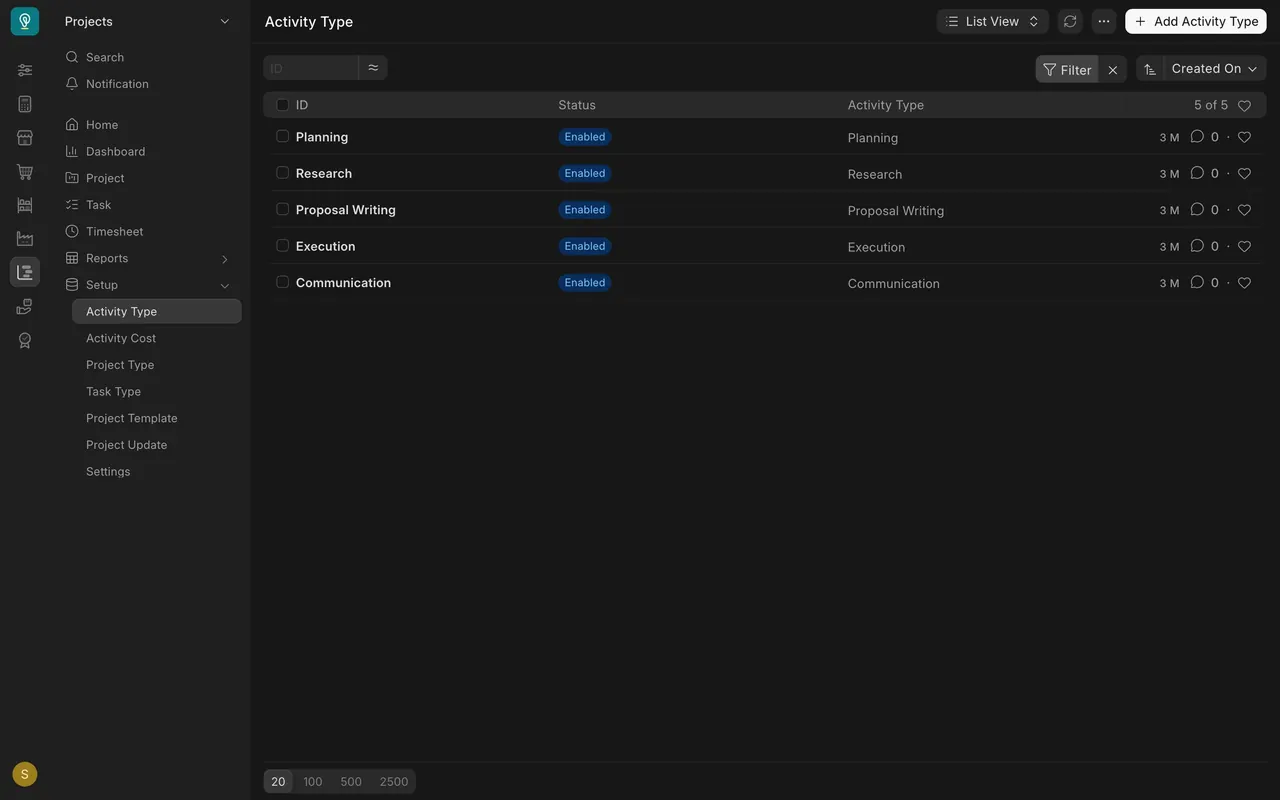
- Open Activity Type in the Projects module to see the kinds of work.
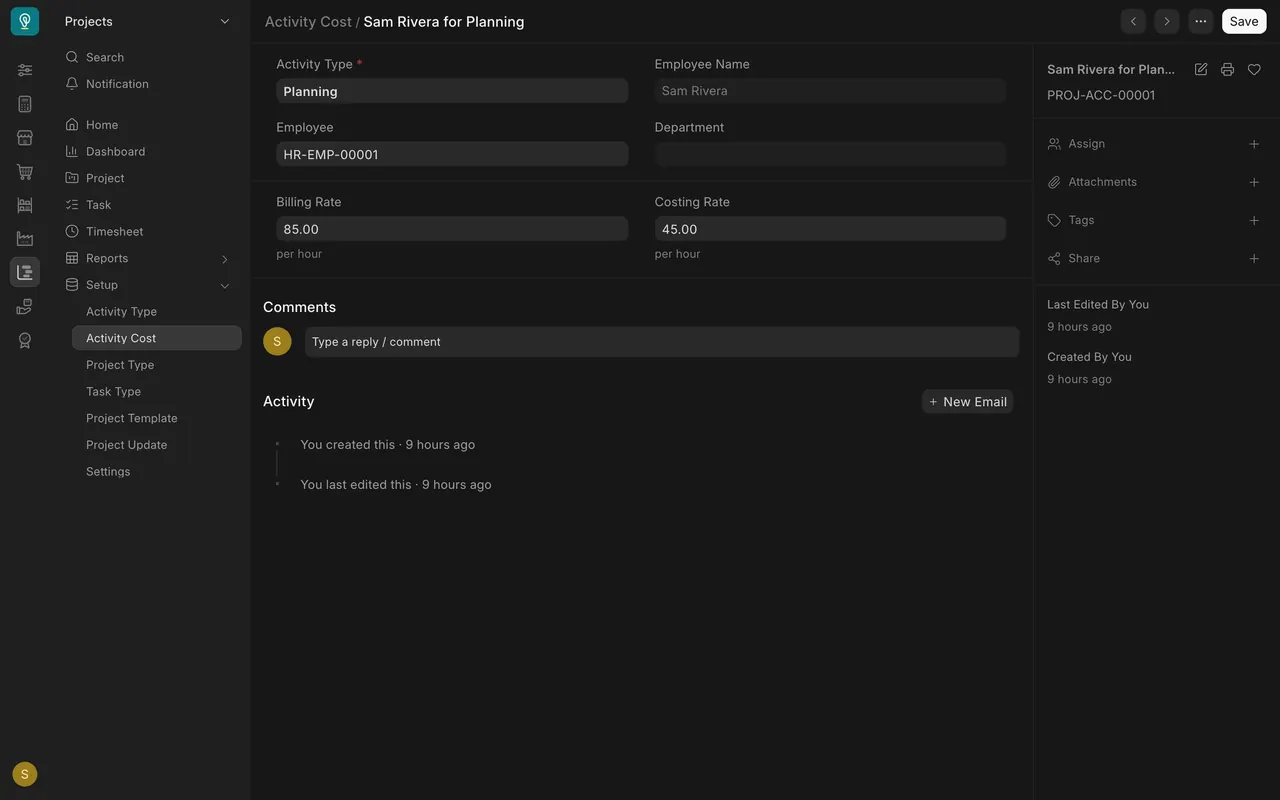
- Open Activity Cost. Each record gives an employee a Billing Rate and a Costing Rate per hour. Here: $85 and $45.
Step 2. Log the time
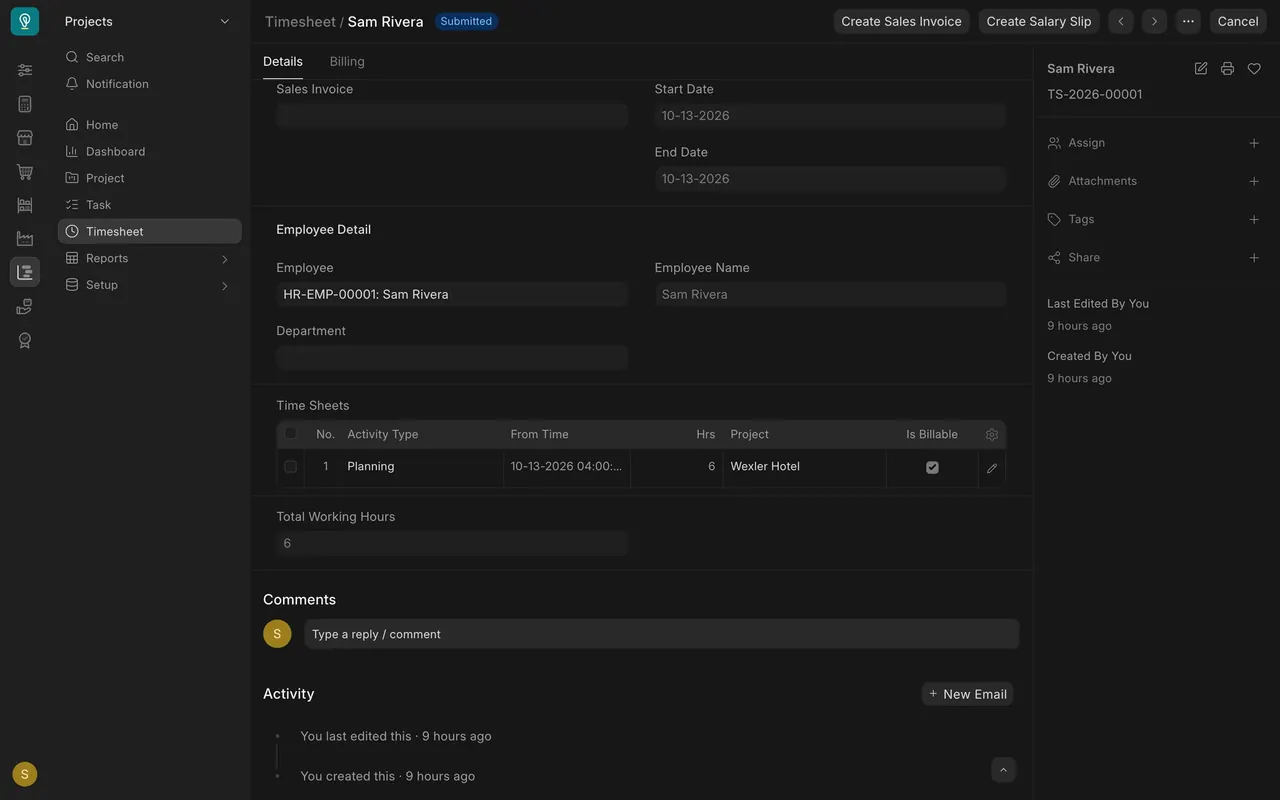
- Open Timesheet. Each row under Time Sheets has an activity type, hours and a project. Tick Is Billable for hours you bill.
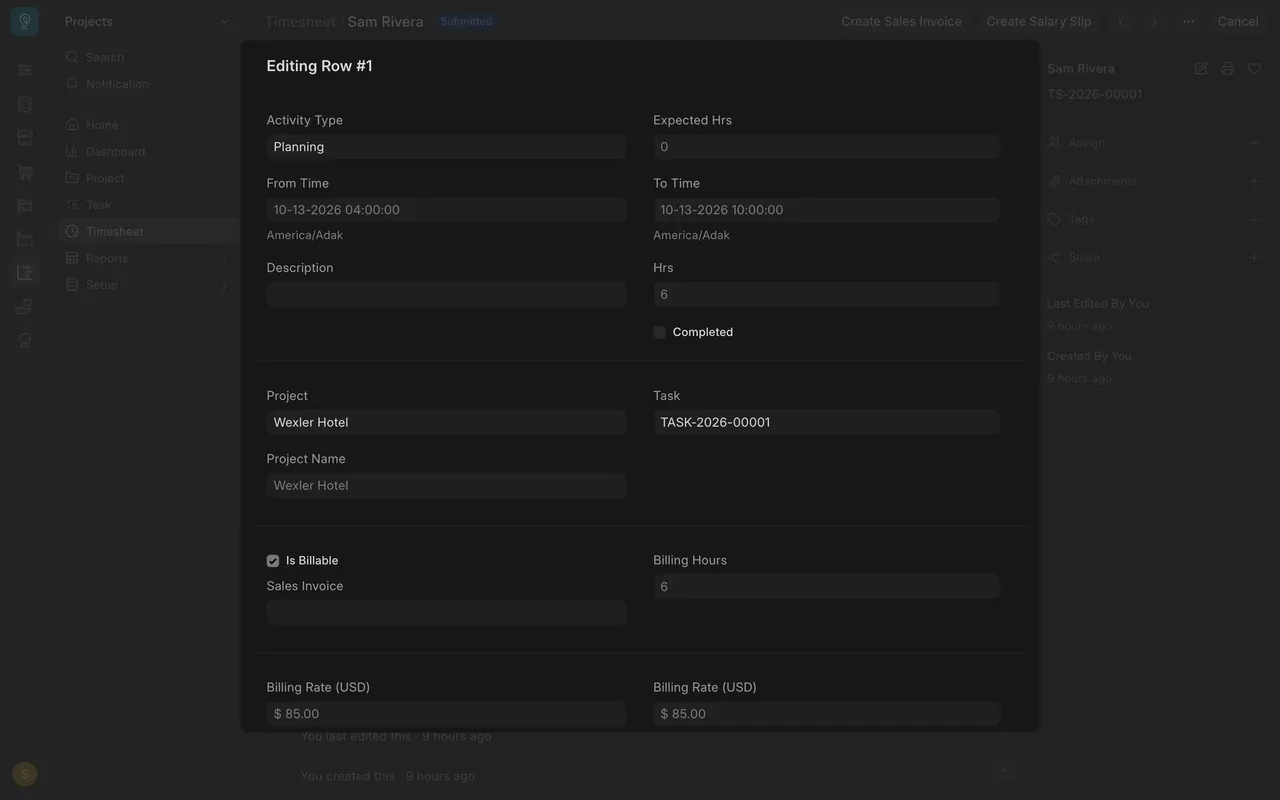
- Open the row for the Task and the billing hours and rate.
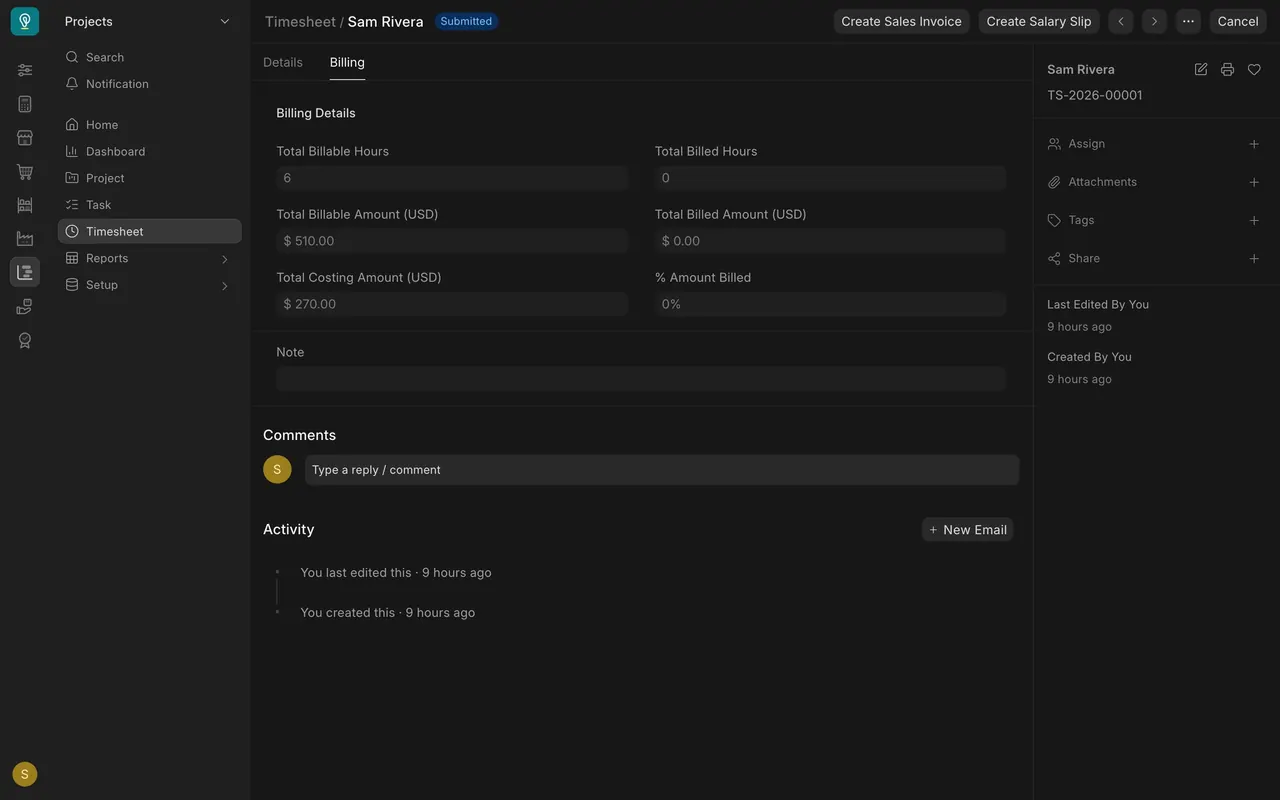
- The Billing tab: 6 hours bill at $510 and cost $270.
Step 3. Tag the purchase
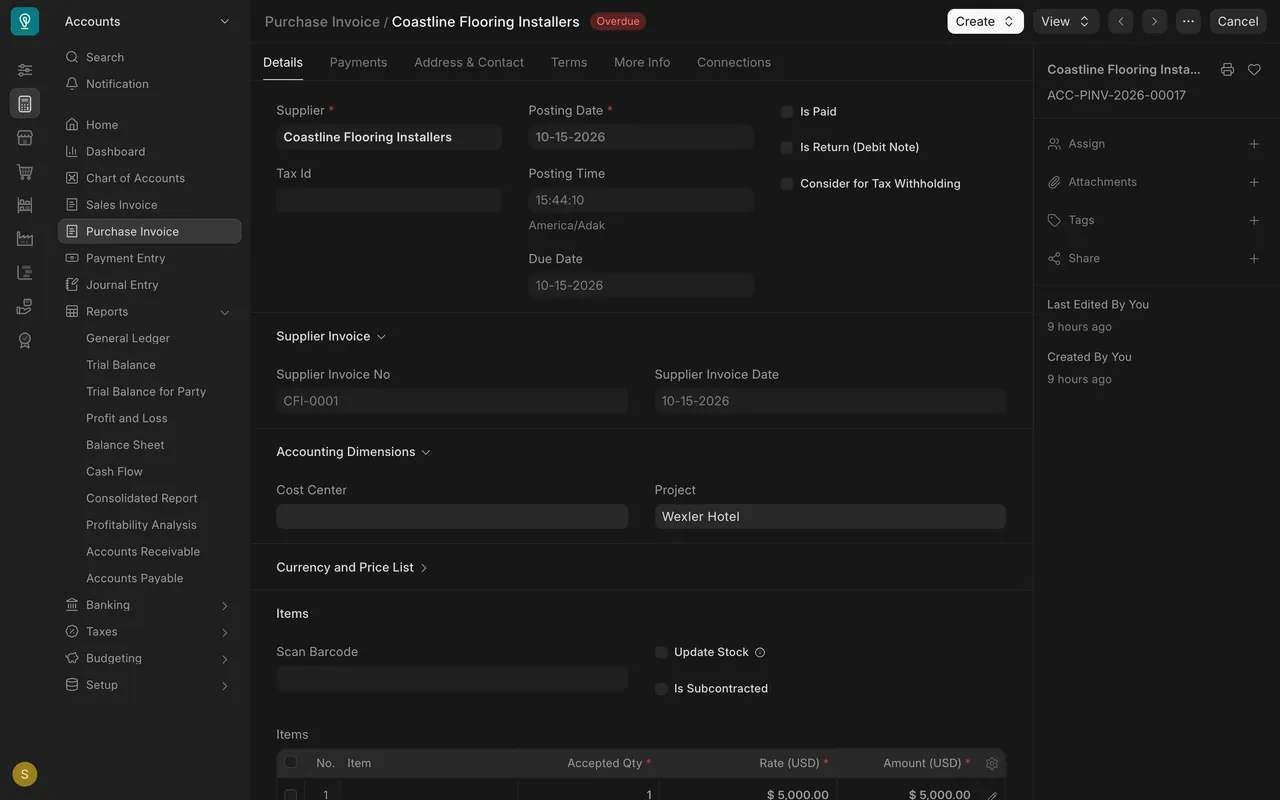
Under Accounting Dimensions on a purchase invoice, set Project.
Step 4. Read the project
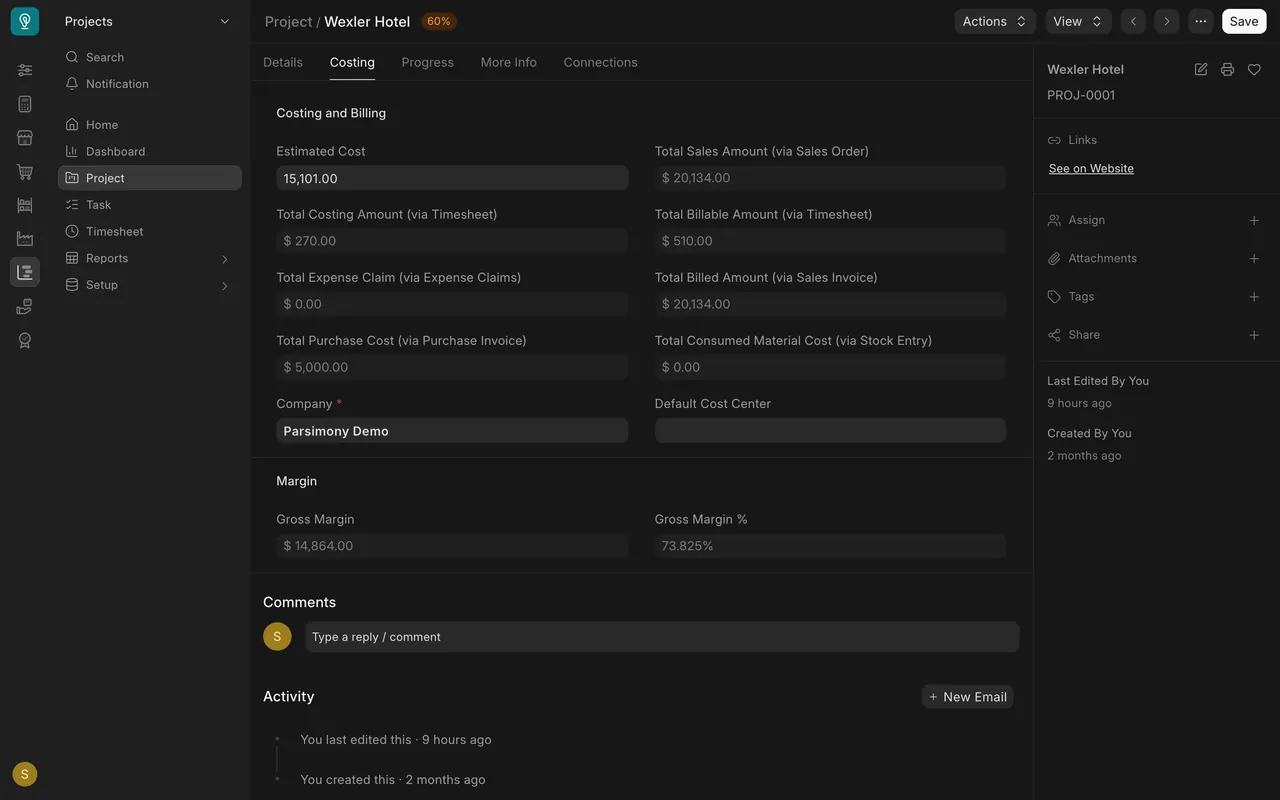
On the project's Costing tab: Total Costing Amount, Total Billable Amount and Total Purchase Cost.
What you may see on your own site
- Your own activity types, employees and rates.
- Hours or purchases with no project never show on a project.
Common mistakes
- Leaving Project empty on a timesheet row or purchase invoice.
- Forgetting to tick Is Billable on hours you want to bill.
- Having no Activity Cost for the employee and activity, so the rates are empty.
Check yourself
3 quick questions.
1. Where do the billing and costing rates per hour come from?
2. A timesheet has six billable hours, billing rate 85 and costing rate 45. What is the Total Billable Amount?
3. How does a subcontractor's purchase invoice reach a project's cost?