V16 Training · Projects · Lesson 6 of 6
Project profitability
This lesson shows how to read a project's revenue, cost and gross margin on its Costing tab, how to spot a thin job, and how the Gross Profit report compares projects. The screens use example data from a demo company that sells flooring.
Written guide
The idea
Revenue minus cost is the gross margin. A project collects its own numbers, so you can read the result on the project itself, without a spreadsheet.
Step by step
Step 1. Open the project
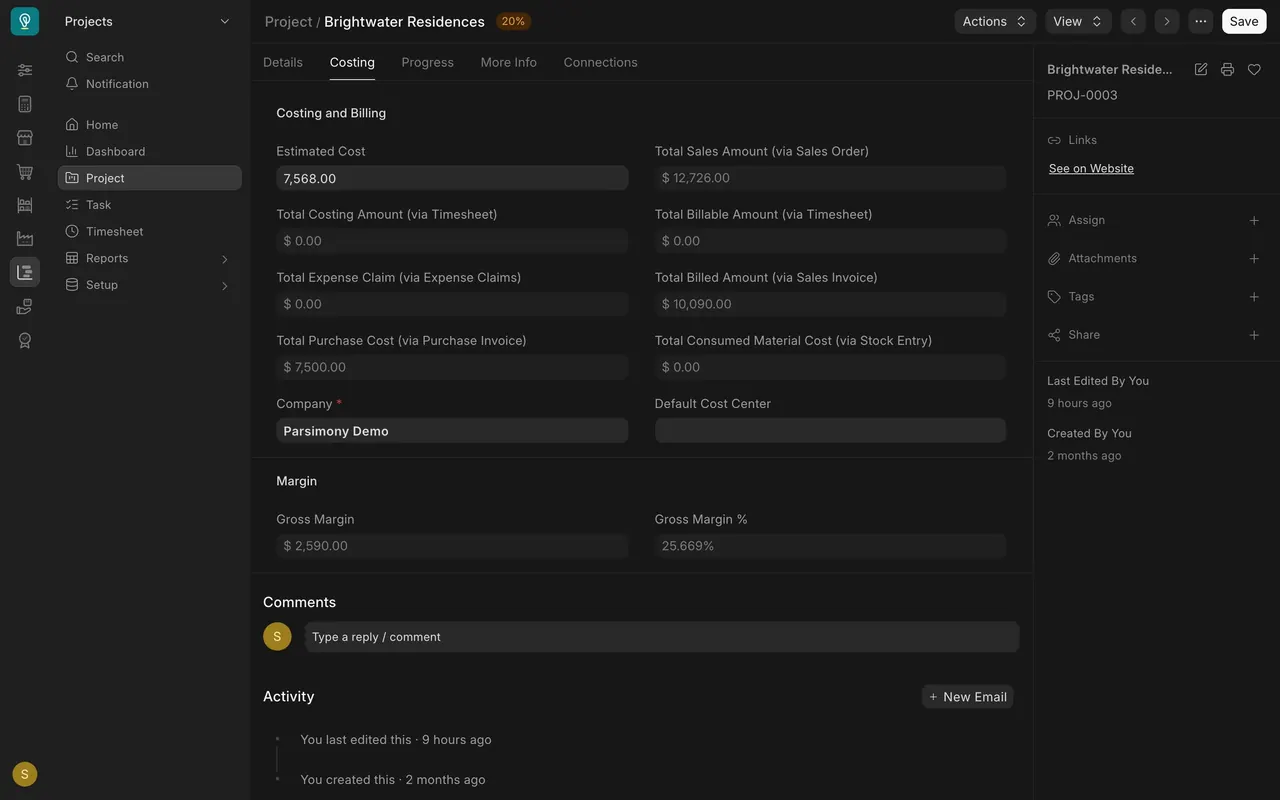
- Open the project, here Brightwater Residences, and click the Costing tab.
Step 2. Find the revenue
- Total Sales Amount is what the sales order promises: $12,726.00.
- Total Billed Amount is what you have invoiced so far: $10,090.00.
Step 3. Find the cost
- Timesheets, expense claims, purchase invoices and consumed materials each have a line.
- Here the only cost is Total Purchase Cost: $7,500.00.
Step 4. Read the margin
- Gross Margin is billed minus cost: $10,090.00 minus $7,500.00 is $2,590.00.
- Gross Margin % is that amount as a share of the billing: 25.669%.
A thin job against a healthy one
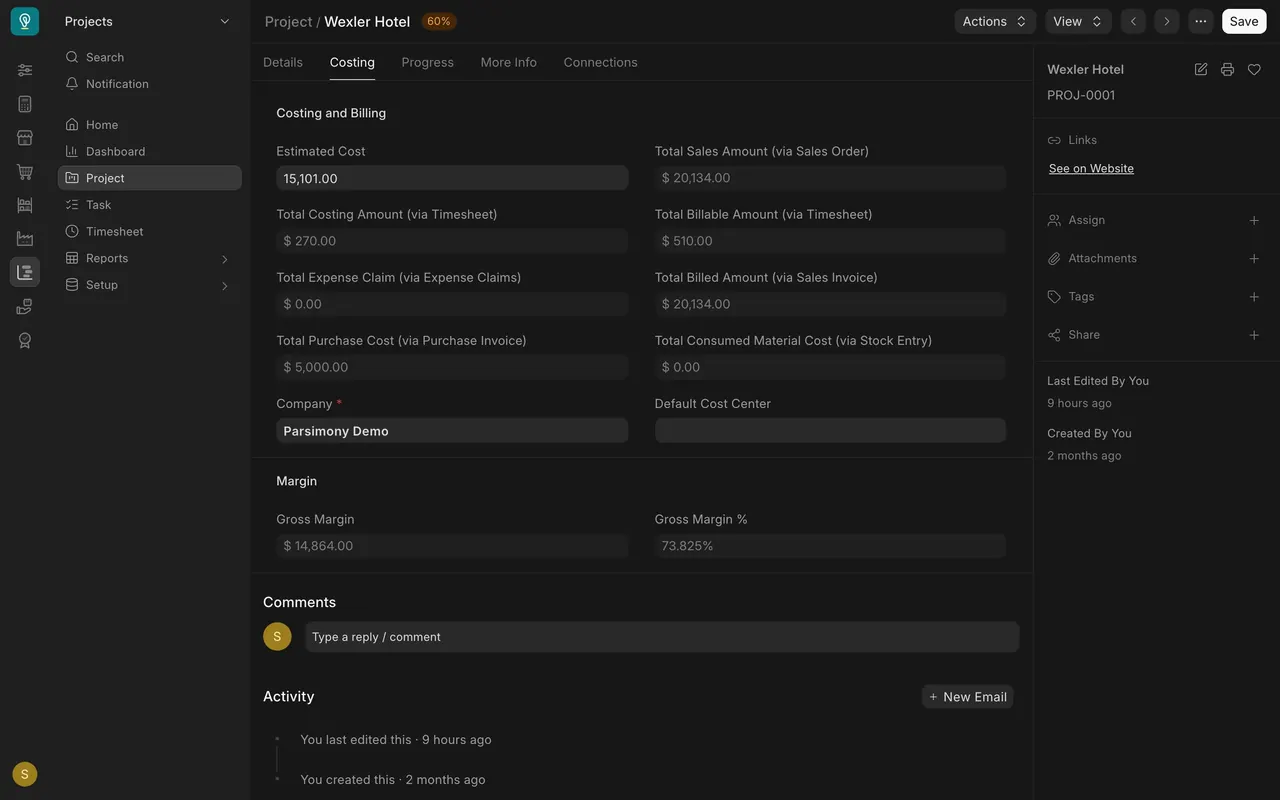
The Wexler Hotel project billed $20,134.00 against costs of $5,270.00 (timesheets $270.00 and purchase invoices $5,000.00). Its margin is $14,864.00, 73.825%.
Compare every project
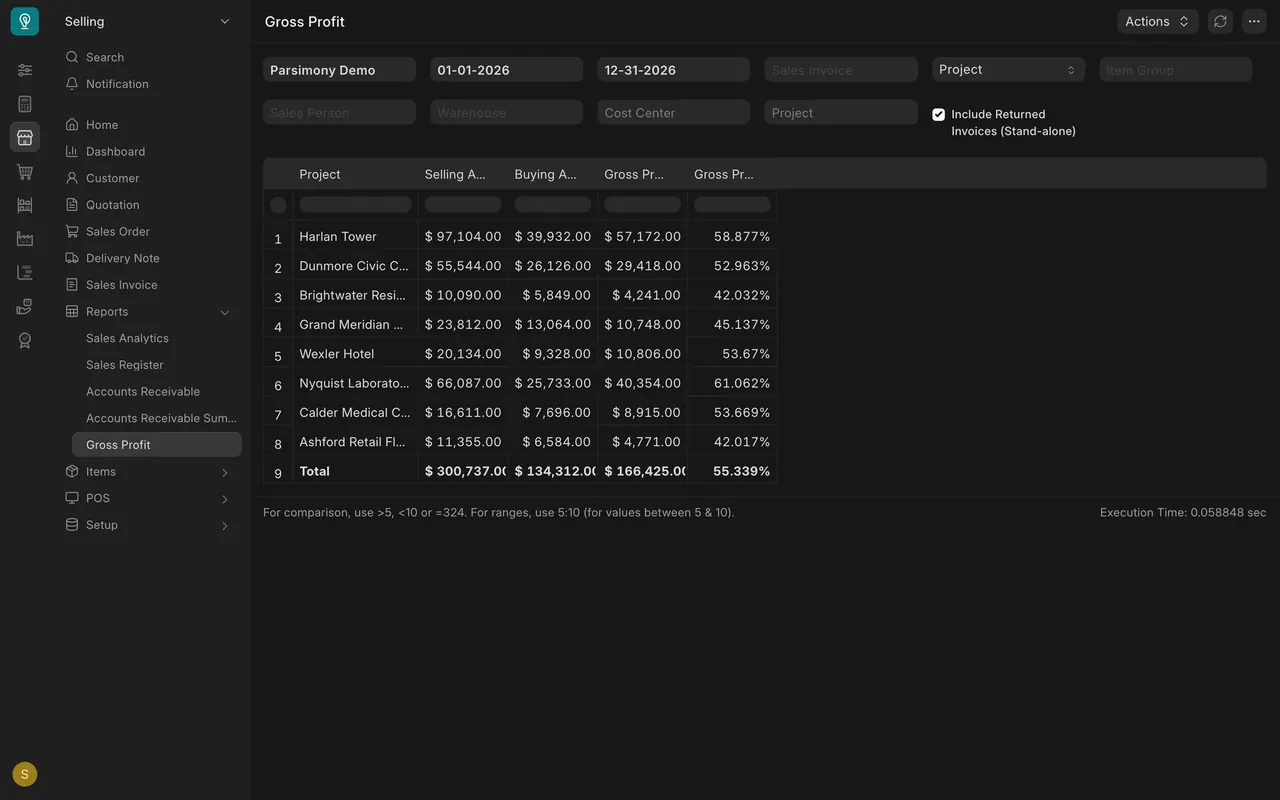
Open the Gross Profit report in the Selling reports and group it by project. Each row shows selling, buying and gross profit.
What you may see on your own site
- Your cost lines depend on what your team links to each project: timesheets, expense claims and purchase invoices. A cost that is not linked does not reach the margin.
- The Gross Profit report uses its own buying amount, so its percentage can differ from the project's. Say which report you quote.
Common mistakes
- Forgetting to link a purchase invoice or timesheet to the project. The margin then looks better than the job really is.
- Comparing a margin from one report with a margin from another.
- Judging a job only by billing. Look at the cost lines too.
Check yourself
3 quick questions.
1. What is gross margin on the project's Costing tab?
2. Where do a project's cost lines come from?
3. Brightwater Residences shows about 26% on the project and about 42% in the Gross Profit report. What should you do when you quote a margin?