V16 Training · Month-End Close · Lesson 6 of 6
The month-end checklist
This lesson walks the order of a month-end, from the first check to locking the month.
Written guide
The idea
A month-end is the same short walk every month: finish the documents, match the bank, chase what is owed, check stock against accounts, read the reports, and lock the period. Doing it in this order means each step trusts the one before. The screens use example data from a demo company that sells flooring. Your own Parsimony site shows your company's numbers.
Step by step
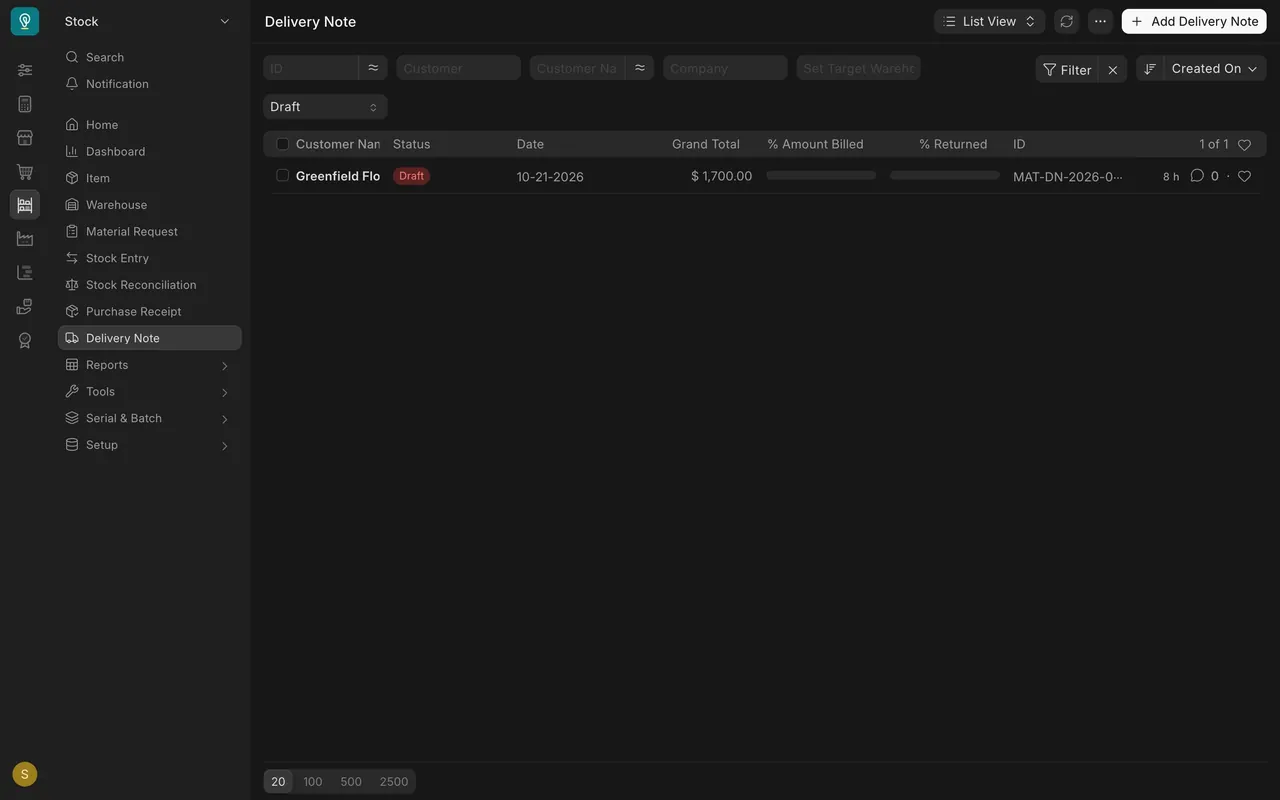
- Submit everything dated in the month. Open a document list, such as Delivery Note, and set the status to Draft. In this example one delivery note is still a draft for $1,700.00. A draft has not reached your books, so submit it or delete it.
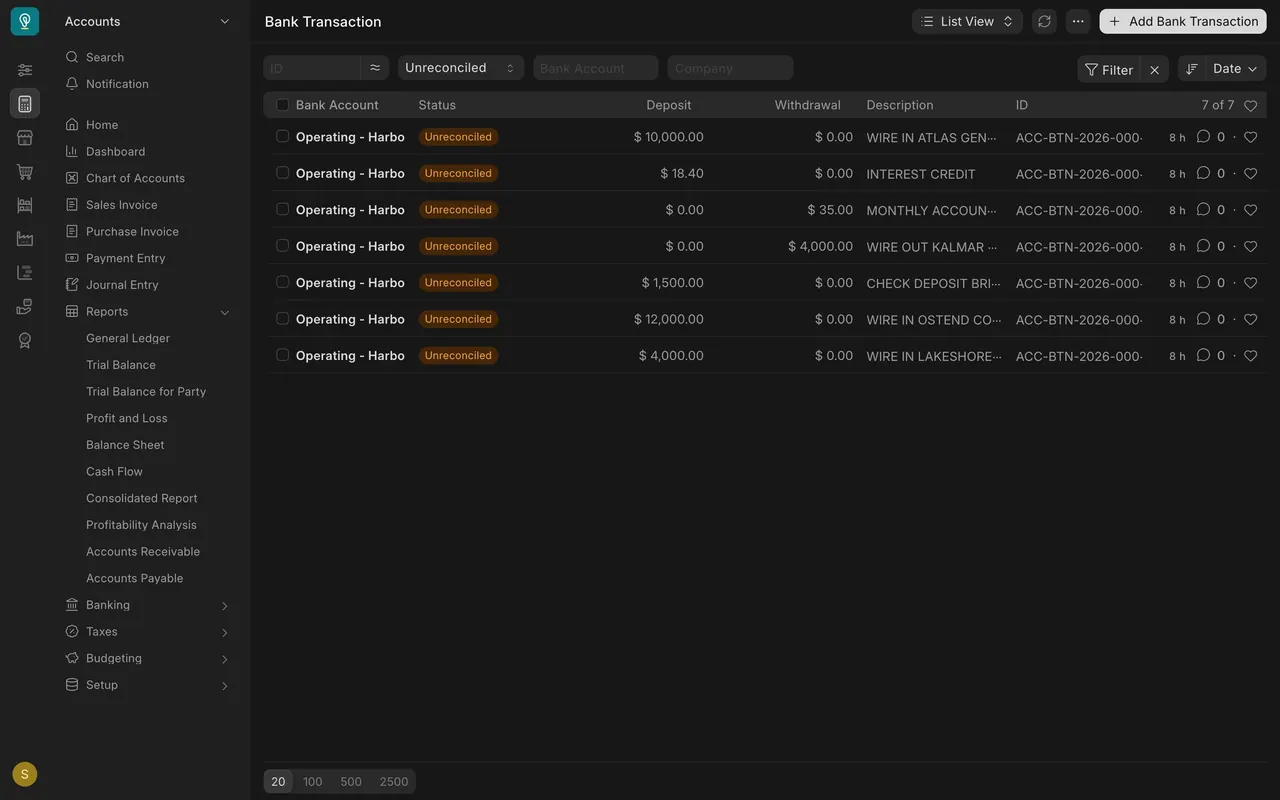
- Reconcile the bank and your payments. In the Bank Transaction list, set the status to Unreconciled. Here seven bank lines still wait for a match. Payment Reconciliation matches a customer's payments to their open invoices. Lessons one and two cover both.
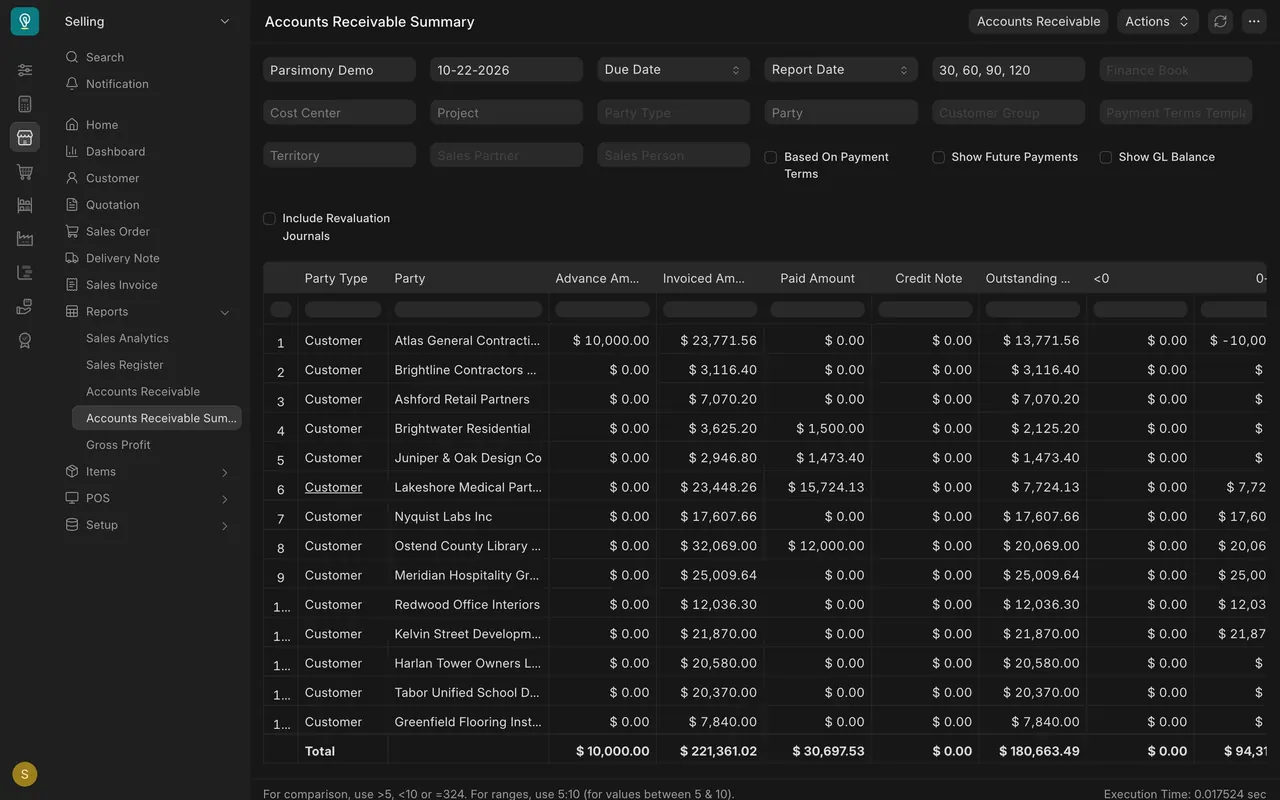
- Chase what is overdue. Open Accounts Receivable Summary and see who still owes you; the total outstanding in this example is $180,663.49. Lesson three shows the reminder, and lesson four covers sales tax.
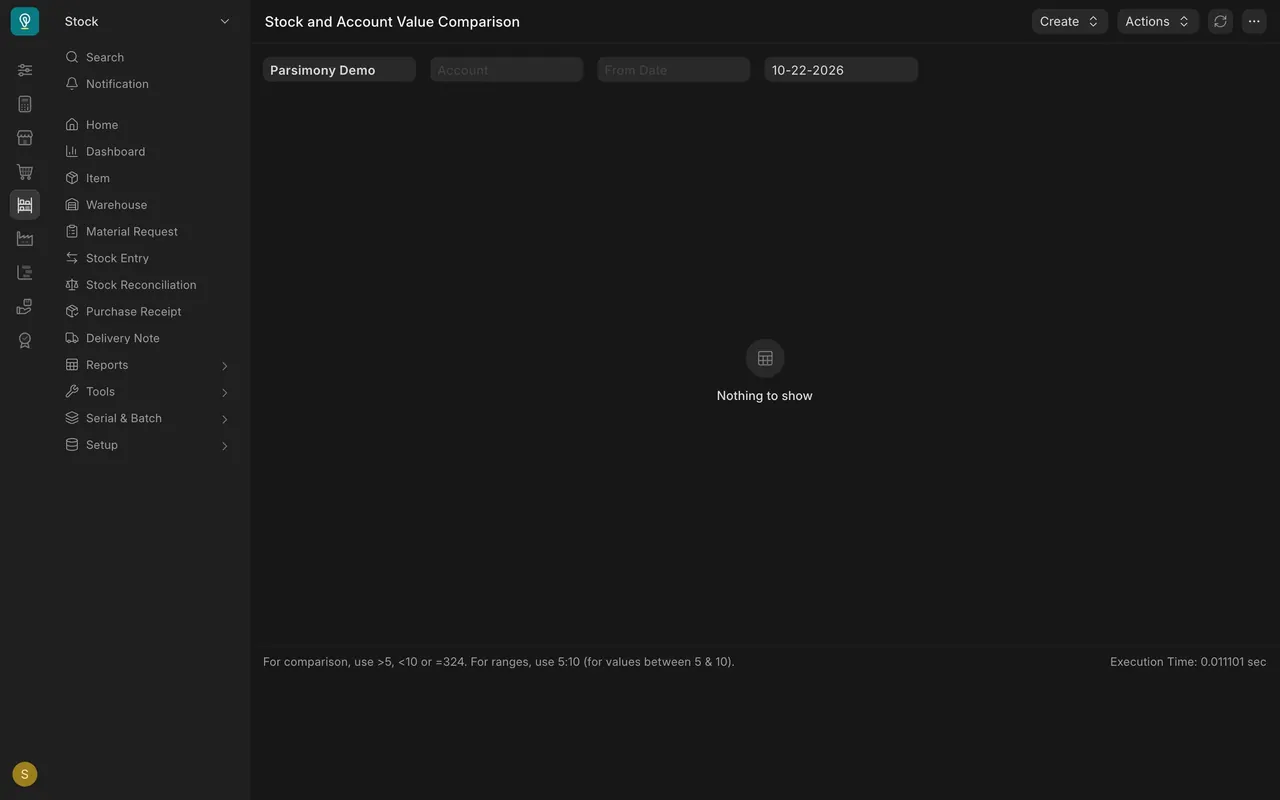
- Check stock against your accounts. Open Stock and Account Value Comparison. It lists any entry where the stock value and the account value differ. In this example it says Nothing to show.
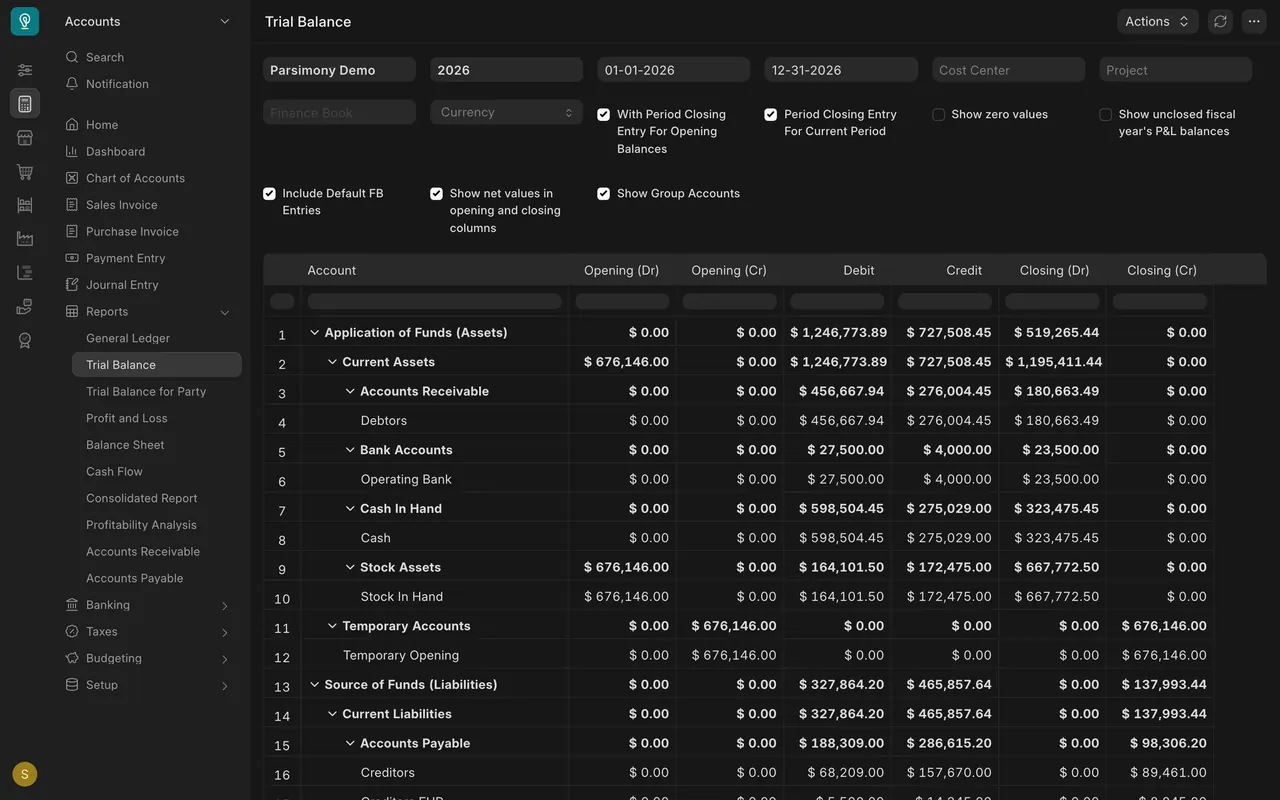
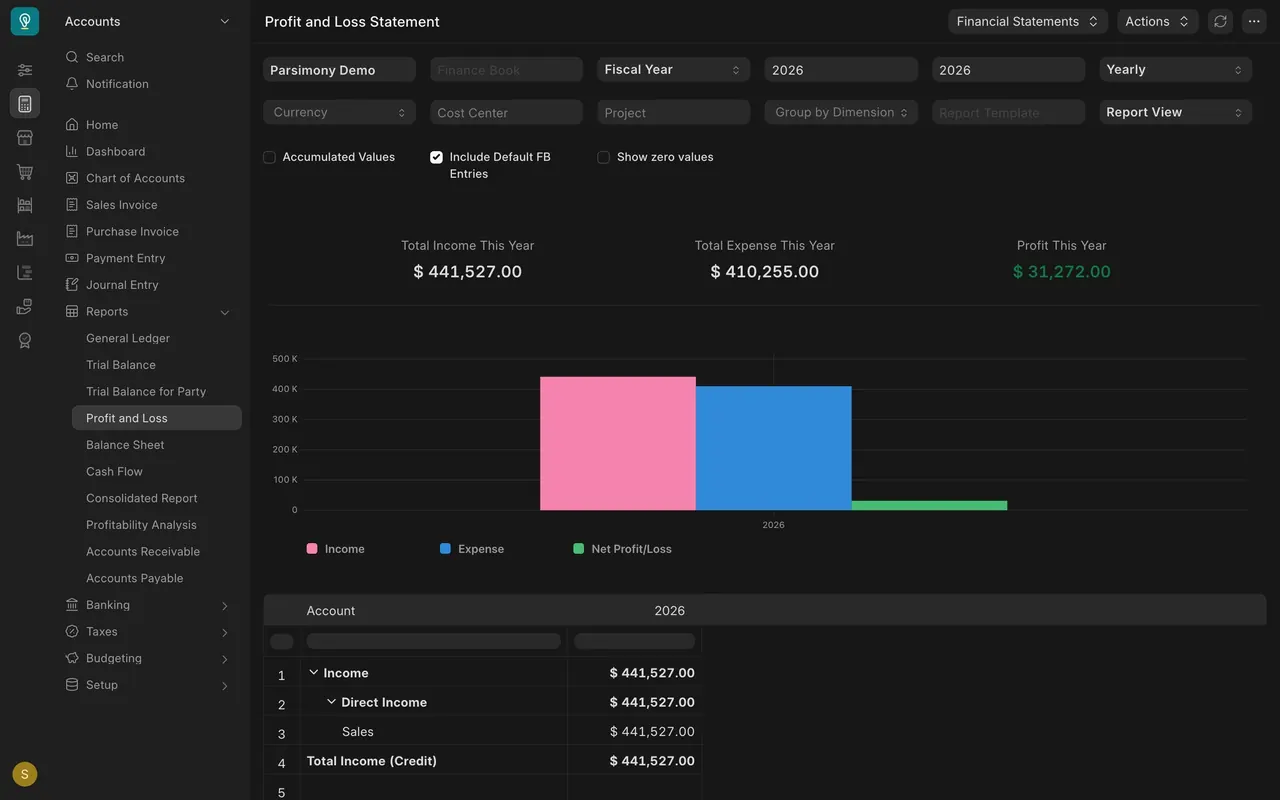
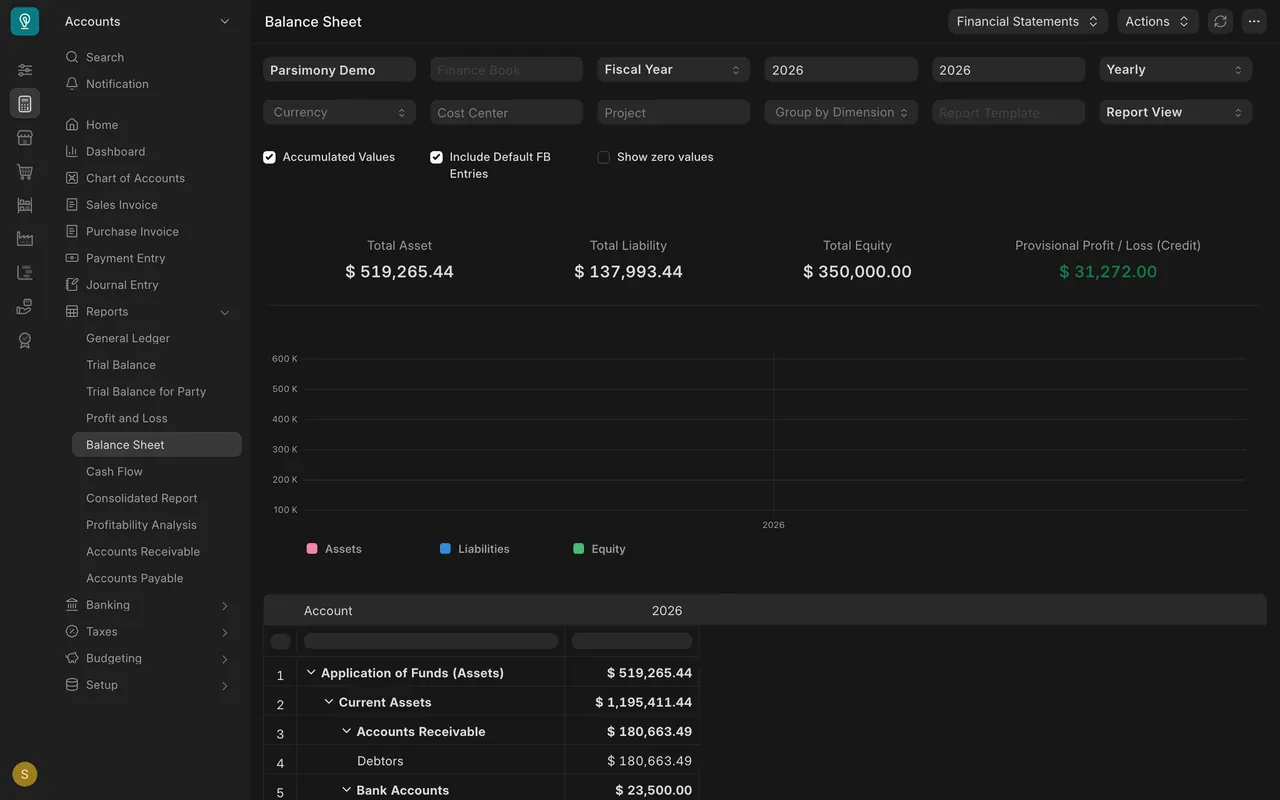
- Review three reports. The Trial Balance lists every account with its debits and credits (Operating Bank ends at $23,500.00). Profit and Loss shows income of $441,527.00 and a profit of $31,272.00 for the year. The Balance Sheet shows total assets of $519,265.44 and the same profit.
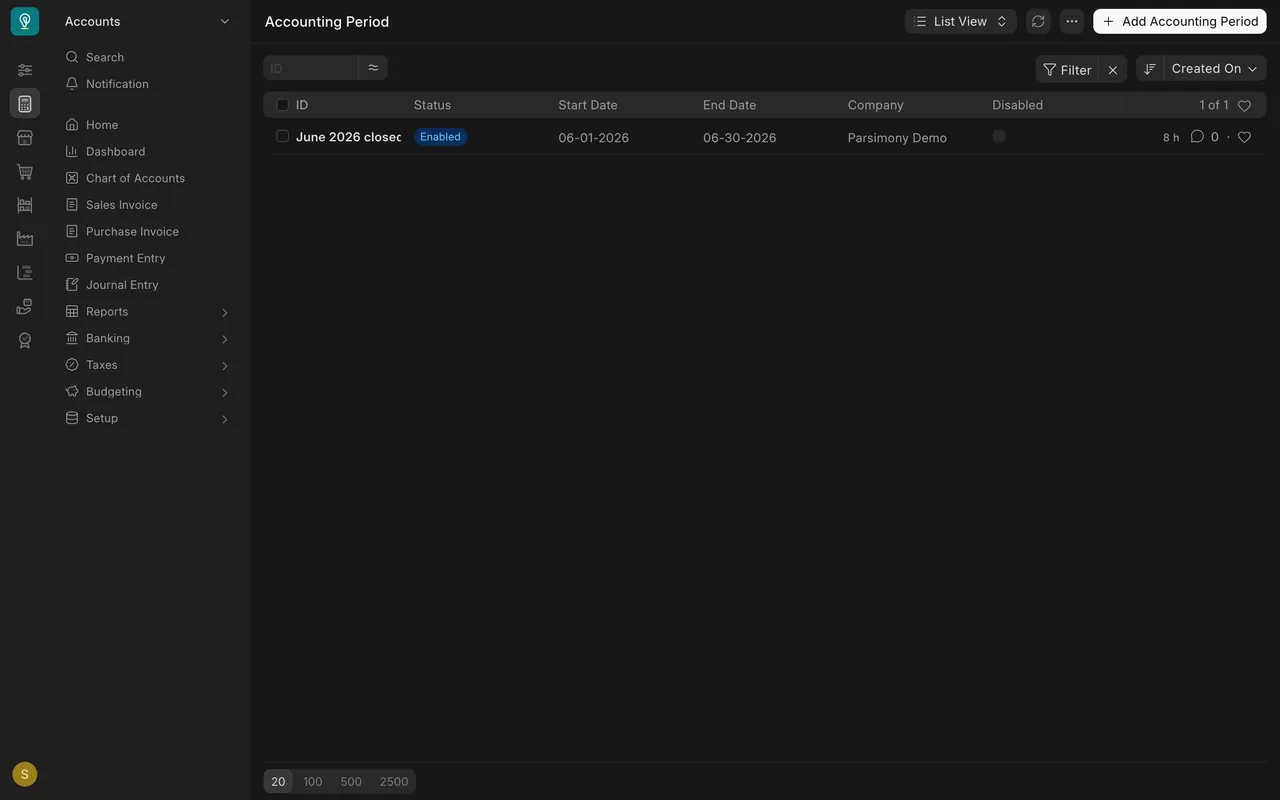
- Lock the period. The Accounting Period list shows the months you have locked. Here June 2026 is enabled, so nobody can post into it. Lesson five shows how.
What you may see on your own site
- Your company, dates, accounts and totals are your own.
- Reports may open on a different fiscal year; check the year boxes at the top.
- If you do not track stock in your accounts, the stock comparison may have nothing to show.
Common mistakes
- Locking before the drafts are submitted. Check the Draft lists first.
- Reading a report for the wrong year or company. Look at the filter boxes.
- Skipping the reconciliation. Unmatched bank lines make the bank balance wrong.
- Locking too early. Lock only after the three reports look right.
Check yourself
3 quick questions.
1. Why filter a document list to Draft first?
2. What should the Stock and Account Value Comparison list when your stock and accounts agree?
3. When do you lock the period?