V16 Training · Month-End Close · Lesson 2 of 6
Payment reconciliation
This lesson shows how to match a customer's payment to its invoice in Payment Reconciliation, and what the Difference Account is for.
Written guide
The idea
Sometimes a customer pays in advance, or pays without naming an invoice. The payment sits in your books as an advance, and the customer still looks overdue. The Payment Reconciliation tool lines the payment up with the open invoice, so the books show who owes what.
The screens use example data from a demo company. Your own site shows your own customers.
Step by step
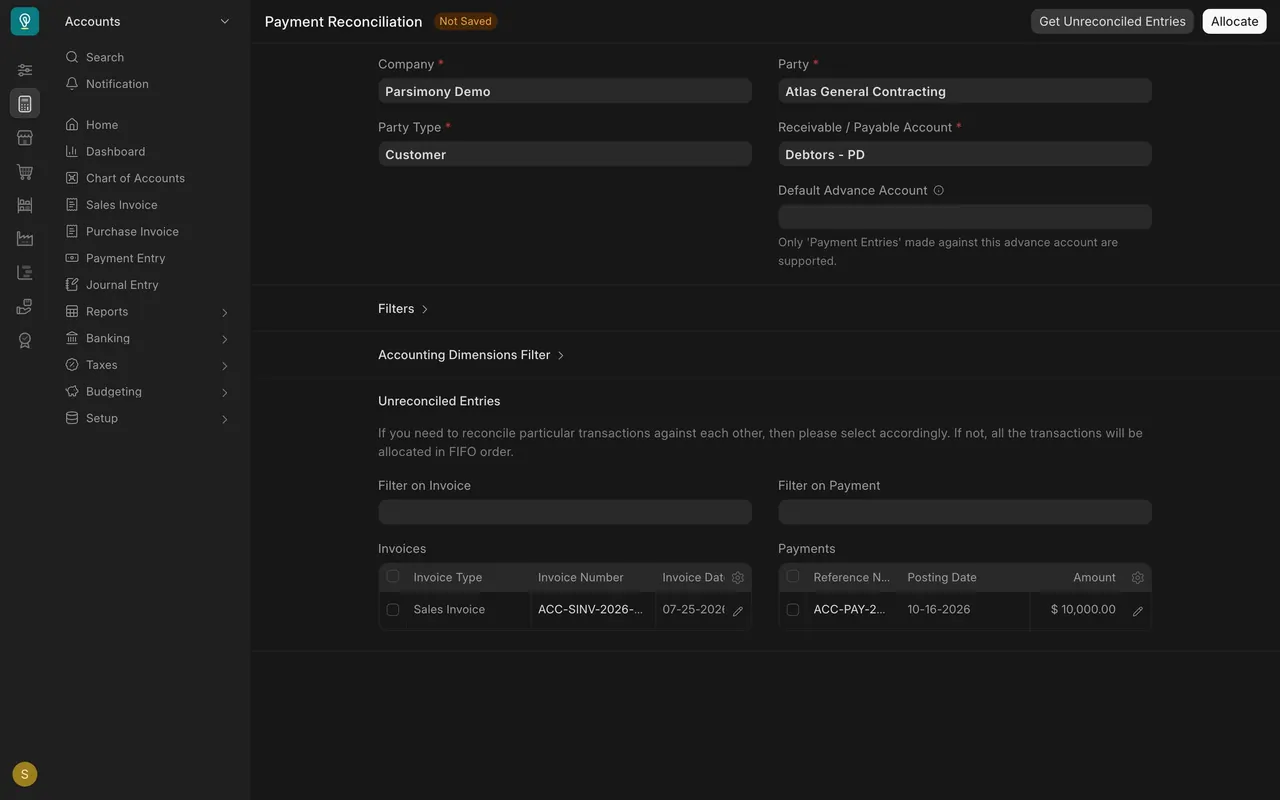
- Pick the party. Open Payment Reconciliation. Choose Party Type (here Customer), then the party. Receivable / Payable Account fills itself in.
- Get the entries. Press Get Unreconciled Entries. Open invoices show on the left, and unmatched payments on the right.
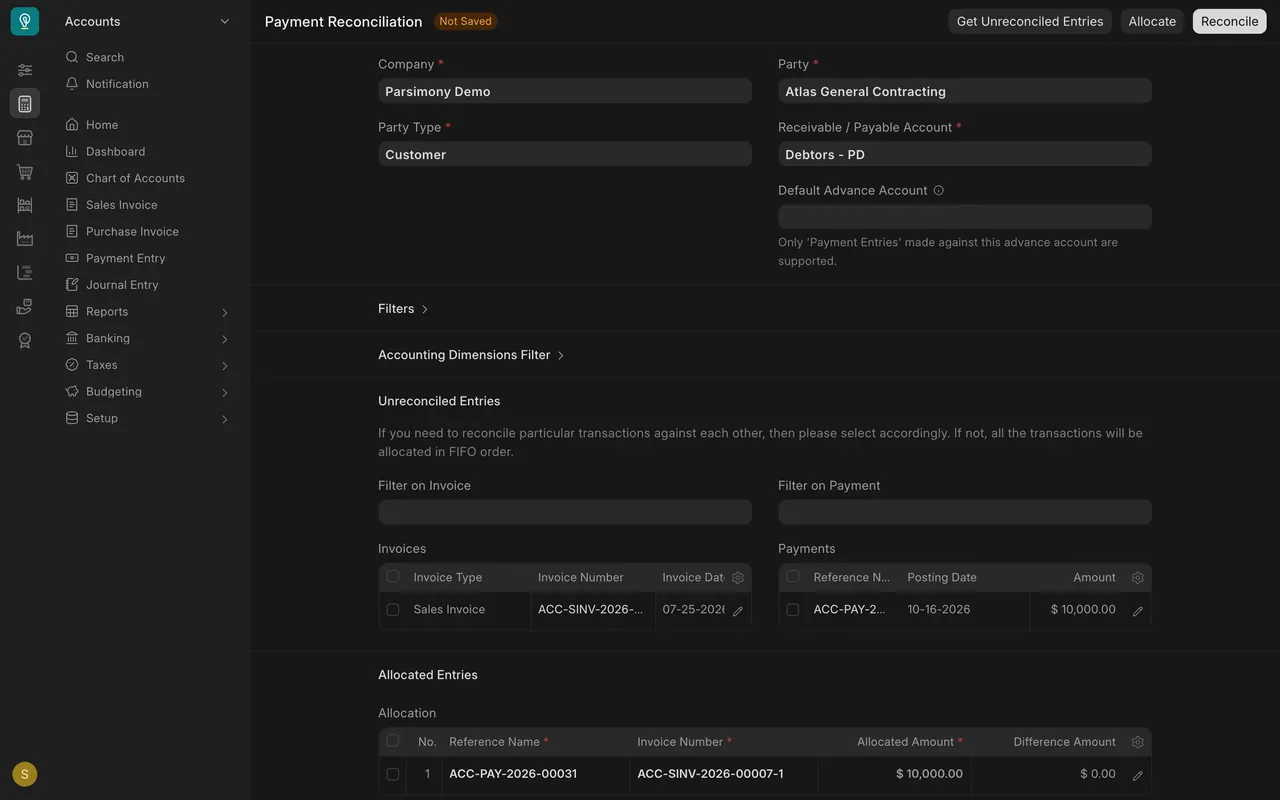
- Allocate. Check the invoice and the payment, then press Allocate. If you check nothing, Parsimony matches the oldest invoices first.
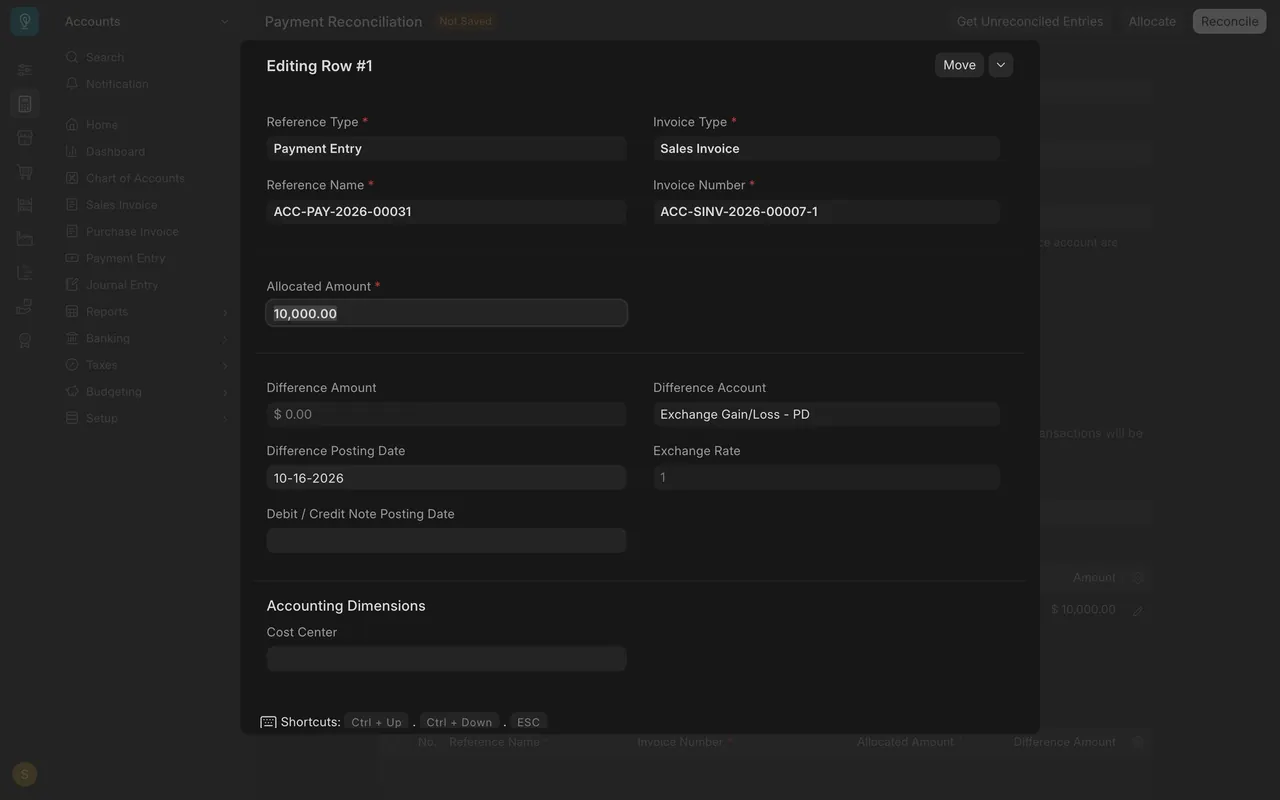
- Read the Allocation table. Each row pairs a payment with an invoice, with the Allocated Amount. Open a row to see the Difference Amount and the Difference Account.
- Reconcile. When every row is right, press Reconcile. That posts the match. The lesson stops before this button.
Common mistakes
- Reconciling before reading the Allocated Amount in every row.
- Forgetting to press Get Unreconciled Entries again after you change the party.
- Checking the wrong invoice when a customer has several open.
Check yourself
3 quick questions.
1. A customer paid ten thousand dollars in advance and the invoice is still open. Which tool matches them?
2. You press Allocate with no rows checked. What happens?
3. Which button posts the match to your books?