V16 Training · Items and Pricing · Lesson 5 of 6
Pricing rules
This lesson shows you how a pricing rule gives a customer a percentage off, and when to use a price list instead.
Written guide
The idea
A price list holds a fixed price for each item. A pricing rule holds a percentage, tied to a quantity, a customer, or both. When you add an item line to a quotation, Parsimony checks the rules and, if one matches, fills in the line's discount for you.
The screens use example data from a demo company that sells flooring. Your own Parsimony site shows your own rules.
Step by step
Open the rules
- In the Selling sidebar, open Items, then Pricing Rule.
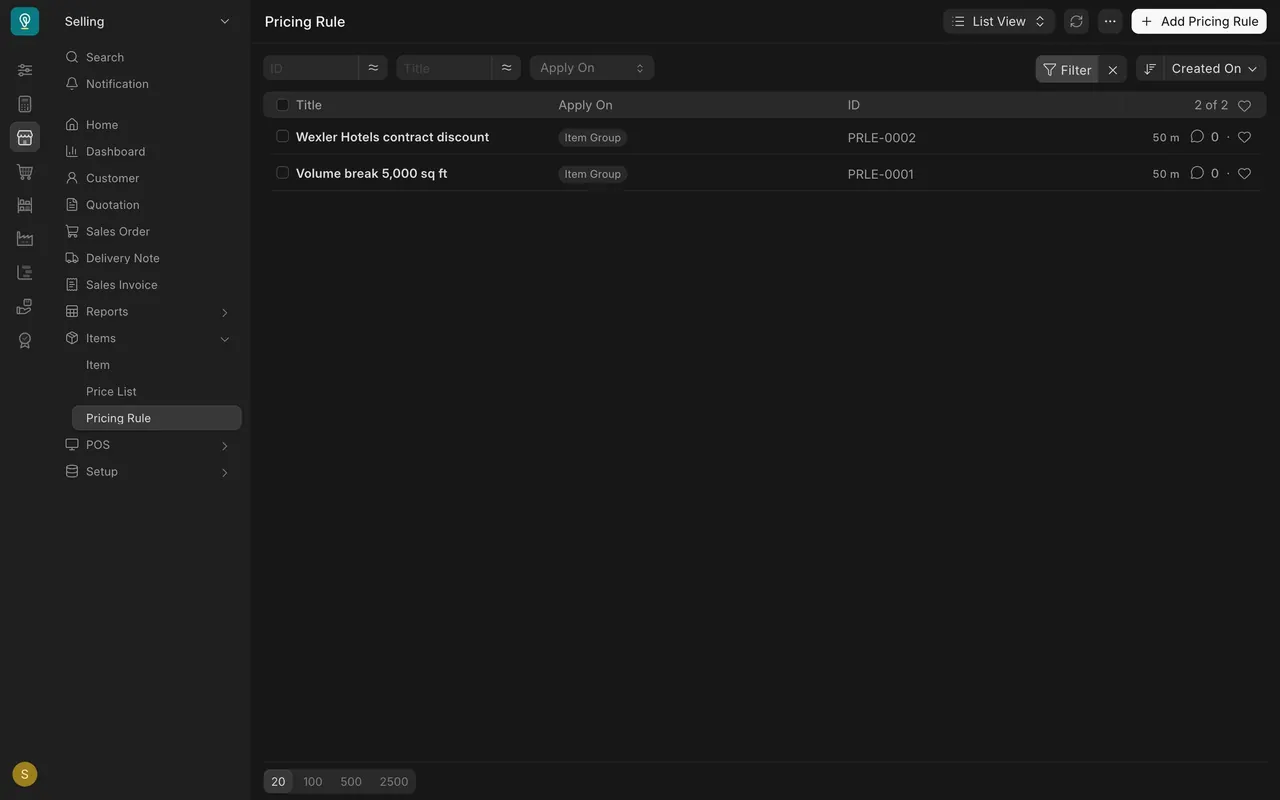
- Here the demo company has two rules: a volume break and a customer rule.
Read the volume break
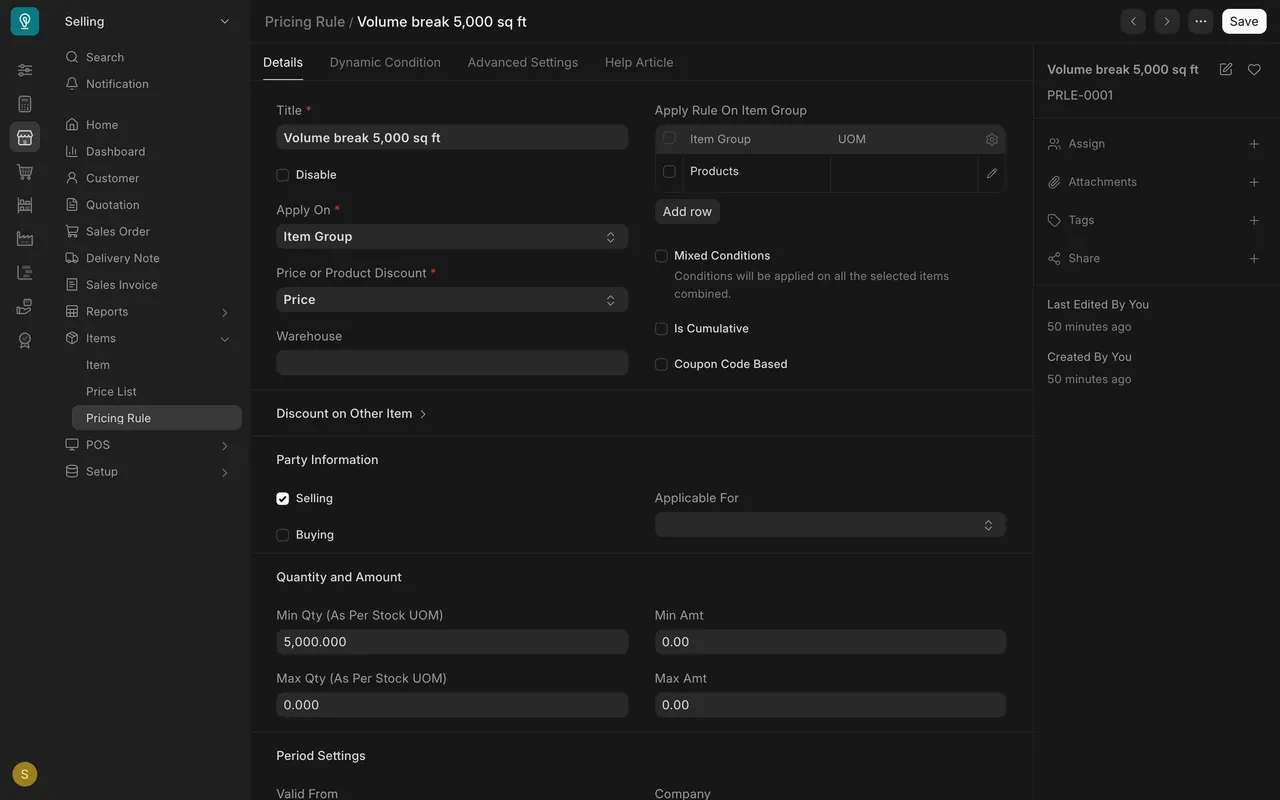
- Step 1. Say what the rule applies on. Apply On is Item Group, and the group is Products, so every product counts.
- Step 2. Say when it applies. Under Quantity and Amount, Min Qty is 5,000. A line of 5,000 square feet or more qualifies. Applicable For is empty, so the rule names no customer and anyone can get it.
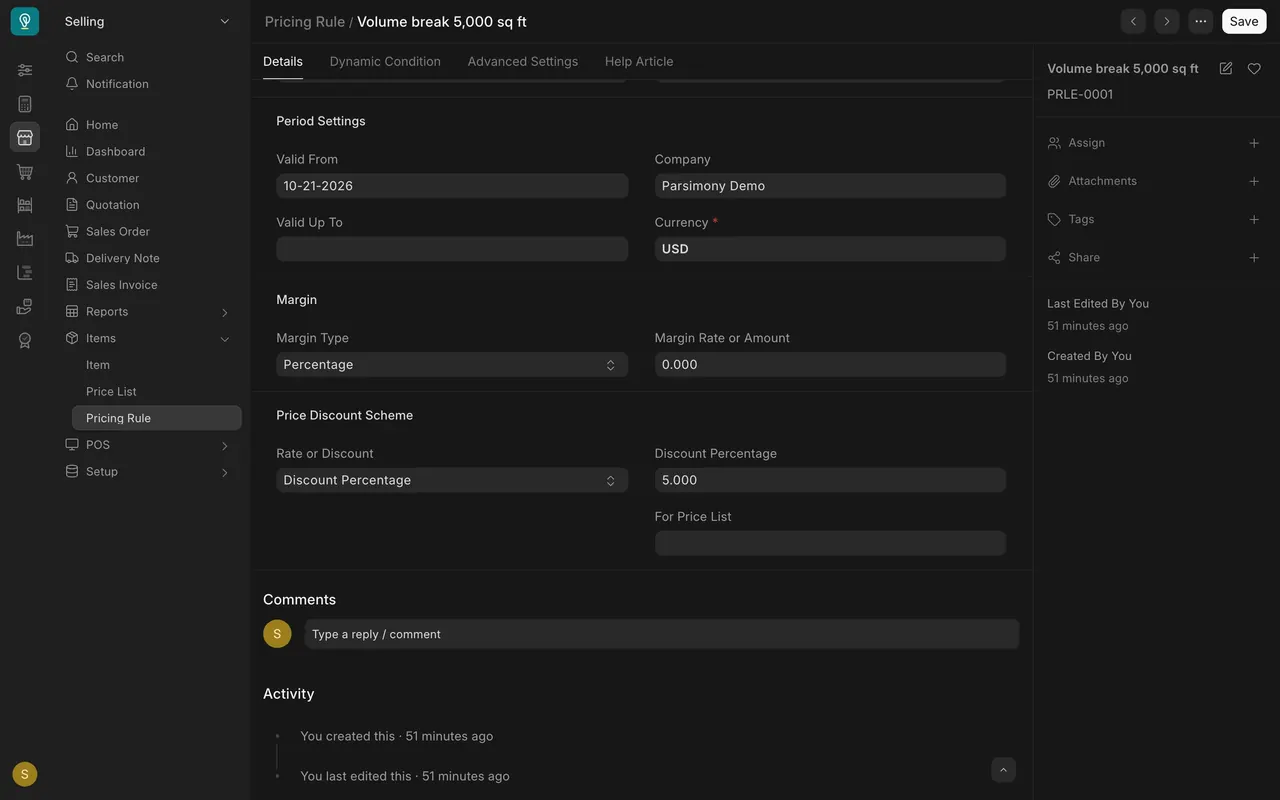
- Step 3. Choose the reduction. Rate or Discount is Discount Percentage, and the box says 5.
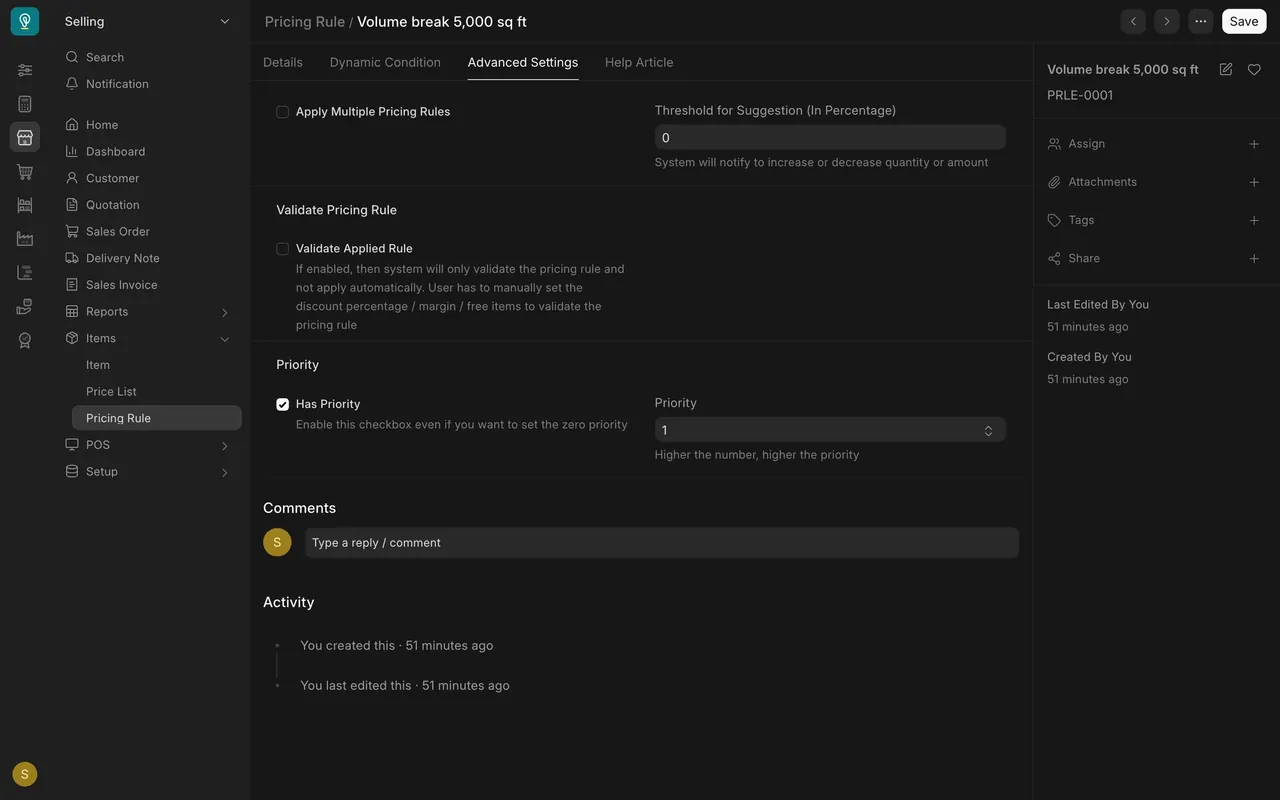
- Step 4. Set the priority. On the Advanced Settings tab, Has Priority is ticked and Priority is 1. Higher the number, higher the priority.
Read the customer rule
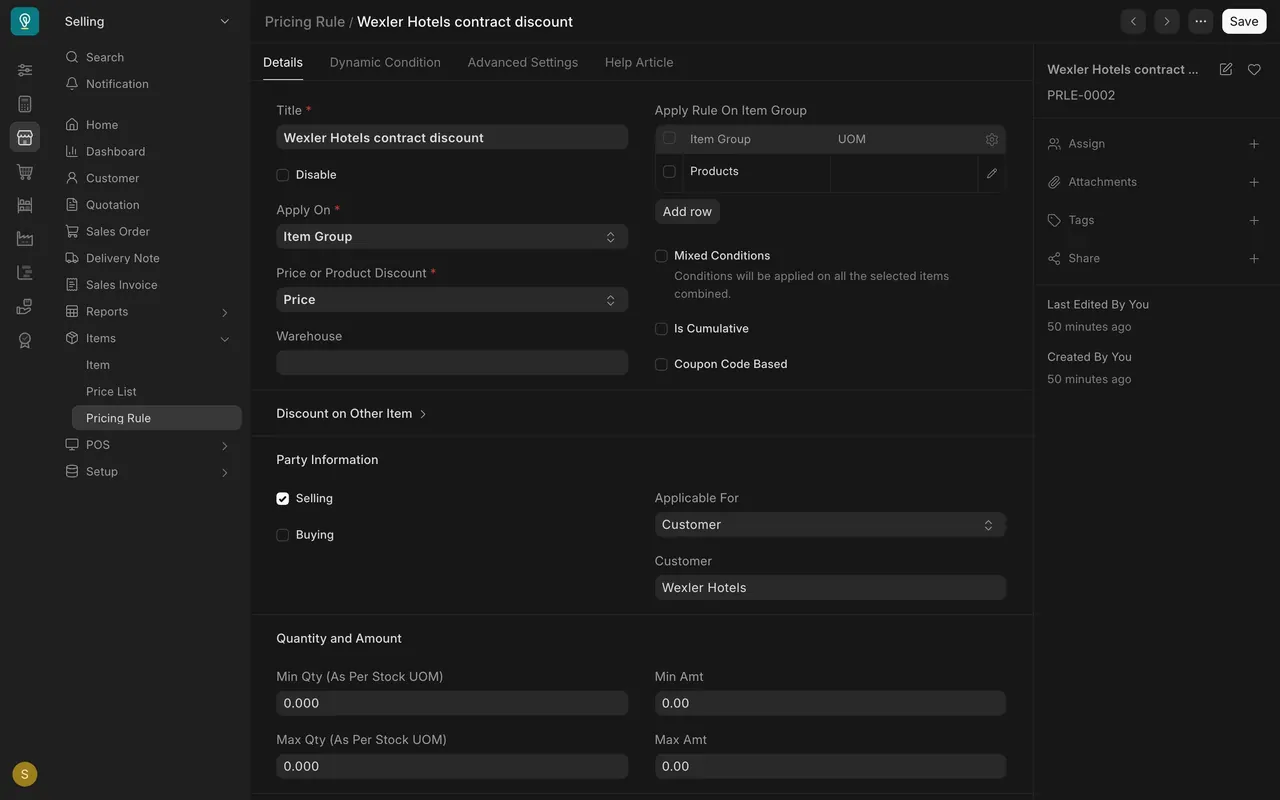
The second rule has Applicable For set to Customer, and the customer is Wexler Hotels. Its Discount Percentage is 3 and its Priority is 2. When both rules match one line, the higher priority wins. Apply Multiple Pricing Rules is off, so only one rule applies.
See it on a quotation
- Add an item line to a quotation. Parsimony checks every rule.
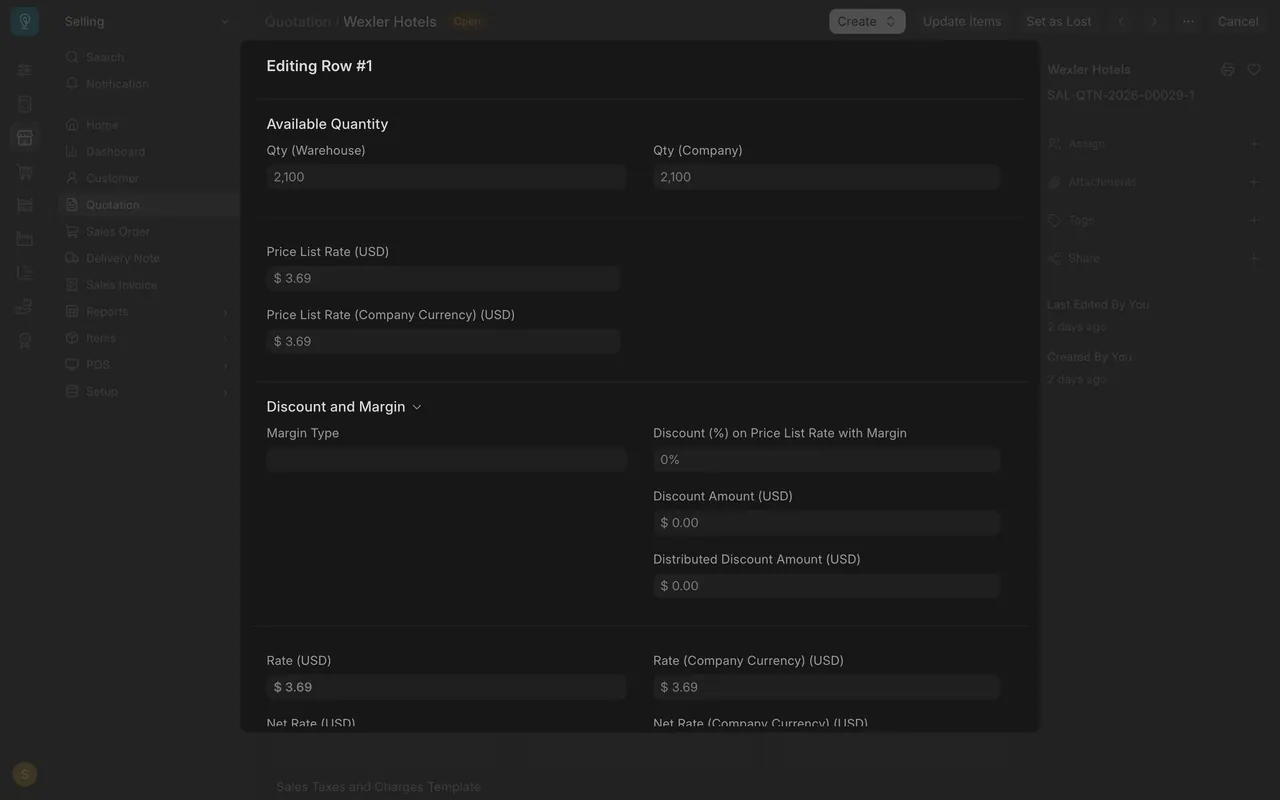
- If a rule matches, the line's Discount (%) fills in and the rate drops to match.
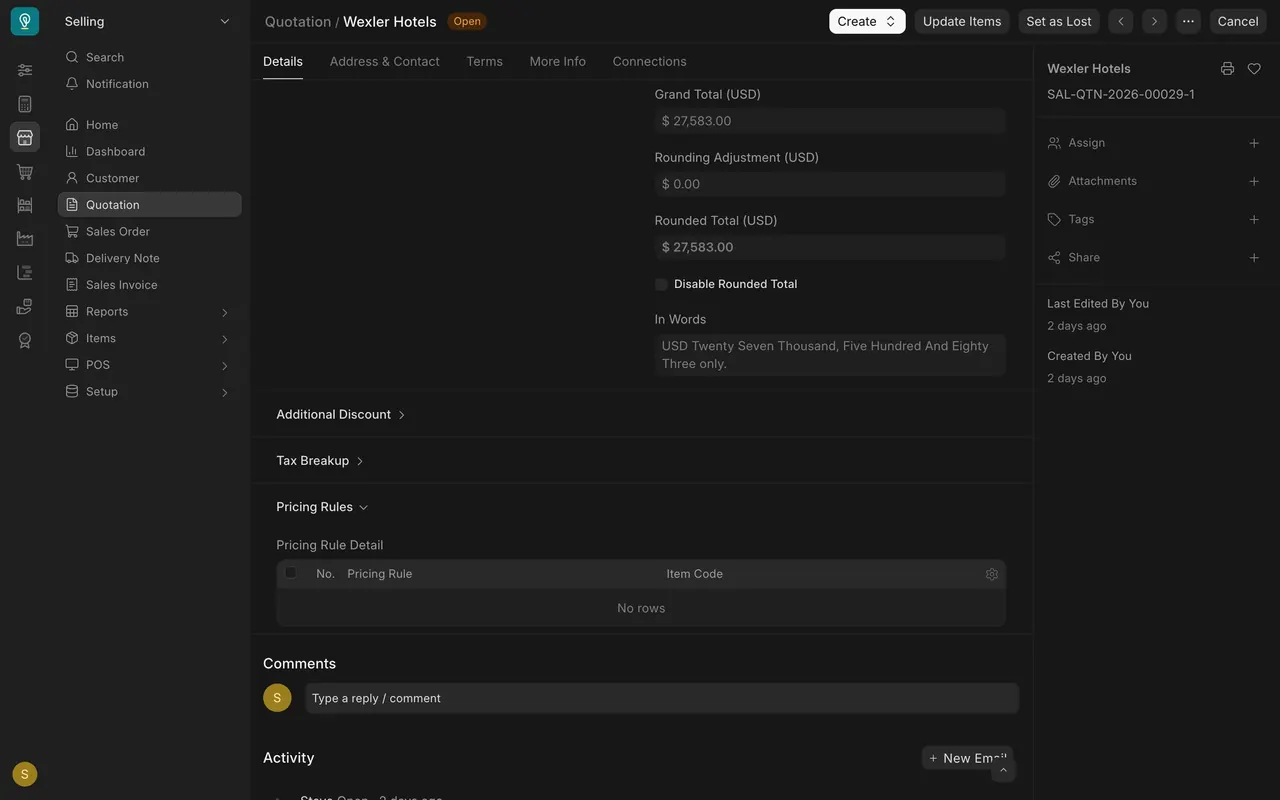
- The Pricing Rules section lists each rule that applied.
The quotation on screen was made before the rules existed, so its line shows 0% and the section says No rows. On a new matching line you will see the rule's percentage.
Rule or price list?
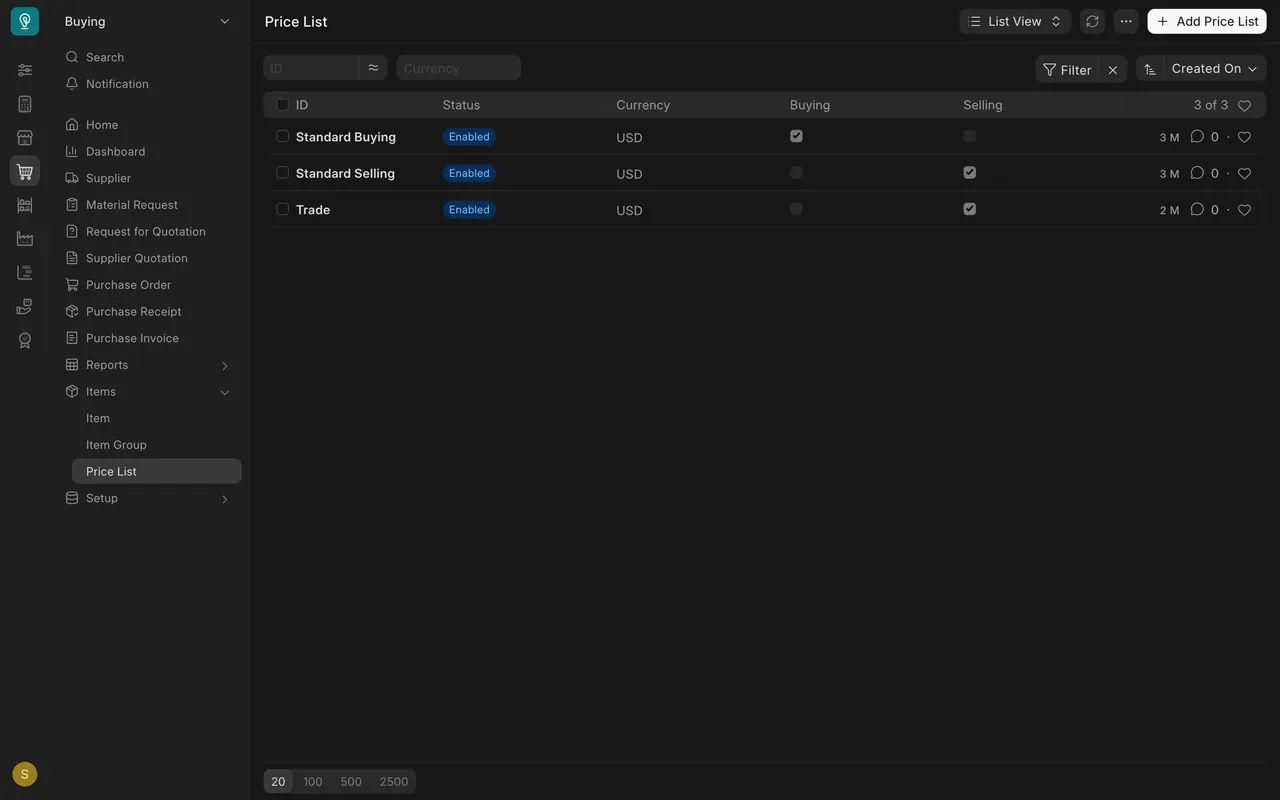
Use a price list for a fixed price per item, for a kind of customer or a purpose. Use a rule for a percentage tied to a quantity or one customer. The demo company has three price lists: Standard Buying, Standard Selling and Trade.
What you may see on your own site
- Your administrator may restrict who can create rules, so you might not see Add Pricing Rule.
- Your rules, customers and percentages are your own.
- If Validate Applied Rule is ticked on a rule, Parsimony only checks it and does not apply it for you.
Common mistakes
- Forgetting the quantity. A rule with Min Qty 5,000 does nothing on a smaller line.
- Two rules, unclear winner. Give each rule its own Priority.
- Using a rule for a fixed price. Put fixed prices in a price list.
- Not checking the result. Open Pricing Rules on the quotation to see which rule changed the price.
Check yourself
3 quick questions.
1. A rule has Min Qty 5,000 and Discount Percentage 5. A line has 3,000 square feet. What happens?
2. Two rules match one line, and Apply Multiple Pricing Rules is off. Which one applies?
3. You want a fixed price per square foot for your Trade customers. What do you use?