V16 Training · Items and Pricing · Lesson 4 of 6
Price lists and item prices
This lesson shows where prices are kept and how Parsimony decides which price a customer gets.
Written guide
The idea
A price list is a named set of prices, such as Standard Selling or Trade. The prices themselves are kept in Item Price: one row per item, per list. A customer is tied to a list, and when you quote that customer, the rate on each line comes from that list.
The screens use example data from a demo company that sells flooring. Your own Parsimony site has your own lists, items and customers.
Step by step
Price lists
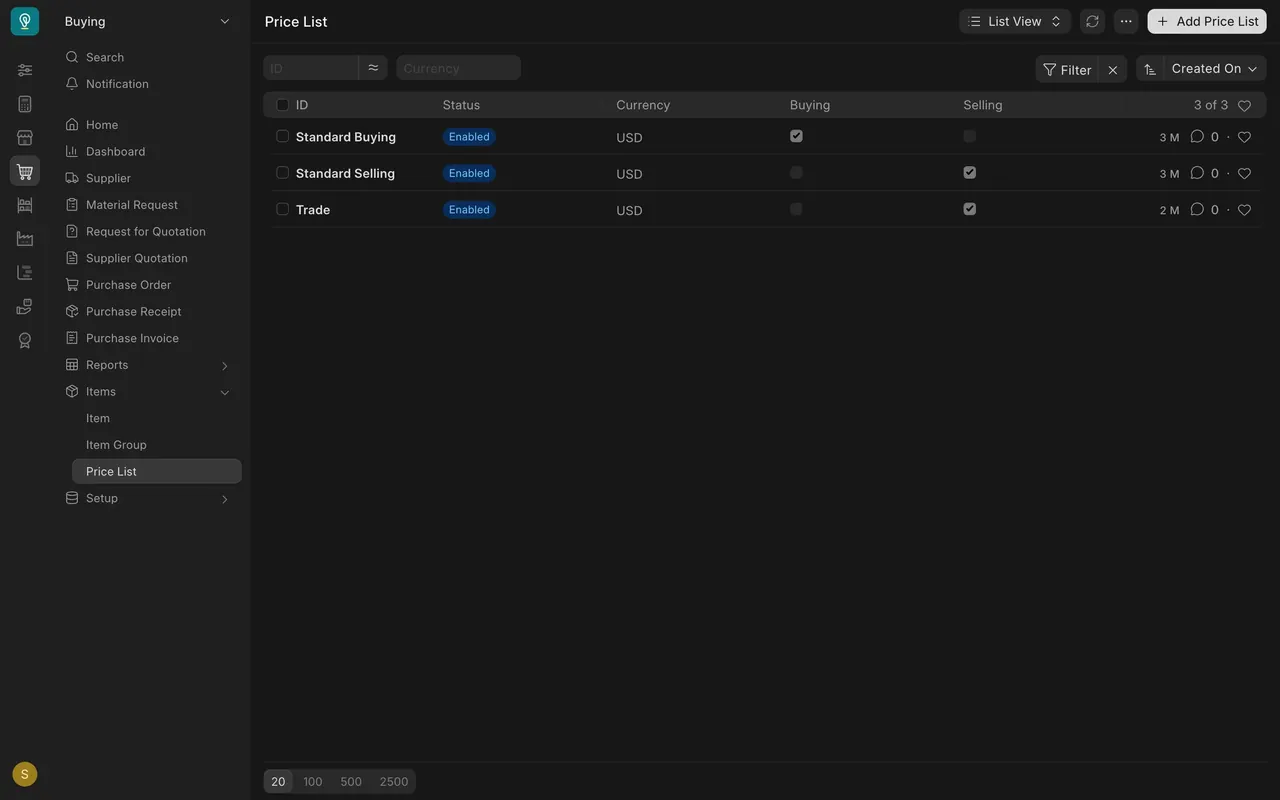
- Open Price List under Items in your sidebar. In this example there are three lists: Standard Buying, Standard Selling and Trade.
- Each list has a Buying box and a Selling box. Standard Buying is for what you pay suppliers. The other two are for what you charge customers.
Item prices
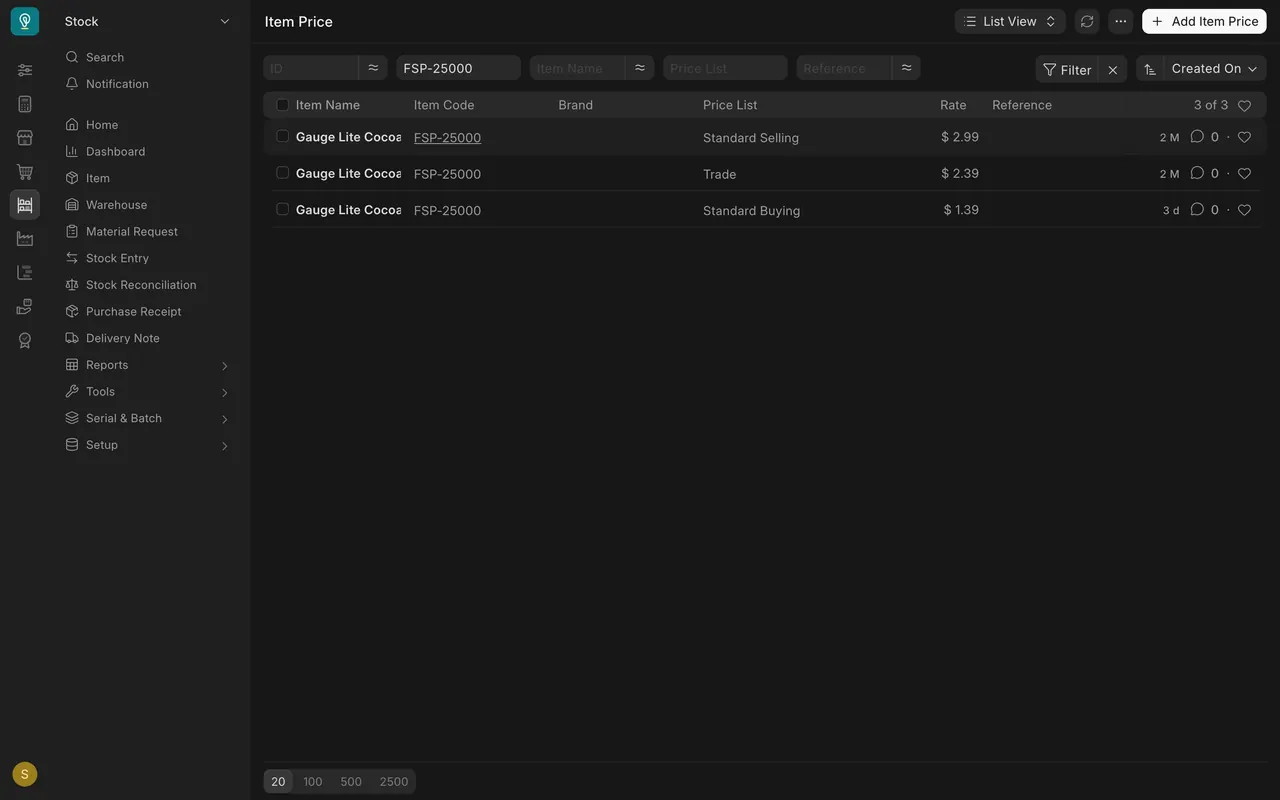
- Open Item Price. In this example it holds 729 prices.
- Filter to one item and its prices sit together: here $2.99 on Standard Selling, $2.39 on Trade and $1.39 on Standard Buying.
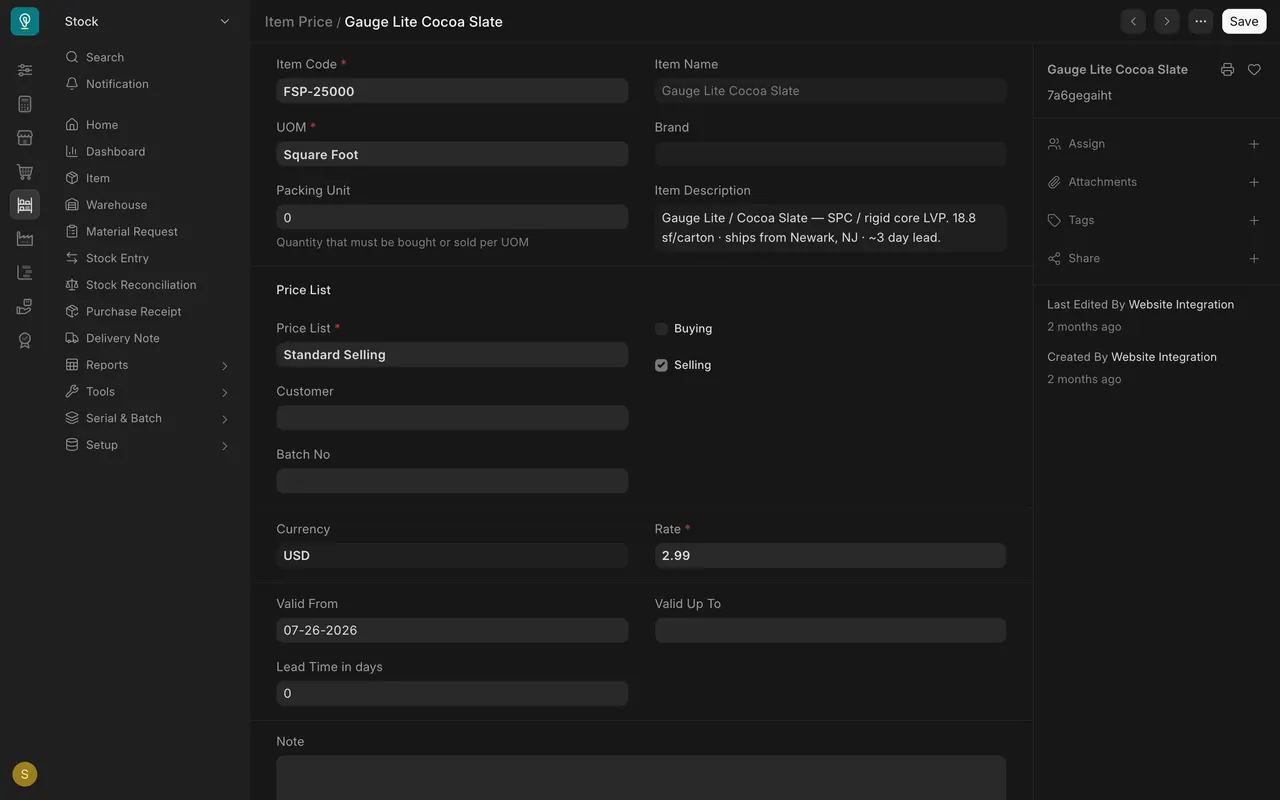
- Open one price to see its Price List and Rate, and its Valid From and Valid Up To dates. This price starts on 07-26-2026 and has no end date. Parsimony picks the price whose dates cover the quotation date.
Which list does a customer get?
Parsimony checks three places, in this order.
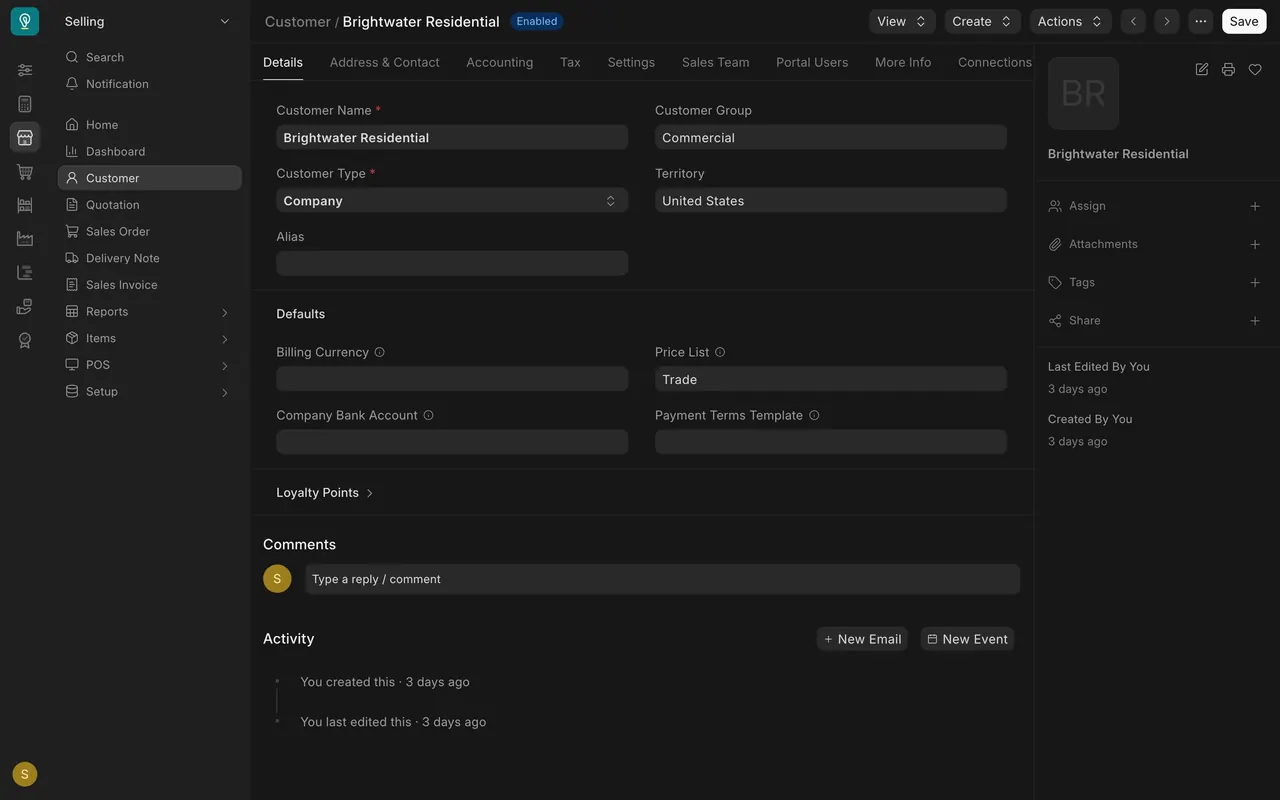
- The customer. On the customer's page, the Price List box under Defaults. Brightwater Residential has Trade.
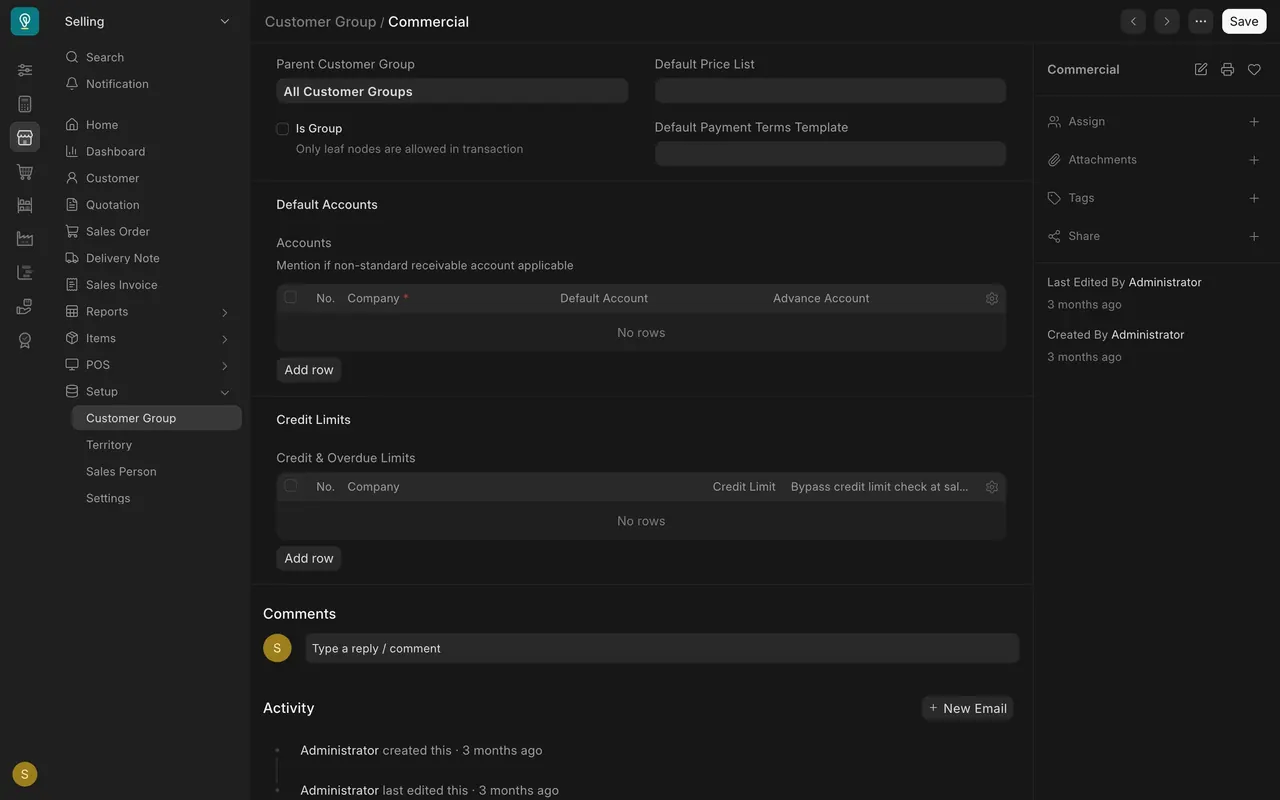
- The customer group. Its Default Price List box. It is empty for Commercial in this example, so Parsimony moves on.
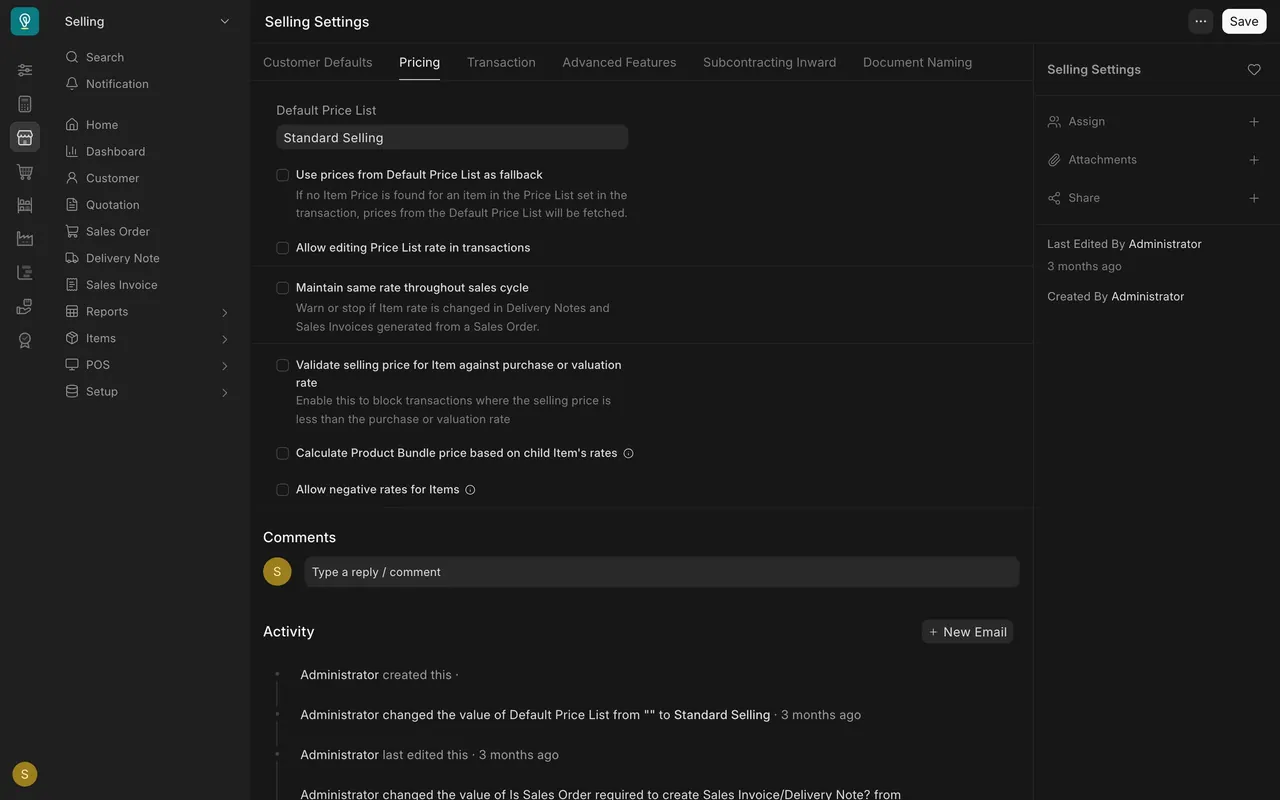
- Selling Settings, on the Pricing tab: Default Price List, Standard Selling here.
Below the default, Use prices from Default Price List as fallback is off in this example. It decides whether the default list is tried when an item has no price on the customer's list.
On the quotation
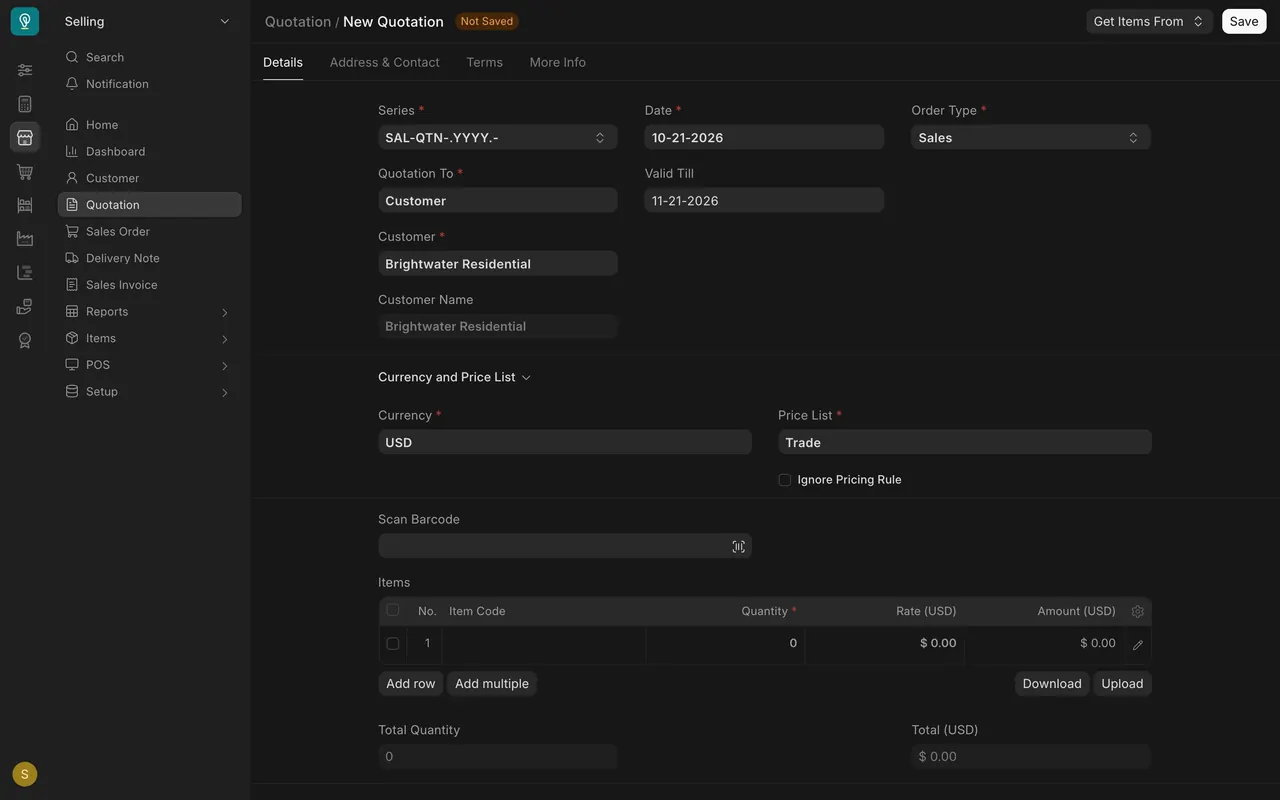
- On a new quotation, pick the customer. The Price List box under Currency and Price List fills with that customer's list, Trade for Brightwater Residential.
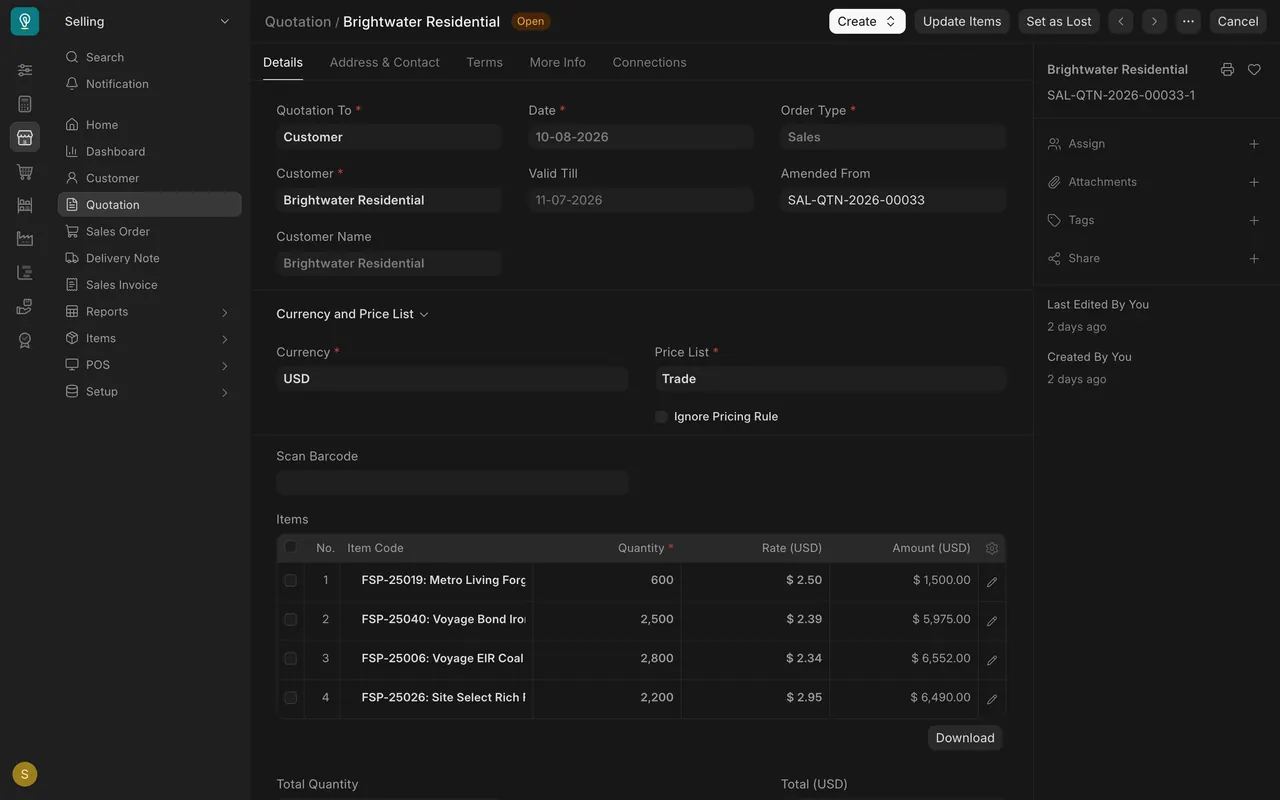
- On a saved quotation for this customer, each rate comes from that list. The third line's $2.34 is that item's Trade price.
- A customer on Standard Selling gets that list instead: one item is $3.76 there, and the quotation line says the same.
What you may see on your own site
- Your lists have your own names, currencies and customers. Settings differ: the fallback box may be on, and your customer groups may have a default list.
- Where a rate looks wrong, compare the quotation's Price List with the prices in Item Price for that item.
Common mistakes
- Looking for a price in the wrong list. A price exists per list. Check the list name in Item Price.
- Forgetting the dates. A price with a Valid Up To in the past is not the price Parsimony picks.
- Assuming the default list applies. The customer's own Price List comes first.
Check yourself
3 quick questions.
1. Where are the actual prices kept?
2. A customer has "Trade" in the Price List box on their page. Which list does their quotation use?
3. What do Valid From and Valid Up To do?