V16 Training · Imports and Landed Cost · Lesson 1 of 6
Buy in another currency
This lesson shows how Parsimony turns a supplier's invoice in euros into your books in dollars: the supplier's currency, an exchange rate, and the purchase order.
Written guide
The idea
When a supplier invoices in another currency, three things line up. The supplier has a billing currency. A Currency Exchange record holds a rate for a date. The purchase order carries the currency and the rate, and shows two totals: one in the supplier's currency and one in your company currency.
The screens use example data from a demo company that buys tile from a supplier in Portugal, with books kept in dollars. The rates are examples, not real market rates.
Step by step
Step 1. Set the supplier's currency
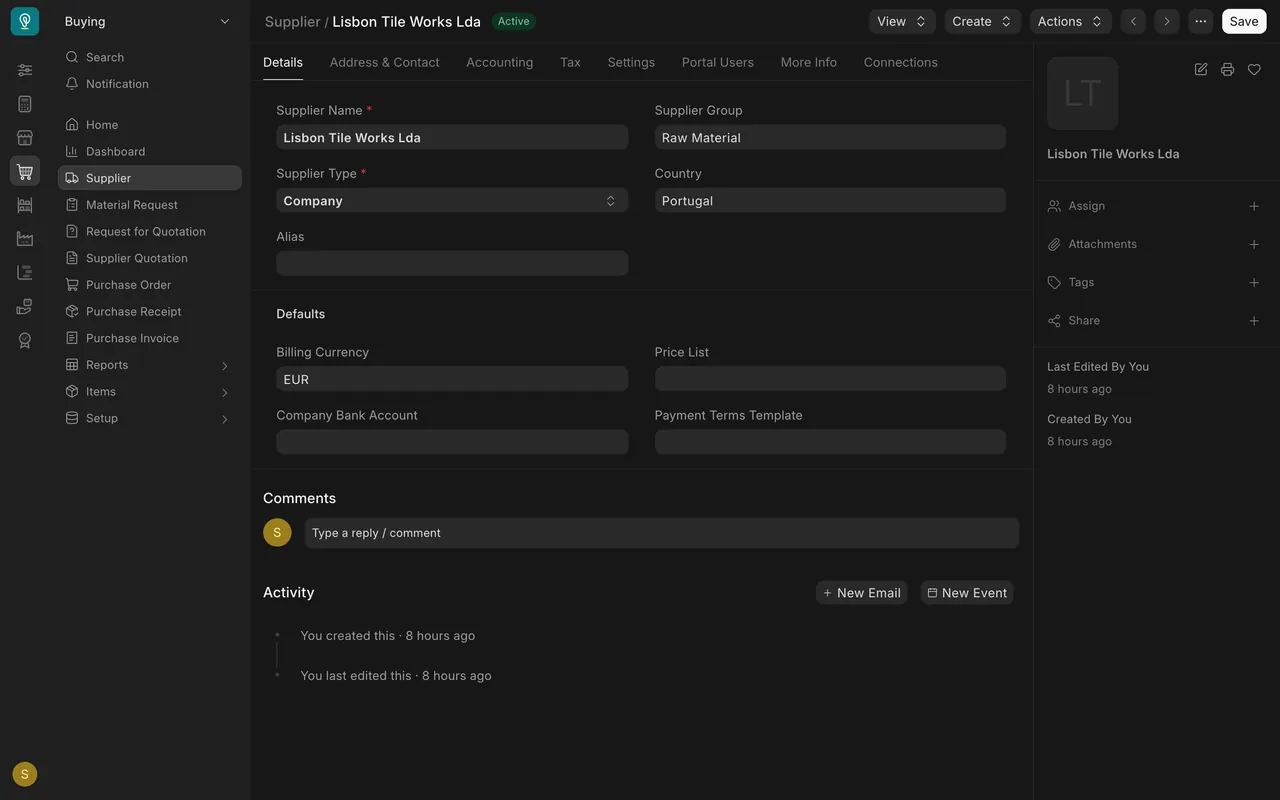
- Open the supplier and look under Defaults at Billing Currency.
- In this example, Lisbon Tile Works Lda is set to euros, so every new order for them starts in euros.
Step 2. Keep your exchange rates
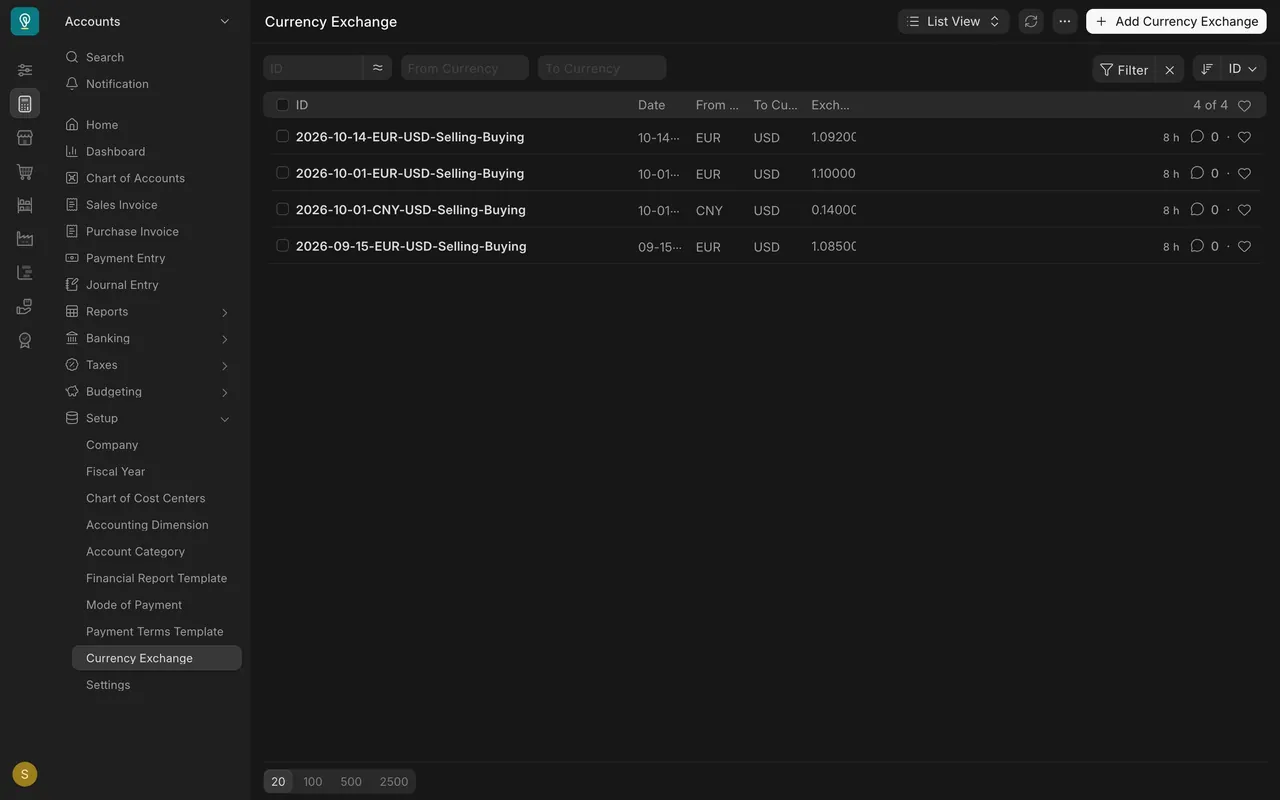
- In Accounts, under Setup, open Currency Exchange.
- Each record holds a date, a from currency, a to currency and a rate. In this example, euros to dollars has three records: 1.0850, 1.1000 and 1.0920. A record for Chinese currency to dollars (0.14) is there too.
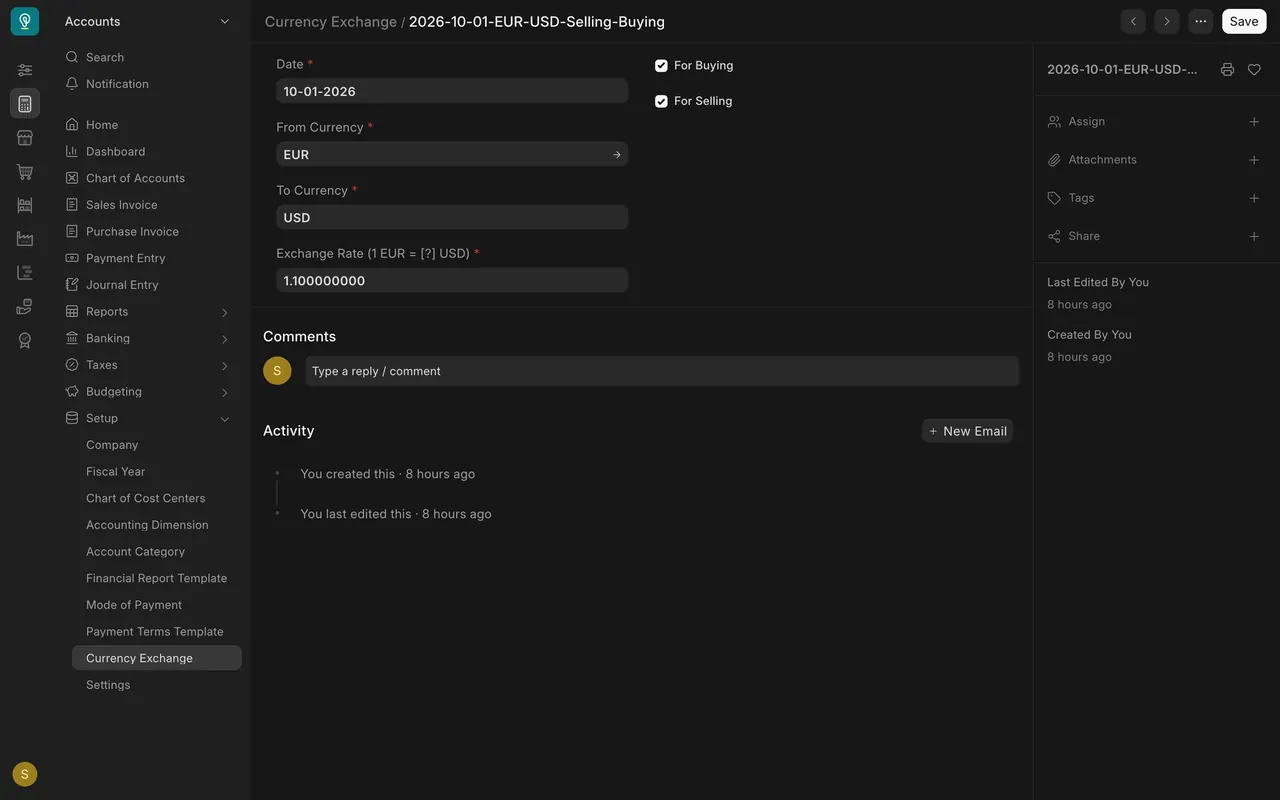
- Open a record. The rate reads as one euro equals that many dollars. Here it is 1.1000 from October 1. The For Buying box means purchases may use it.
Step 3. Read the rate on the purchase order
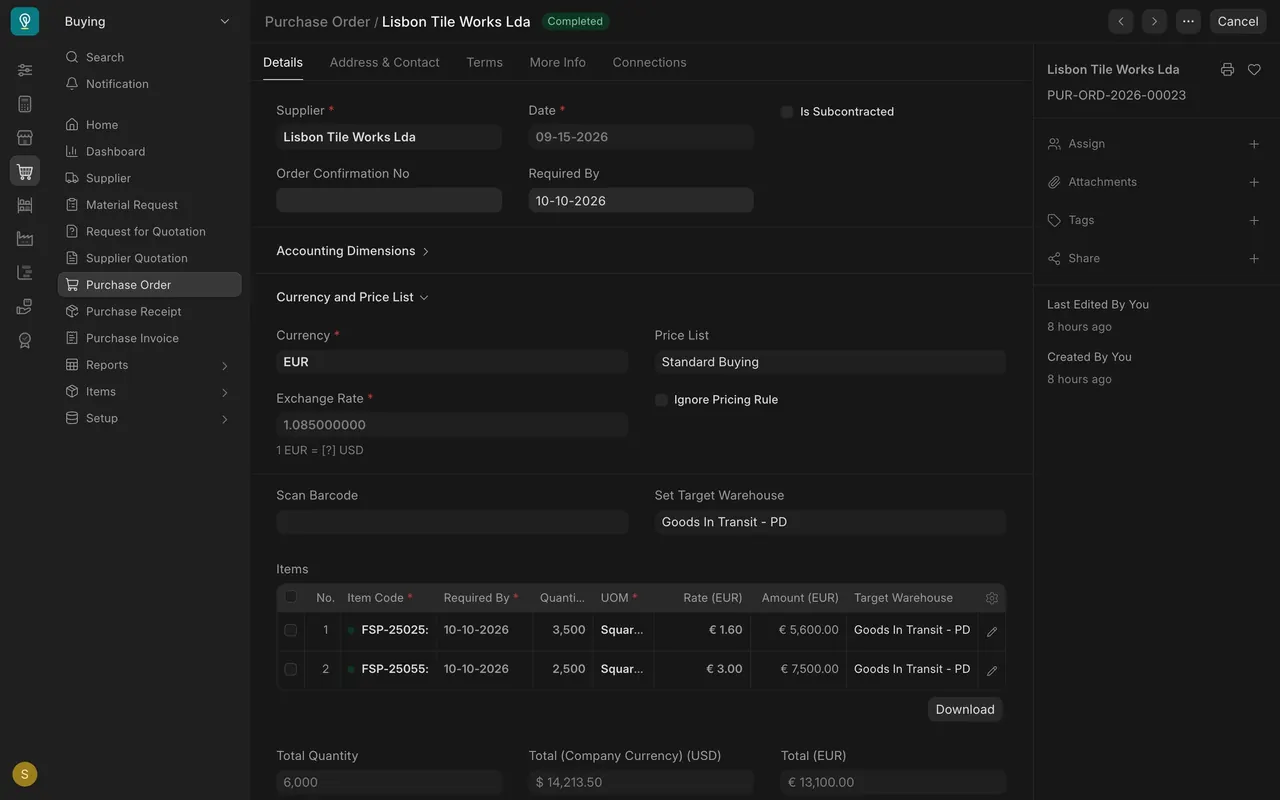
- On the purchase order, open Currency and Price List. This order shows euros and an Exchange Rate of 1.085, the rate from the day of the order.
- The item prices are in euros.
- At the bottom, Total (EUR) is 13,100.00 and Total (Company Currency) is $14,213.50. That is 13,100 times 1.085.
What you may see on your own site
- Your supplier, currencies and rates are your own. Your company currency may not be dollars.
- If no record fits the day you order, ask your administrator how your site gets its rates.
Common mistakes
- Treating the example rates as market rates. They are only examples.
- Not checking the rate on the order. The rate sets the dollar cost, so an old rate gives a wrong cost.
- Reading the company-currency total as the supplier's price. The supplier is paid the euro total.
Check yourself
3 quick questions.
1. Where do you set the currency a supplier usually bills in?
2. A purchase order shows 13,100.00 euros and an exchange rate of 1.085. What is the total in your company currency?
3. Why does an old exchange rate matter?