V16 Training · Getting Your Data In · Lesson 5 of 6
Opening balances
This lesson shows you how to bring in what customers owe you and what you owe suppliers, and how to check the result.
Written guide
The idea
When a company moves to Parsimony, its old balances must come in on one opening date, or reports start from zero. Two tools do it: the Opening Invoice Creation Tool for the customers who owe you and the suppliers you owe, and a Journal Entry with the entry type Opening Entry for bank, cash and other balances. Then you prove it in the Trial Balance and Accounts Receivable.
The screens are example data from a demo company. Your own Parsimony site shows your own accounts.
Step by step
Step 1: choose the opening date
Pick the last day before you start working in Parsimony, for example the thirty-first of December. Every balance is posted on that date.
Step 2: customers and suppliers
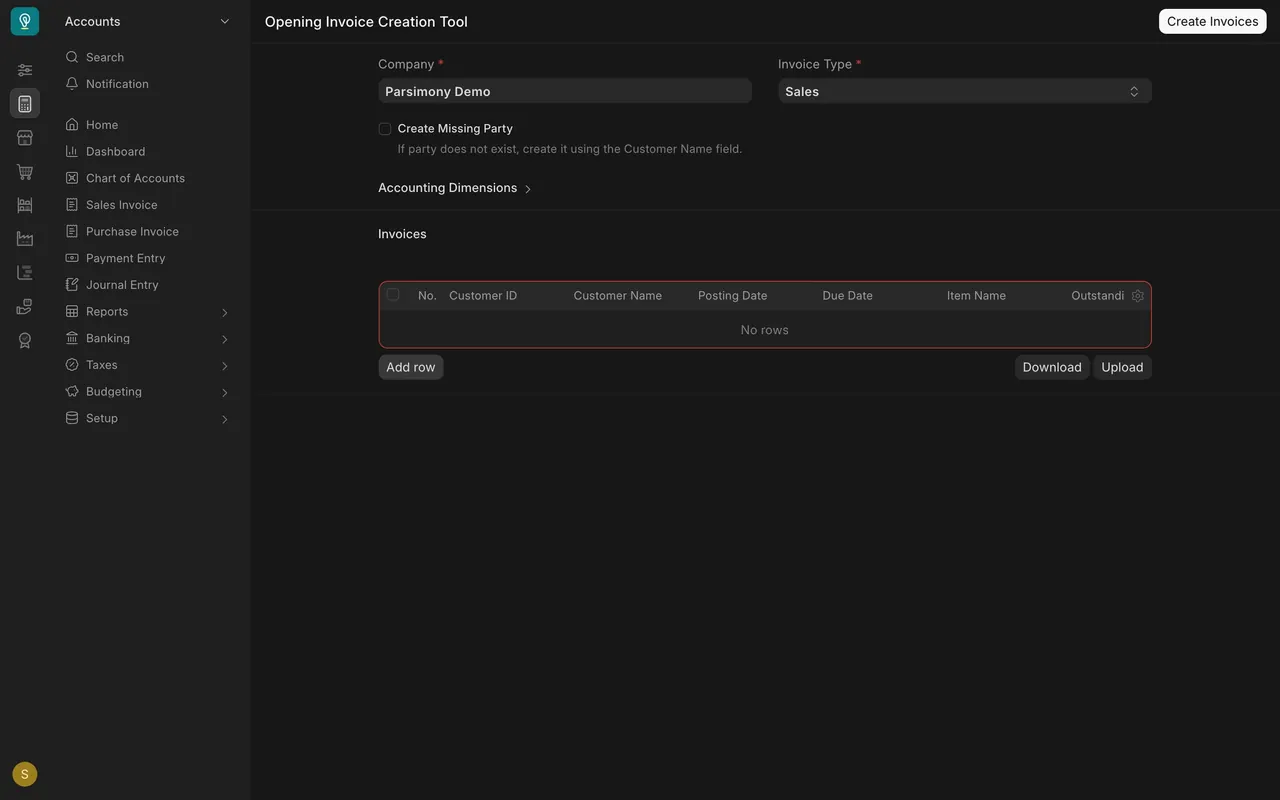
- Search for Opening Invoice Creation Tool and open it.
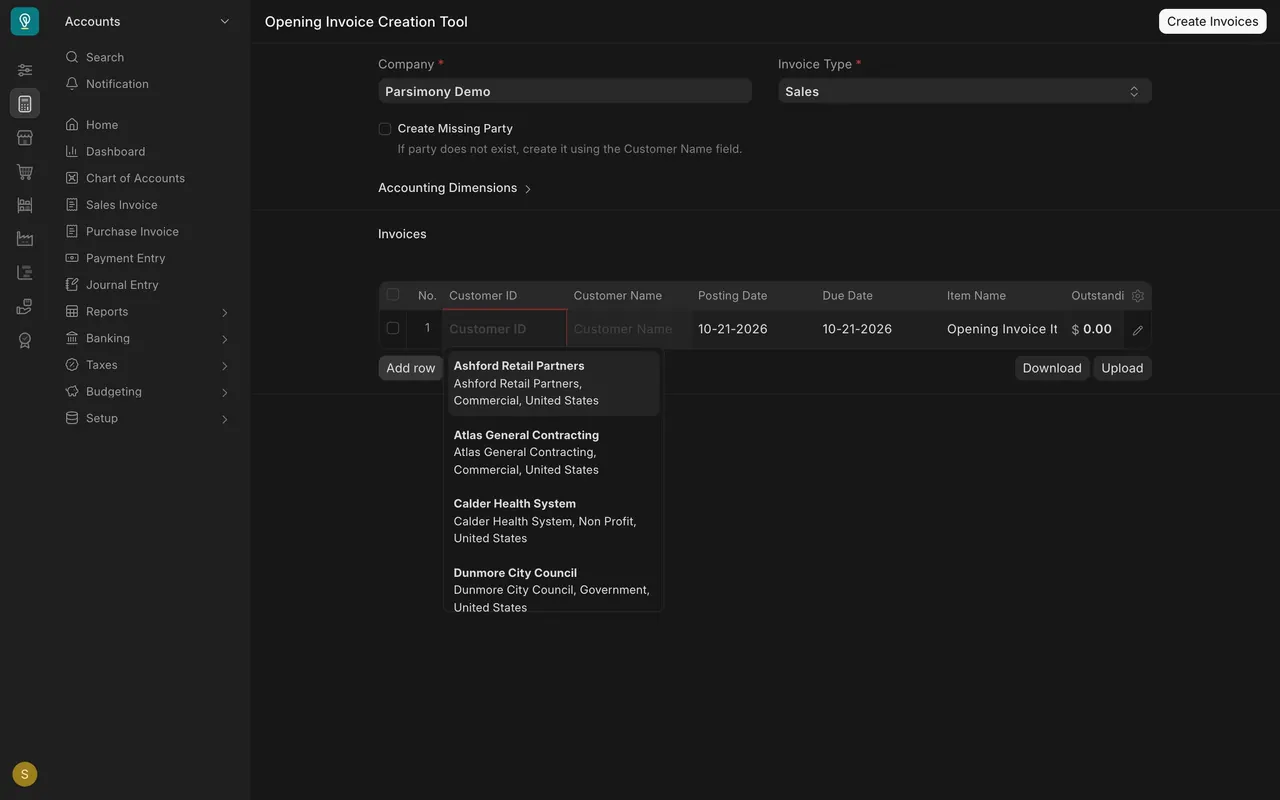
- Choose your Company. The Invoice Type says Sales, which is for customers. For suppliers you change it and fill in the same table.
- Each table row is one unpaid invoice: Customer ID, Customer Name, Posting Date, Due Date and the amount still outstanding. Click Customer ID to pick from your customers, or tick Create Missing Party for a new one.
- For many invoices, use Download to get a template, fill it in, and use Upload. The Create Invoices button then builds them all.
Step 3: everything else, with a Journal Entry
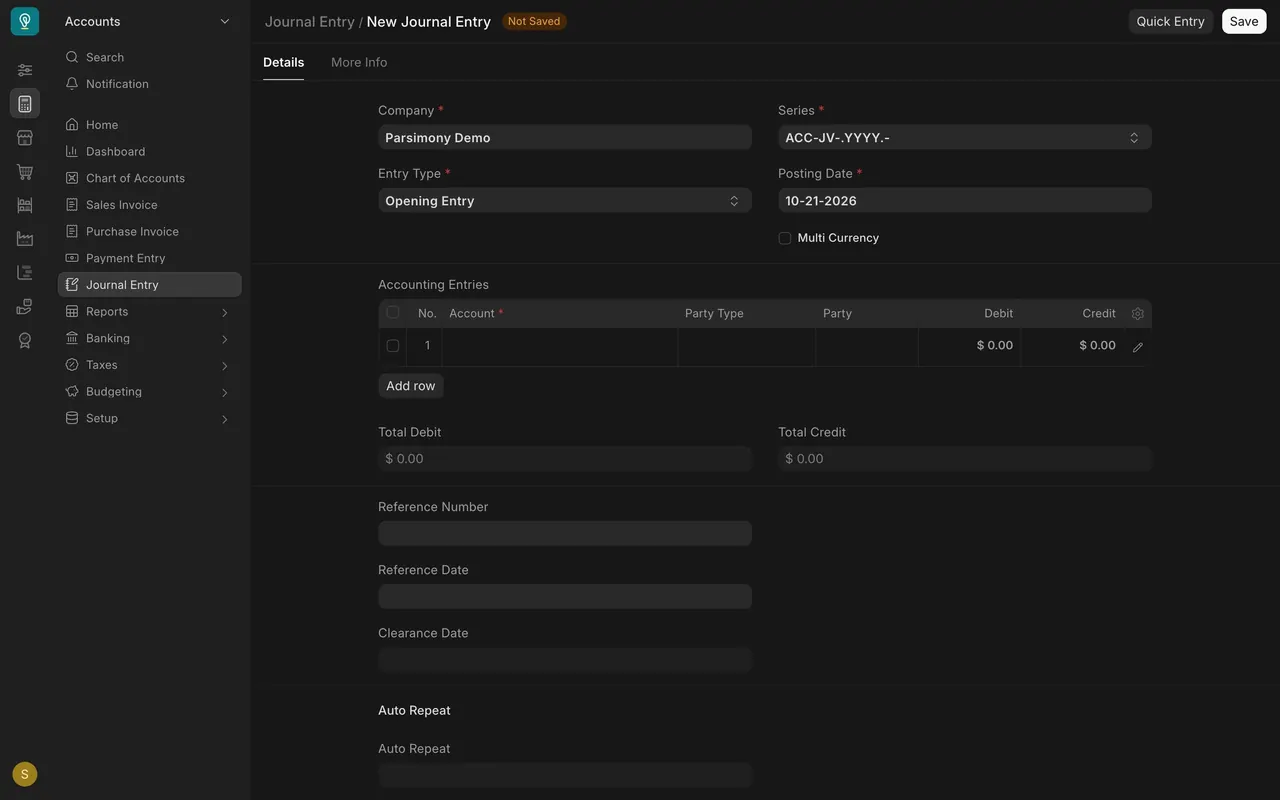
- Open a new Journal Entry and set Entry Type to Opening Entry.
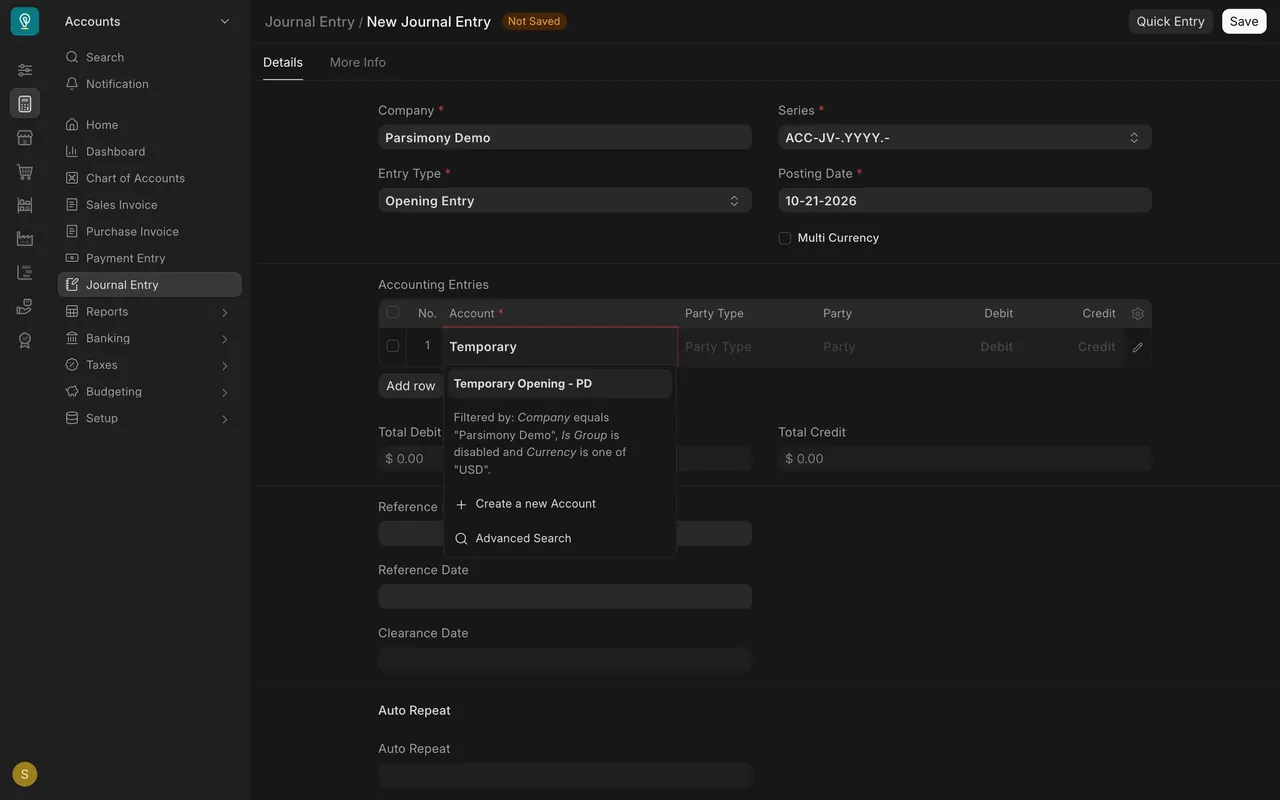
- Each row in Accounting Entries is an account with a Debit or a Credit: bank, cash, equipment, loans. Leave customers and suppliers to the tool.
- Total Debit and Total Credit must match. The Temporary Opening account holds any difference.
- Set the Posting Date to your opening date, not today.
Step 4: check the result
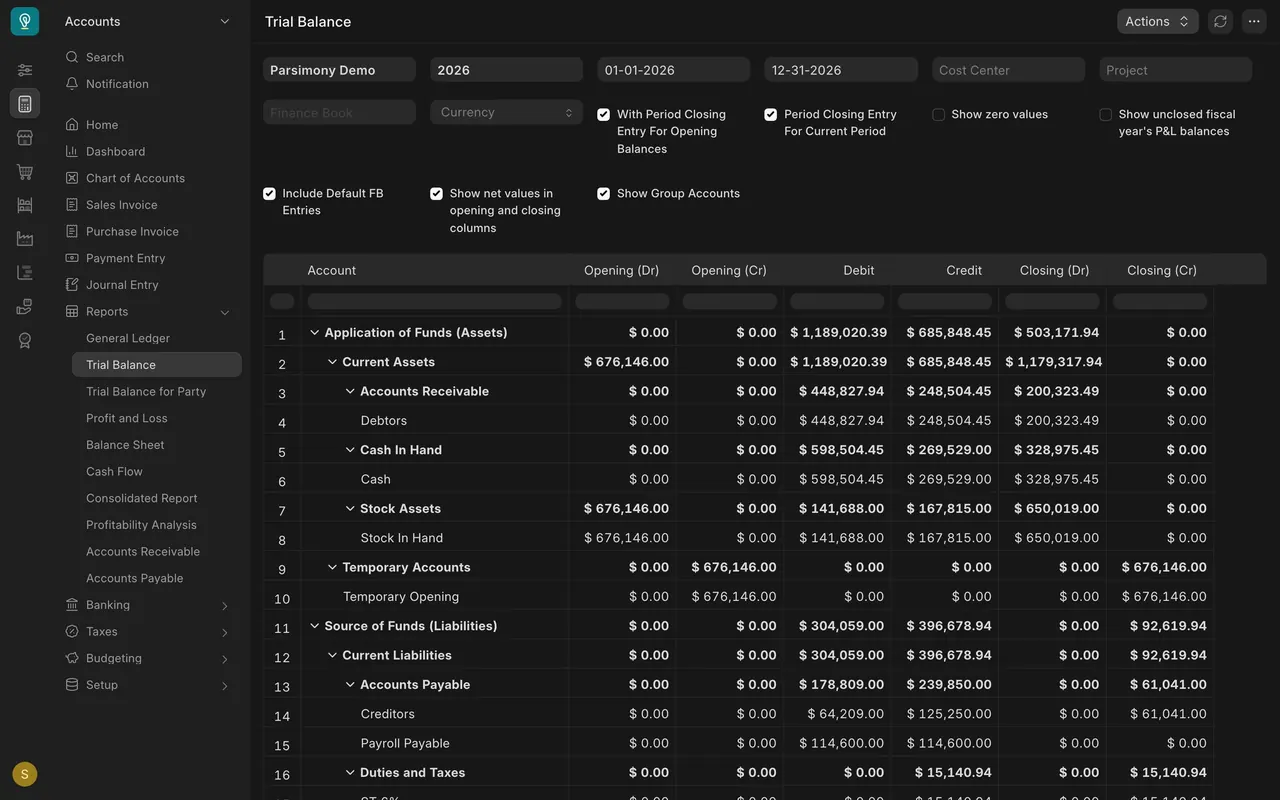
- Open Trial Balance. In this example Debtors, the customer balances, ends at $200,323.49.
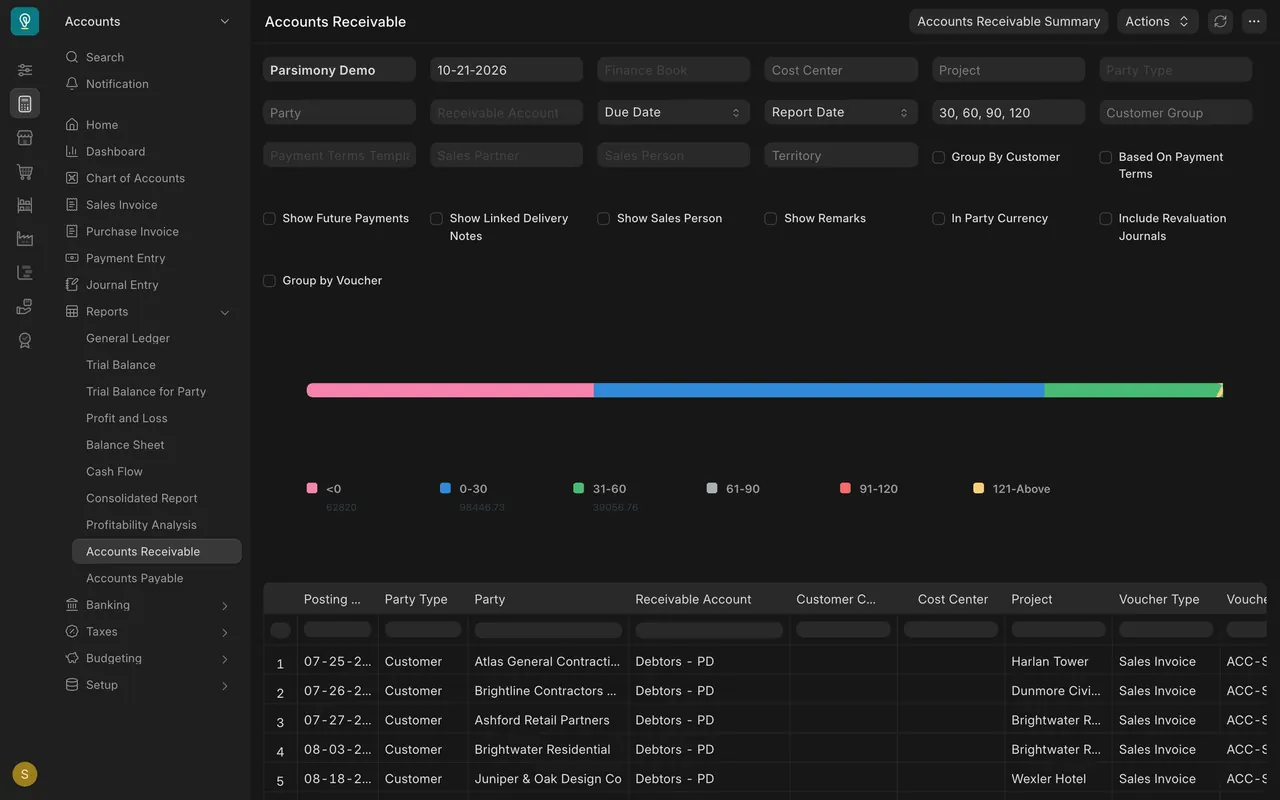
- Open Accounts Receivable: each row is one customer invoice with its date.
- Accounts Receivable Summary adds them up by customer. Its Total should match your spreadsheet and the Debtors line.
- Look at Temporary Opening. Once every opening balance is in, it should be zero. In this example it holds $676,146.00 because only the opening stock is in.
What you may see on your own site
- Company may already be filled in on your site.
- Your accounts have your own names. In this example they end with "PD", the company abbreviation.
- Ask your accountant to check the figures before you save and submit.
Common mistakes
- Entering customers in the Journal Entry. Use the tool, so every invoice keeps its name.
- Posting on today's date. Use the opening date.
- An entry that does not balance. Total Debit and Total Credit must match.
- Skipping the check. Compare the Trial Balance and Accounts Receivable with your spreadsheet.
Check yourself
3 quick questions.
1. Where do you bring in what customers still owe you?
2. Which Entry Type do you choose for the opening Journal Entry?
3. After everything is in, what should the Temporary Opening account show?