V16 Training · Getting Your Data In · Lesson 2 of 6
Import customers and suppliers
This lesson shows you how to load customers and suppliers from a spreadsheet with Data Import, step by step, without typing each one.
Written guide
The idea
Data Import reads a CSV or Excel file and creates the records for you. You download a template so the columns match what Parsimony expects, fill it in, attach it, check the preview, and only then start the load. The screens use example data from a demo company; nothing on them was run, saved or uploaded.
Step by step
Find the tool
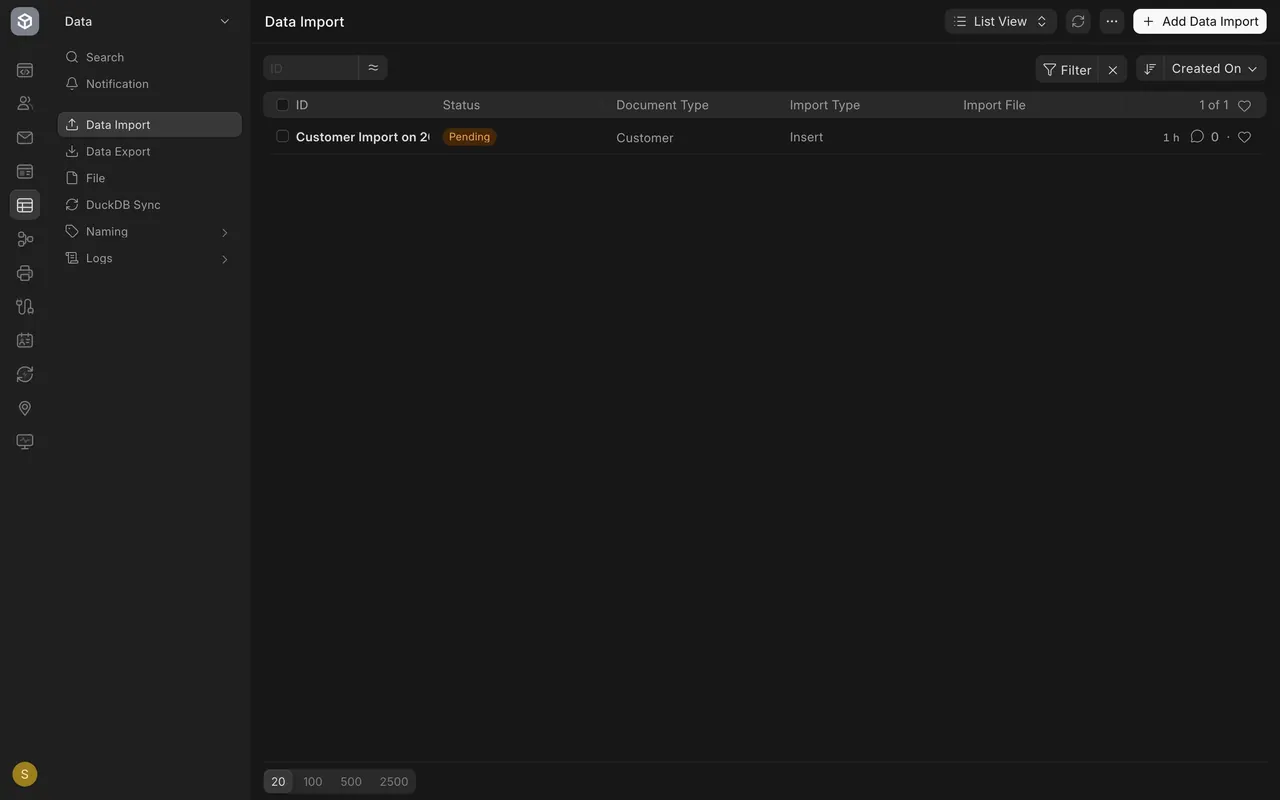
- Open Data Import in the Data area. Each row is one load. In this example there is one, still Pending.
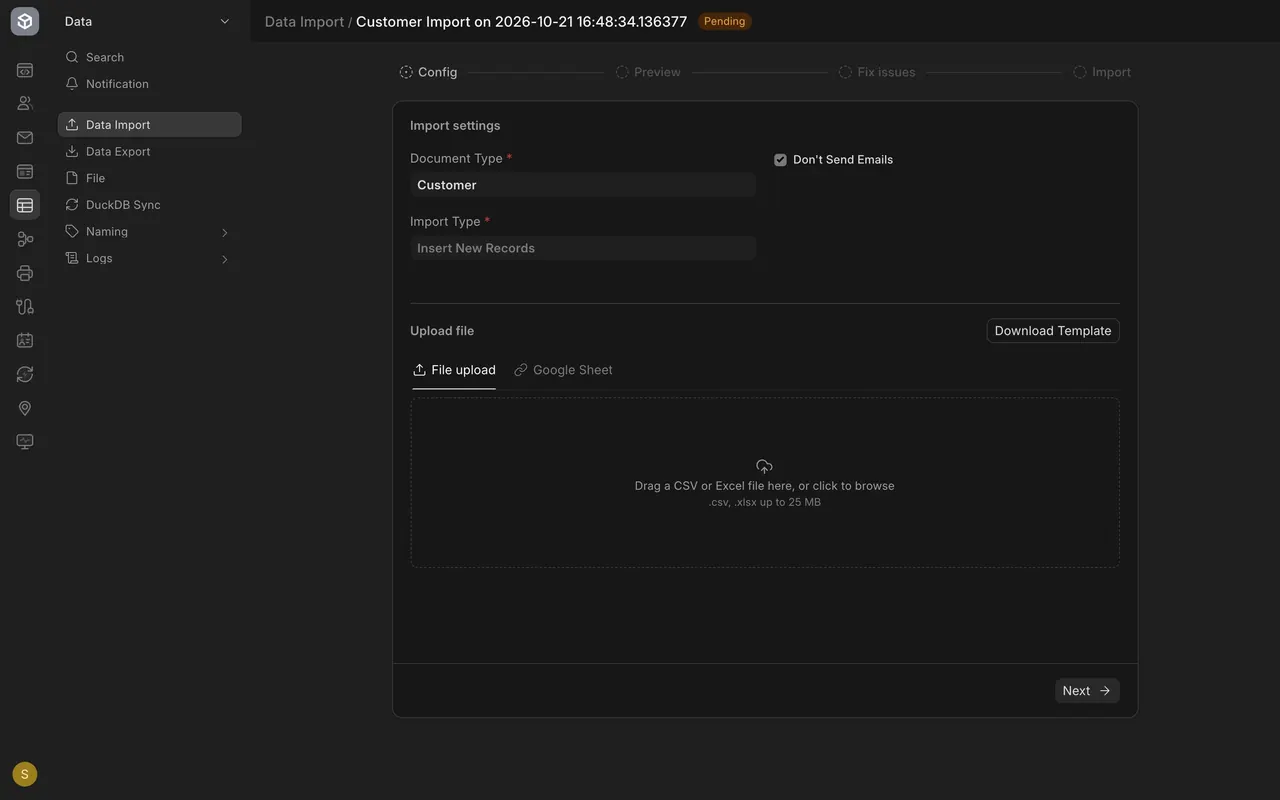
- Open it. The stages across the top are Config, Preview, Fix issues and Import.
The seven steps
- Choose the document type. Here it is Customer.
- Choose the import type. Insert New Records adds people who are not in Parsimony yet.
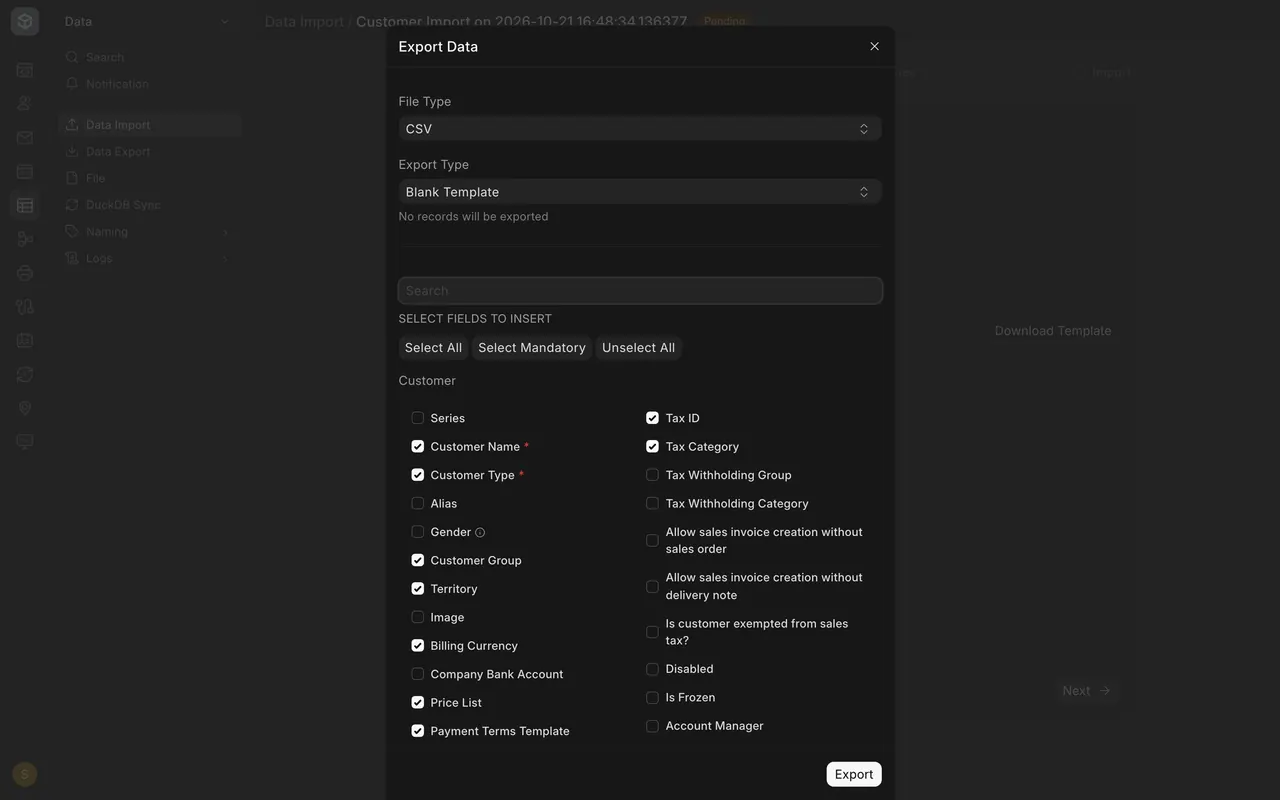
- Choose Download Template. A box titled Export Data opens with a file type, a Blank Template, and the fields to include. Required fields carry a red star. Tick the columns you will fill in, then use its Export button (not pressed in this lesson).
- Fill in the template in a spreadsheet. One row is one customer. Keep the column names as they are, and use words your site already has, such as an existing customer group.
- Attach the file. Drag it onto the box, or click to browse. It takes .csv or .xlsx up to 25 MB.
- Choose Next to see the preview. Fix any warnings in your spreadsheet, attach it again and look once more.
- Choose Start Import when the preview is clean.
Suppliers
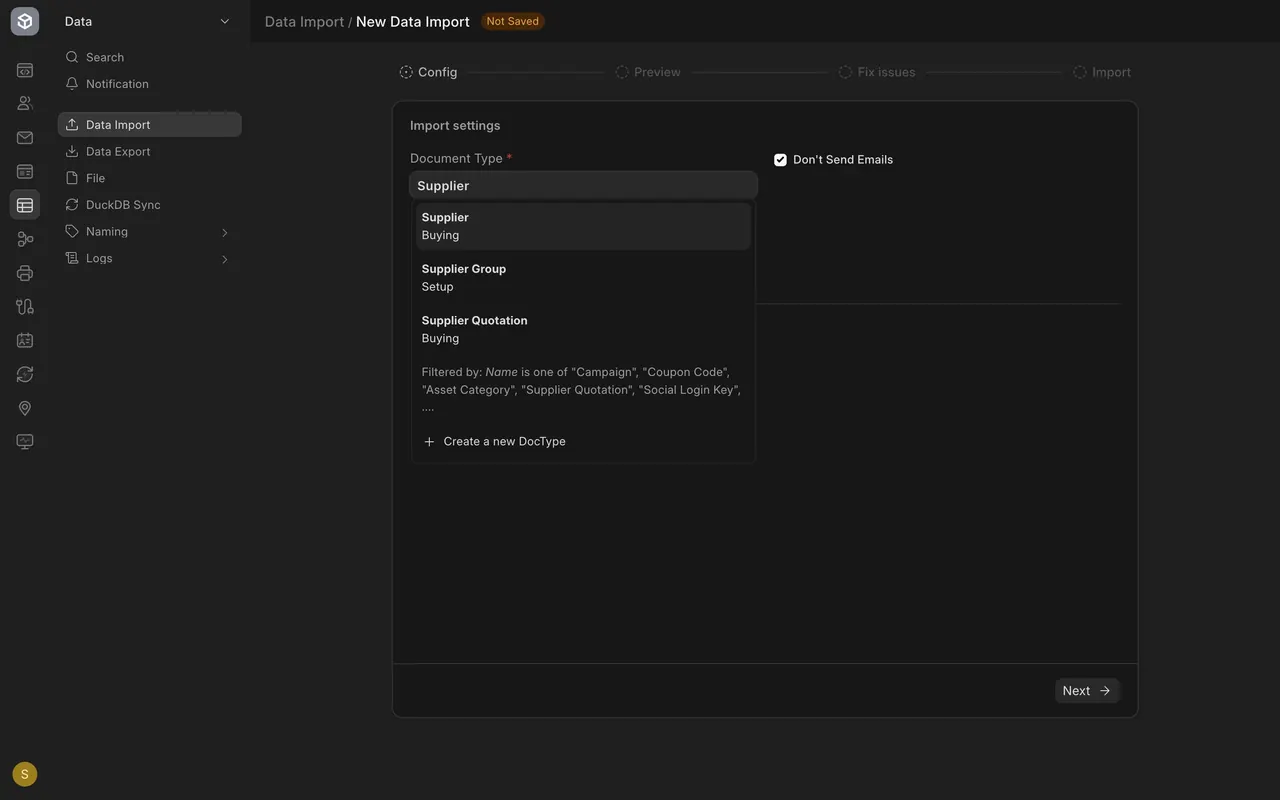
Start a new Data Import and type Supplier in Document Type. Keep Insert New Records. Then follow the same seven steps; only the columns differ.
What you may see on your own site
- The tick marks in the template box start from the fields your site marks as required, plus common ones. Your own site may list extra custom fields.
- Customer groups, territories and similar words must already exist before you load them.
Common mistakes
- Changing the column names. The template's names are how Parsimony knows which column is which.
- Using a word your site does not have, such as a new customer group. It shows as a warning in the preview.
- Starting the load without reading the preview.
- Loading items and balances before customers and suppliers.
Check yourself
3 quick questions.
1. What do you choose first in a Data Import?
2. Why download the template?
3. The preview shows a warning beside a row. What do you do?