V16 Training · Buying · Lesson 5 of 6
Supplier invoices and supplier records
This lesson shows you where purchasing hands over to Accounts on supplier invoices, and how to read a Supplier record.
Written guide
The idea
Purchasing owns the order. Accounts owns the bill. Keeping that line clear is what keeps payments right. As a Purchase User you can read a Purchase Invoice, but you cannot create one. Your job is to hand the supplier's bill to Accounts with the Purchase Order number on it, and to flag any difference before the invoice is submitted.
The Supplier record is the other half of this lesson, and Accounts relies on it too. You can read every supplier. A Purchase Manager or Purchase Master Manager can edit one, and only a Purchase Master Manager can create one.
Step by step
Hand the bill to Accounts
- When the supplier's invoice arrives, write the Purchase Order number on it and give it to Accounts.
- Accounts enters the Purchase Invoice. You can find every invoice under Purchase Invoice in the Buying sidebar, with its Status, Posting Date, Due Date and the supplier's own invoice number.
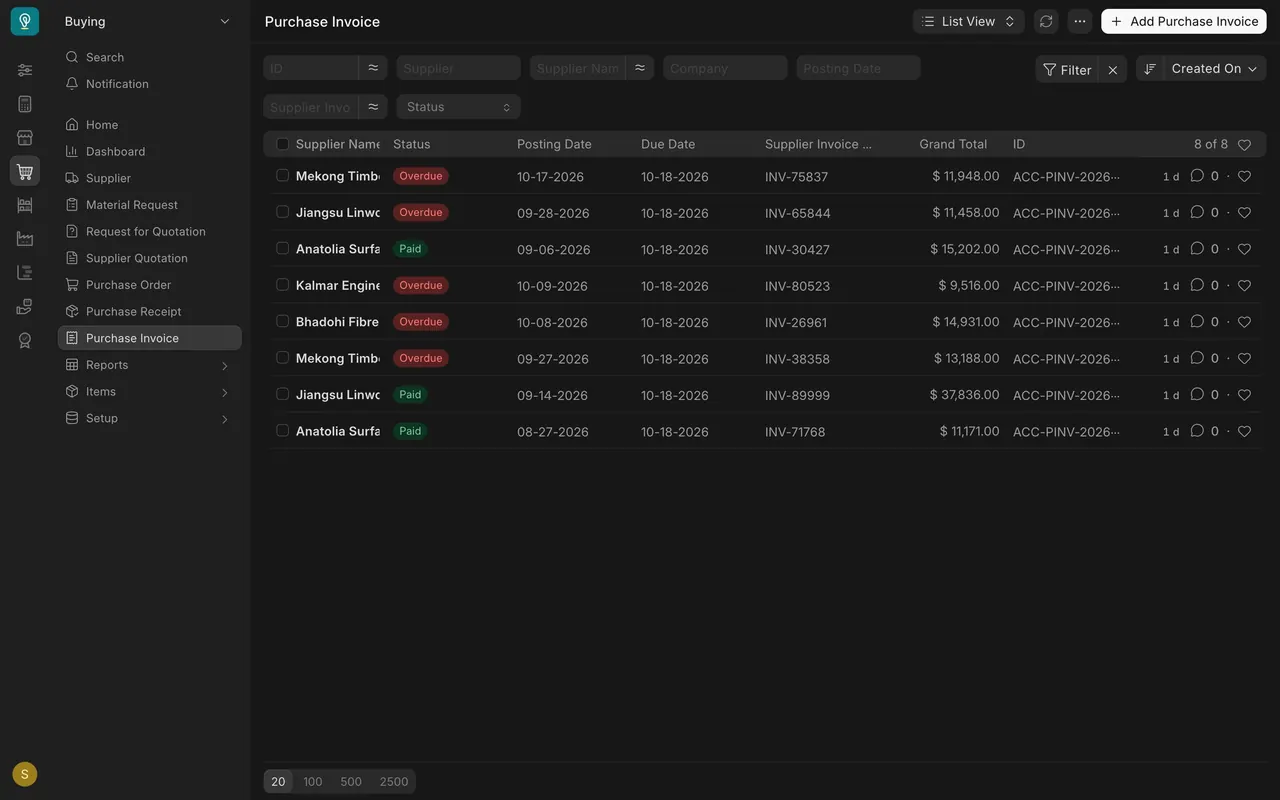
- Open one to read it. Accounts records the supplier's own number in Supplier Invoice No and its date in Supplier Invoice Date. Due Date is when it must be paid. Once that date passes without payment, the status shows Overdue.
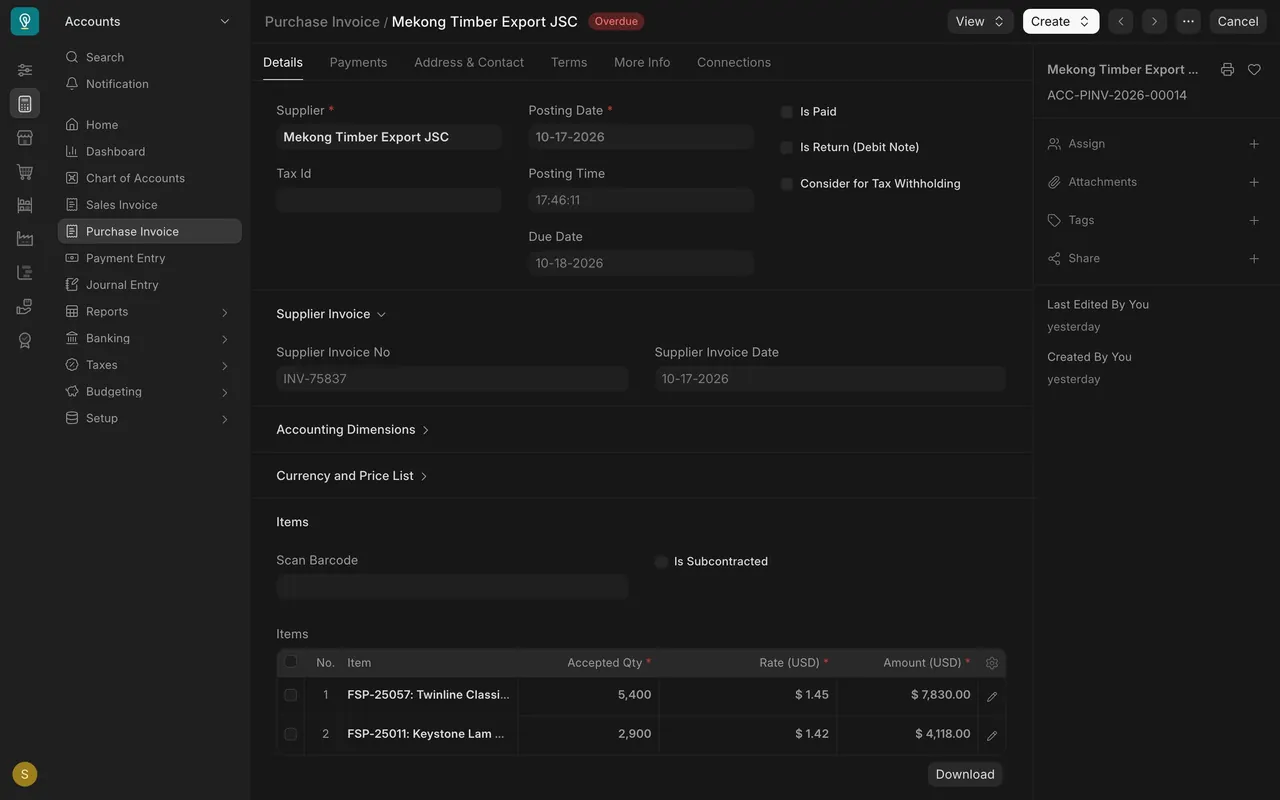
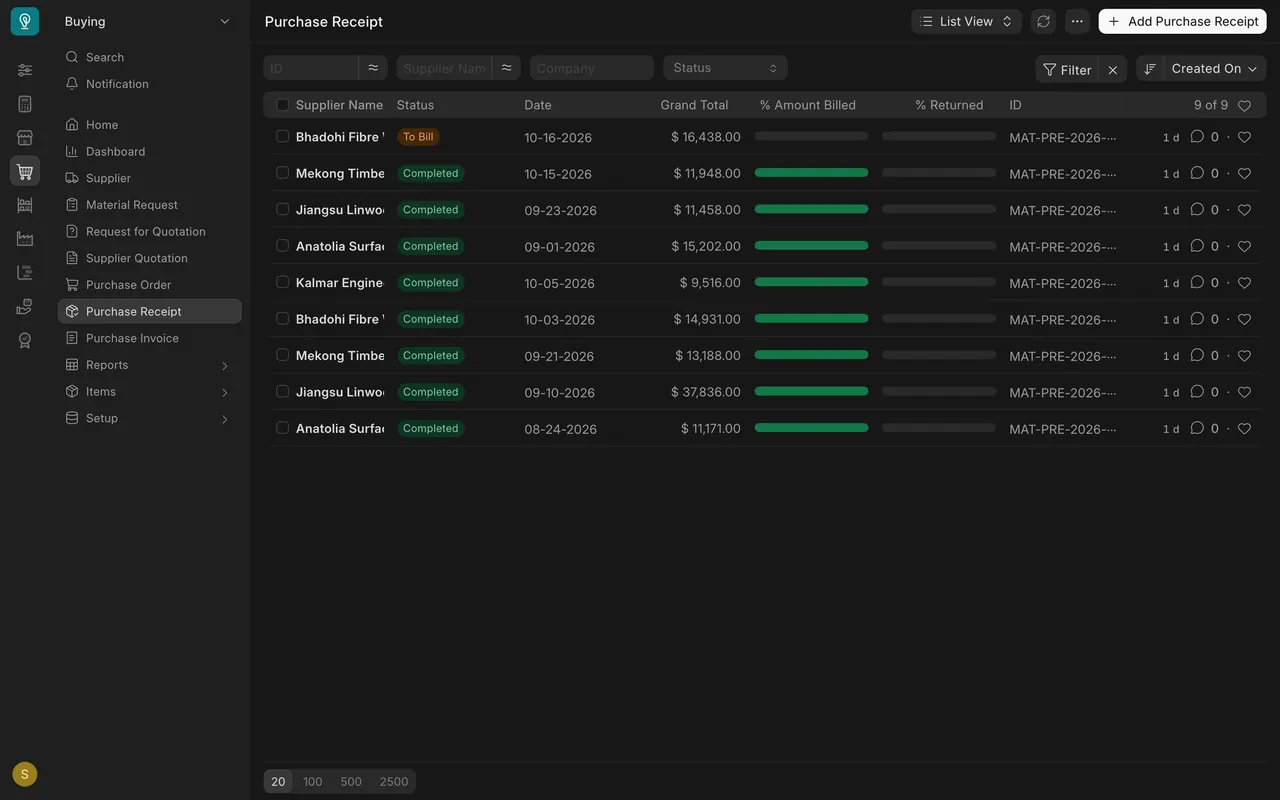
- When an invoice is submitted against a receipt, the receipt's % Amount Billed bar fills and it stops showing To Bill. A receipt still marked To Bill is stock waiting on an invoice.
- If a price on the invoice differs from the order, tell Accounts before they submit. Do not edit the order after the fact to match the bill.
Read a Supplier record
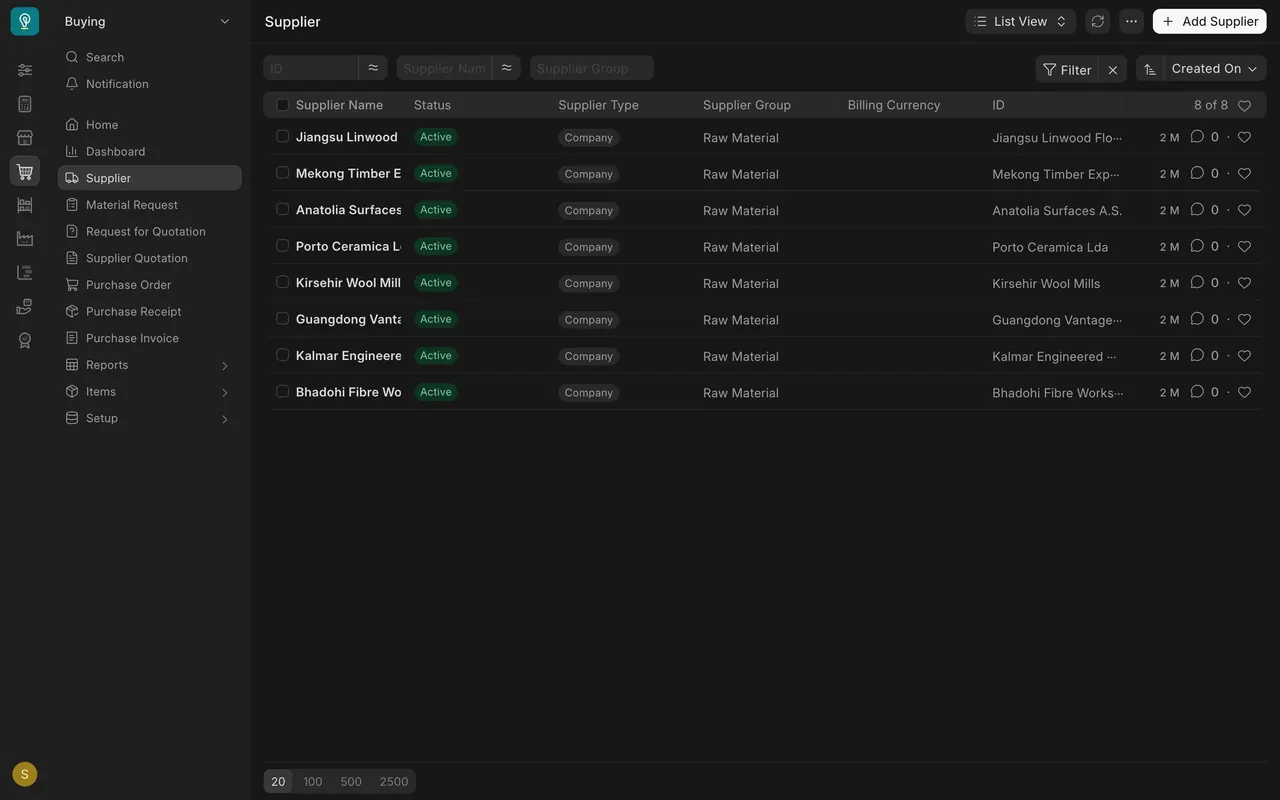
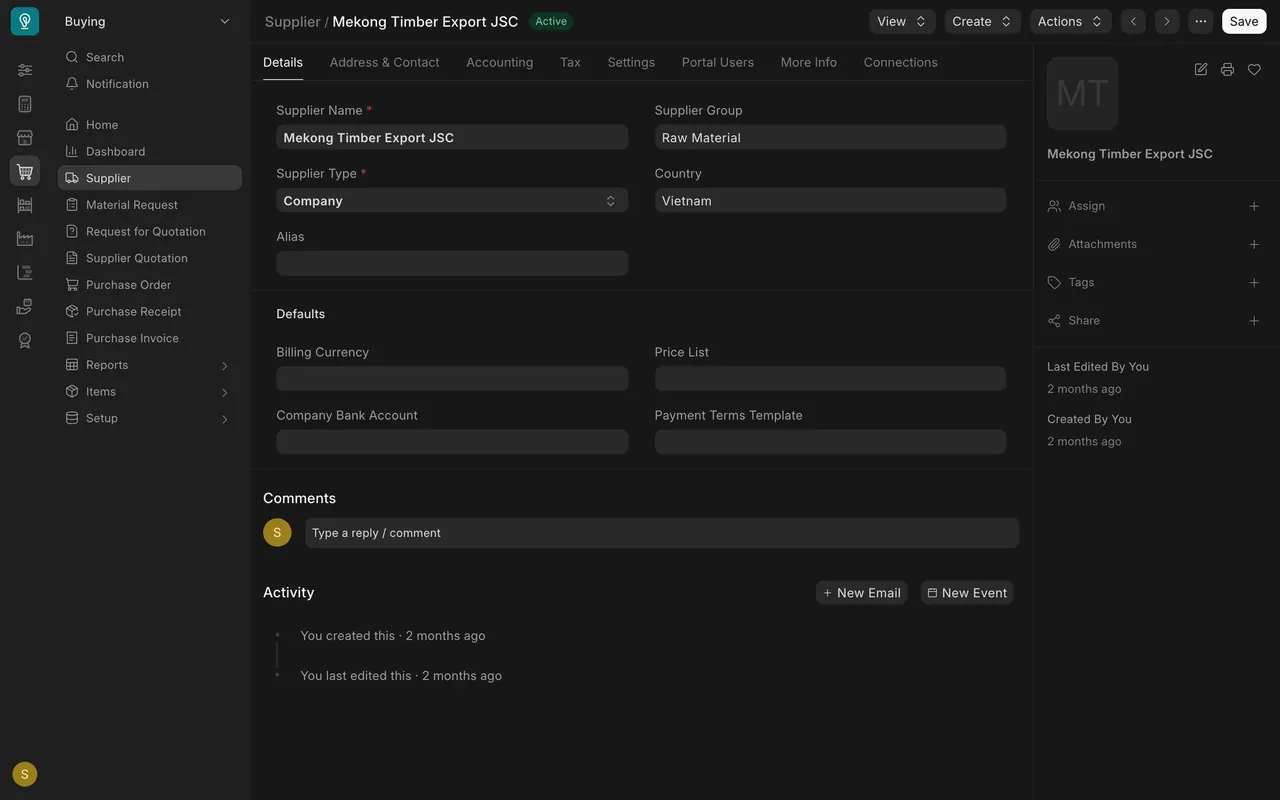
- In the Buying sidebar, choose Supplier. The list shows each supplier's Supplier Type, Supplier Group and Billing Currency. In this example, the eight demo suppliers are type Company in the group Raw Material.
- Open a supplier, for example Mekong Timber Export. On the Details tab, read Supplier Name, Supplier Group, Supplier Type, Country and, under Defaults, Billing Currency (blank on the demo suppliers: they bill in US dollars), Price List and Payment Terms Template.
- Open the Tax tab. Find the checkbox Is IRS 1099 reporting required for supplier?, next to Tax ID and Tax Category.
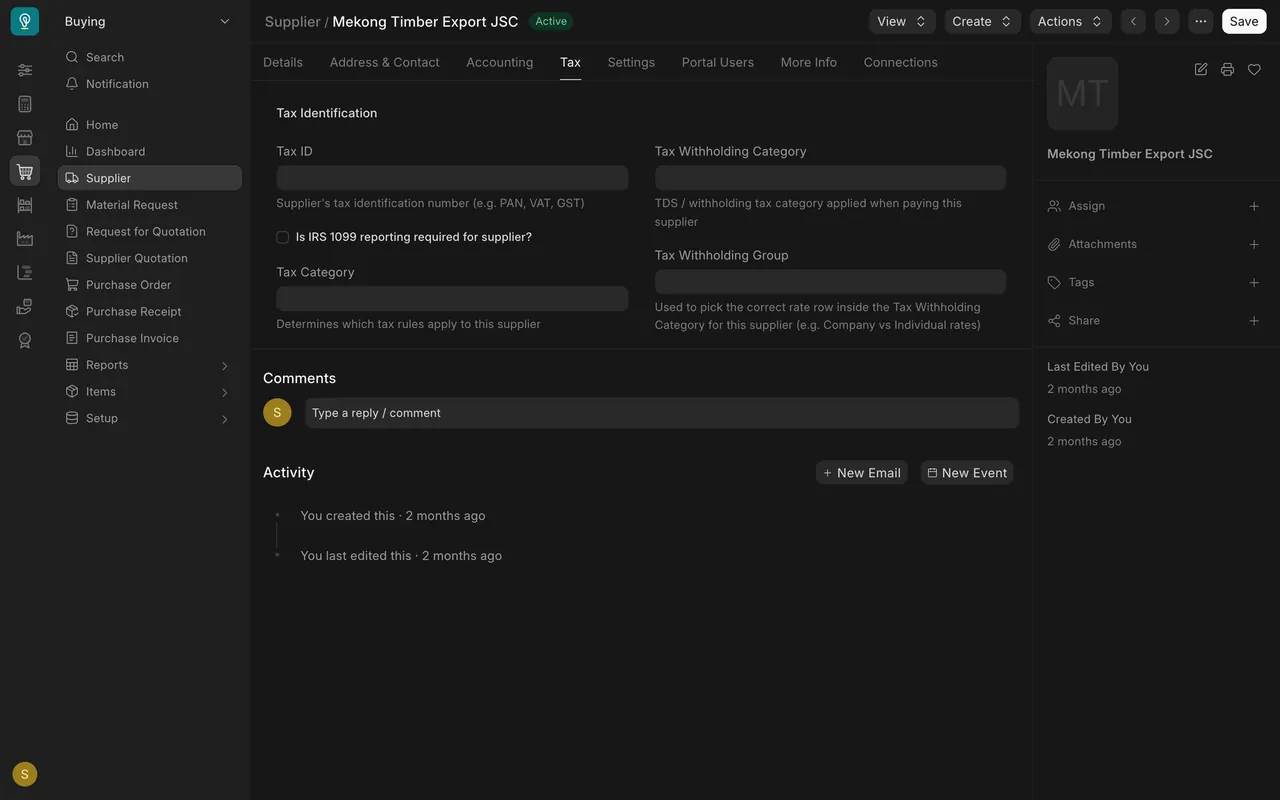
- The other tabs, Address & Contact, Accounting, Settings, Portal Users, More Info and Connections, hold the rest. Read them the same way.
Example setup
- Purchase Invoice permissions: Accounts User and Accounts Manager can create and submit. Purchase User can read only.
- Supplier permissions: Purchase User reads; Purchase Manager reads and writes; Purchase Master Manager reads, writes and creates.
- Suppliers (8, group Raw Material): Anatolia Surfaces (Turkey), Bhadohi Fibre Works Pvt Ltd (India), Guangdong Vantage Surfaces (China), Jiangsu Linwood Flooring (China), Kalmar Engineered Woods AB (Sweden), Kirsehir Wool Mills (Turkey), Mekong Timber Export (Vietnam), Porto Ceramica Lda (Portugal). These are demo suppliers.
- Billing Currency is blank on the demo suppliers. Their quotes, orders and invoices are in US dollars.
- IRS 1099 (a United States Internal Revenue Service tax form): a United States custom field on the Supplier's Tax tab. Form 1099 applies to certain payments to vendors based in the United States. In this example the suppliers are overseas, so the box is usually off. If you think a supplier is set wrong, tell a Purchase Manager.
- New suppliers: send the name, country, contact, address and payment terms to a Purchase Master Manager. Sourcing and Request For Sample happen first, in the Sourcing and Samples course.
Common mistakes
- Trying to enter the supplier's invoice yourself. You have read-only access. Send it to Accounts.
- Editing the order to match a wrong bill. Tell Accounts about the difference before they submit; the order is what you agreed.
- Handing over a bill with no Purchase Order number. Accounts then has to hunt for the order, and mistakes creep in.
- Trying to edit or create a Supplier. Send a fix to a Purchase Manager and a new supplier to a Purchase Master Manager.
- Guessing the 1099 setting. Ask; Accounts relies on it at year end.
Check yourself
3 quick questions.
1. Who normally enters the Purchase Invoice?
2. The supplier's invoice price is higher than the order. What do you do?
3. The Country on a supplier record is wrong. What do you do?