V16 Training · Buying · Lesson 6 of 6
Buying reports
This lesson shows you which Buying reports answer "what is still to come, what is late, what is unbilled and what does my company owe", and how to make them a weekly habit.
Written guide
The idea
Opening documents one by one does not scale. Five standard reports answer the questions people ask every week. Each one opens with filters at the top, already set to your company and a default date, so check the filters before you trust what you see. The defaults differ by report: Purchase Order Analysis and Requested Items to Order and Receive open on the last month, Procurement Tracker on the whole year, and Received Items To Be Billed and Accounts Payable on today's date. The reports only help if someone reads them on a schedule, so pick the day and keep it.
Step by step
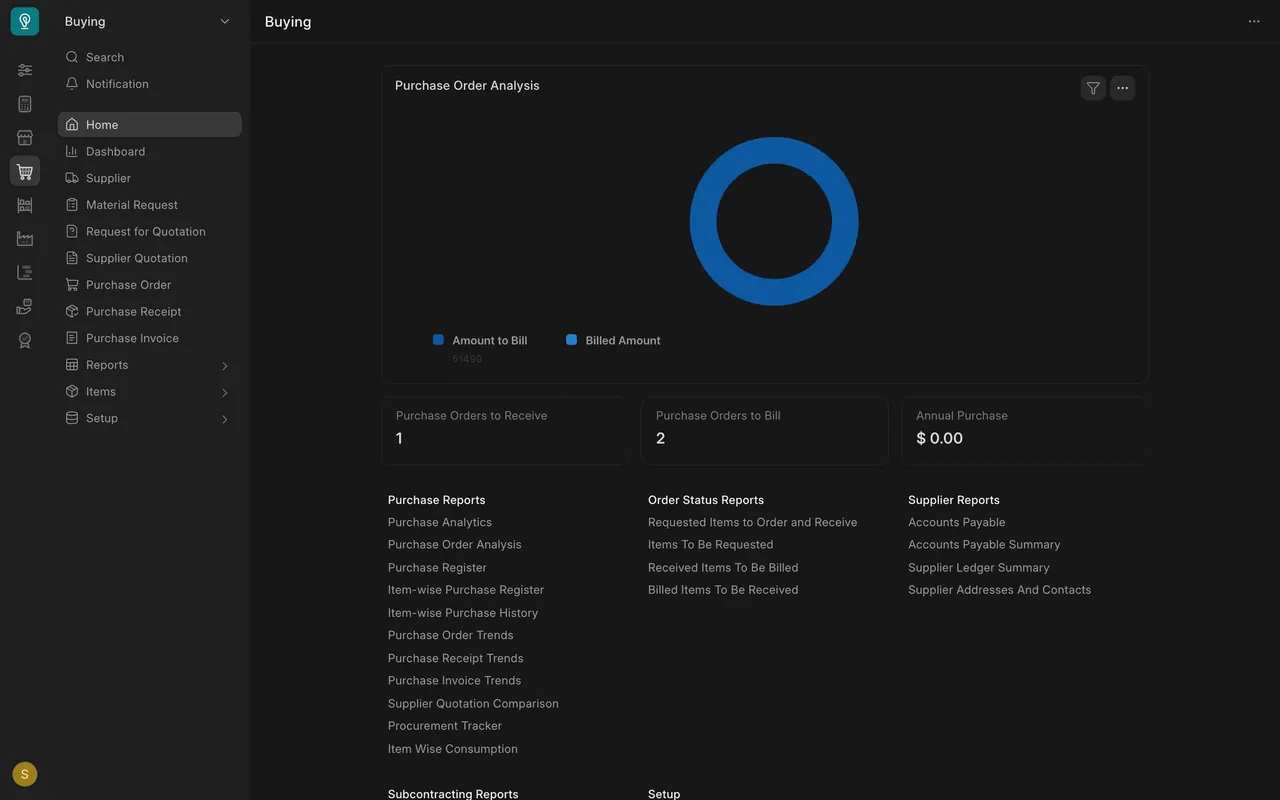
- Open the Buying Home page. The reports are grouped under Purchase Reports, Order Status Reports and Supplier Reports. The sidebar Reports group holds a shorter list.
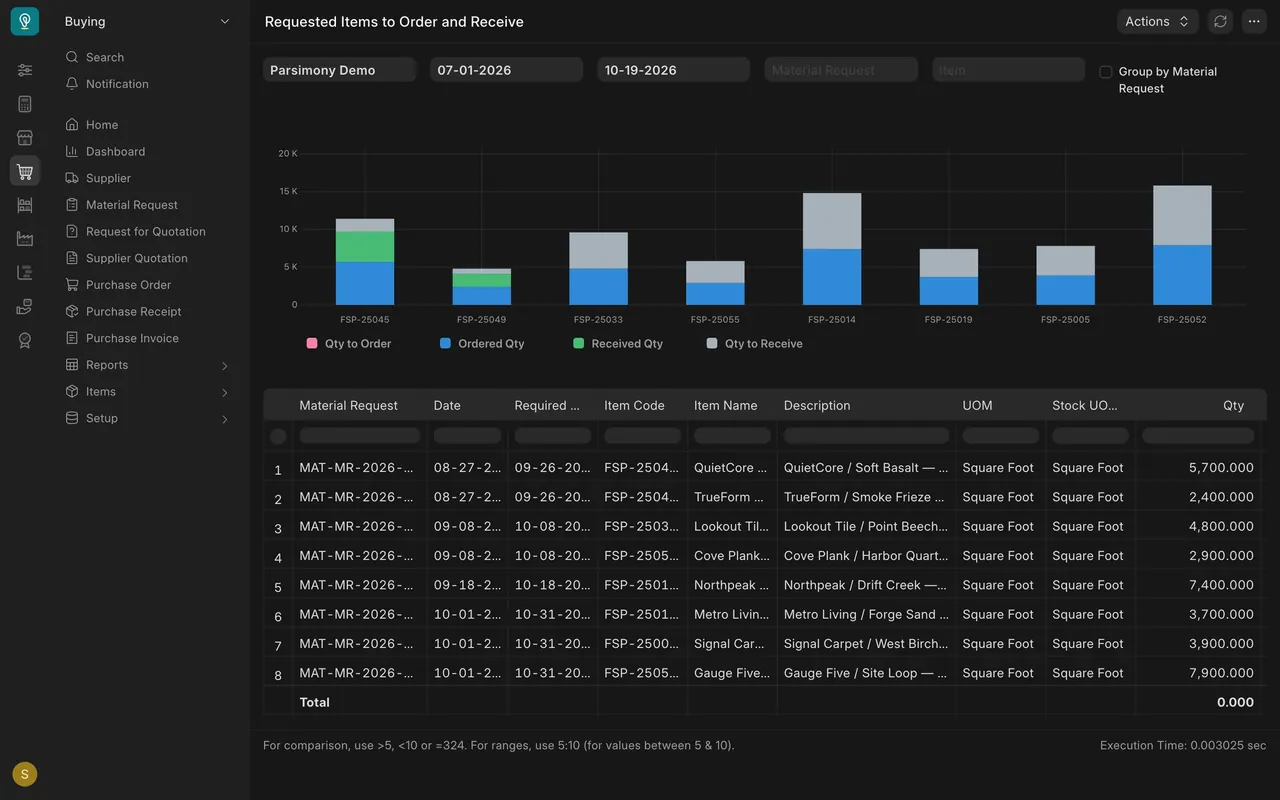
- Requested Items to Order and Receive (Order Status Reports). It lists every material request line that is not yet fully ordered and received. The chart splits each item into four amounts (Qty means quantity): Qty to Order, Ordered Qty, Received Qty and Qty to Receive, and the table lists each request line with its required date. Order anything still to order; chase anything still to receive. In the example data nothing is left to order, and several items still have quantity to receive.
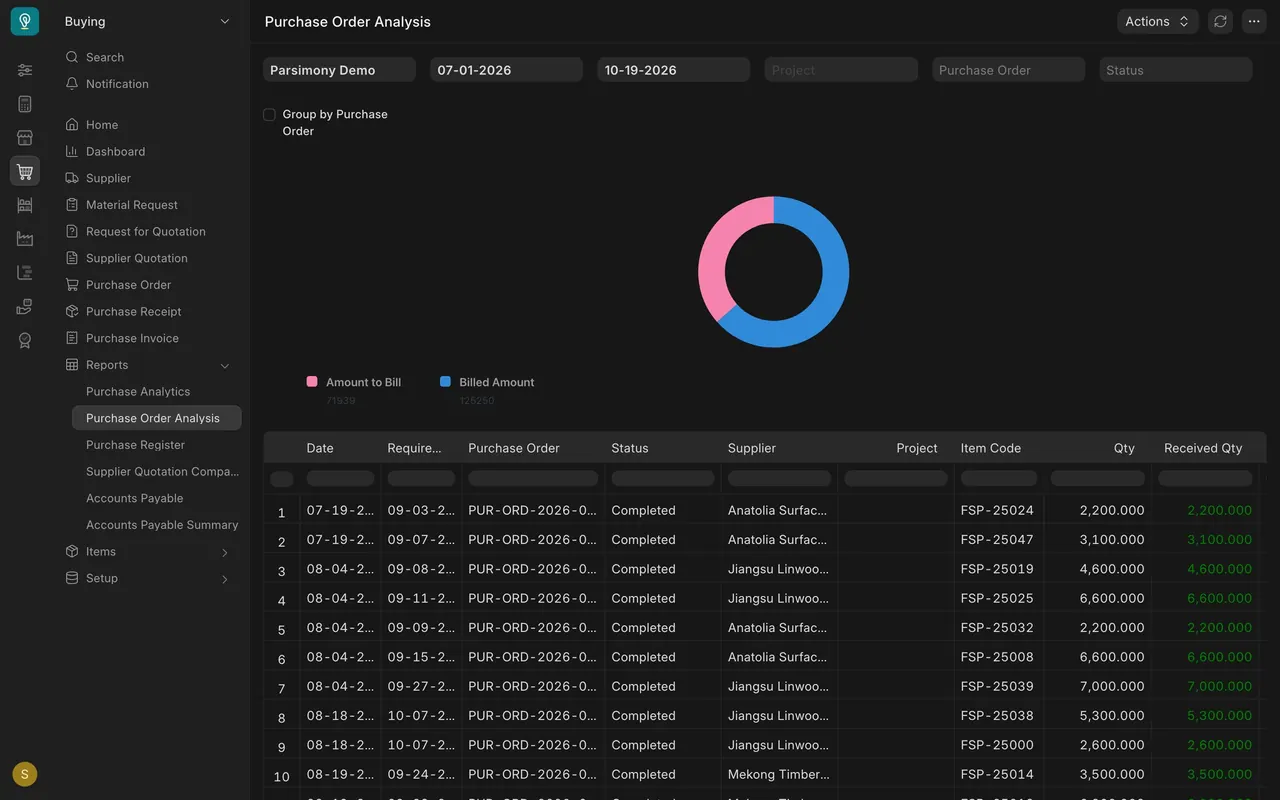
- Purchase Order Analysis (Purchase Reports). Each line is one item on one order, with the Date, Required By, Status, Supplier, Item Code, Qty and Received Qty. Further right are the billed and pending amounts. Look for lines past their Required By date that are not fully received, and call the supplier. Group by Purchase Order rolls the lines up by order.
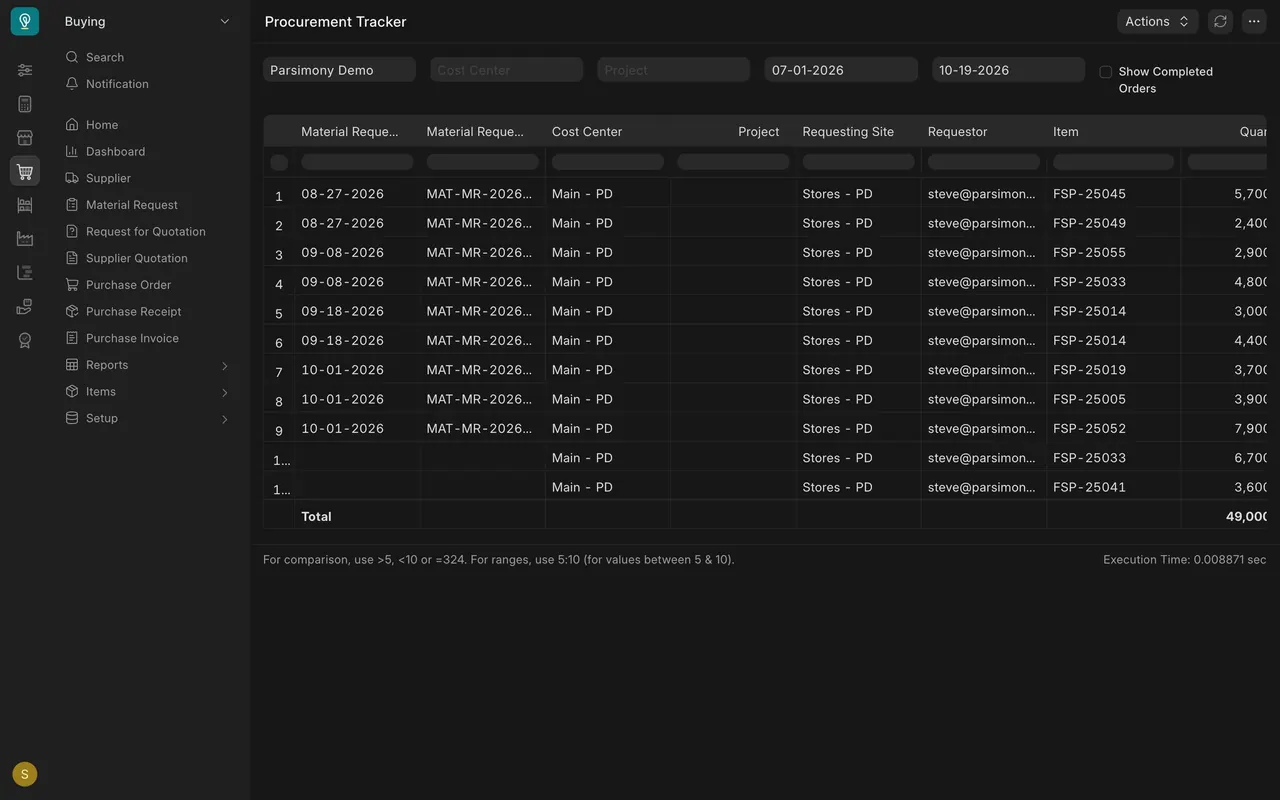
- Procurement Tracker (Purchase Reports). It follows each Material Request to its order and receipt, with the item and quantity on each line. It hides completed orders unless you tick Show Completed Orders. Lines with no Material Request are orders placed without one.
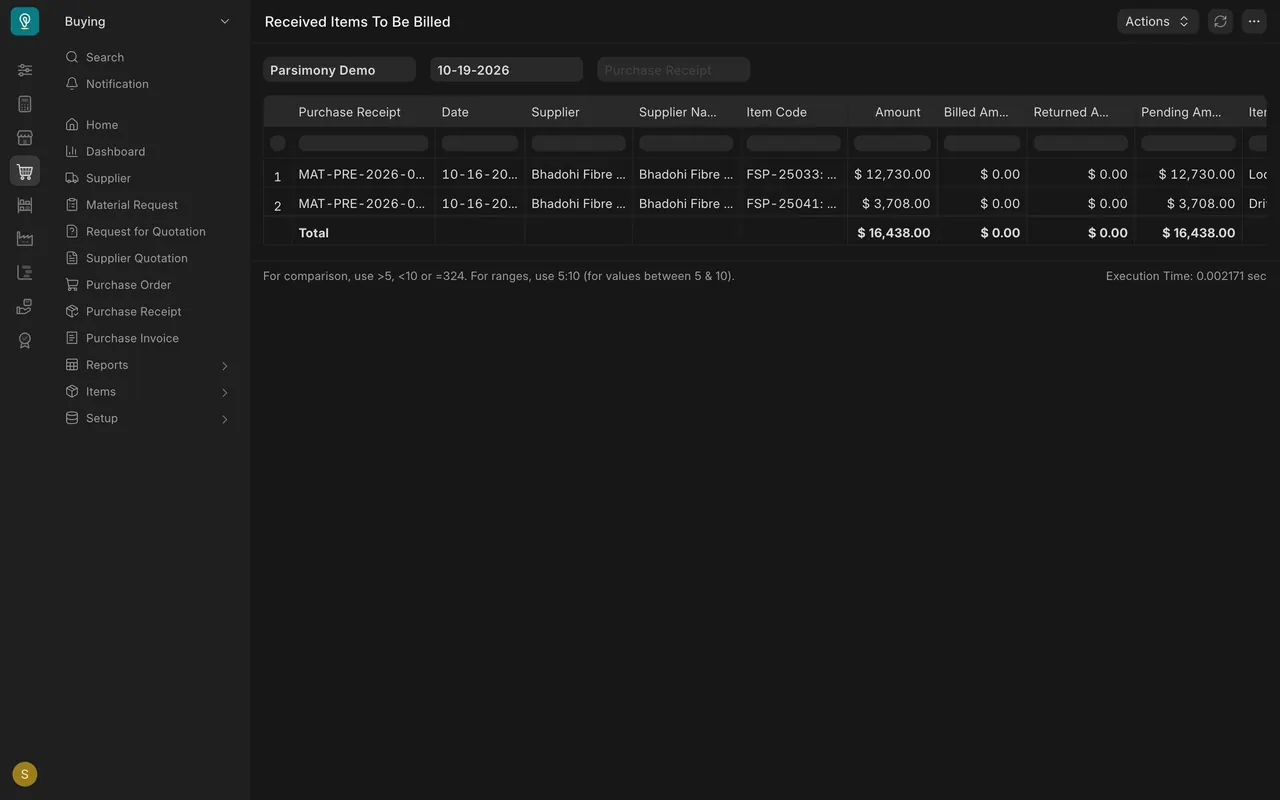
- Received Items To Be Billed (Order Status Reports). Goods received with no supplier invoice yet: each line shows the Purchase Receipt, the supplier, the item, the amount and the pending amount. Send it to Accounts on the same day each week.
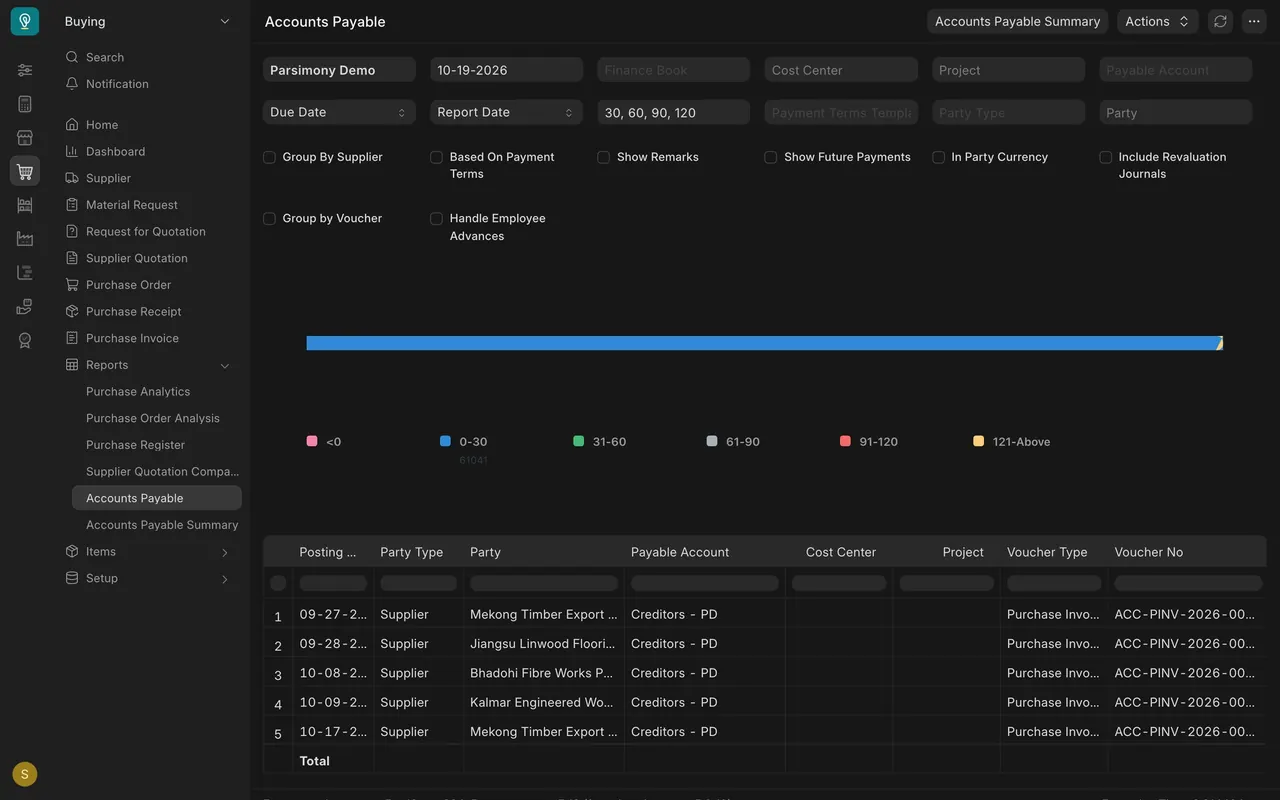
- Accounts Payable (Supplier Reports). What your company owes each supplier, invoice by invoice, with ageing buckets such as 0-30 and 31-60 days. It is for looking, not fixing. Accounts makes the payments.
Setup in this example
- Standard reports only. There are no custom reports or scripts in Buying on the example site. Your site may have its own.
- Filters: the company is the example company, Parsimony Demo; on your site it is your own company. Purchase Order Analysis and Requested Items to Order and Receive open on the last month. Procurement Tracker opens on the whole year. Received Items To Be Billed and Accounts Payable open on today's date. Widen the dates to look further back. The screens in this lesson use July 1 to October 19, 2026.
- Required By is set on every order row, which is what makes the "late" question answerable.
A weekly rhythm that works:
| Day | Report | Who it helps |
|---|---|---|
| Monday | Requested Items to Order and Receive | Project teams waiting on orders |
| Monday | Purchase Order Analysis, lines past Required By | The warehouse and the customer's delivery date |
| Wednesday | Procurement Tracker for anything stuck | Whoever raised the request |
| Friday | Received Items To Be Billed, sent to Accounts | Accounts closing the week |