V16 Training · Buying · Lesson 3 of 6
Compare quotes and place the order
This lesson shows you how to compare supplier quotes side by side and turn the winning quote into a purchase order you can defend.
Written guide
The idea
Comparing quotes is a judgement, not a sort by price. The cheapest supplier may ship too late for the project, or may have let you down before. The Supplier Quotation Comparison report puts every recorded quote for the same request side by side, so you can weigh price, validity and lead time together.
Once you choose, the Purchase Order is your commitment to buy. The supplier works from it, the warehouse plans around it, and your accounting team matches the bill against it. Every number on it should be one you could explain.
Step by step
Compare the quotes
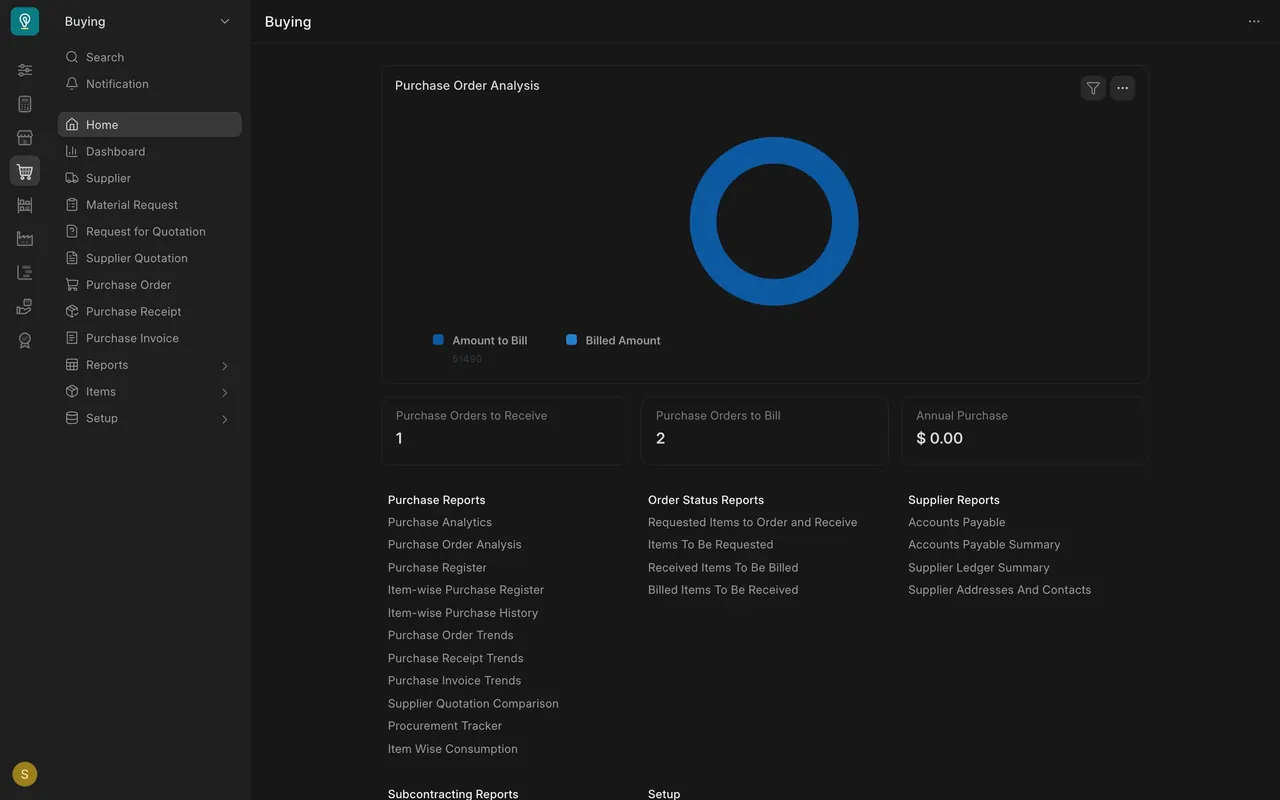
- Open the Buying Home page. Under Purchase Reports, click Supplier Quotation Comparison. (Once a report is open, the sidebar Reports group also lists it.)
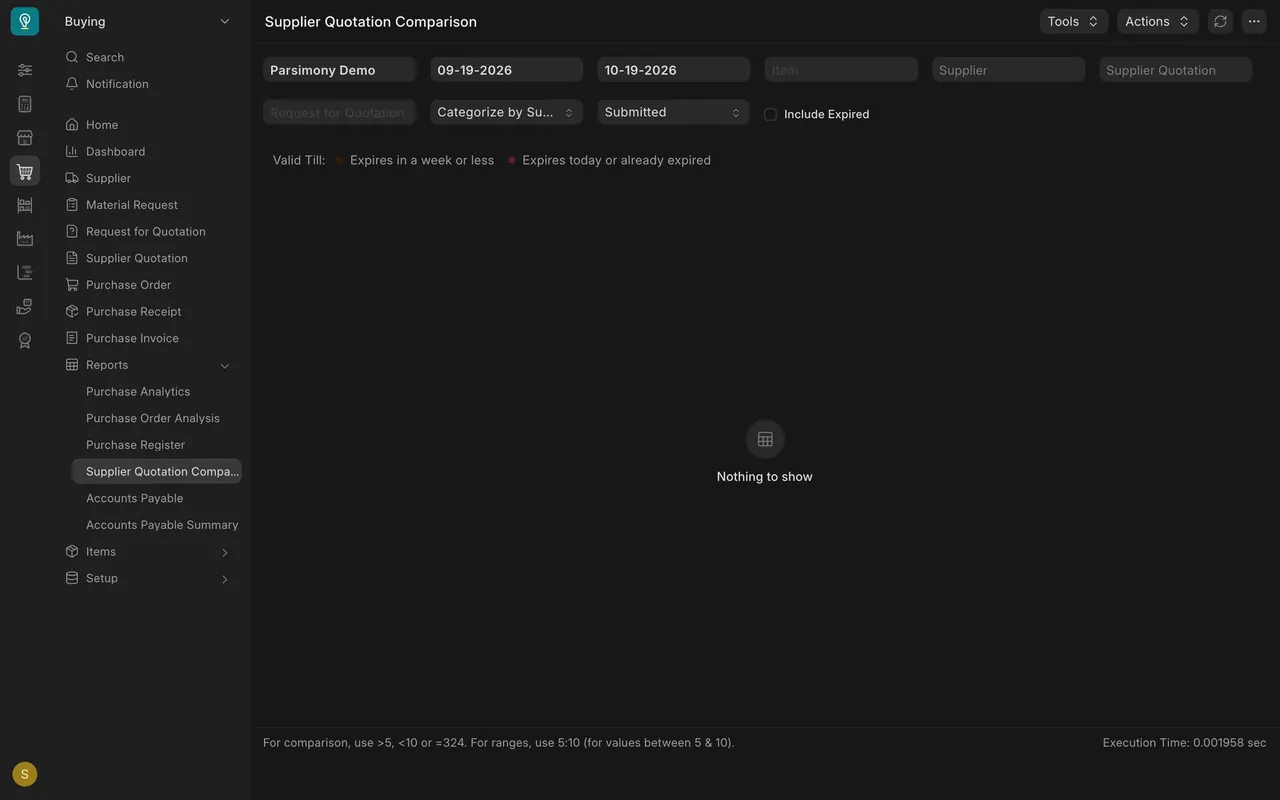
- The report opens filtered to your company and the last month, with Include Expired unticked. If your quotes are older or past their Valid Till date, it says Nothing to show.
- Set the date range to cover your quotes, pick the Request for Quotation you sent, and tick Include Expired. Categorize by Item groups the rows by item.
- Read the rows. Each row is one supplier's price for one item, with the quantity, currency, price and Price per Unit. The lowest price per unit shows in green. Scroll right for the valid-till and lead-time columns.
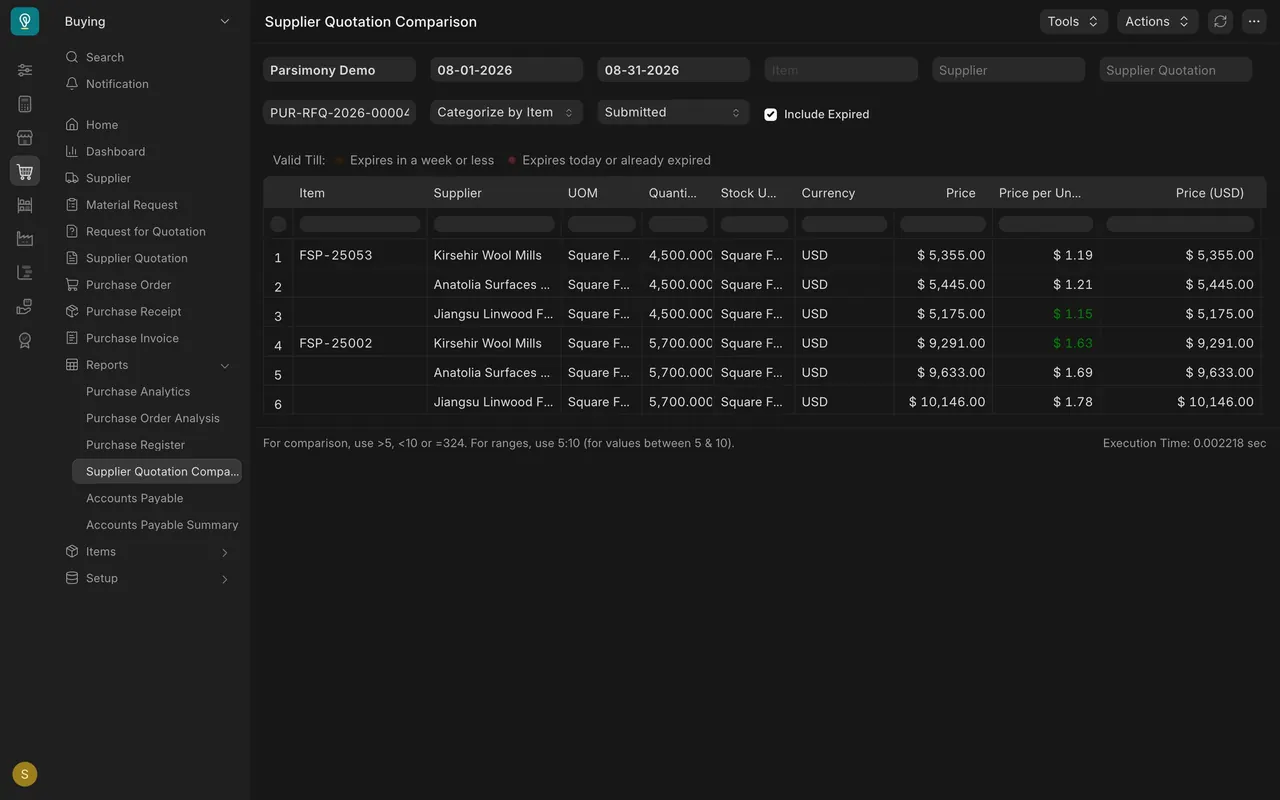
- Make the call. In this example Jiangsu Linwood Flooring is cheapest on one item and Kirsehir Wool Mills on the other, and Kirsehir has the lowest total. Lead time and the supplier's track record matter as much as price. If it is a near tie, ask a purchasing manager. If the winning quote has expired, ask the supplier to confirm the price before you order.
Place the purchase order
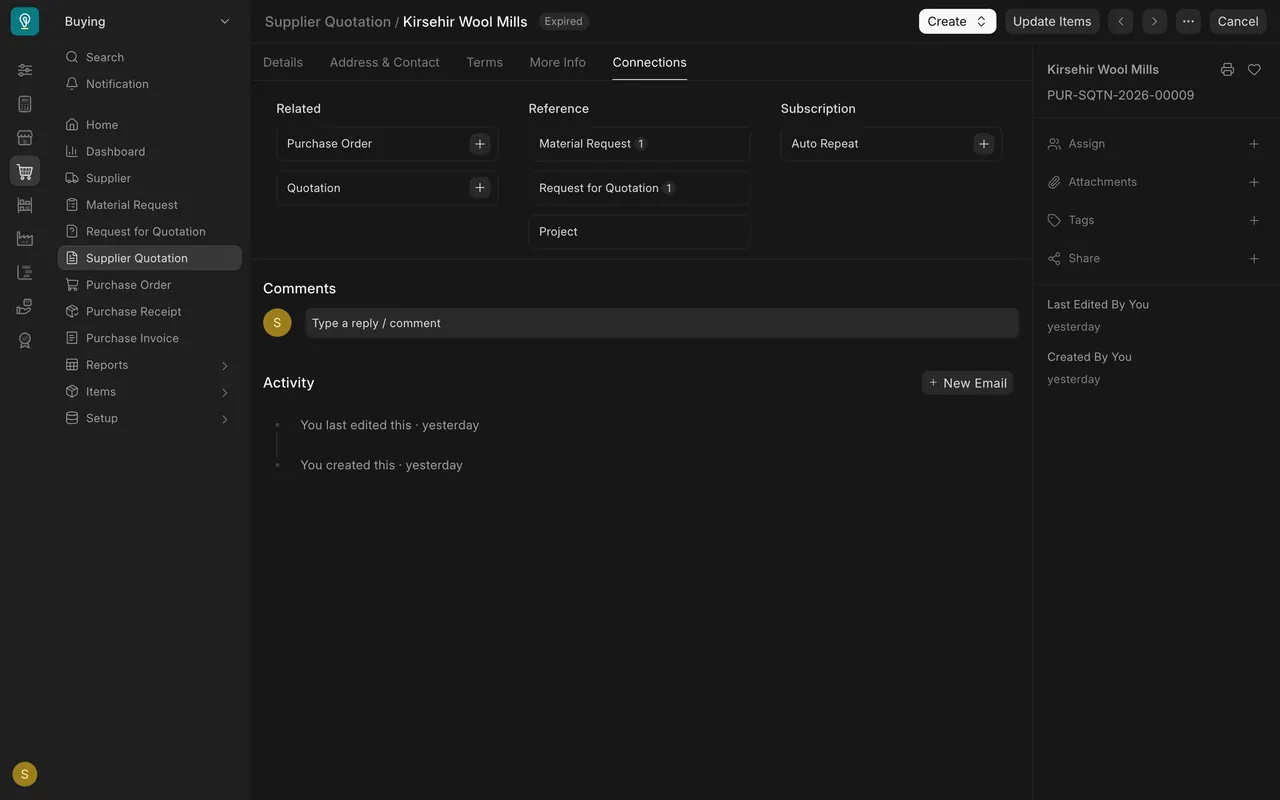
- Open the winning Supplier Quotation and go to its Connections tab. Under Related, the plus beside Purchase Order starts an order from that quote. The same tab shows the Material Request and Request for Quotation the quote came from.
- Confirm the Supplier and the Date.
- Set Required By on every item row. It is mandatory on a purchase order. Use the date the goods must arrive, not today, and allow for shipping time. Rows can carry different dates, so check each one.
- Check the quantity, the Rate (shown as Rate (USD) in this example, because the order is in US dollars) and the Target Warehouse on every row. Set Target Warehouse at the top fills all rows at once.
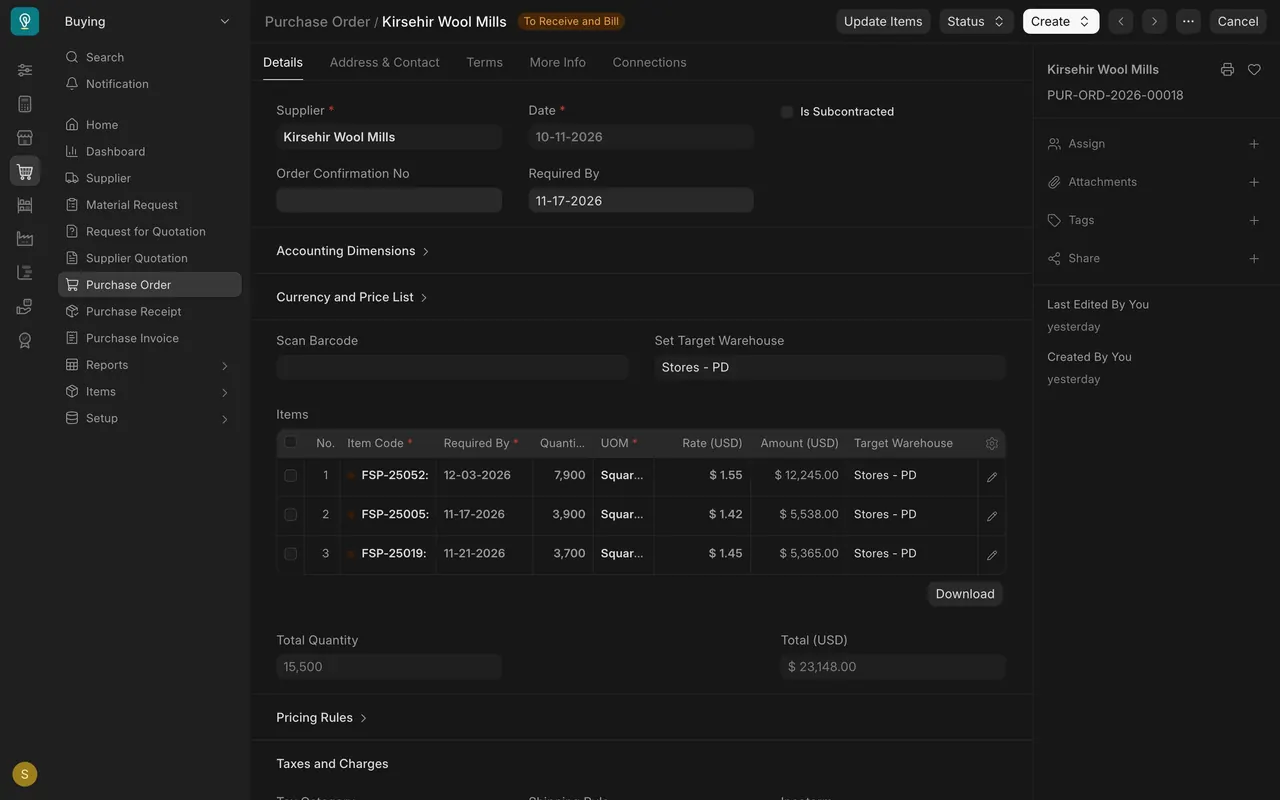
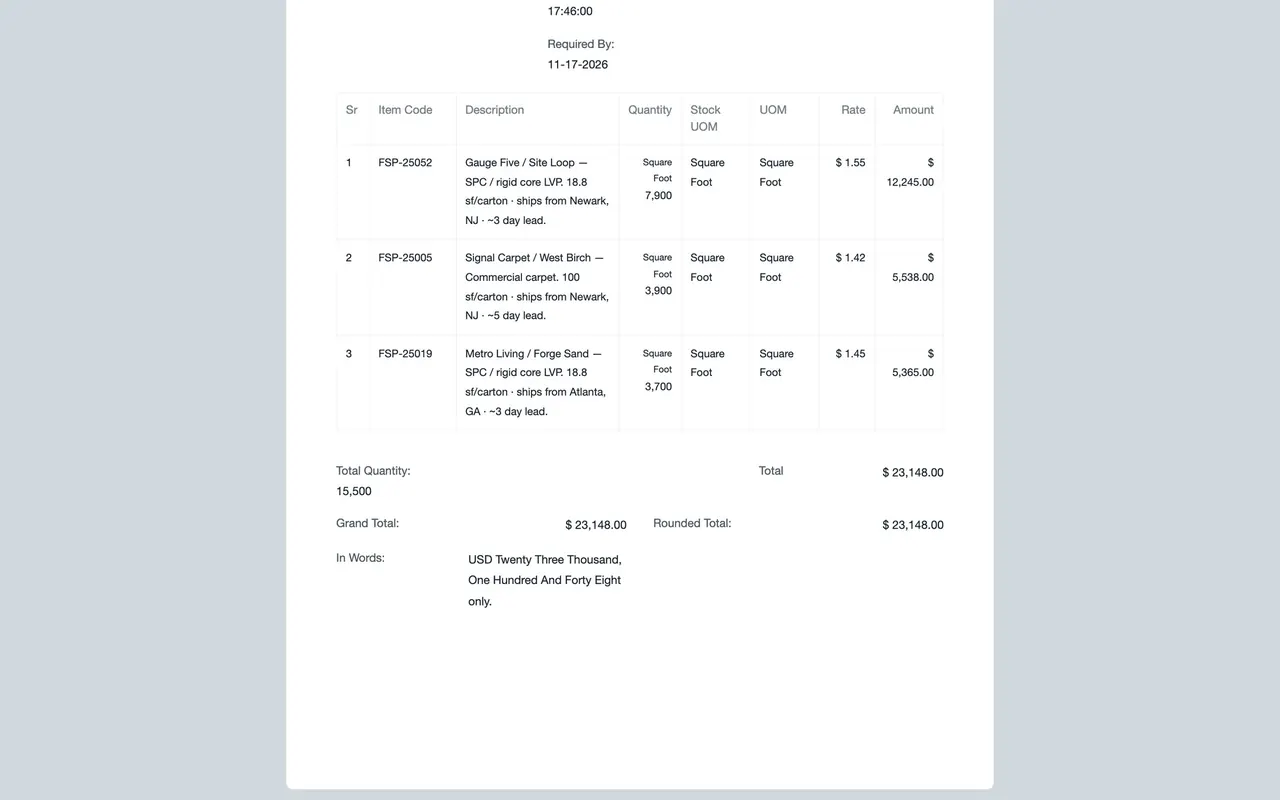
- Save it. Click the printer icon in the panel on the right, then Full Page. Check Grand Total, Rounded Total and In Words against what you agreed with the supplier.
- Submit. If your role allows it, you can submit a purchase order.
- Open the print view to see the order exactly as your supplier will receive it.
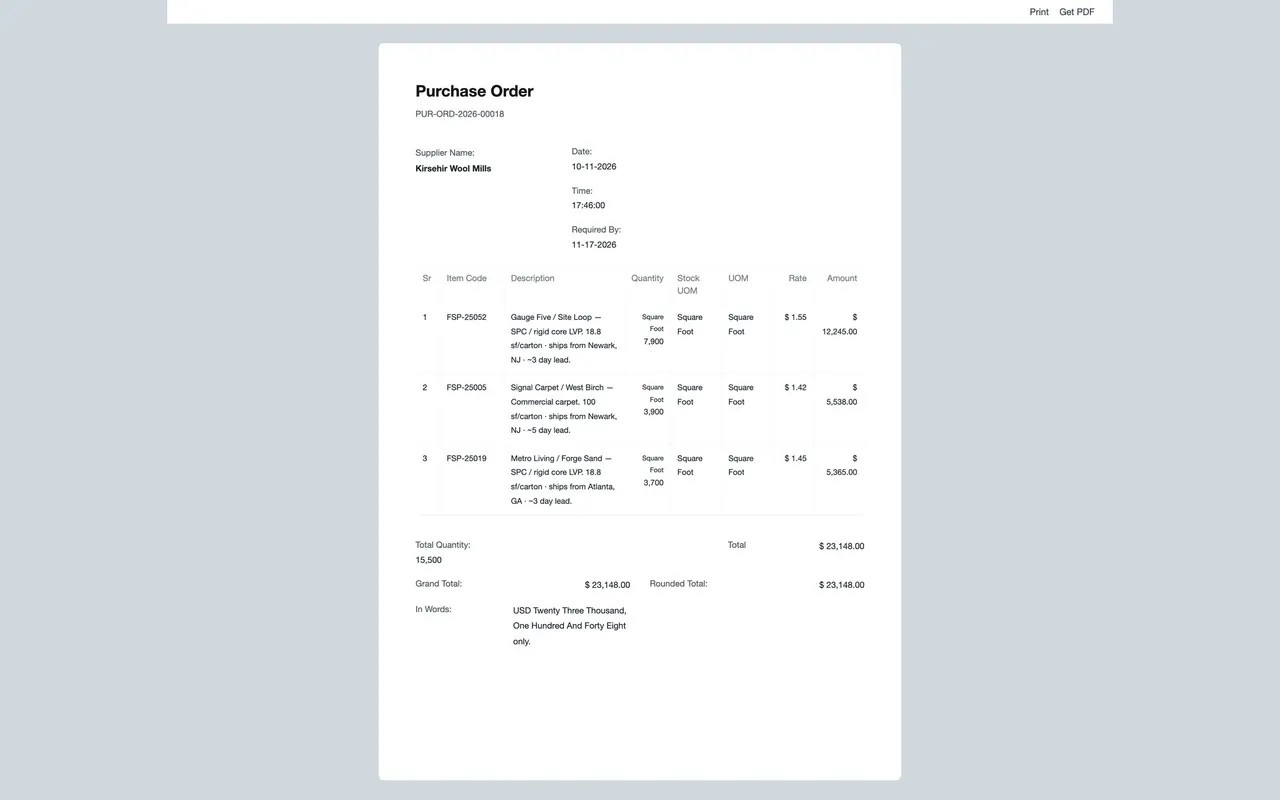
- In the Full Page print view, use Get PDF and send the order to the supplier. If your site is not set up to email orders, you send it yourself. When the supplier confirms, its number goes in Order Confirmation No.
How your site may be set up
These depend on how your company set up Parsimony. The example site used here works like this:
- Numbering: purchase orders get a numbered series with the year in it. In this example, a 2026 order starts PUR-ORD-2026-.
- Required By is mandatory per item on the purchase order.
- Currency: in this example, rates and totals are in US dollars.
- Rounded Total and In Words are shown on buying documents and on the print.
- Approval: if your site has no approval workflow, being able to submit is your approval. Treat it like a signature.
- Email: if your site does not email orders, use the printer icon, then Full Page, then Get PDF, and send it yourself.
Common mistakes
- Trusting "Nothing to show". The default filters hide expired quotes and anything older than a month. Widen the dates and tick Include Expired before you decide there are no quotes.
- Choosing on price alone. A cheaper supplier that misses the install date costs more than it saves.
- Setting Required By to the order date. Required By is the arrival date. Count back from the project date, row by row.
- Typing a new order from scratch. Start it from the winning quote, so the order stays linked to the quote and the request behind it.
- Not reading In Words. If the words and the number disagree, the supplier will ask which one you meant.
Check yourself
3 quick questions.
1. Supplier Quotation Comparison says "Nothing to show", but you know three suppliers quoted last month and their quotes have passed Valid Till. What do you do?
2. Why start the Purchase Order from the winning Supplier Quotation instead of a blank order?
3. Two suppliers are within one percent on price. One has missed its last two ship dates. What should you do?