V16 Training · Admin and Setup · Lesson 3 of 6
Your company record
This lesson tours the company record in Parsimony, and explains why a few of its settings should be decided once, at the start.
Written guide
The idea
Your company record is the page that tells Parsimony who you are: the company's name, its abbreviation, its currency and country, its address, and the default accounts and warehouse that new documents start from. You set it up once. Most of it is easy to read and safe to look at, but a few settings affect every name and total in your system, so you should treat them as fixed once you have transactions.
The screens use example data from a demo company called Parsimony Demo. Your own Parsimony site shows your company.
Step by step
Step 1. Open the company
- In the Setup area, choose Company.
- Open your own company. In this example it is Parsimony Demo.
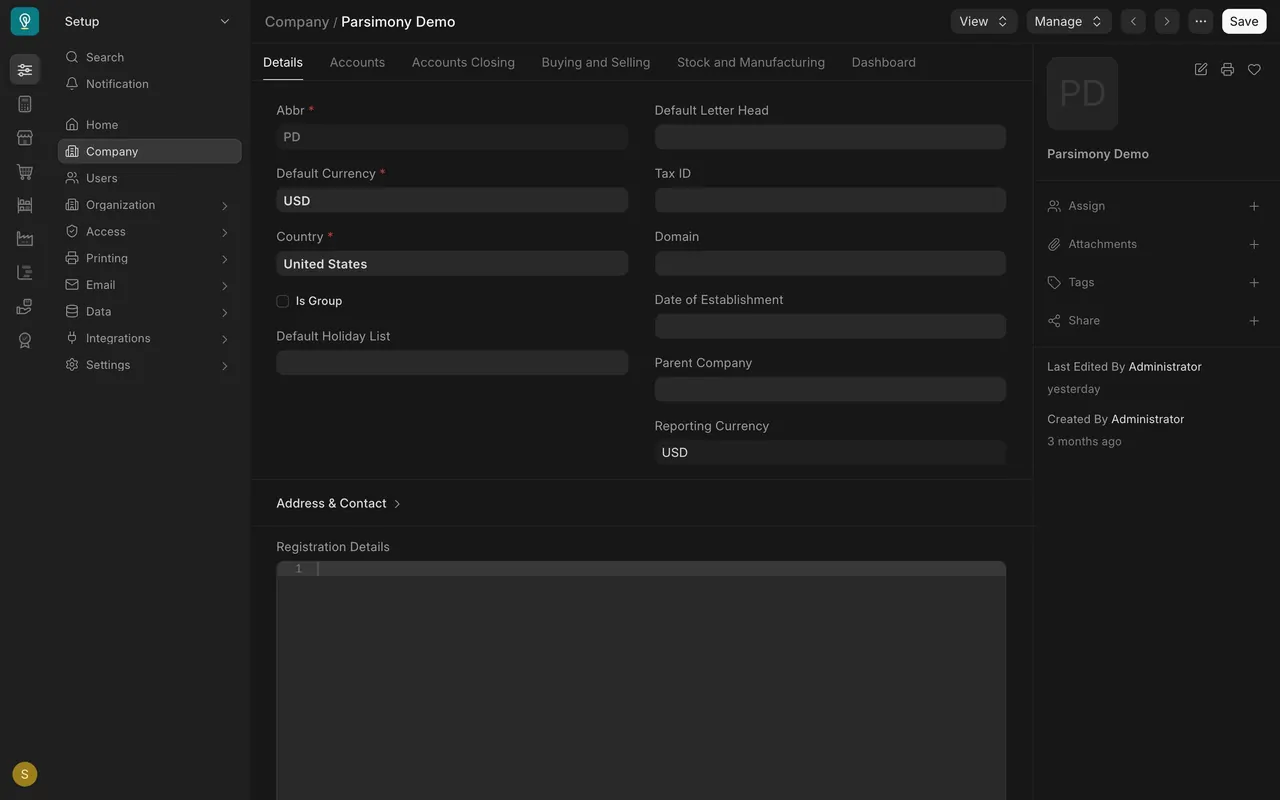
Step 2. Read the basic details
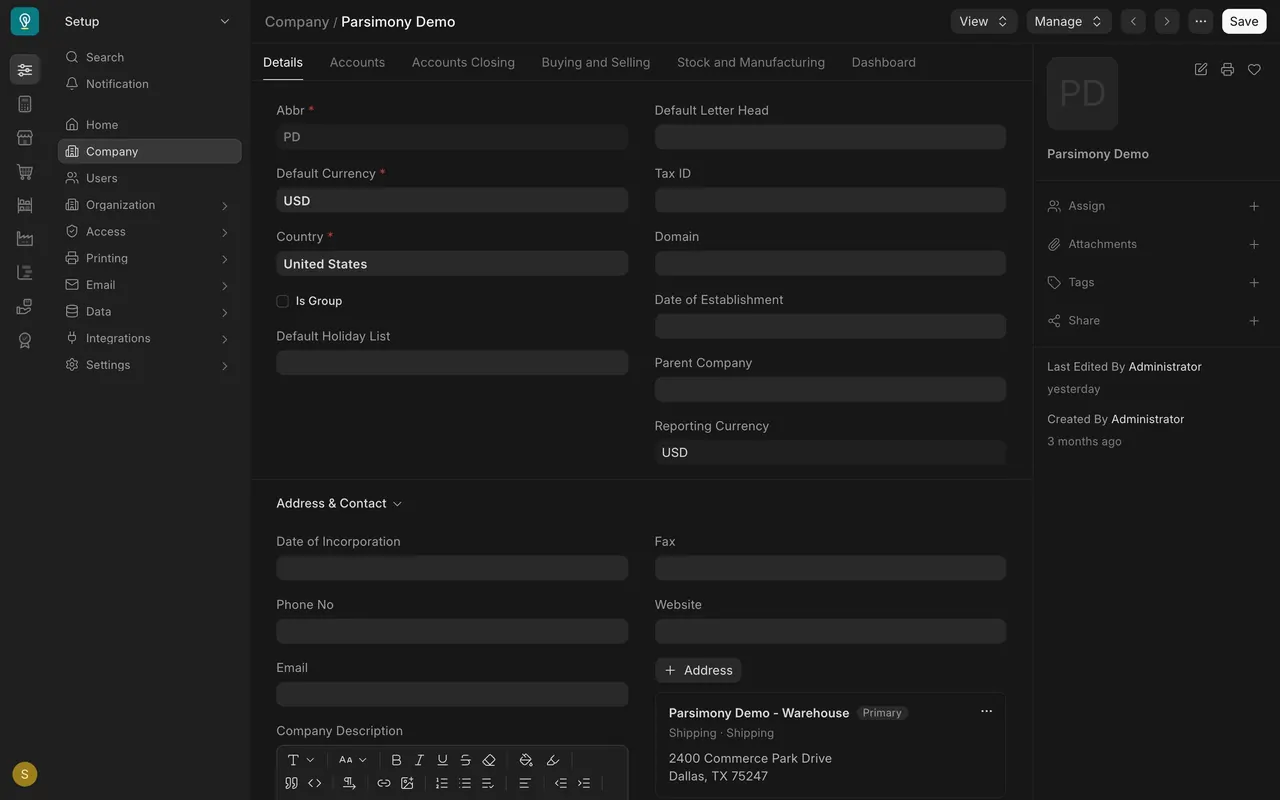
- The Abbr box is the abbreviation, here PD.
- Below it are Default Currency (USD) and Country (United States).
- The abbreviation is gray, not a box you can type in.
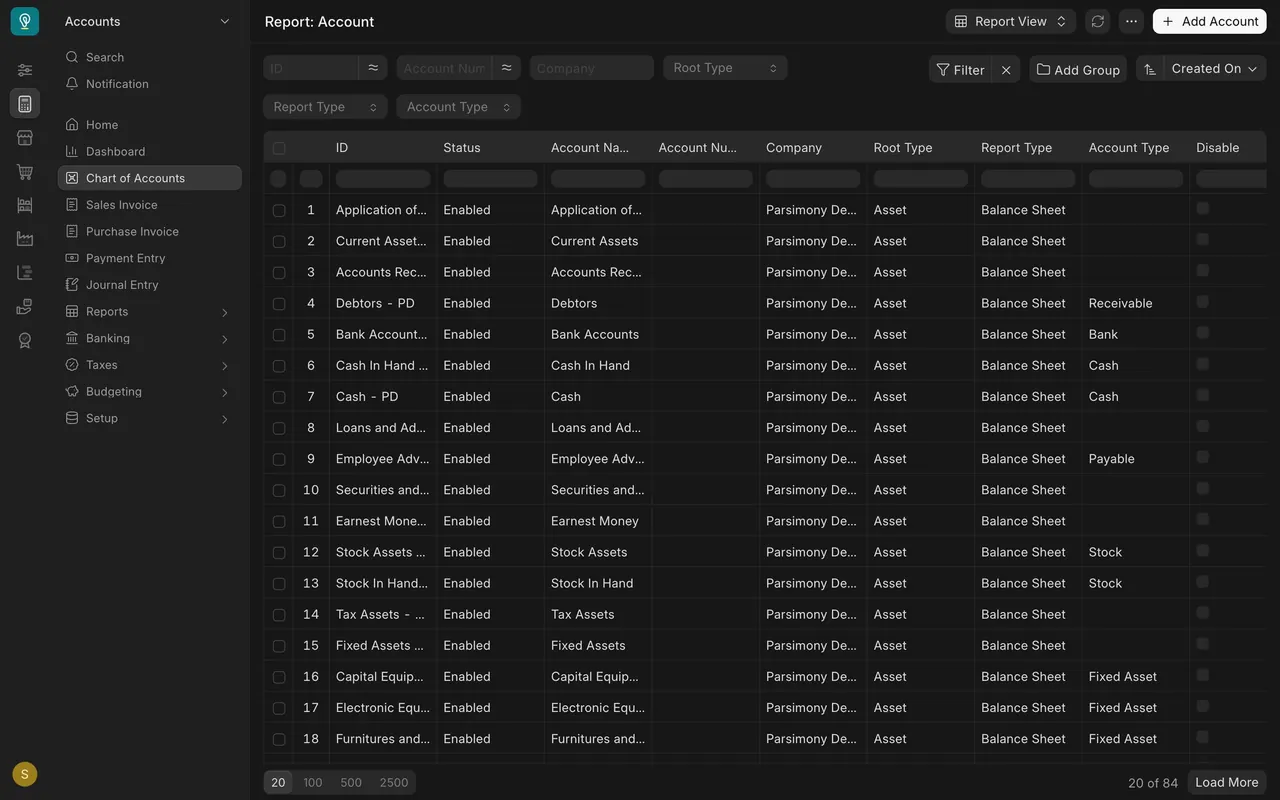
Why the abbreviation matters
Parsimony adds the abbreviation to the name of every account, warehouse and cost center. In the chart of accounts you see Debtors - PD and Cash - PD. So choose a short, clear abbreviation at the start, one you will not want to change.
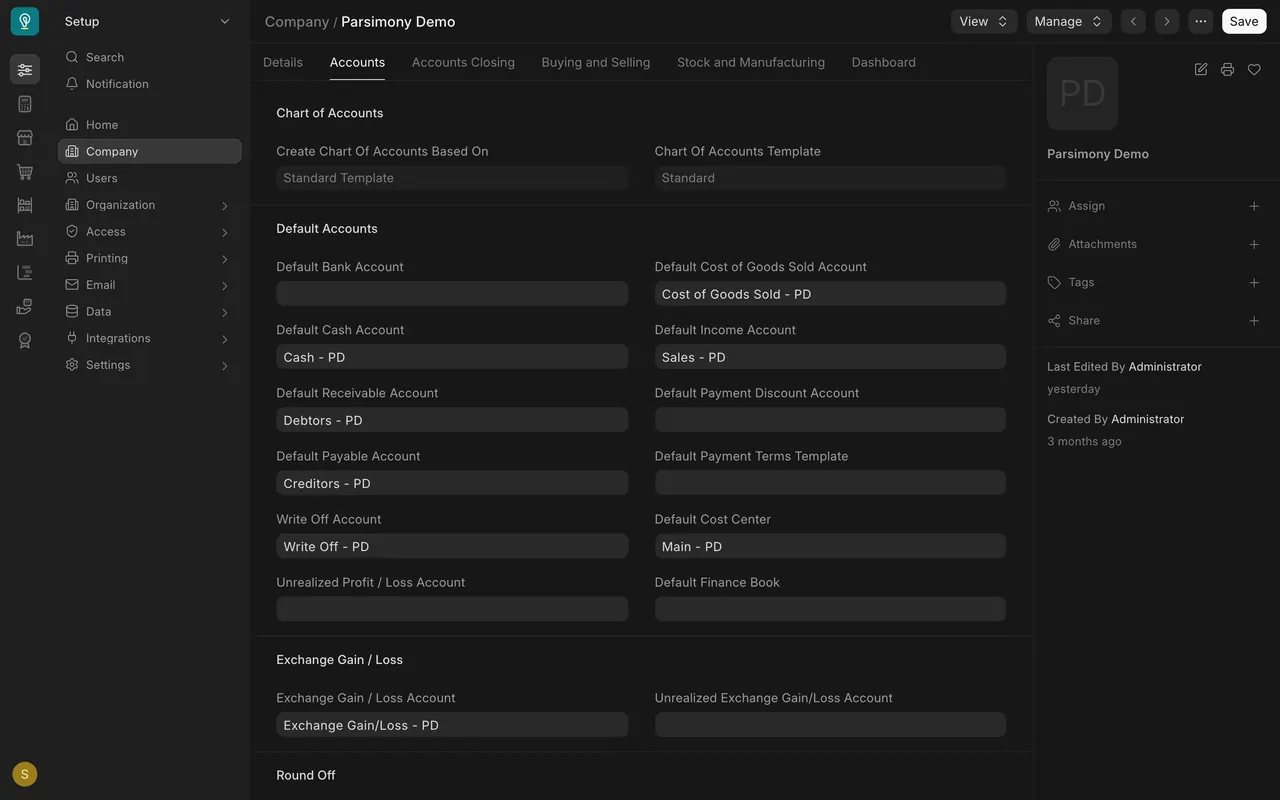
Step 3. Default accounts
- Open the Accounts tab.
- The Default Accounts section tells Parsimony which account to use for common things. Debtors is what customers owe you. Creditors is what you owe your suppliers.
- Each box is filled from your chart of accounts, and every name carries the abbreviation.
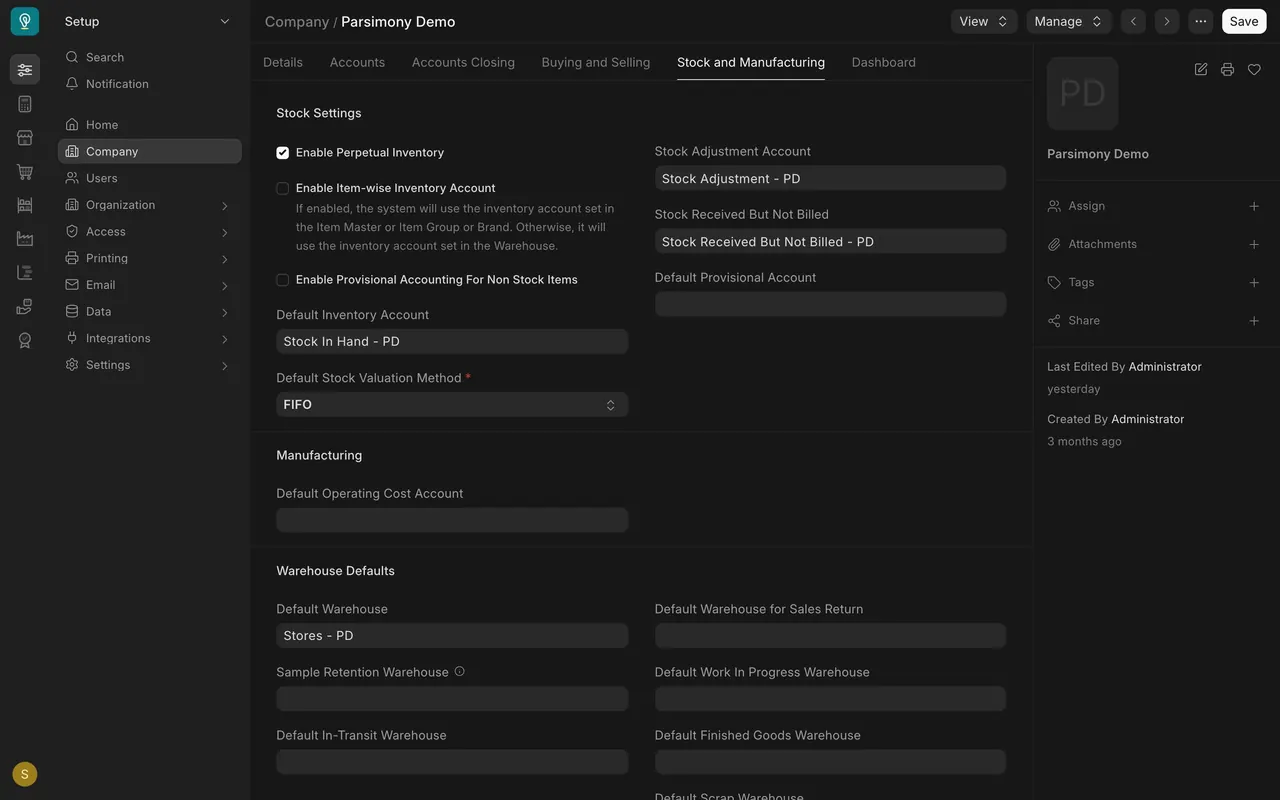
Step 4. Default warehouse
- Open the Stock and Manufacturing tab.
- Under Warehouse Defaults, Default Warehouse is the one Parsimony suggests on stock documents. Here it is Stores - PD.
Step 5. The address
- Go back to the Details tab and open Address & Contact.
- Your company's own address lives here. Keep it current.
What not to change once you have transactions
Treat three things as fixed: the abbreviation, the default currency, and the chart of accounts. Decide them before your first invoice. Only your administrator should press Save on this page.
What you may see on your own site
- Your company name, abbreviation, currency and country are your own.
- Your default accounts may differ, and some boxes, such as Default Bank Account, may be empty until you set them.
Common mistakes
- Picking the abbreviation in a hurry. It ends up in the name of every account and warehouse.
- Changing a default after you have transactions. Ask your administrator first.
- Letting the address go stale. Update it when your company moves.
Check yourself
3 quick questions.
1. Where does the "PD" in "Cash - PD" come from?
2. Which tab holds the Default Warehouse?
3. Which settings should you treat as fixed once you have transactions?