V16 Training · Accounting · Lesson 4 of 6
Post a journal entry
This lesson shows you how to post a journal entry for a cost that has no invoice, such as rent or payroll, and how to check that it balances and lands in the right month.
Written guide
The idea
Most money in Parsimony moves through invoices and payments. Some costs come with no invoice to enter: the office rent and the monthly payroll. They still belong in the books, in the month they relate to. A Journal Entry records them directly as debits and credits on accounts.
Every journal entry has two halves that must be equal. One side says where the value went (for example, an expense), the other where it came from (cash, or a liability you now owe). If the halves differ, the entry is wrong.
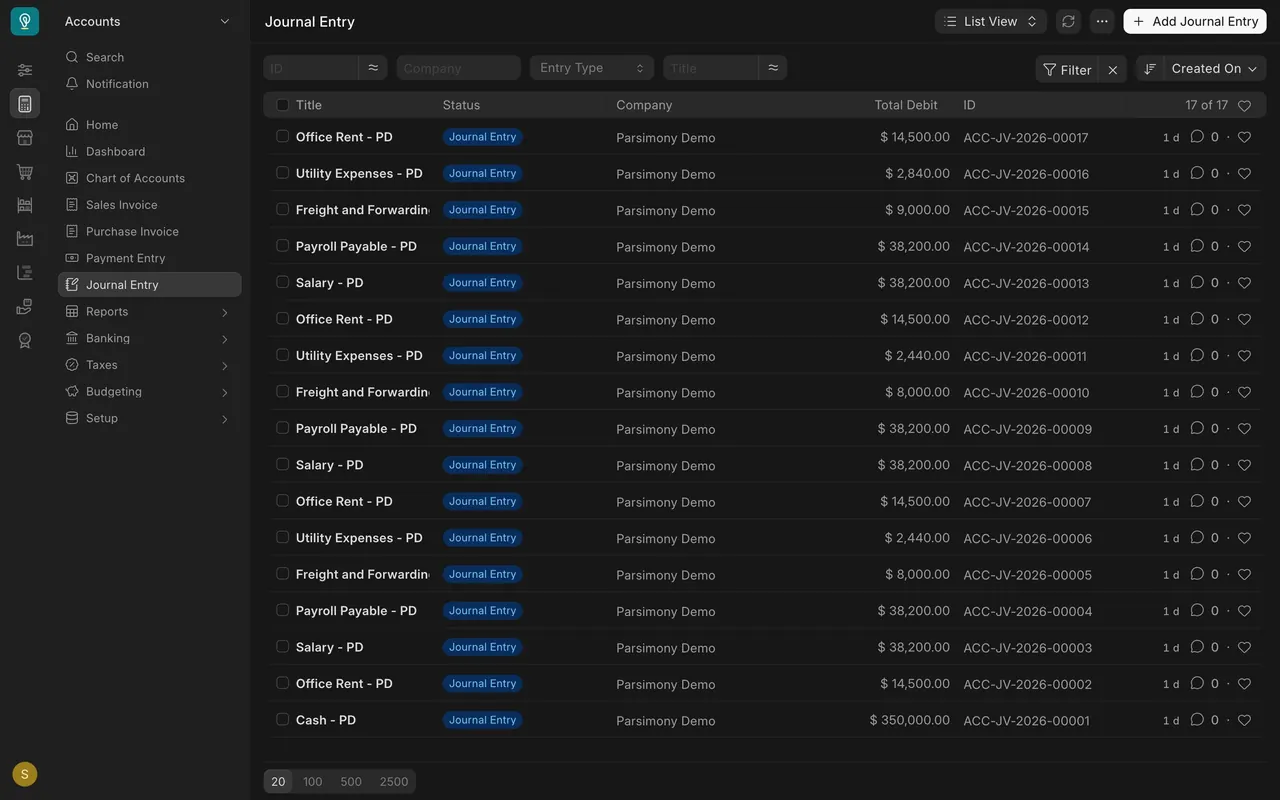
In this example, the journal list shows two patterns you will use every month:
- Paid straight away. Rent: debit Office Rent, credit Cash.
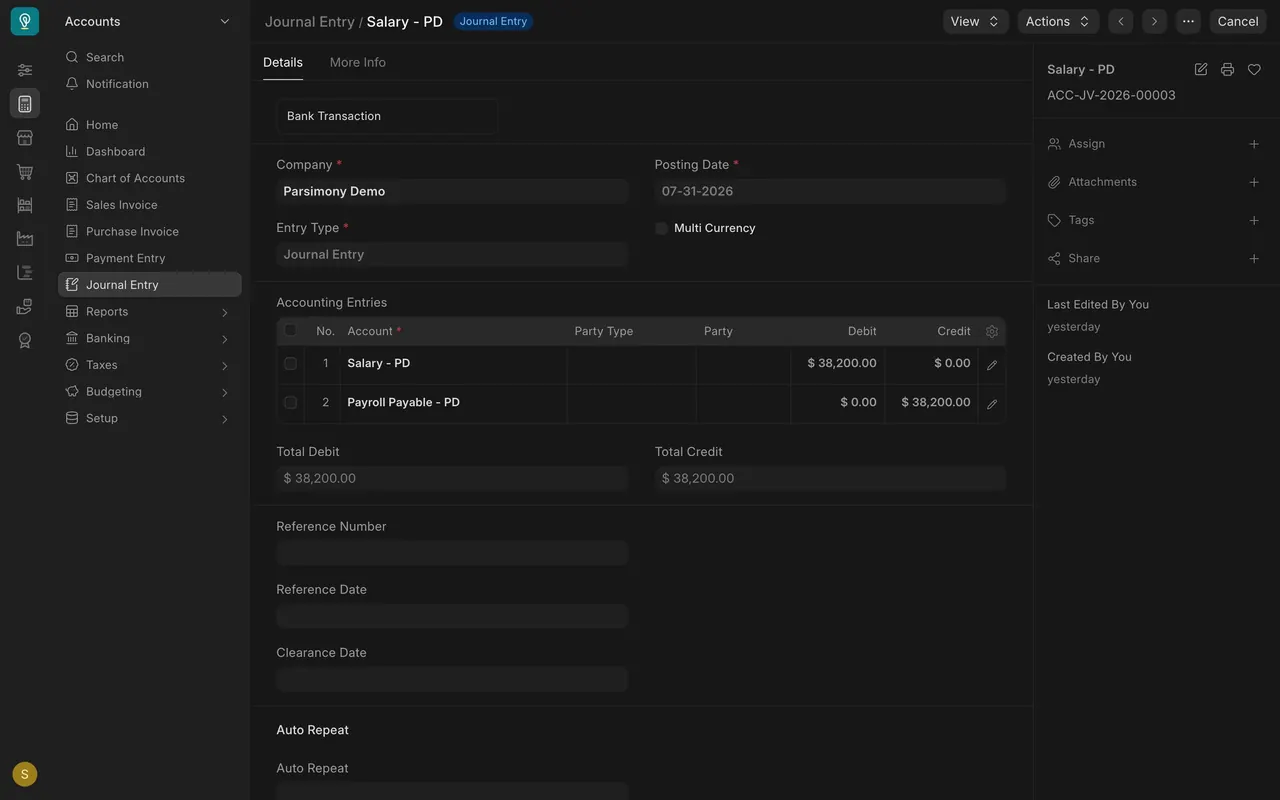
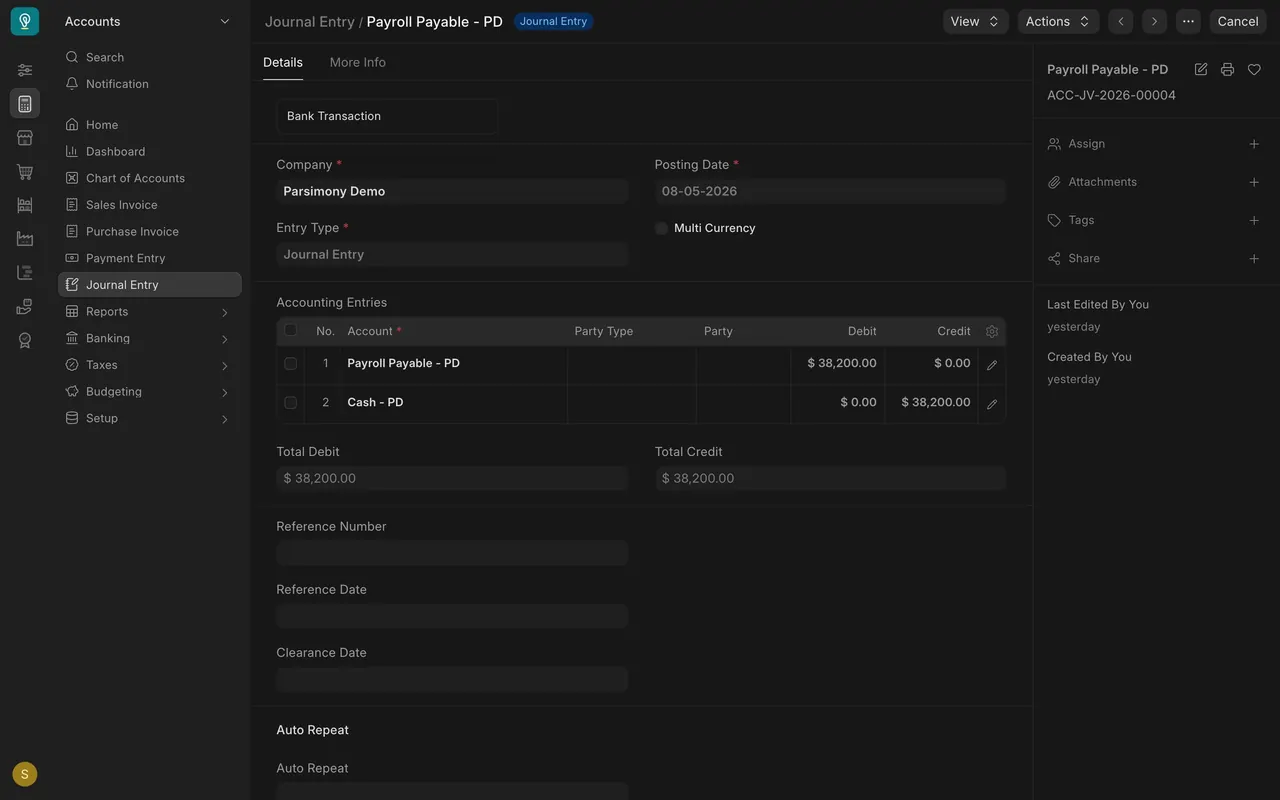
- Accrue, then pay. Payroll: at month end, debit Salary and credit Payroll Payable (the company owes it). A few days later, debit Payroll Payable and credit Cash (the company paid it). The payable goes back to zero.
Step by step
- Open Journal Entry in the Accounts sidebar and click Add Journal Entry.
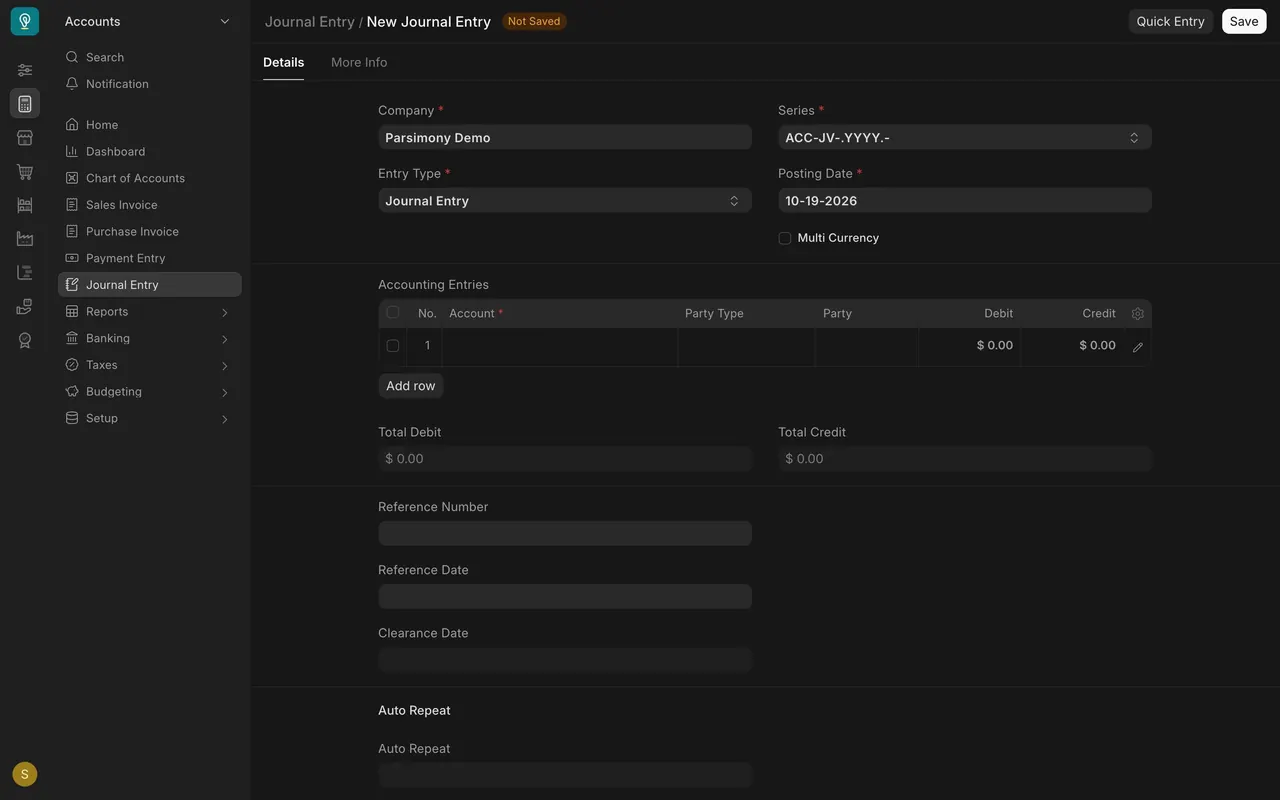
- Leave Entry Type as Journal Entry. Company is already filled in with your company.
- Set the Posting Date inside the month the cost belongs to, usually the last day of that month. July rent posted in August makes both months wrong.
- In Accounting Entries, use Add row to add one row per account. Pick the Account on each row.
- Put each amount under either Debit or Credit on its row. For rent: Office Rent in Debit, Cash in Credit, same amount.
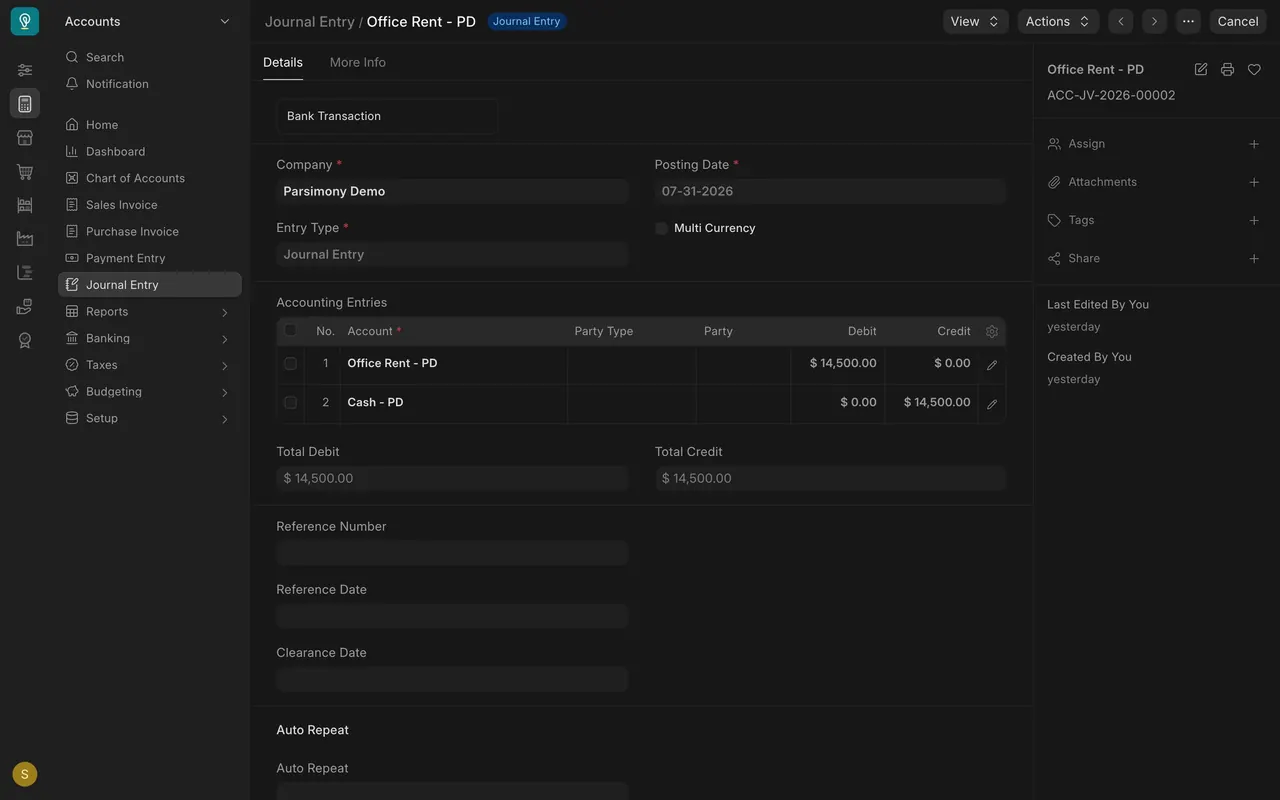
- Check that Total Debit equals Total Credit. If they differ, Parsimony will not accept the entry. Find the missing or mistyped line rather than adding a balancing line to a random account.
- If you have a reference (the landlord's invoice number, the bank transfer reference), put it in Reference Number and its date in Reference Date. The next person will look for it.
- Save, read it once more, then submit.
- For an accrual, post the second entry when the money actually moves. In the example, salary was accrued on 07-31-2026 and paid on 08-05-2026, each for $38,200.00.
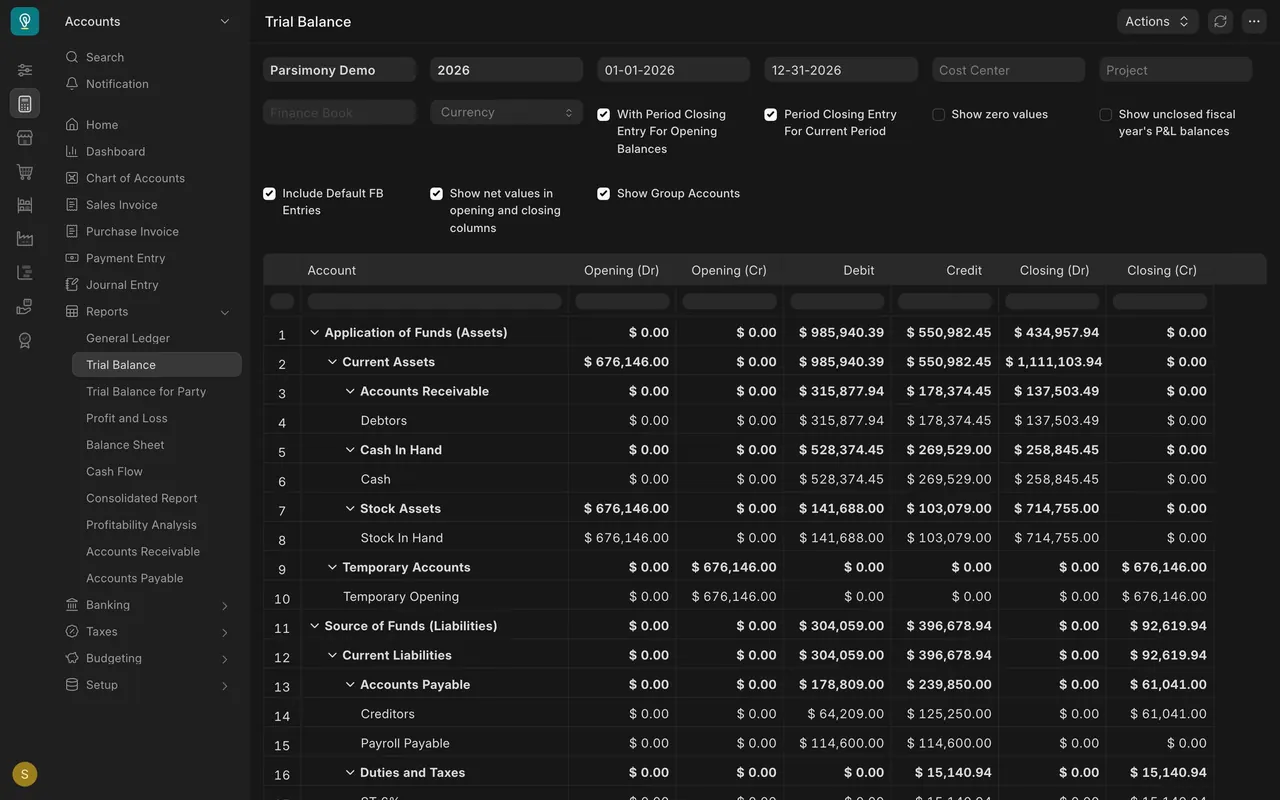
- Check the result in the Trial Balance. Payroll Payable shows equal debits and credits for the year ($114,600.00 each), so every accrual was cleared.
Setup notes
- Monthly entries in this example: Office Rent ($14,500.00), Salary and Payroll Payable ($38,200.00), Freight and Forwarding Charges ($8,000.00 to $9,000.00) and Utility Expenses ($2,440.00 to $2,840.00).
- Numbering: journal entries are numbered automatically, in a series your administrator can change.
- Who can do what: by default, the Accounts User and Accounts Manager roles can create, submit and cancel journal entries, and the Auditor role can only read them. Your administrator can change this.
- Account names may carry a short company suffix on screen, such as the demo company's. That is part of the account name.
- Fiscal year: the example uses 2026. Keep posting dates inside your own open fiscal year.
- Freight and utilities in the example data were posted as journals. When a forwarder or a utility sends a bill, enter it as a purchase invoice (Accounting lesson 3), so it is matched, aged and paid like any other bill.
Common mistakes
- Billing a customer or supplier with a journal. A journal has no items or quantities, so nothing ties it to what shipped or arrived, the match against the purchase order and receipt is skipped, and the sales and purchase reports miss it. Use a sales or purchase invoice and a payment entry.
- Wrong month. Posting the cost when you happen to enter it, not when it belongs. Month-end figures go wrong in two months at once.
- Accrual never cleared. If the payroll payable is not cleared when salaries are paid, the liability keeps growing. Check the trial balance: an accrual account should come back to zero once paid.
- Forcing a balance. Adding a line to any account to make the totals equal hides the real error.
- No reference. An entry without a reference is hard to explain at audit time.
Check yourself
3 quick questions.
1. Which of these belongs in a journal entry?
2. You post a journal with Total Debit $14,500.00 and Total Credit $14,000.00. What happens?
3. Salaries were accrued on July 31 and paid on August 5. What should Payroll Payable show afterwards?