V16 Training · Selling and Customer Relationships · Lesson 1 of 6
Leads and opportunities
This lesson shows you how to capture every sales enquiry as a lead and turn the real ones into opportunities the whole team can see.
Written guide
The idea
A lead is a person or company who has asked about flooring. An opportunity is a job behind that enquiry: a space, rough quantities, a likely closing date and your honest view of the chances.
The point is visibility. A call on a notepad helps nobody when you are out, and never shows up in a forecast. As a lead, anyone in Sales can pick it up; as an opportunity, your manager can see what is coming.
Parsimony keeps the trail joined up. An opportunity made from a lead points back to that lead, and the lead's status changes to "Opportunity". Later, the quotation, the sales order, the delivery note and the invoice all link back the same way.
By the end of this course you will be able to:
- Capture a lead and qualify it into an opportunity.
- Set up a customer once, correctly.
- Build, check, submit and amend a quotation.
- Turn an accepted quotation into a sales order with dates you can keep.
- Hand the order to the warehouse and to Accounts, and check both handoffs.
- Record lost deals, link jobs to projects and read the sales reports.
Step by step
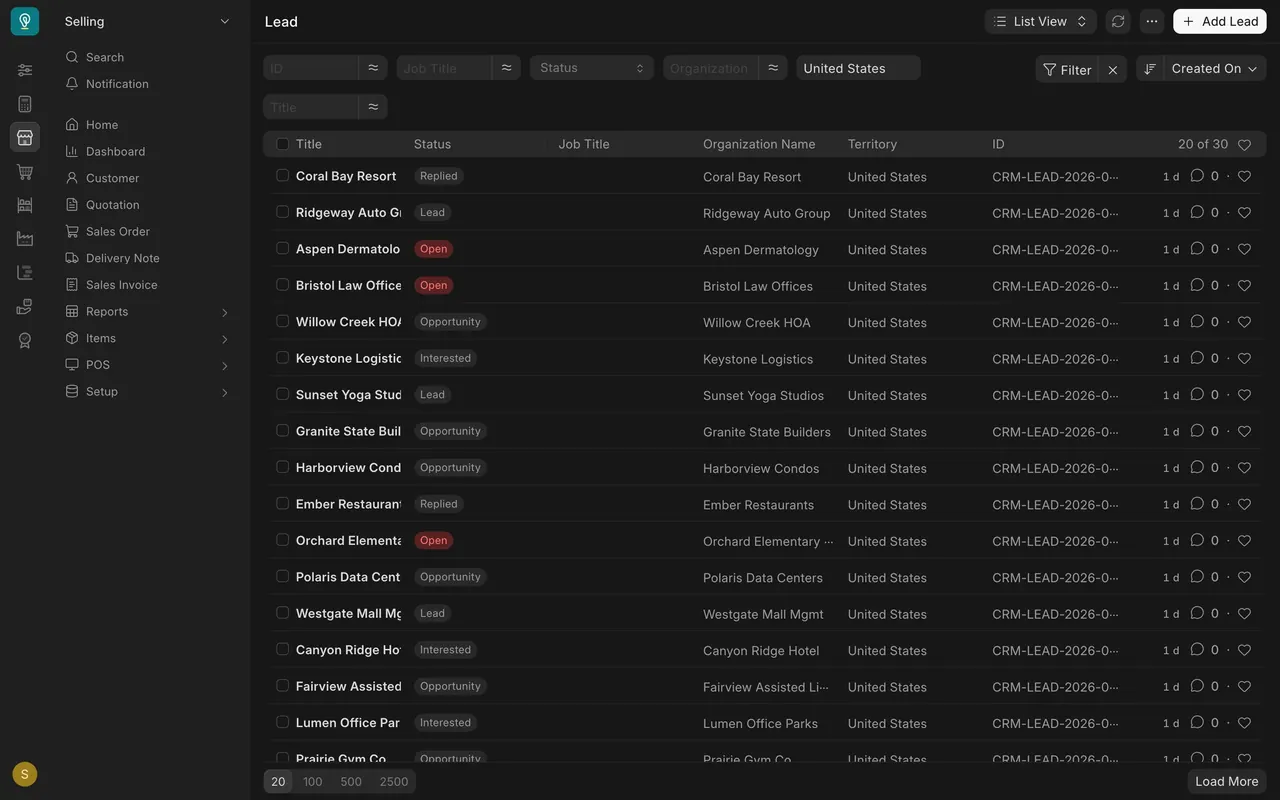
Find the lead list
- There is no customer relationship management tile on the Desktop. Press Cmd+K (Mac) or Ctrl+K (Windows), type
Leadand open the Lead list. You can also click "Search" at the top of the sidebar. - The list shows each enquiry's "Status", "Organization Name" and "Territory". Statuses in the demo data include "Lead", "Open", "Replied", "Interested" and "Opportunity".
Add a lead
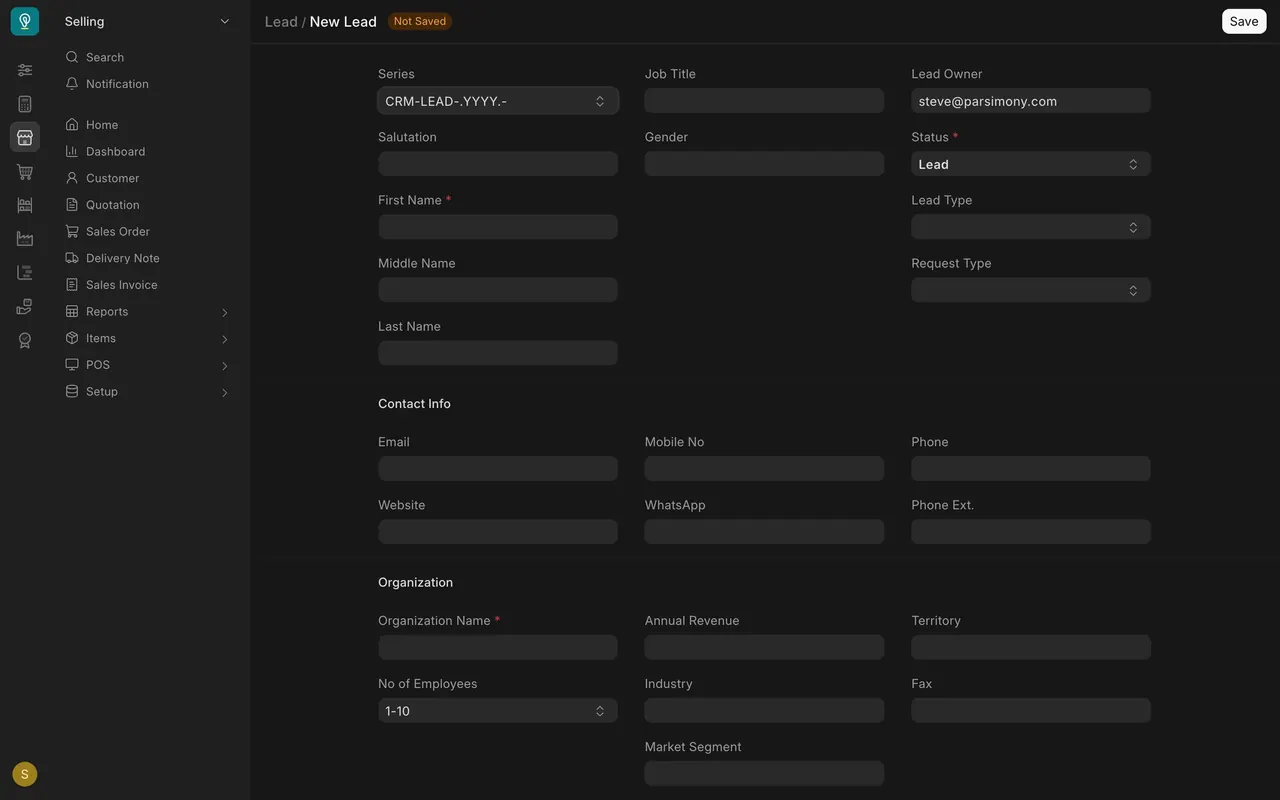
- Click "Add Lead" at the top right.
- Fill in "First Name" and "Organization Name". The lead will not save unless at least one of them is filled; for a business enquiry, fill in both.
- "Status" starts at "Lead". Leave it for a new enquiry.
- Under "Contact Info", add an "Email" or a "Mobile No" (mobile number), so others can follow it up.
- Click "Save". The number is given automatically.
Qualify the lead into an opportunity
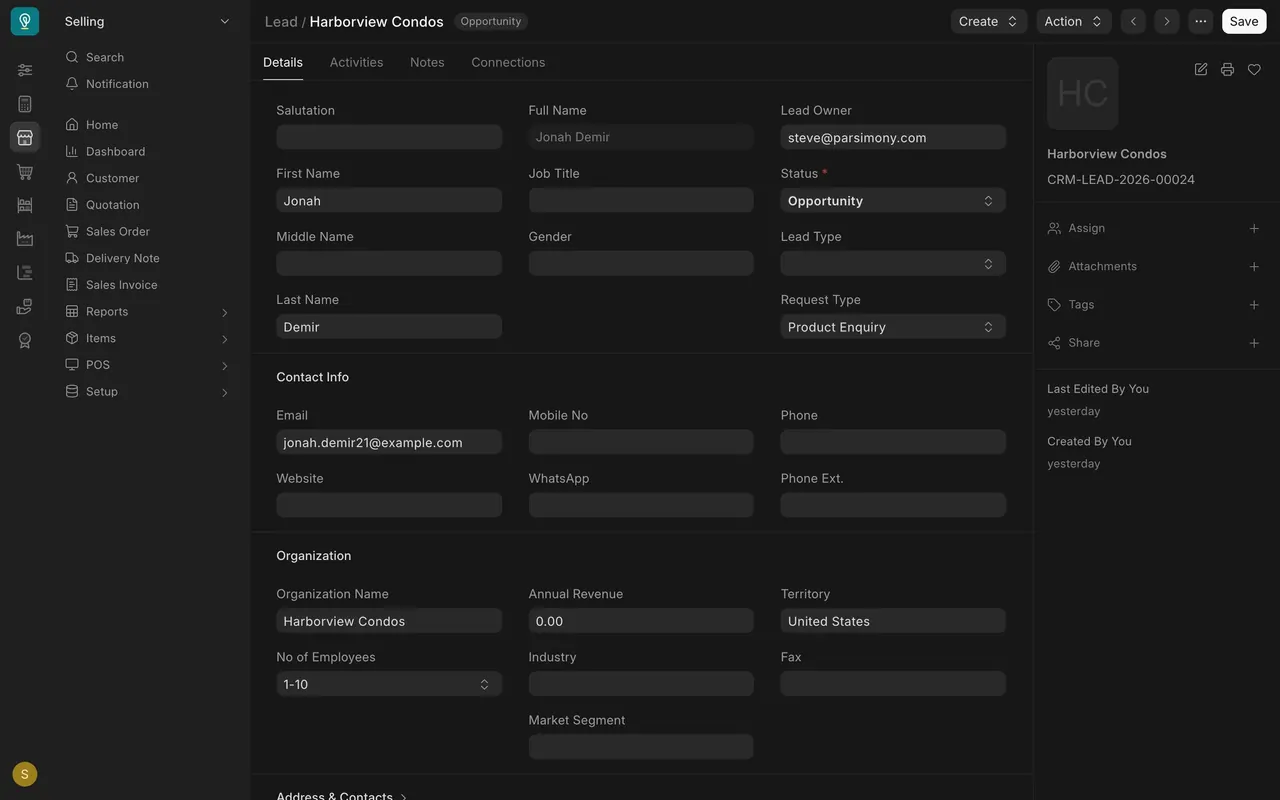
- Open the lead. Once there is a real job behind it, with a space, a quantity and a date, use "Create" at the top of the form to make an opportunity from it.
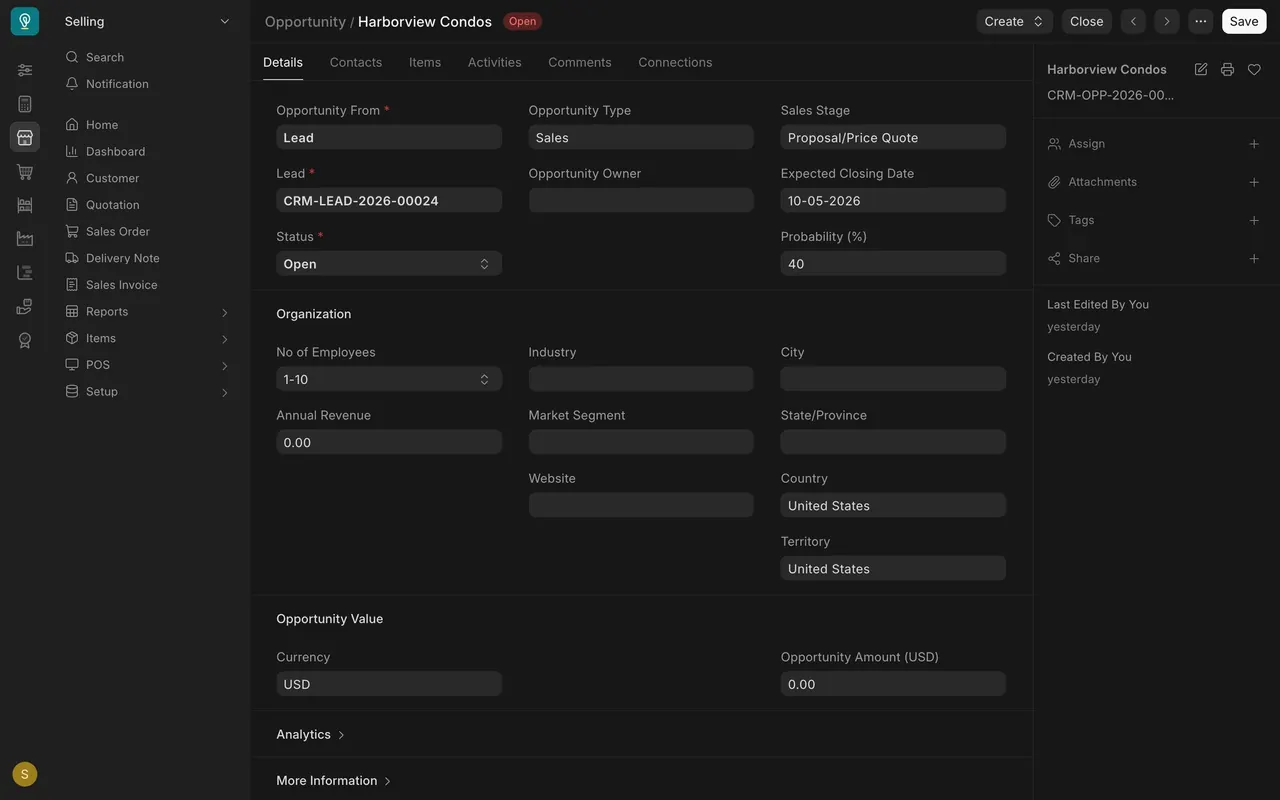
- On the new opportunity, check that "Opportunity From" says "Lead" and that the "Lead" field shows the lead you started from.
- "Status" is required. New opportunities are "Open".
- Fill in the judgement fields: "Sales Stage" (Harborview is at "Proposal/Price Quote"), "Expected Closing Date" and "Probability (%)".
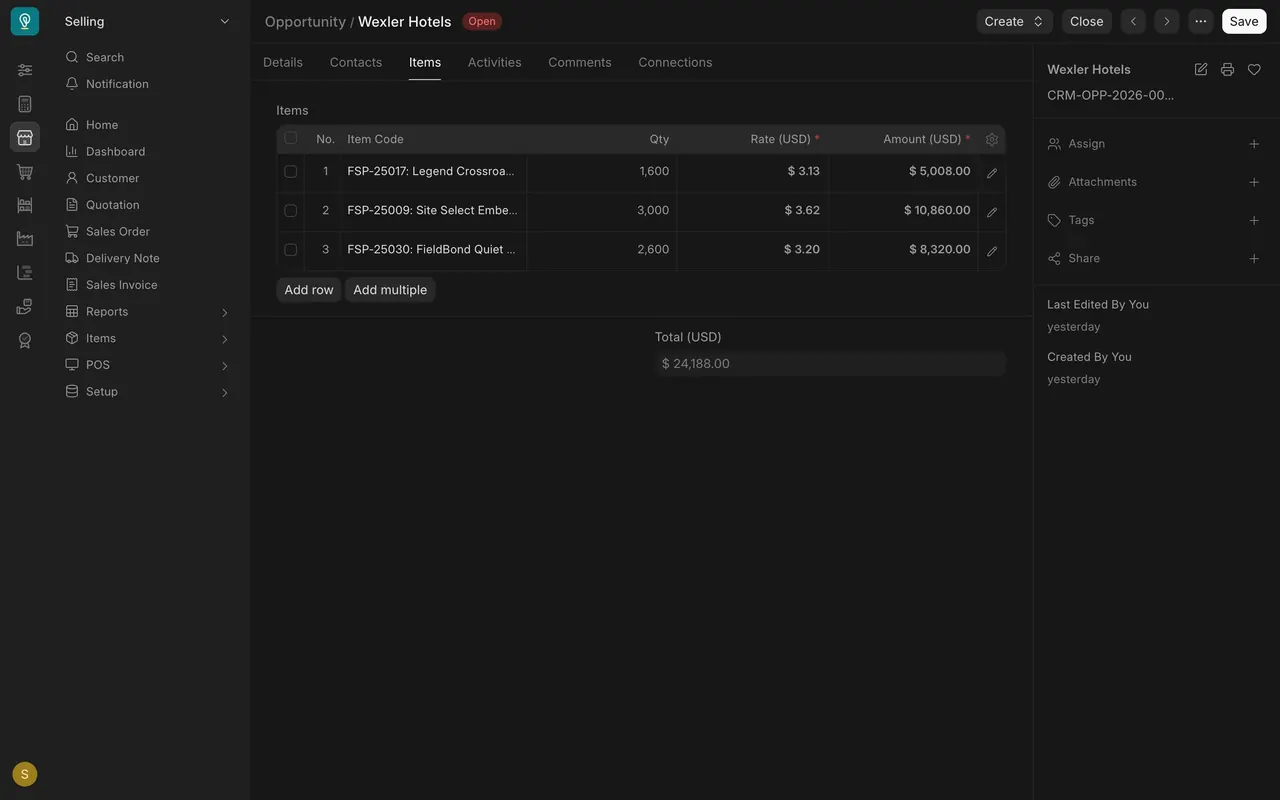
- Open the "Items" tab and add the flooring lines with a "Qty" in square feet and a "Rate (USD)" (the column is marked required). The quotation will start from these lines.
- Save. Back on the lead, the status now reads "Opportunity".
When the caller is already a customer
- Skip the lead. Open the Opportunity list and click "Add Opportunity".
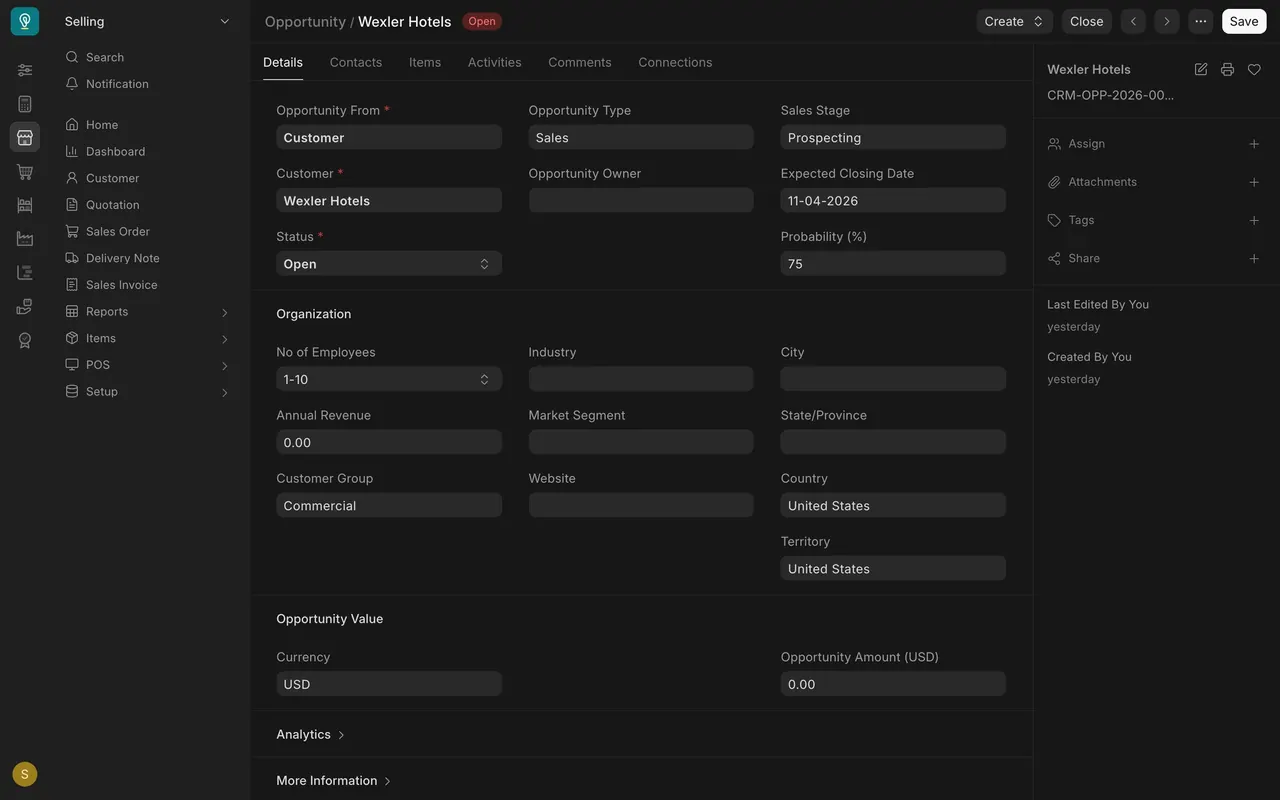
- Set "Opportunity From" to "Customer" and pick the customer. Wexler Hotels is set up this way.
- Fill in the rest exactly as above.
Follow up
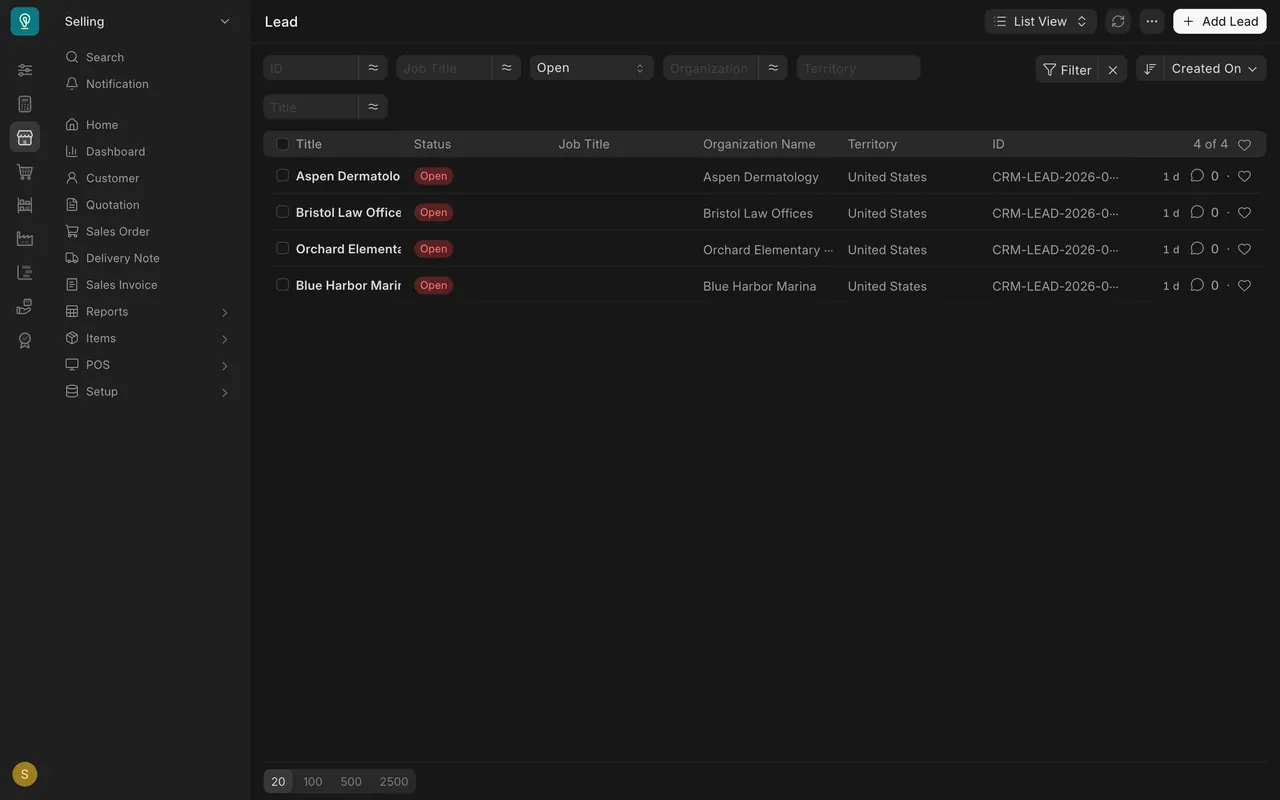
- On the Lead list, set the "Status" filter to "Open". In the demo data that leaves four leads, such as Aspen Dermatology and Bristol Law Offices.
- Give each one a next step: a call, a visit, a sample, or a status change if it has gone nowhere. Write it on the lead's "Notes" tab with a date, so anyone can pick it up.
Setup notes (check yours)
- Who can do what: In the demo setup, the Sales User and Sales Manager roles can read, write and create leads and opportunities. Neither document is submitted.
- Required fields on the lead form: "Status", plus "First Name" or "Organization Name" (at least one).
- Required fields on an opportunity: "Opportunity From", the lead or customer it is for, and "Status".
- Defaults on a new opportunity in the demo setup: "Opportunity Type" is "Sales", "Sales Stage" is "Prospecting" and "Probability (%)" is 100.
- Units: in this example, quantities are entered in square feet, never boxes. Use whichever unit your company has agreed.
- Email: if your site is set up to send email, Parsimony can send messages for you. If not, contact customers from your own email or phone.
Common mistakes
- Making a lead for an existing customer. It splits their history. Start an opportunity from "Customer" instead.
- Saving a lead with no way to reach them. Always add an email or a mobile number.
- Leaving the probability at 100. It is only the default, and it makes the pipeline look better than it is.
- No expected closing date. Without a date, nobody can plan stock or follow up on time.
- Deleting a lead that went nowhere. Change its status instead, so the history stays.
Check yourself
3 quick questions.
1. A contractor who already buys from your company calls about a new job. What do you create?
2. A caller asks about flooring for a clinic. There is no space, quantity or date yet. What do you record?
3. You create a new opportunity and "Probability (%)" shows 100. What should you do?