V16 Training · Items and Pricing · Lesson 1 of 6
The item record
This lesson shows you how to open an item and fill in the settings that are hard to change later.
Written guide
The idea
Every product you buy, stock or sell has one item record. Quotes, orders, deliveries and stock reports all point at it. A few settings are cheap to set when you create the item and costly to change after stock has moved, so they are worth a careful minute. The screens use example data from a demo company that sells flooring. Your own site shows your own items.
Step by step
Find the item
- Open Item in the Stock sidebar.
- Each row shows the Item Name, the Item Group, the UOM (the unit of measure) and the ID. The ID is the item code.
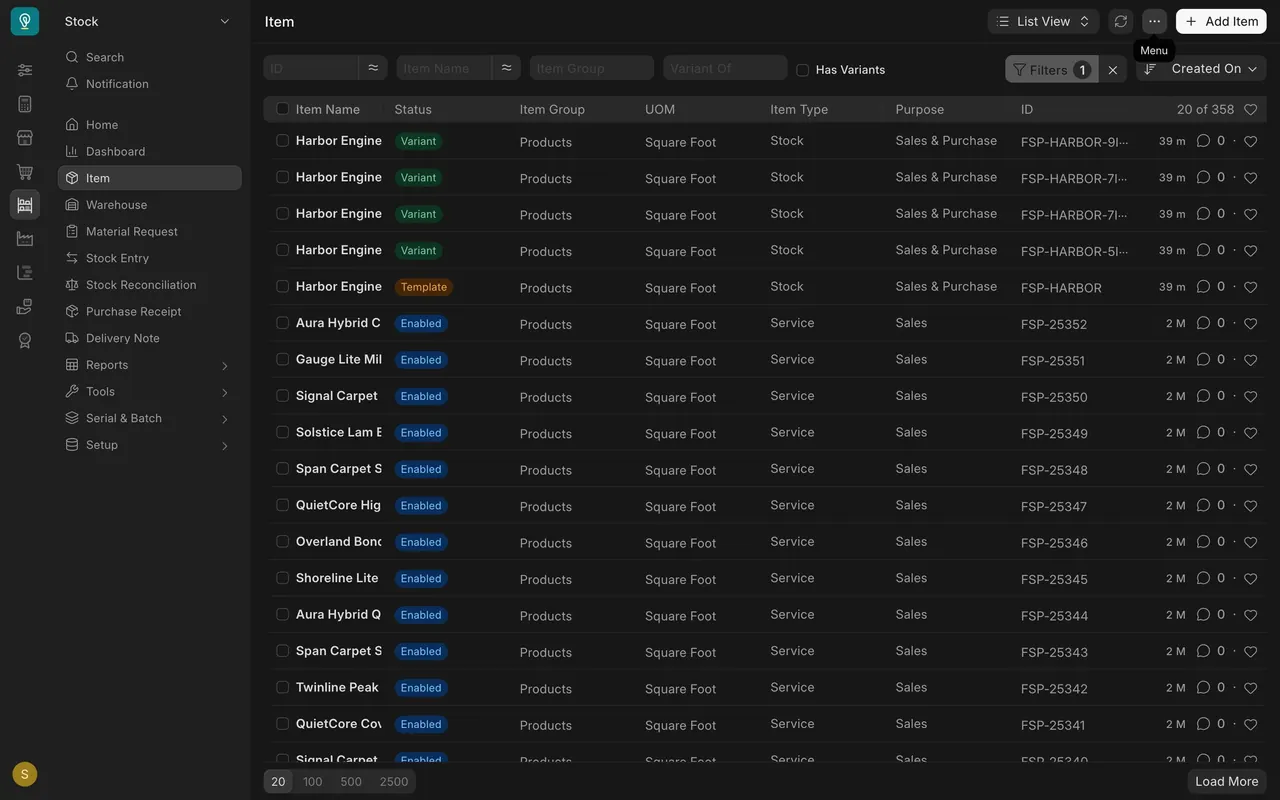
Step 1: name it twice
- On a new item, Item Code is required. It is the short, unique label on every order line.
- Item Name is the friendly name people read.
- Treat the code as permanent, and never reuse it. On a saved item, the code sits under the name, on the right.
Step 2: pick the Item Group
It files the item in your catalog, and reports and prices can follow it. In this example it is Products.
Step 3: choose the Default Unit of Measure
It is the unit your stock is counted in. In this example it is Square Foot.
Step 4: decide Maintain Stock
Tick it for anything you keep on a shelf. Leave it empty for a service.
Once an item has stock movements, do not change Maintain Stock or the unit. Parsimony may refuse, and if it does not, your stock history stops adding up.
The tabs
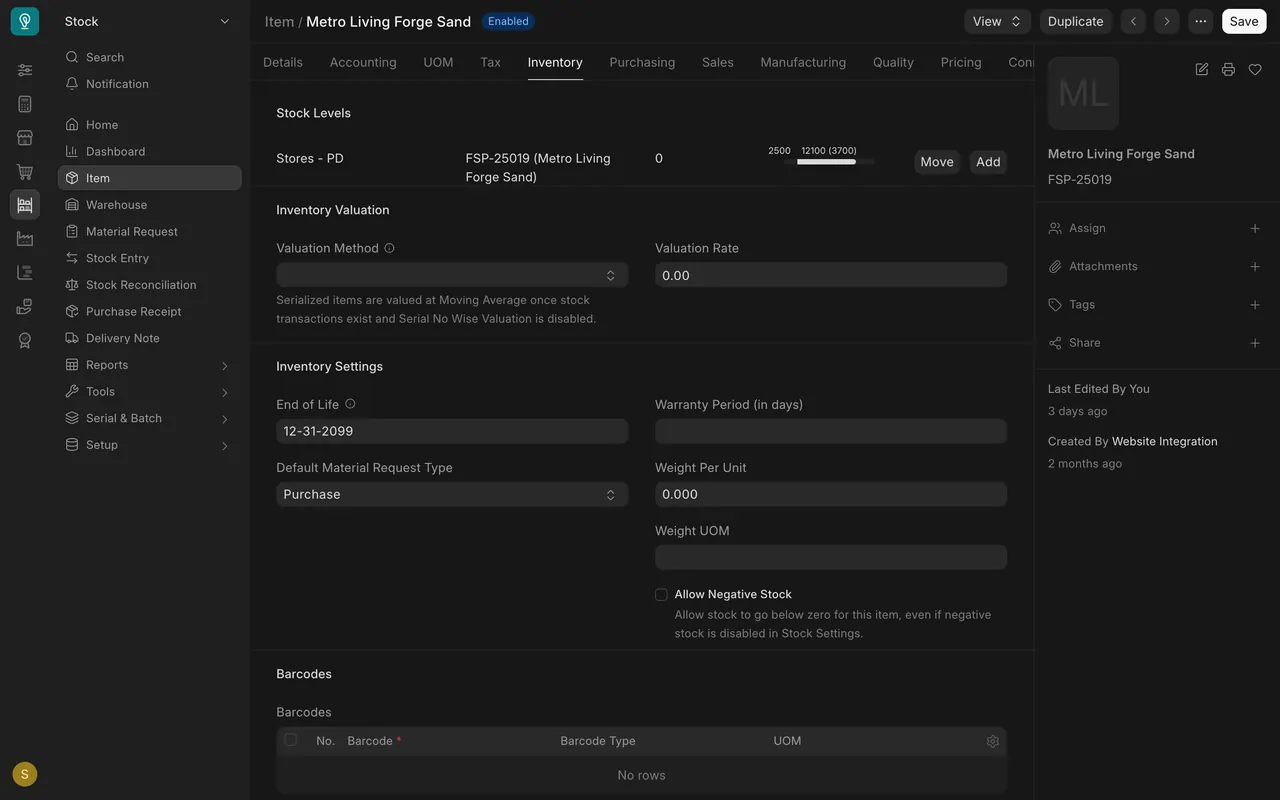
- Inventory shows stock levels in each warehouse and the Valuation Method. Set the valuation method before stock arrives. Allow Negative Stock lets the count fall below zero; keep it off unless your manager says otherwise.
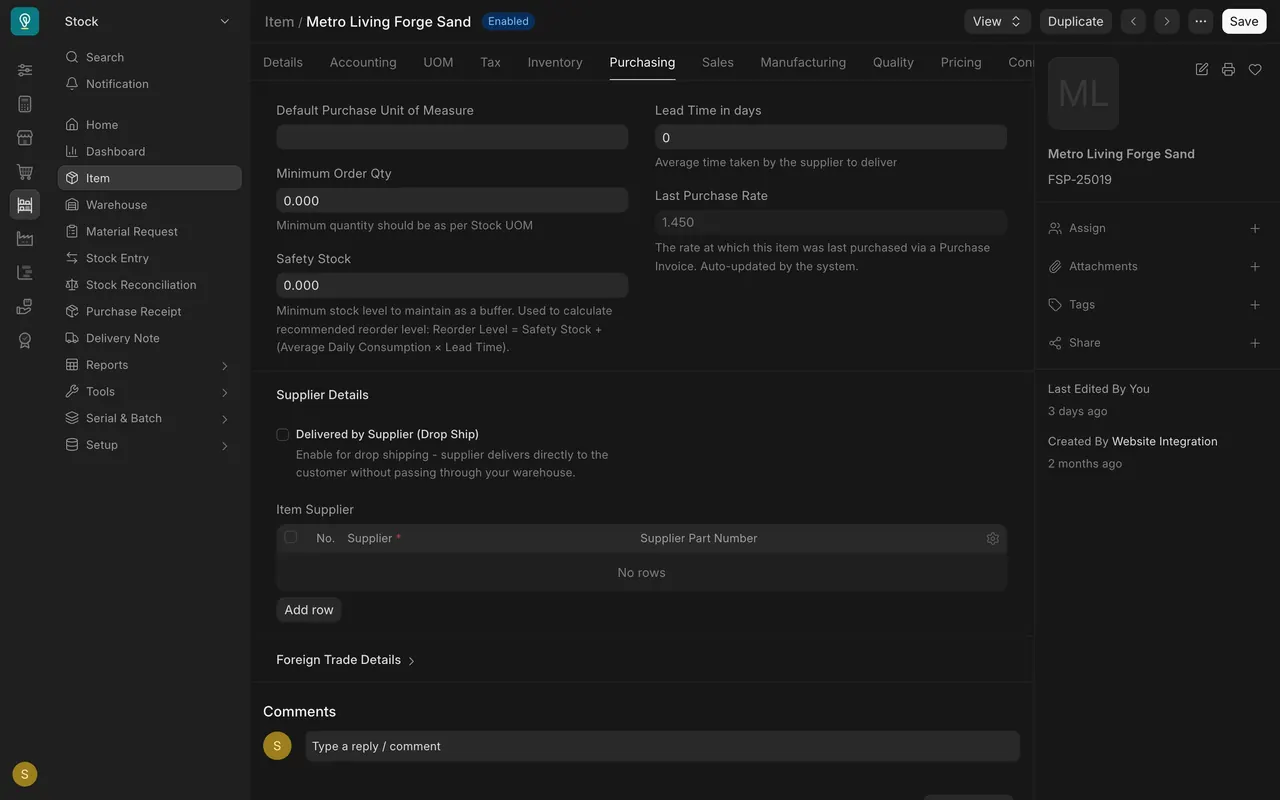
- Purchasing holds the Default Purchase Unit of Measure, the minimum order quantity, Lead Time in days and the Item Supplier table. Last Purchase Rate is filled in by Parsimony; do not type in it.
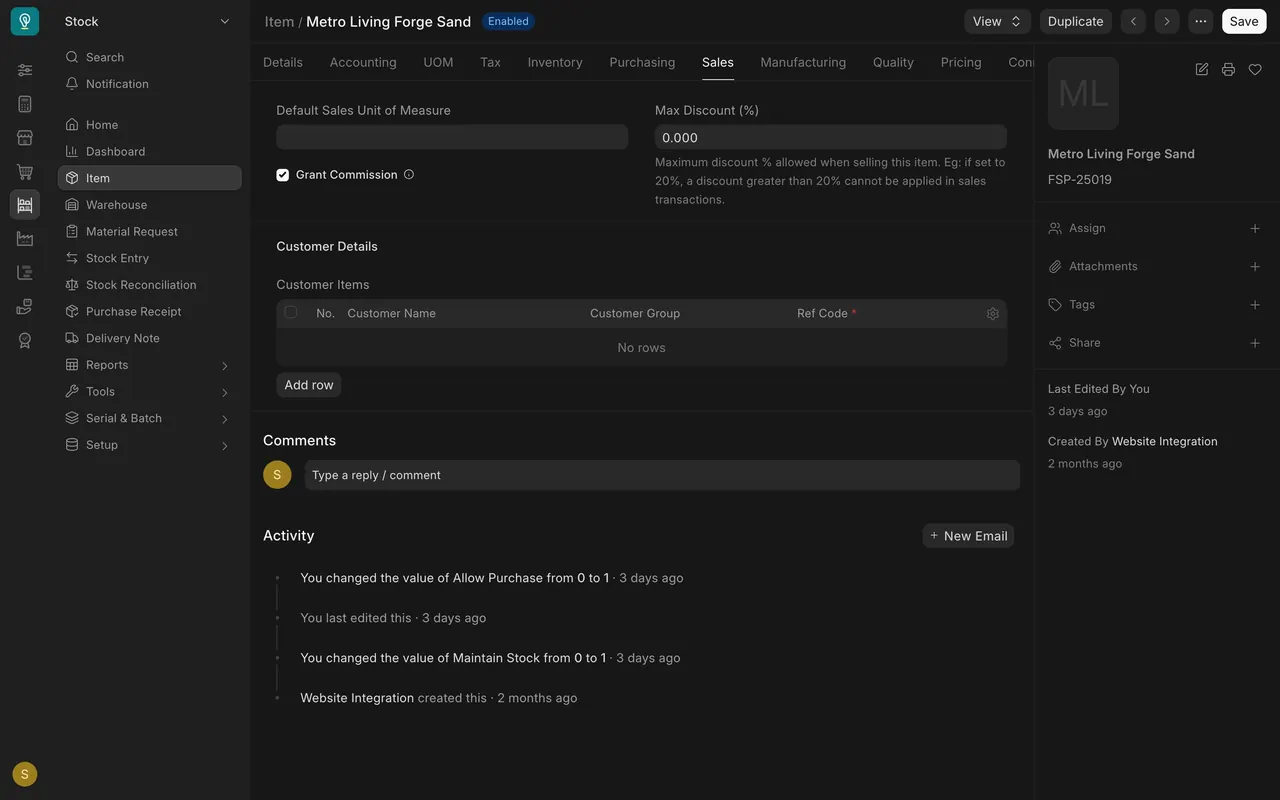
- Sales holds the Default Sales Unit of Measure and Max Discount, a limit on the discount anyone can give on the item.
What you may see on your own site
- Only people with the Item Manager role can create or change items; everyone else can read them.
- Your tabs and fields may differ a little, and your item codes follow your own pattern.
Common mistakes
- Reusing an item code for a different product.
- Choosing the wrong unit and changing it after stock has moved.
- Ticking Maintain Stock for a service, or leaving it empty for a shelf item.
- Typing over Last Purchase Rate, which Parsimony fills in.
Check yourself
3 quick questions.
1. Which field is the item code?
2. Is "Maintain Stock" a good setting to flip after the item has stock movements?
3. Where do you find the supplier's part number for an item?