V16 Training · Accounting · Lesson 6 of 6
Read the financial reports
This lesson shows you how to read the core financial reports in the order an accountant checks them, and how to tell a healthy set of books from a broken one.
Written guide
The idea
Every invoice, payment and journal from this course ends up in a handful of reports. Read them in this order:
- It balances. The Trial Balance: total debits equal total credits.
- It ties. Control accounts in the trial balance agree with their detailed reports: Debtors with the Accounts Receivable Summary, Creditors with Accounts Payable.
- Then read it. The Profit and Loss Statement and the Balance Sheet tell you how the period went and where the company stands.
When a figure looks wrong at any step, drop into the General Ledger and filter to the account or the document. Every posting is there.
Step by step
- Open the Accounting home page. The reports sit under Financial Statements and Receivables & Payables. Most of them are also under Reports in the Accounts sidebar.
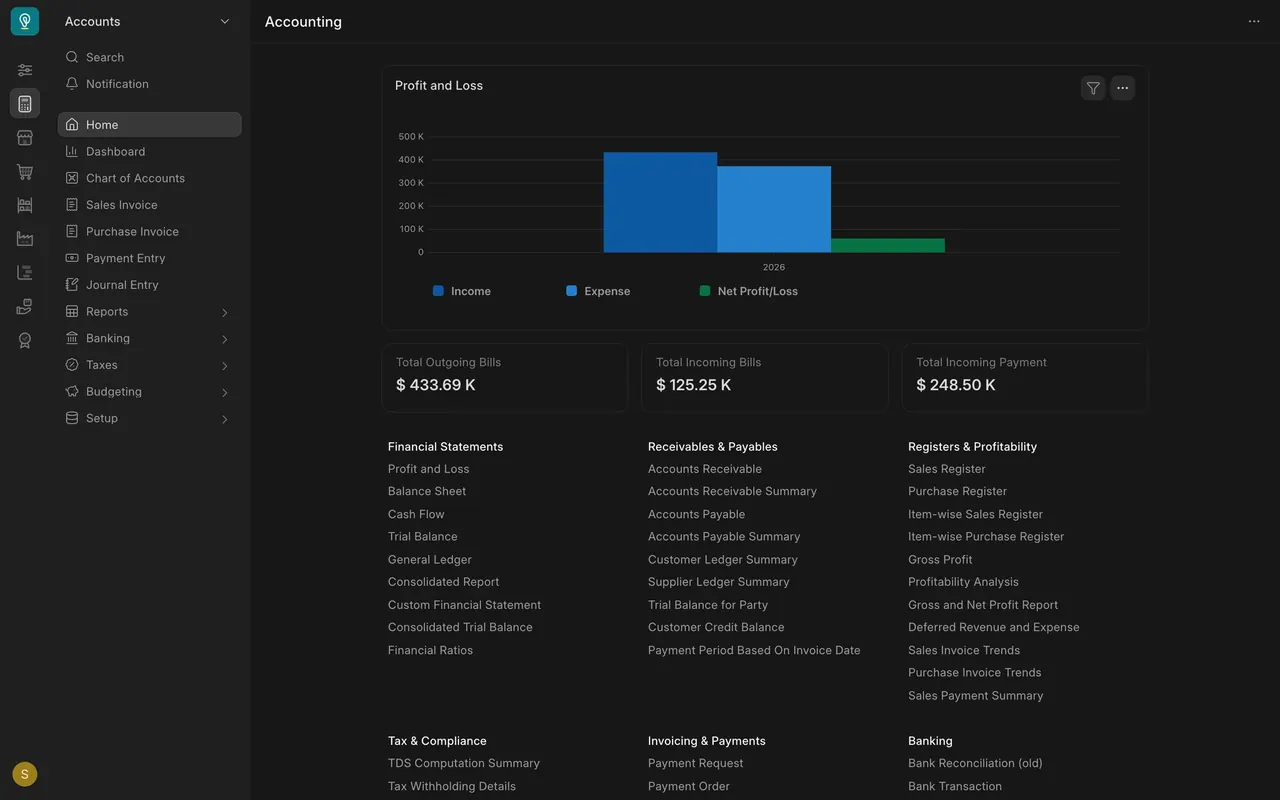
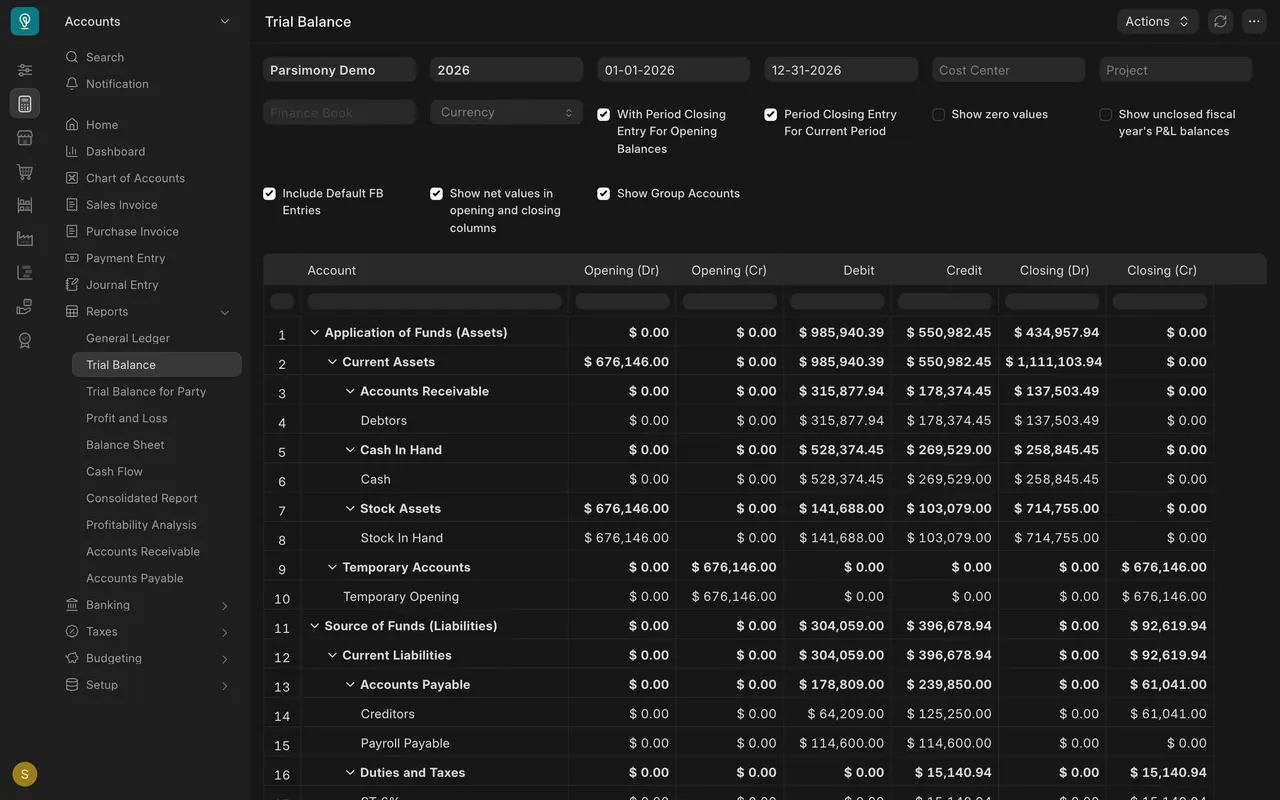
- Open Trial Balance. Set your company and the fiscal year first (in the example, Parsimony Demo and 2026), so you do not mix periods.
- Check that total debits equal total credits. If they don't, stop. Nothing built on top can be trusted until you find out why.
- Note the closing figure on Debtors: $137,503.49 in the example. Note Creditors too: $61,041.00.
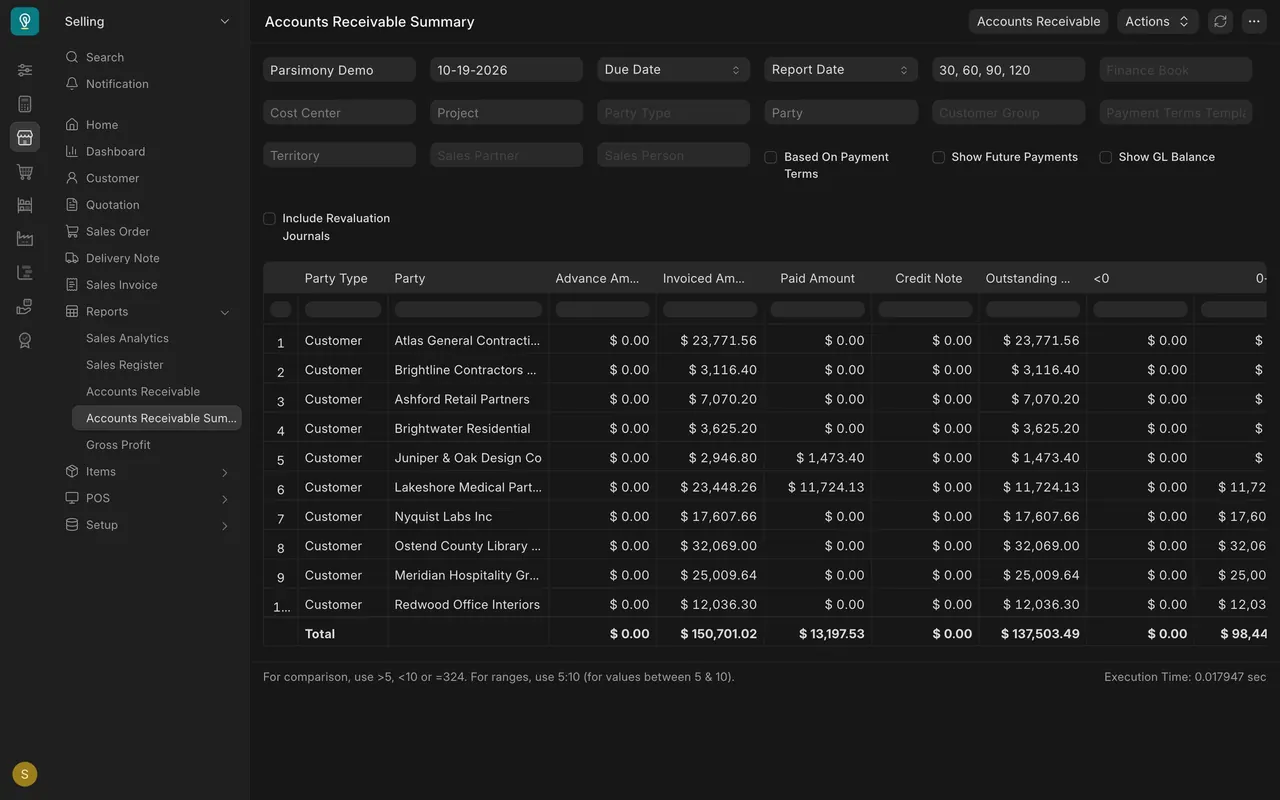
- Open the Accounts Receivable Summary. Its total outstanding is $137,503.49, the same as Debtors to the cent. That tie tells you every amount on Debtors belongs to a named customer. It does not prove each payment cleared the right invoice; allocation (lesson 2) does that. If the two differ, check that both use the same company and date, then raise it with your Accounts Manager.
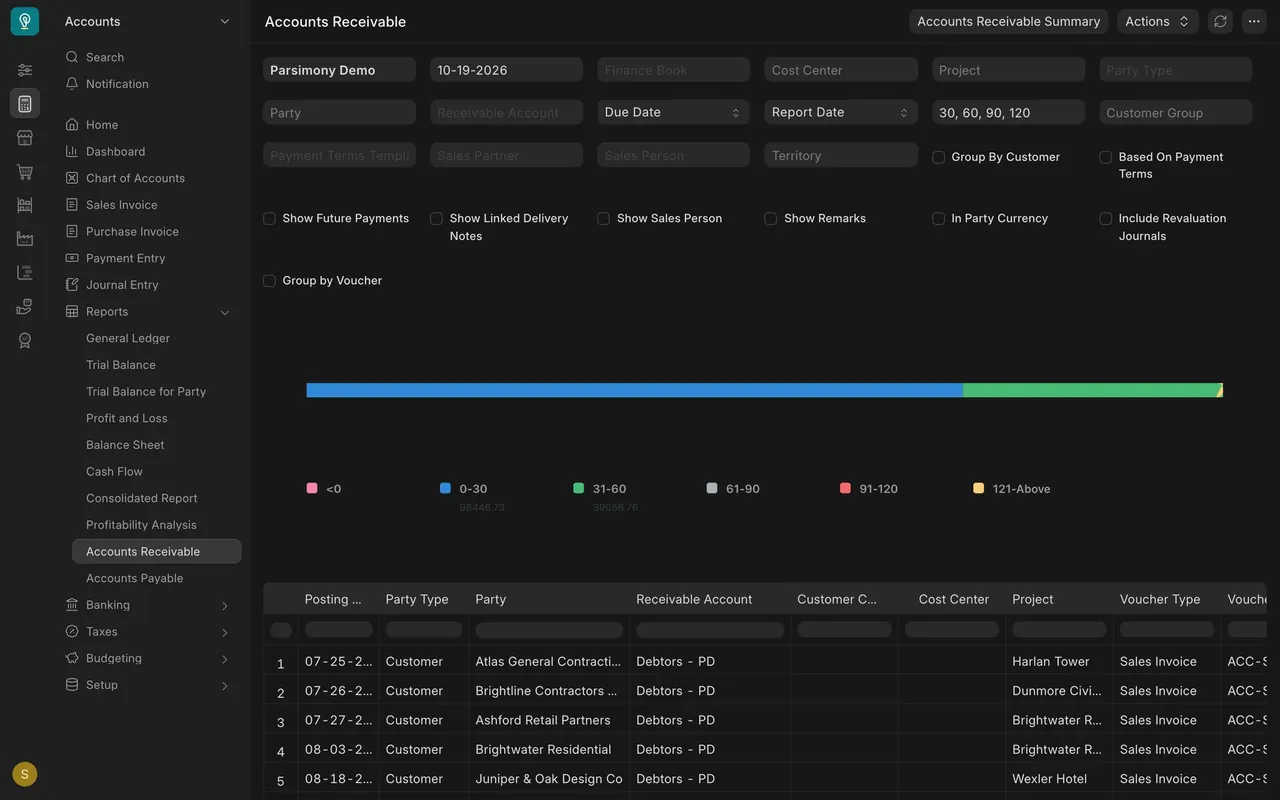
- Open Accounts Receivable for the ageing. Based on due date, in the example $98,446.73 is up to 30 days late and $39,056.76 is 31 to 60 days late. Nothing is older. That is your collections list.
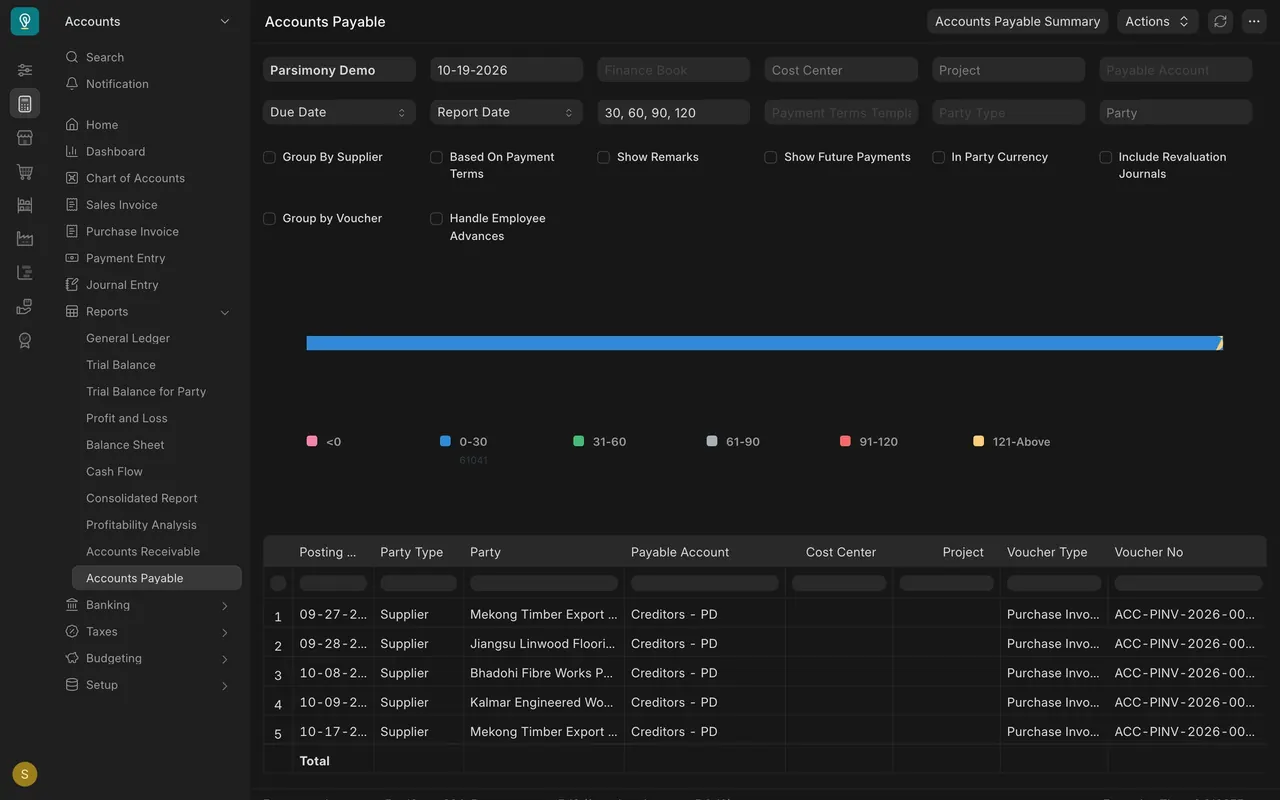
- Open Accounts Payable. In the example, five unpaid bills, all in the 0-30 days bucket, total $61,041, which matches Creditors in the trial balance.
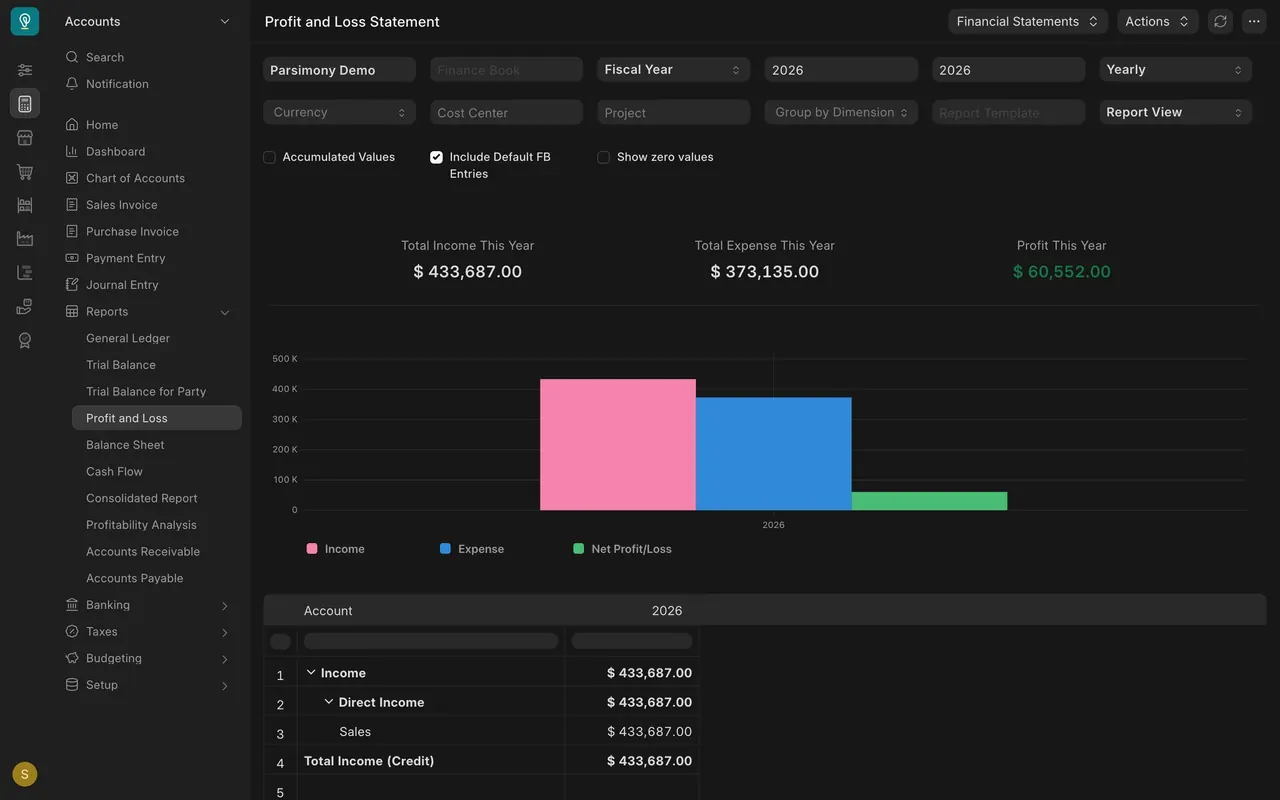
- Open the Profit and Loss Statement for the fiscal year. It shows Total Income This Year, Total Expense This Year and Profit This Year. In the example the company is profitable: income of $433,687.00 is ahead of expenses of $373,135.00, so Profit This Year shows $60,552.00 in green.
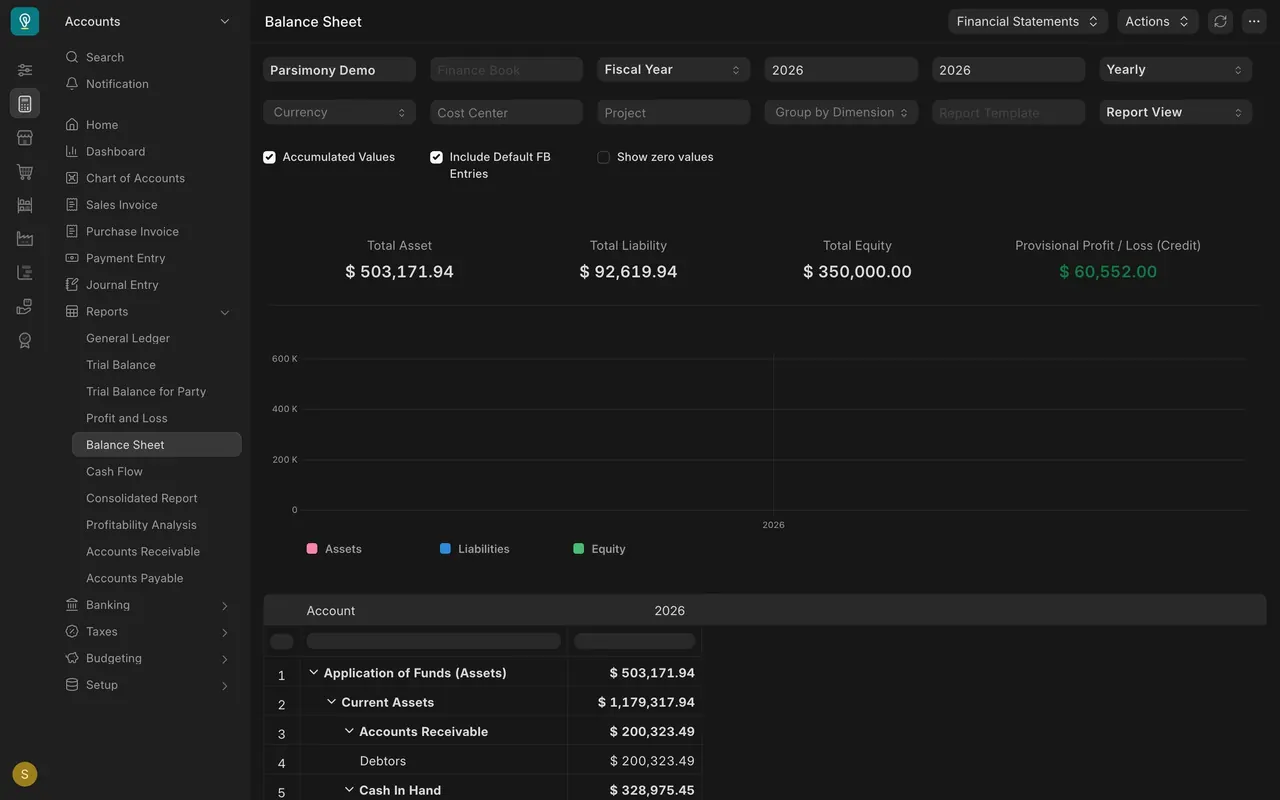
- Open the Balance Sheet. Check the identity: Total Asset equals Total Liability plus Total Equity plus Provisional Profit / Loss (Credit). In the example: $503,171.94 = $92,619.94 + $350,000.00 + $60,552.00.
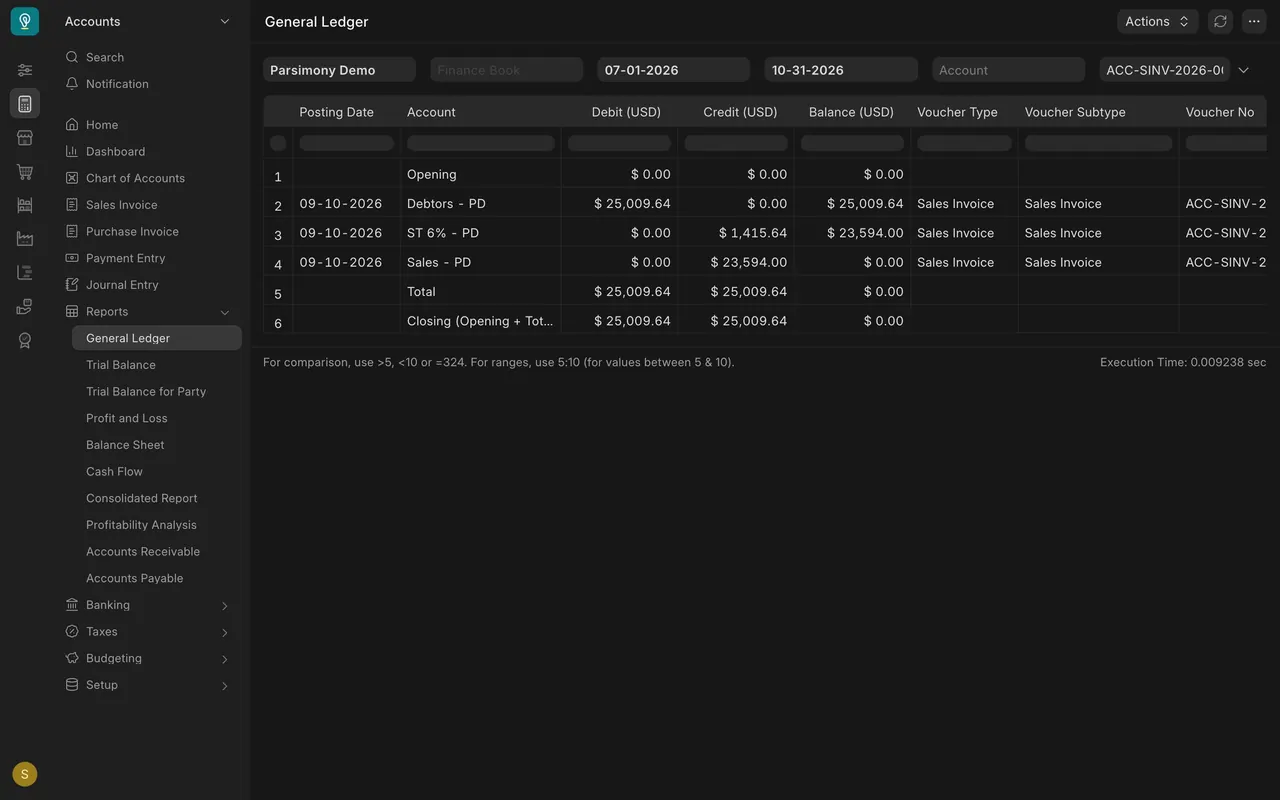
- When a figure looks wrong, open General Ledger, set the company and dates, and filter to the account or the document number. Each line shows the account, debit, credit and the voucher behind it.
The example setup
- Company: the example company is Parsimony Demo, in US dollars, fiscal year 2026. Yours will show your own company and currency.
- Control accounts: Debtors (customers) and Creditors (suppliers). Each account name ends with a short company code.
- Ageing: based on due date, in buckets 0-30, 31-60, 61-90, 91-120 and 121 and above.
- Opening balances: in the example, the trial balance shows $676,146.00 on Temporary Opening, the same as the opening stock value. Temporary Opening is a holding account and should be zero once opening balances are finished. Raise it with your Accounts Manager rather than posting anything yourself.
- Example data: the amounts, including the profit, are invented, not business results.
Common mistakes
- Reading without filters. Mixed companies, years or dates make every total look wrong. Set company and fiscal year first.
- Skipping the trial balance. Reading profit before checking that the books balance and tie.
- Trusting a summary that doesn't tie. If the receivables summary and Debtors differ, find out why before you send any statement to a customer.
- Ignoring holding accounts. A balance left on Temporary Opening, or on a payable that should have cleared, is a sign something was not finished.
- Fixing reports by journal. Never post a journal just to make a report look right. Find the document that caused it.
That completes the Accounting course
You have covered invoices, customer payments, supplier bills and payments, journal entries, corrections and the core reports. The next course, Sourcing and Samples, shows how new products are found and approved before anyone orders them. That is where the supplier bills you enter begin.
Check yourself
3 quick questions.
1. Which report do you check first, before reading profit?
2. In the example, Debtors in the trial balance shows $137,503.49. What should the Accounts Receivable Summary total outstanding show?
3. Temporary Opening still carries a balance after go-live. What should you do?